
v3.4.3
riverpod
Um framework de cache reativo e vinculação de dados. Riverpod torna o trabalho com código assíncrono uma brisa.
4 milCurtidas 4,3 miDownloads em 30 dias160Pontos Pub
AndroidiOSWebmacOSWindowsLinux
Código-fonte do meu aplicativo de lista de compras no F-Droid

Um framework de cache reativo e vinculação de dados. Riverpod torna o trabalho com código assíncrono uma brisa.
Configure facilmente bancos de dados drift em aplicativos Flutter, across plataformas.
Um pacote para criar geradores de código compatíveis com o build_runner.
Implementações de Builder que envolvem os compiladores dart2js e DDC.
Fornece vinculações leves, mas convenientes ao SQLite usando dart:ffi
Um pacote para manipular rastreamentos de pilha e imprimi-los de forma legível.
 v5.0.1
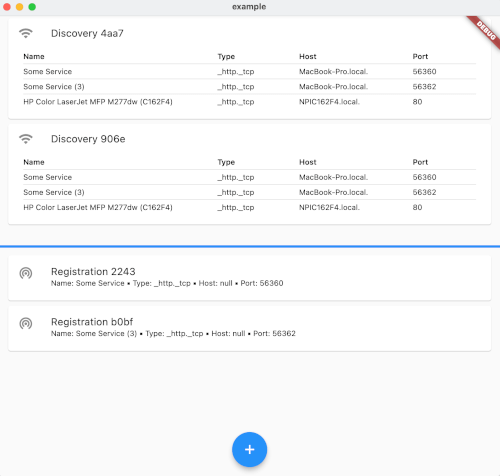
Um plugin Flutter para descoberta e registro de serviços de rede (também conhecido como NSD / DNS-SD / Bonjour / mDNS).
Localize facilmente nomes de marketing de dispositivos para Android, iOS e navegadores. Sem necessidade de conexão com a internet ou banco de dados.
pacote improved autoscale_tabbarview
Texto original em inglês. Visite o GitHub para a versão atual.
Or download the latest APK from the Releases Section.
This is a shopping list app, with integrated meals scheduler. It features local sync, that is, synchronization between instances without the need of a central server. A headless server is also provided.
Some offline games (like Minecraft) can be used either offline, as a client of other instances, or serve its game to other clients.
Lista de la compra can act as server and client simultaneusly, in a peer to peer achitecture.
In terms of encryption we have no encryption. Please connect only to fully trusted networks while synchronizing the app databases.
You can host a server in your own LAN. See the instructions in lista_de_la_compra_server.