

v0.3.4
timeline_editor
Um widget do Flutter para ajudá-lo a gerenciar cronogramas como uma linha do tempo de vídeo com faixas editáveis ou não, com movimentação, ações...
41Curtidas 47Downloads em 30 dias30Pontos Pub
Plataformas indisponíveis
editor de linha do tempo para flutter

Texto original em inglês. Visite o GitHub para a versão atual.
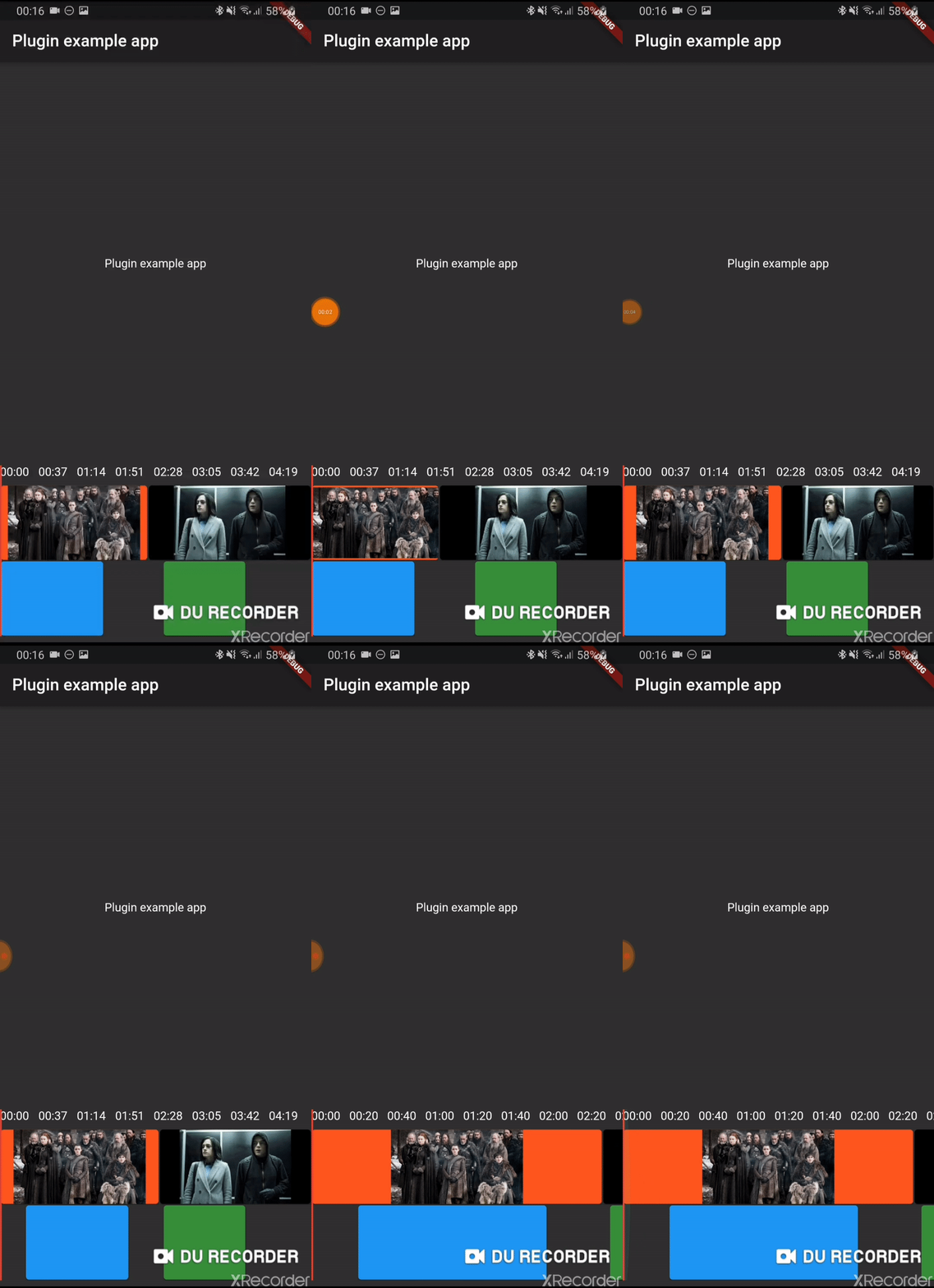
Early version of a timeline editor. Support:
Add timeline_editor as a dependency in your pubspec.yaml file (what?).
Import timeline_editor:
import 'package:timeline_editor/timeline_editor.dart';
We now use Duration instead of seconds. To migrate you can use the helper functions to transform your seconds to Duration:
Duration durationFromSeconds(double seconds)
double durationToSeconds(Duration duration)
See example
TimelineEditor(
                  positionStream: positionStream,
                  onPositionTap: (s) => position = s,
                  countTracks: 2,
                  trackBuilder: (track, pps, duration) => track == 1
                      ? TimelineEditorTrack(
                          defaultColor: Colors.green[700],
                          boxes: [
                            TimelineEditorBox(box1Start, 100,
                                onMoved: updateBox1,
                                color: Colors.blue,
                                onMovedEnd: () => print('end moved')),
                            TimelineEditorBox(157, 80),
                          ],
                          pixelsPerSeconds: pps,
                          duration: duration,
                        )
                      : TimelineEditorTrack.fromContinuous(
                          continuousBoxes:[
                            TimelineEditorContinuousBox(
                                Duration.zero,
                                color: Colors.deepOrange,
                                child: const Image(image: const AssetImage('assets/image2.jpg')),
                            ),
                            TimelineEditorContinuousBox(
                                box2Start,
                                menuEntries: [
                                PopupMenuItem<String>(child: Text('Delete'), value: 'deleted')
                                ],
                                onMoved: updateBox2,
                                onSelectedMenuItem: (v) {
                                print('Selected: $v');
                                setState(() {
                                    deleted = true;
                                });
                                },
                                onTap: (start, duration) =>
                                    print('tapped for $start to ${start + duration}'),
                                color: Colors.black,
                                child: const Image(image: const AssetImage('assets/image.jpg')),
                            ),
                            ],
                          pixelsPerSeconds: pps,
                          duration: duration,
                        ),
                  duration: Duration(seconds: 300),
                ))
Main widget used to hold your tracks, display position and time
A provided track to use with the TimelineEditor track builder (you can use your own)
It can either hold simple TimelineEditorBox with a start and an end
or TimelineEditorTrack.fromContinuous with TimelineEditorContinuousBox to have a conitunuous track where you only set start time and duration will be calculated so the box go up to the next box
Lista de dependências 4 itens
{"sdk":"flutter"}^0.1.2^0.24.1{"sdk":"flutter"}Filtre pelo caso de uso, compare a atividade e confira o projeto original antes de adotá-lo.
“A repository is the most basic element of GitHub.”
GitHub Docs — About repositories ↗