touchable_opacity
Version
Build Status
codecov
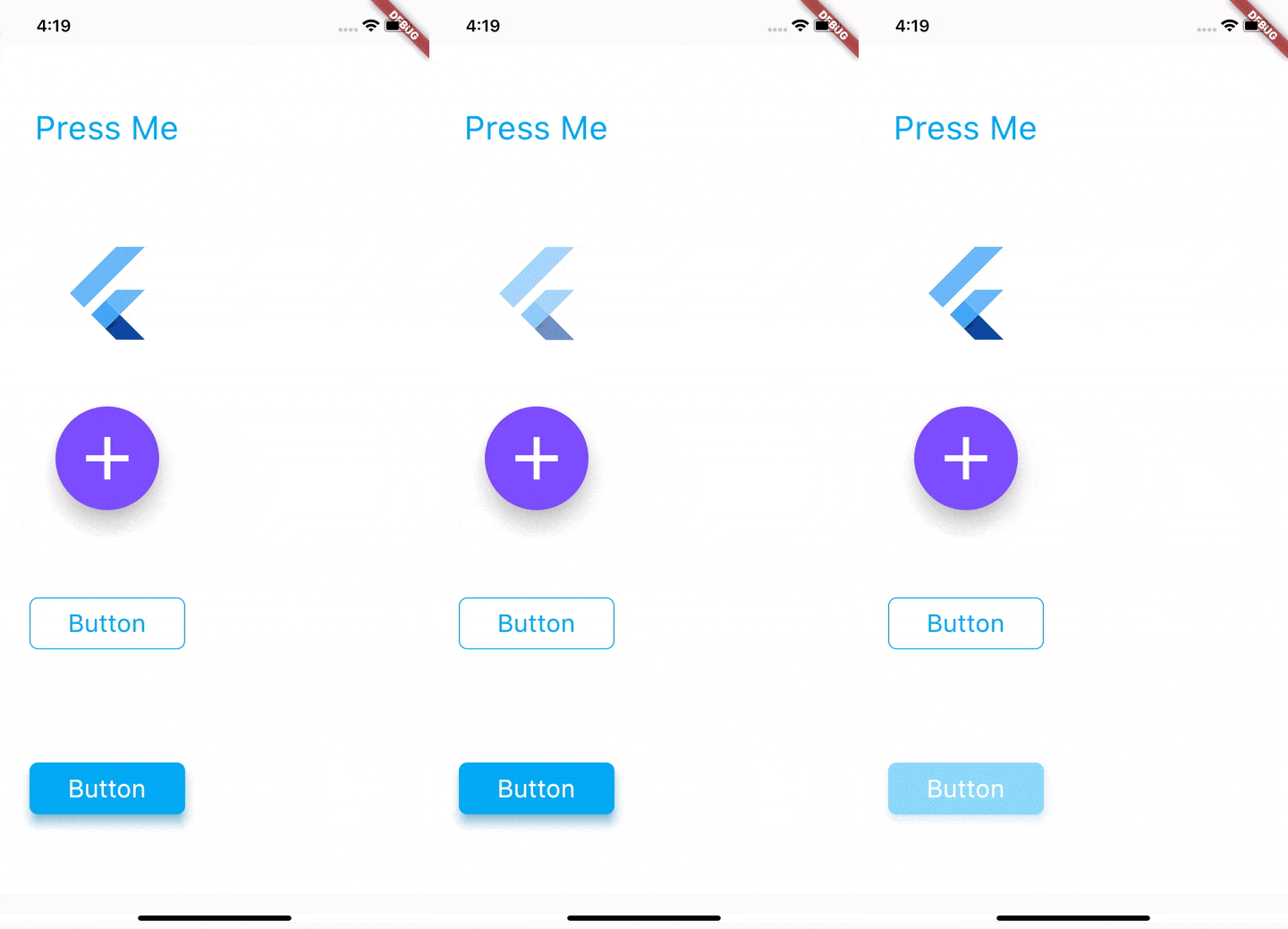
This package gives you access to the Touchableopacity widget. This widget uses the GestureDetector to allow interaction and animated to opacity of the widget on touch events.
https://raw.githubusercontent.com/nkshah2/touchable_opacity/HEAD/resources/sample.gif
Installing
Add the package to your pubspec.yaml file
dependencies:
	touchable_opacity: 1.2.0
Usage
Import the package using
import 'package:touchable_opacity/touchable_opacity.dart';
And simply use it as any other widget.
Container(
	child: TouchableOpacity(
		activeOpacity: 0.4,
		child: FlutterLogo(),
	),
),
Configuration
TouchableOpacity uses gestureDetector internally and tries to maintain all the different behaviours and interactions that gesture detector enables. To understand the different touch events that you can configure please visit the GestureDetector API docs here.
activeOpacity: double value that TouchableOpacity uses to animate the opacity of the child when a touch down event is received. The value must be between 1.0 and 0.0, the default value is 0.2 .
Example
The code found in the example folder of this repo shows how to use this package to render the content shown in the sample GIF. The folder contains a Flutter application that you can run yourself. Go here to jump into the code.
Support
If you have any issues with using this package, or have any ideas you thnk are good additions please create an issue here
Known Issues
Because of the way GestureDetector renders, TouchableOpacity fills its parent. If you want to bound the size to that of its child simply place the TouchableOpacity widget in any one of the Layout widgets, you can see a list of layout widgets available in flutter here


 v1.2.0