Buscar pacotes, repositórios e categorias de apps

Repositório GitHubrlazom/easy_dynamic_theme

easy_dynamic_theme

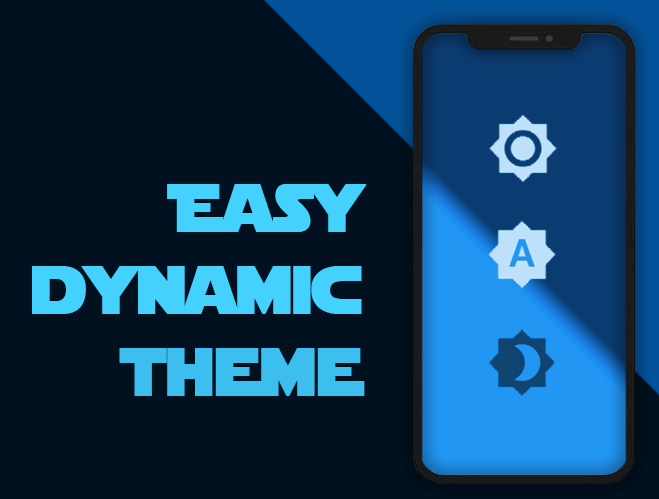
Obtenha automaticamente o tema definido pelo sistema operacional (dinâmico), force seu tema preferido (Claro / Escuro) e, é claro, persista essa escolha no seu dispositivo

Capa do projeto easy_dynamic_theme
Estrelas
25
Forks
2
Último push (UTC)
9 de mai. de 2023
Status do projeto
Ativo

README original

Texto original em inglês. Visite o GitHub para a versão atual.

Easy Dynamic Theme

This is a new and easy approach on Flutter Themes.

Automatically get your OS defined Theme (Dynamic), force your prefered one (Light / Dark) and persist your choice in the device.

Pub Version flutter tests Codacy Badge codecov GitHub BuyMeACoffee

Easy peasy, don't you think? ;)

Demo

Getting Started

For help getting started with Flutter, view our online documentation, which offers tutorials, samples, guidance on mobile development, and a full API reference.

Minimum Requirements

  • Dart SDK: >=2.12.0 <3.0.0
  • Flutter: >= 1.20.0

Installation and Usage

Once you're familiar with Flutter you may install this package adding easy_dynamic_theme to the dependencies list
of the pubspec.yaml file as follow:

dependencies:  
  flutter: 
    sdk: flutter  
 easy_dynamic_theme: ^2.2.0

Then run the command flutter packages get on the console.

Examples of use

All magic occurs in your main.dart file

import 'package:flutter/material.dart';
import 'package:easy_dynamic_theme/easy_dynamic_theme.dart';
import 'home.dart';

void main() async { 
  runApp( 
    EasyDynamicThemeWidget( 
      child: MyApp(), 
    ), 
  );
}  
  
class MyApp extends StatelessWidget {  
  final String title = 'EDT - Example'; 
   
  @override 
  Widget build(BuildContext context) { 
    return MaterialApp( 
      title: title, 
      theme: ThemeData.light(), 
      darkTheme: ThemeData.dark(), 
      themeMode: EasyDynamicTheme.of(context).themeMode, 
      home: new MyHomePage(title: title,) 
    ); 
  }
}  
How to use predefined Themes

You can use your own themes as follows:

In the file themes.dart define your Themes

  import 'package:flutter/material.dart';
  
  var lightThemeData = new ThemeData(
      primaryColor: Colors.blue,
      textTheme: new TextTheme(button: TextStyle(color: Colors.white70)),
      brightness: Brightness.light,
      accentColor: Colors.blue);
  
  var darkThemeData = ThemeData(
      primaryColor: Colors.blue,
      textTheme: new TextTheme(button: TextStyle(color: Colors.black54)),
      brightness: Brightness.dark,
      accentColor: Colors.blue);

And then in your main.dart file import your themes file and use them on MaterialApp attributes theme and darkTheme

import 'package:flutter/material.dart';
import 'package:easy_dynamic_theme/easy_dynamic_theme.dart';
import 'theme.dart';
import 'home.dart';

void main() async { 
  runApp( 
    EasyDynamicThemeWidget( 
      child: MyApp(), 
    ), 
  );
}  
  
class MyApp extends StatelessWidget {  
  final String title = 'EDT - Example'; 
   
  @override
  Widget build(BuildContext context) { 
    return MaterialApp( 
      title: title, 
      theme: lightThemeData, 
      darkTheme: darkThemeData, 
      themeMode: EasyDynamicTheme.of(context).themeMode, 
      home: new MyHomePage(title: title,) 
    ); 
  }
}  
How to change the ThemeMode in your app

You can use the function changeTheme from anywhere in your app.

This function have two optional parameters: dynamic and dark. If the value of dynamic is true, it takes precedence over dark.

  EasyDynamicTheme.of(context).changeTheme();
How to get your app current theme
Current app ThemeMode
ThemeMode themeMode = EasyDynamicTheme.of(context).themeMode;  

The above example will return a value of the enum used by MaterialApp's ThemeMode with one of the following values:

system - Use either the light or dark theme based on what the user has selected in the system settings.

light - Always use the light mode regardless of system preference.

dark - Always use the dark mode (if available) regardless of system preference.

Current Context brightness
Brightness brightness = Theme.of(context).brightness;  

Or if you want to know if your widget is dark mode based, you can achieve it with:

bool isDarkModeOn = Theme.of(context).brightness == Brightness.dark;  
What about some out-of-the-box widgets?
Right now we have
  • EasyDynamicThemeBtn, which is (kind of) a FlatButton that displays the icon according to the current theme of your app and allows you to switch between them.
  • EasyDynamicThemeSwitch, which is a Switch widget, based on the current theme's brightness of your context and allows you to switch between light/dark them.
  • EasyDynamicThemeAutoSwitch, which is a Switch widget, based on the current theme of your app and allows you to prioritize (or not) your OS defined brightness.
Rene Lazo Mendez GitHub avatar
Autor no GitHub

Rene Lazo Mendez ↗

LinguagensDartHTMLSwiftObjective-C

Categorias

Pacotes publicados por este repositório

Dependências usadas

Lista de dependências 5 itens

Como escolher um repositório para seu projeto?

Filtre pelo caso de uso, compare a atividade e confira o projeto original antes de adotá-lo.

  1. Busque por nome, autor ou descrição e filtre por tema.
  2. Compare estrelas, forks e envios recentes. Estrelas indicam interesse, mas não garantem qualidade.
  3. Confira o README, a licença e as issues no GitHub antes de usar o projeto.

Fontes e manutenção

“A repository is the most basic element of GitHub.”

GitHub Docs — About repositories ↗