
 v0.5.0
syntax_highlight
Destaque de sintaxe no estilo do VSCode para Flutter, recebe uma string e retorna um TextSpan formatado.
79Curtidas 24,5 milDownloads em 30 dias150Pontos Pub
AndroidiOSWebmacOSWindowsLinux
Um melhor destaque de sintaxe para Flutter.

Lista de dependências 6 itens
{"sdk":"flutter"}^1.17.1^1.2.0^0.9.1{"sdk":"flutter"}^2.0.0Texto original em inglês. Visite o GitHub para a versão atual.
Flutter Syntax Highlight
The Syntax Highlight package uses the TextMate rules for highlighting code, which is used by many popular applications such as VSCode. It is easy to extend the language support by dropping in new grammar files in the grammars directory.
Currently supported languages are: css, dart, go, html, java, javascript, json, kotlin, python, rust, serverpod_protocol, sql, swift, typescript, and yaml.
The Syntax Highlight package also comes bundled with a CodeEditor widget, which provides a simplistic interface for editing code. It supports rich text copy (e.g., for pasting into Google Slides).
Before you can use the Highlighter class it needs to be initialized. The initialization will load the requested grammar files and parse them.
// Initialize the highlighter.
await Highlighter.initialize(['dart', 'yaml', 'sql']);
Next load a theme and create a highlighter.
// Load the default light theme and create a highlighter.
var theme = await HighlighterTheme.loadLightTheme();
var highlighter = Highlighter(
  language: 'dart',
  theme: theme,
);
Now, you can highlight your code by calling the highlight method. The highlight method will return a TextSpan, which you can use in a Text widget.
Widget build(BuildContext context) {
  var highlightedCode = highlighter.highlight(myCodeString);
  return Text.rich(highlightedCode);
}
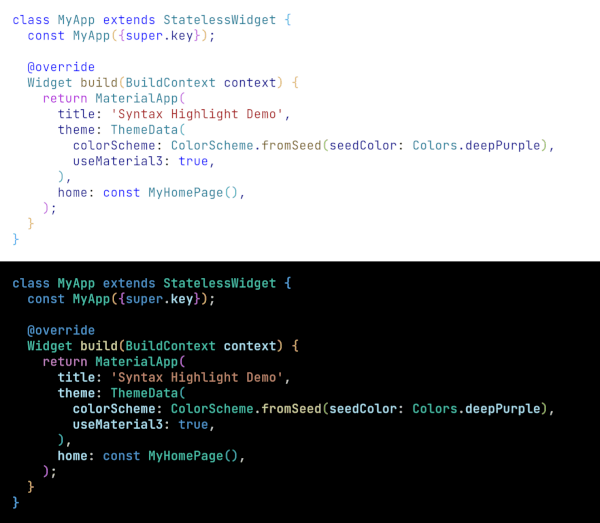
An example of highlighted code: Highlighted code