
Auto-Chat-AI
Este é um projeto Flutter baseado na API Gemini para automatizar suas respostas de mensagem no WhatsApp ou no WhatsApp Business a qualquer momento. Basta fornecer seus dados e a chave da API GEMINI.

- Estrelas
- 3
- Forks
- 0
- Último push (UTC)
- 28 de abr. de 2025
- Status do projeto
- Ativo
README original
Texto original em inglês. Visite o GitHub para a versão atual.
Auto Chat AI 🤖
A Flutter application that provides AI-powered automatic replies for WhatsApp messages. The app runs in the background and intelligently responds to your WhatsApp messages using Google's Gemini AI. KNOW MORE
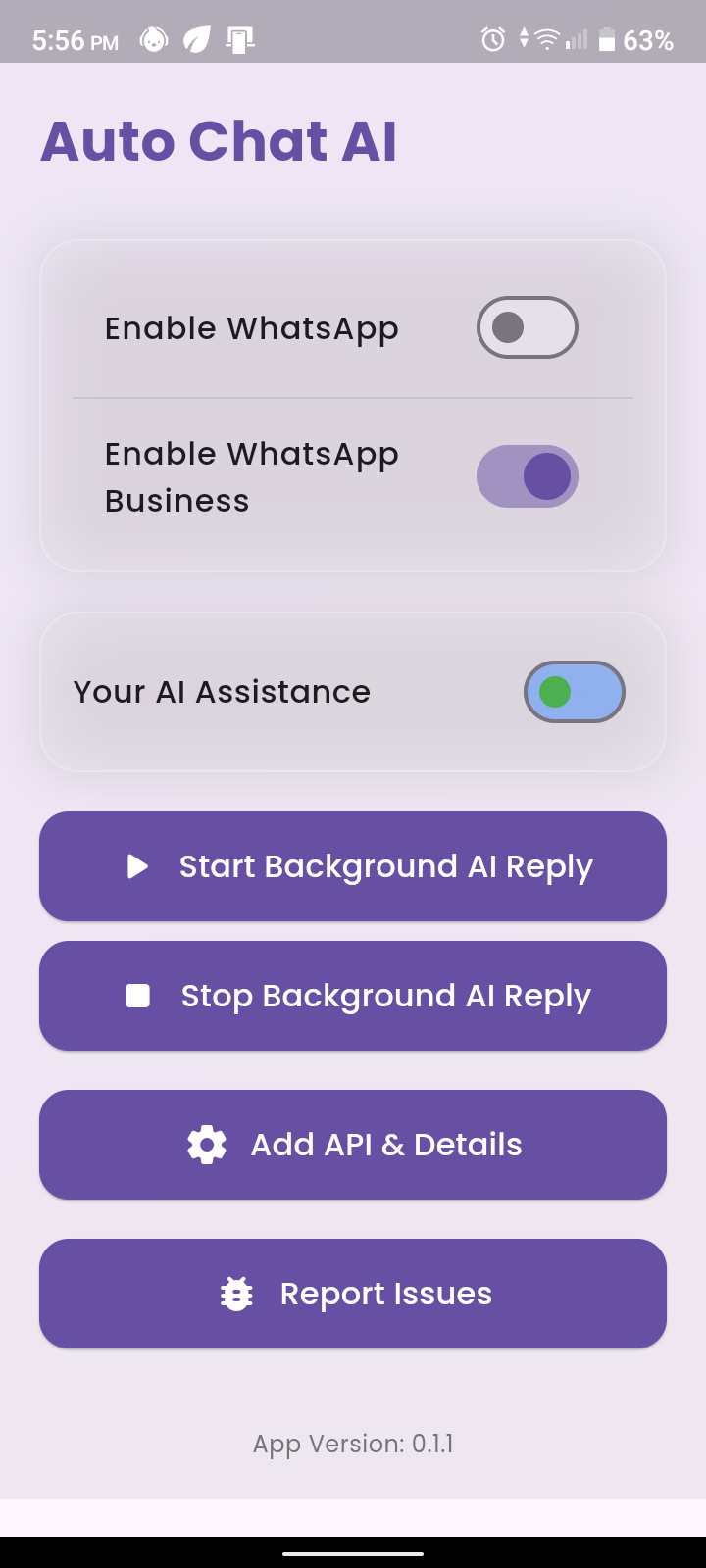
Features ✨
- 🤖 AI-powered automatic replies for WhatsApp messages
- 🔄 Background service for continuous operation
- 🔐 Secure API key storage
- 🎯 Customizable AI personality
- 📱 Support for both WhatsApp and WhatsApp Business
- 🔋 Battery optimization management
- 🎨 Modern and intuitive UI
Prerequisites 📋
- Flutter SDK (version 3.5.3 or higher)
- Android Studio / VS Code
- Google Gemini API Key
- Android device with Android 8.0 or higher
Installation 🚀
- Clone the repository:
git clone https://github.com/yourusername/auto-chat-ai.git
cd auto-chat-ai
- Install dependencies:
flutter pub get
-
Get your Gemini API Key:
- Visit Google AI Studio
- Create a new API key
- Copy the key
-
Configure the app:
- Open the app
- Navigate to "Add API & Details"
- Enter your Gemini API key
- Add your personal details for AI customization
Usage 📱
- Launch the app
- Enable WhatsApp/WhatsApp Business as needed
- Configure your AI personality
- Start the background service
- The app will now automatically reply to your WhatsApp messages
Permissions Required 🔒
- Notification Access (for reading messages)
- Battery Optimization (for background operation)
- Auto-start Permission (for automatic startup)
Technical Details 🛠️
- Built with Flutter
- Uses Google's Gemini AI
- Implements background services
- Local storage for settings
- Notification listener service
Contributing 🤝
Contributions are welcome! Please feel free to submit a Pull Request.
- Fork the repository
- Create your feature branch (
git checkout -b feature/AmazingFeature) - Commit your changes (
git commit -m 'Add some AmazingFeature') - Push to the branch (
git push origin feature/AmazingFeature) - Open a Pull Request
License 📄
This project is licensed under the MIT License - see the LICENSE file for details.
Support 💬
If you encounter any issues or have suggestions, please:
- Open an issue on GitHub
- Join our Discord community
- Contact us at Clcik Here
Acknowledgments 🙏
- Google Gemini AI
- Flutter Team
- All contributors and supporters
Made with ❤️ by Somnath Dash

Somnath dash ↗
Categorias
Dependências usadas
Lista de dependências 19 itens
- flutter
{"sdk":"flutter"} - cupertino_icons
^1.0.8 - notification_listener_service
^0.3.4 - shared_preferences
^2.5.3 - google_generative_ai
— - flutter_local_notifications
^19.1.0 - http
— - disable_battery_optimization
— - flutter_background_service
— - workmanager
— - url_launcher
— - package_info_plus
— - lottie
^2.7.0 - google_fonts
^6.1.0 - flutter_animate
^4.5.0 - glassmorphism
^3.0.0 - flutter_svg
^2.0.9 - flutter_testDesenvolvimento
{"sdk":"flutter"} - flutter_lintsDesenvolvimento
^4.0.0
Como escolher um repositório para seu projeto?
Filtre pelo caso de uso, compare a atividade e confira o projeto original antes de adotá-lo.
- Busque por nome, autor ou descrição e filtre por tema.
- Compare estrelas, forks e envios recentes. Estrelas indicam interesse, mas não garantem qualidade.
- Confira o README, a licença e as issues no GitHub antes de usar o projeto.
Fontes e manutenção
“A repository is the most basic element of GitHub.”
GitHub Docs — About repositories ↗