
 v1.1.0
mouse_parallax
Uma maneira simples de implementar animações de paralaxe baseadas em ponteiro em múltiplas plataformas.
165Curtidas 27Downloads em 30 dias150Pontos Pub
AndroidiOSWebmacOSWindowsLinux
wilsonowilson/mouse_parallax open-source repository details.

{"sdk":"flutter"}^1.0.4{"sdk":"flutter"}Texto original em inglês. Visite o GitHub para a versão atual.
Mouse Parallax
A Pointer-Based Animation Package. The goal of this package is to make mouse and touch based parallax effects as simple as possible.
To get started with the Parallax effect, use a ParallaxStack
class MyApp extends StatelessWidget {
 @override
 Widget build(BuildContext context) {
   return MaterialApp(
     home: Scaffold(
       body: ParallaxStack(
         layers: [],
       ),
     ),
   );
 }
}
The layers property takes a list of ParallaxLayers. These layers allow
you to define the animatable properties of the stack.
class MyApp extends StatelessWidget {
 @override
 Widget build(BuildContext context) {
   return MaterialApp(
     home: Scaffold(
       body: ParallaxStack(
         layers: [
           ParallaxLayer(
             yRotation: 0.35,
             xOffset: 60,
             child: Center(
               child: Container(
                 width: 250,
                 height: 250,
                 color: Colors.black,
               ),
             ),
           ),
           ParallaxLayer(
             yRotation: 0.35,
             xOffset: 80,
             child: Center(
               child: Container(
                 width: 200,
                 height: 200,
                 decoration: const BoxDecoration(
                   color: Colors.deepOrange,
                 ),
               ),
             ),
           ),
         ],
       ),
     ),
   );
 }
}
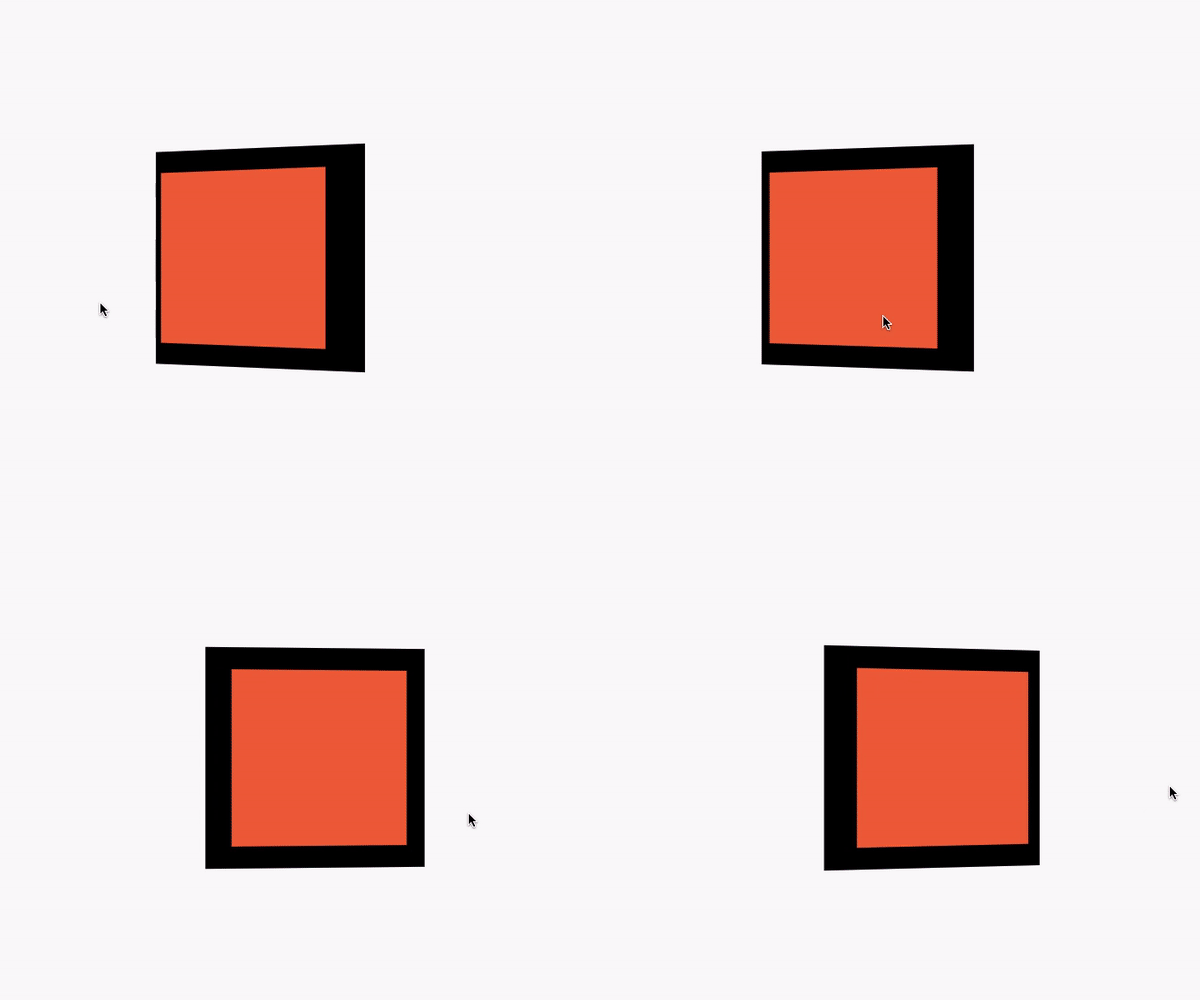
That example yields this result:
Parallax image