

 v0.0.5
parent_child_checkbox
父子複選框是一種可以建立複選框層級關係的複選框類型
41喜歡 49近 30 天下載150Pub 分數
AndroidiOSWebmacOSWindowsLinux
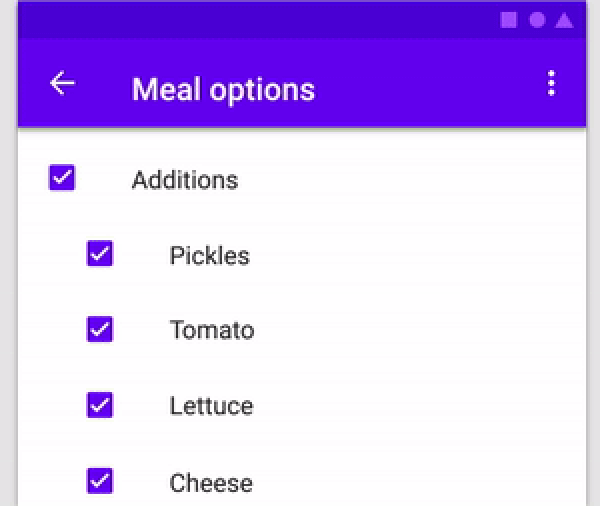
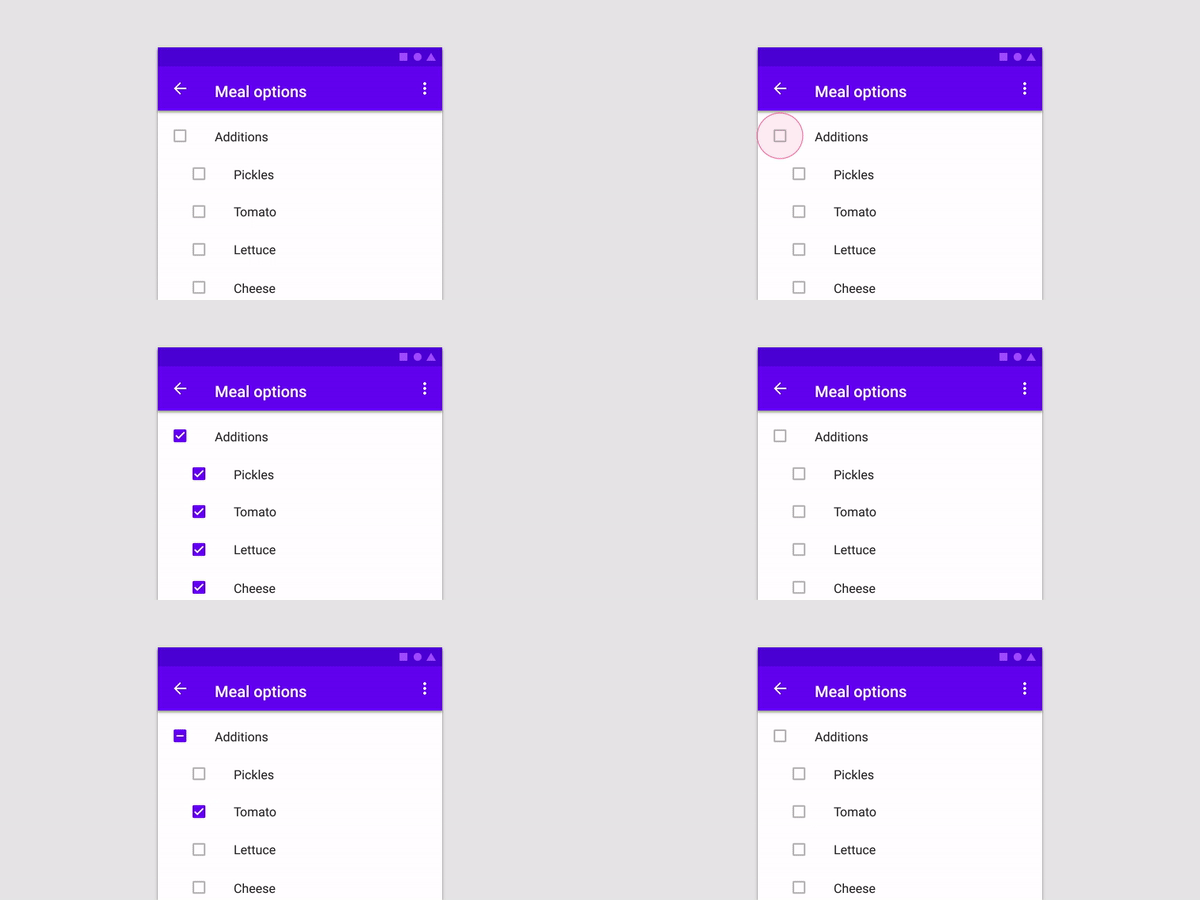
父層子層複選框是一種可在複選框之間建立層級關係的複選框類型。

以下為英文專案原文快照,最新內容請造訪 GitHub。
| Parameter Name | Parameter Type | Description |
|---|---|---|
| parent | Text | Text Widget to specify the Parent checkbox |
| children | List<Text> | List<Text> Widgets to specify the Children checkboxes |
| parentCheckboxColor | Color | Color of Parent CheckBox Defaults to [ThemeData.toggleableActiveColor] |
| childrenCheckboxColor | Text Widget | Text Widget to specify the Parent checkbox |
| parentCheckboxScale | double | Scale of the Parent CheckBox. Defaults to [1.0] |
| childrenCheckboxScale | double | Scale of the Children CheckBox. Defaults to [1.0] |
| gap | double | Gap between the Parent and Children CheckBox. Defaults to [10.0] |
| onCheckedChild | void Function(int index)? | Function that will be executed if a child will be selected |
| onCheckedParent | void Function()? | Function that will be executed if the parent will be selected |
| isParentSelected | Getter | Getter to get whether particular parent is selected or not. Example: {'Parent 1' : true, 'Parent 2' : false} where Parent 1 and Parent 2 will be 2 separate parents if you are using multiple ParentChildCheckbox in your code. Default value will be false for all specified parents |
| selectedChildrens | Getter | Getter to get which childrens are selected for a particular parent. Example: {'Parent 1' : ['Children 1.1','Children 1.2'], 'Parent 2' : []} where Parent 1 and Parent 2 will be 2 separate parents if you are using multiple ParentChildCheckbox in your code. Default value is {'Parent 1' : [], 'Parent 2' : []} |
import 'dart:developer';
import 'package:flutter/material.dart';
import 'package:parent_child_checkbox/parent_child_checkbox.dart';

void main() => runApp(MyApp());

class MyApp extends StatelessWidget {
  @override
  Widget build(BuildContext context) {
    return MaterialApp(
      title: 'Material App',
      home: Scaffold(
        appBar: AppBar(title: Text('Parent Child Checkox')),
        body: Column(
          children: [
            ParentChildCheckbox(
              parent: Text('Parent 1'),
              children: [
                Text('Children 1.1'),
                Text('Children 1.2'),
                Text('Children 1.3'),
                Text('Children 1.4'),
              ],
              parentCheckboxColor: Colors.orange,
              childrenCheckboxColor: Colors.red,
            ),
            ParentChildCheckbox(
              parent: Text('Parent 2'),
              children: [
                Text('Children 2.1'),
                Text('Children 2.2'),
                Text('Children 2.3'),
                Text('Children 2.4'),
              ],
            ),
            ElevatedButton(
              child: Text('Get Data'),
              onPressed: () {
                log(ParentChildCheckbox.isParentSelected.toString());
                log(ParentChildCheckbox.selectedChildrens.toString());
              },
            ),
          ],
        ),
      ),
    );
  }
}
依賴清單 2 項
{"sdk":"flutter"}{"sdk":"flutter"}先依使用情境篩選,再比較專案活躍情況,最後到原始儲存庫確認使用要求。
“A repository is the most basic element of GitHub.”
GitHub Docs — About repositories ↗