

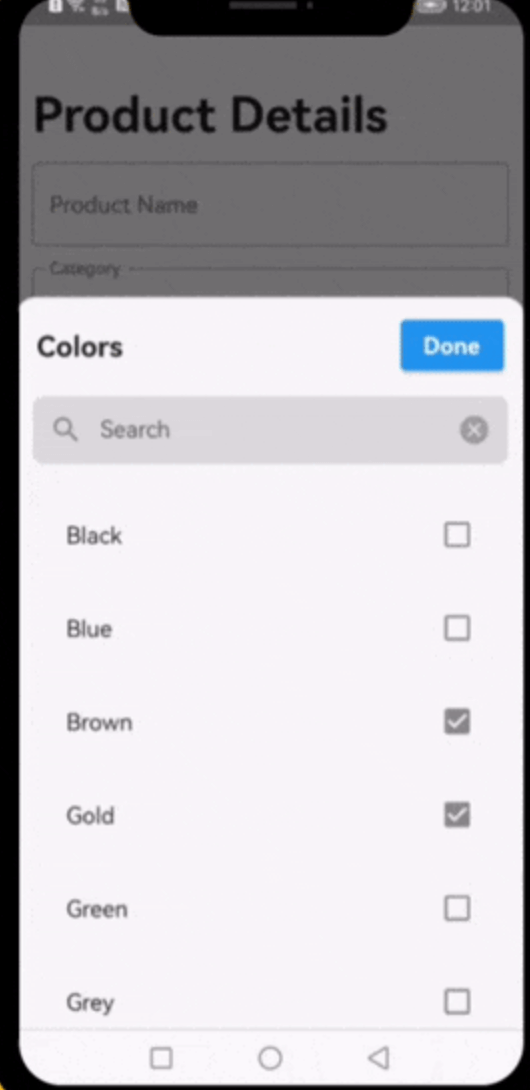
 v0.2.13
select_searchable_list
一個非常有用的 Flutter 小部件,可用於從下拉式選單中搜尋單一或多個選項。
24喜歡 397近 30 天下載140Pub 分數
AndroidiOSWebmacOSWindowsLinux
一個非常有用的 Flutter 套件組件,可用於從下拉清單中搜尋單一或多個選項。

以下為英文專案原文快照,最新內容請造訪 GitHub。
A very useful widget for searching through single or multiple options from a drop-down list.
This plugin has been successfully tested on iOS, Android & web.
The following examples are extracted from the example project available in the repository. More examples are available in this project.
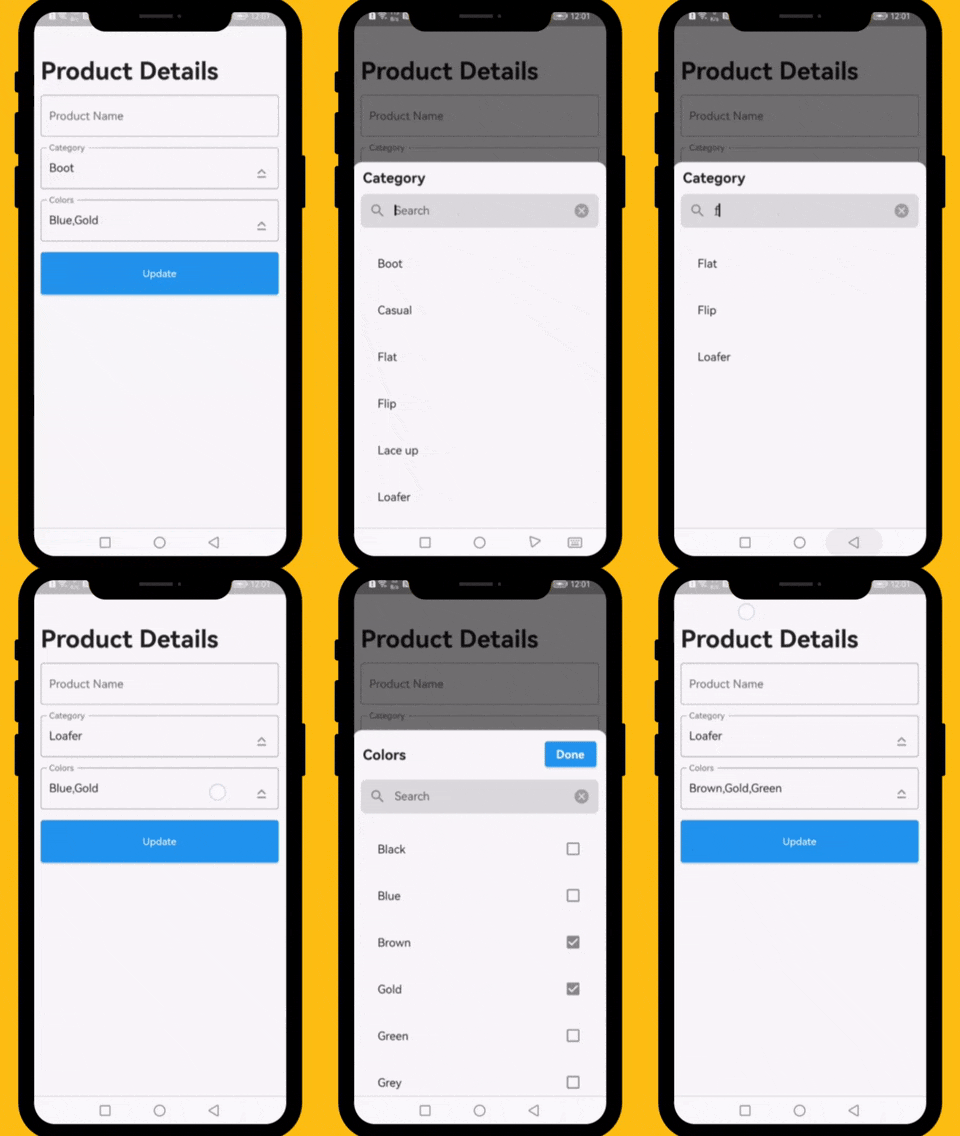
          // ####### Data Sample (API Response)
          // Data value Api
          final Map<int, String> _listCategories = {1:'Boot', 2: 'Casual', 3: 'Flat', 4: 'Flip',  5: 'Lace up', 6: 'Loafer', 7: 'Slip-on', 8: 'Moccasins'};
          // Default value
          final List<int> _selectedCategory = [1];
          // Data value Api
          final Map<int, String> _listColors = {1:'Black', 2: 'Blue', 3: 'Brown', 4: 'Gold',  5: 'Green', 6: 'Grey', 7: 'Orange', 8: 'Pink', 9: 'Purple', 10: 'Red'};
          // Default value
          final List<int> _selectedColors = [2,4];

          // ####### Category Select List
          DropDownTextField(
            textEditingController: _categoryTextEditingController,
            title: 'Category',
            hint: 'Select Category',
            options: _listCategories,
            selectedOptions: _selectedCategory,
            onChanged: (selectedIds) {
              // setState(() => selectedIds);
            },
          ),

          // ####### Colors Select List
          DropDownTextField(
            textEditingController: _colorsTextEditingController,
            title: 'Colors',
            hint: 'Select Colors',
            options: _listColors,
            selectedOptions: _selectedColors,
            onChanged: (selectedIds) {
              // setState(() => selectedIds);
            },
            multiple: true,
          ),
This property takes List as a parameter and it is useful to display items in drop down list.
This property takes int value as a parameter. This is use to set the initial segment from [segmentNames].
This property takes Color value as a parameter. You can change the background color of animated segment.
This gives the bottom sheet title.
You can set your custom submit button when the multiple selection is enabled.
This will give the call back to the selected items from list.
This will set the background color to the Dropdown Searchable.
This property takes TextFormField value as a parameter. [searchWidget] is use to show the text box for the searching. If you are passing your own widget then you must have to add [TextEditingController] for the [TextFormField].
This property takes bool value as a parameter. [isSearchVisible] is use to manage the search widget visibility. by default it is [True] so widget will be visible.
Dropdown Searchable list is MIT-licensed.
    init_number=0; build_number=$(($(git rev-list HEAD --count) + init_number)); major=$((build_number / 2000)); minor=$(( (build_number / 20) % 10 )); patch=$((build_number % 20)); patch=$(printf "%02d" $patch); version="$major.$minor.$patch"; echo "version: $version+$build_number"

    dart fix --apply && flutter analyze

    flutter pub publish --dry-run

    flutter pub publish --force
I would be happy if you send us feedback on your projects where you use our component. Just email amir.email@gmail.com and let me know if you have any questions or suggestions about my work.
依賴清單 4 項
{"sdk":"flutter"}^1.0.8{"sdk":"flutter"}^6.0.0先依使用情境篩選,再比較專案活躍情況,最後到原始儲存庫確認使用要求。
“A repository is the most basic element of GitHub.”
GitHub Docs — About repositories ↗