v3.5.0
riverpod
一個反應式快取與資料繫結框架。Riverpod 讓處理非同步程式碼變得輕鬆自在。
4040喜歡 430萬近 30 天下載160Pub 分數
AndroidiOSWebmacOSWindowsLinux
圖形化繪畫編輯器應用程式,允許將圖片的某些部分設為透明。

以下為英文專案原文快照,最新內容請造訪 GitHub。
Paintroid, also known as Pocket Paint, is associated to Catroid. It is a graphical paint editor application for the Android platform that, among others, allows setting parts of pictures to transparent.
Since Pocket Paint is now available in Google Play store you can also download Paintroid (Pocket Paint) from here. Alternatively, you can find it on **F-Droid ** here.
For more information oriented towards developers please visit our developers page.
Note This repository is the Flutter version of Paintroid
make getmake runAlternatively make all can be used to:
flutter clean→flutter pub get→build_runner build→ →flutter run
make buildmake testmake unitmake widgetmake integrationFor integration tests:
Run the integration tests without device:
make integration to run all integration testsmake integration target=name_test to run a specific integration test file
example: make integration target=line_toolmake integration target=name_test id=n to run a specific test in a file
example: make integration target=line_tool id=1
(make sure to add the test suffix to the test file name)Run the integration tests with device:
flutter devicesmake integration-drive to run all integration testsmake integration-drive target=name_test to run a specific integration test file
example: make integration-drive target=line_toolmake integration-drive target=name_test id=x to run a specific test in a file
example: make integration-drive target=line_tool id=1
(make sure to add the test suffix to the file name)Please report all bugs on our Jira Bugtracker
If you want to contribute we suggest that you start with forking our repository and browse the code. Then you can look at our Issue-Tracker and start with fixing one ticket. Please make sure to pick a ticket with the status "Ready for development" and comment on the ticket that you are working on it. We strictly use Test-Driven Development and Clean Code, so first read everything you can about these development methods. Code developed in a different style will not be accepted. When you are done, comment again on the ticket and create a pull request on github. After you've created a pull request we will review your code and do a full testrun on your branch.
Let's start to set up the working environment using the instructions in our Wiki!
License of our project (mainly AGPL v3).
一個反應式快取與資料繫結框架。Riverpod 讓處理非同步程式碼變得輕鬆自在。
適用於您 Flutter 應用程式的類型安全、反應式且輕量級的 SQLite 抽象。此庫是執行時依賴項。
一個用於協助建立和操作(Canvas)路徑的 Flutter 庫
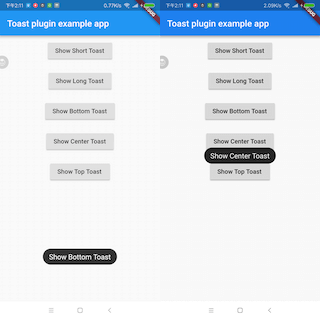
一個 Flutter Toast 插件。
一個用於取得人性化的檔案大小的套件。將原始檔案大小轉換為可讀的字串。
Rust 風格的類型 Option 和 Result 的定義,以促進更安全的程式設計。
Flutter Localization 是一個用於應用內本地化的套件,支援地圖資料。實作起來更簡單快速,靈感來自 flutter_localizations。
依賴清單 41 項
{"sdk":"flutter"}{"sdk":"flutter"}^0.3.2^0.20.2^1.0.2^2.3.6^2.1.1^2.0.15^2.4.1^2.0.3^4.8.1^1.17.1^6.1.6^0.3.0^5.2.0^1.1.0^8.3.0^2.0.1^1.0.0+2^3.2.0^11.4.0^9.1.2^1.1.2^2.0.11^8.3.5^1.2.0^2.3.0^1.0.1{"path":"packages/colorpicker"}{"sdk":"flutter"}{"sdk":"flutter"}^5.2.0^0.9.3^5.0.0^1.4.2^2.2.4^2.0.0^2.2.0^2.4.1^2.3.7^6.7.1先依使用情境篩選,再比較專案活躍情況,最後到原始儲存庫確認使用要求。
“A repository is the most basic element of GitHub.”
GitHub Docs — About repositories ↗