v0.57.3
shadcn_ui
shadcn/ui 已移植至 Flutter。適用於 Flutter 的優秀 UI 組件,完全可自訂。
968喜歡 9.1萬近 30 天下載160Pub 分數
AndroidiOSWebmacOSWindowsLinux
將純代碼片段轉換為視覺上吸引人的可分享圖像,幫助開發者為其工作增添創意元素,並輕鬆跨平台分享。

以下為英文專案原文快照,最新內容請造訪 GitHub。


SnapInk is a tool that transforms your code into beautiful, print-ready images. It allows developers to easily customize, share, and showcase their code with style.
Whether you’re new to open source or a seasoned pro, your contributions can help bring SnapInk to the next level.
SnapInk is just getting started! Starring helps spread the word, and each contribution or feedback brings us closer to an even better tool. You can help shape SnapInk by suggesting features, fixing bugs, or refining its performance.
To run SnapInk locally using Flutter Web, follow these steps:
Clone the Repository
git clone https://github.com/ildysilva/SnapInk.git
cd SnapInk
Install Flutter Follow the instructions on the Flutter official website.
Get Dependencies
flutter pub get
Run the Project
flutter run -d chrome
git checkout -b my-feature-branch
git commit -m "Add a new feature"
git push origin my-feature-branch
Let SnapInk be part of your coding journey—don’t forget to star and share with your dev community!
shadcn/ui 已移植至 Flutter。適用於 Flutter 的優秀 UI 組件,完全可自訂。
Dart 的超能力。一組有用的靜態擴展方法。
一組可用於為小部件定義可讀性響應式 UI 的小部件。
一個允許使用者將檔案拖曳至您的 Flutter 桌面應用程式的外掛。
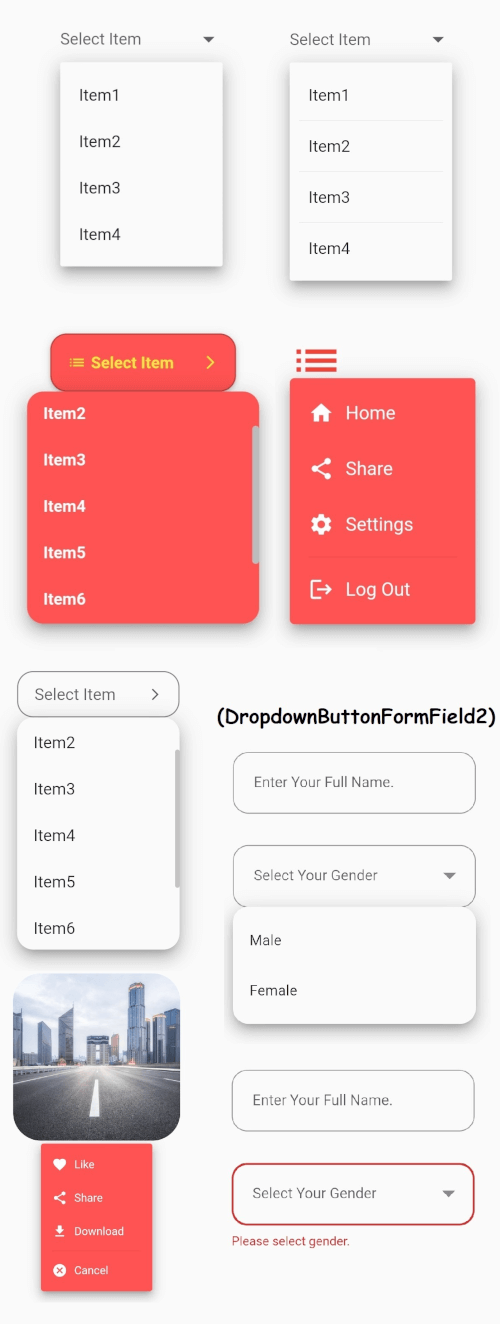
Flutter 的核心下拉按鈕小部件,帶有穩定的下拉選單,以及許多其他可自訂選項以滿足您的需求。
在 Android、iOS、Web、Windows、macOS 和 Linux 上跨平台儲存來自字節、路徑、串流和 URL 的檔案。
使用對 Unicode/字形簇感知的操作進行字串取代。
一個基於優化 Trie 实現的 Dart/Flutter 自動補全引擎。
Icons Plus 是一個包含許多受歡迎且易於使用的圖示套件的套件,例如 Bootstrap、Font Awesome、Eva Icons、Line Awesome、Ionicons 等。
ASCII 和常見非 ASCII 字符代碼的常量。對應單個字元編碼點的整數常量。
依賴清單 25 項
{"sdk":"flutter"}—^0.24.0^5.0.0^1.0.8any—^0.5.0^2.3.9^8.1.3^0.2.14—^2.0.0^1.2.1^1.3.1^1.17.2^2.0.5^1.2.0^1.9.1^1.0.1^0.3.5^2.0.1^6.1.8any{"sdk":"flutter"}先依使用情境篩選,再比較專案活躍情況,最後到原始儲存庫確認使用要求。
“A repository is the most basic element of GitHub.”
GitHub Docs — About repositories ↗