

 v0.9.1
scroll_snap_list
一個 Flutter 小部件,允許在使用者滾動結束時將項目「吸附」到指定位置。
409喜歡 3.3萬近 30 天下載150Pub 分數
AndroidiOSWebmacOSWindowsLinux
允許在使用者滾動結束時將項目「吸附」至指定位置的 Flutter 小部件。

以下為英文專案原文快照,最新內容請造訪 GitHub。
A wrapper for ListView.builder widget that allows "snaping" event to an item at the end of user-scroll.
This widget allows unrestricted scrolling (unlike other widget that only able to "snap" to left/right neighbor at a time).
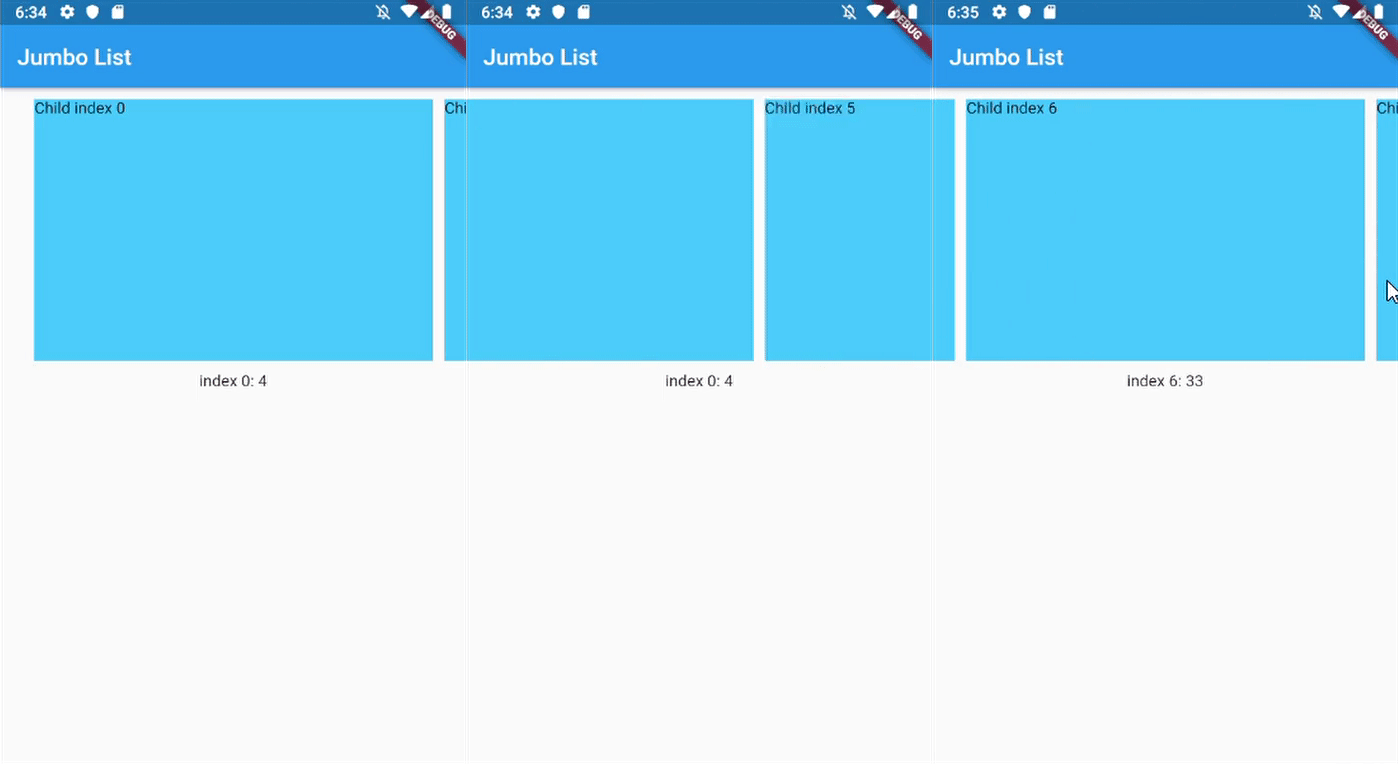
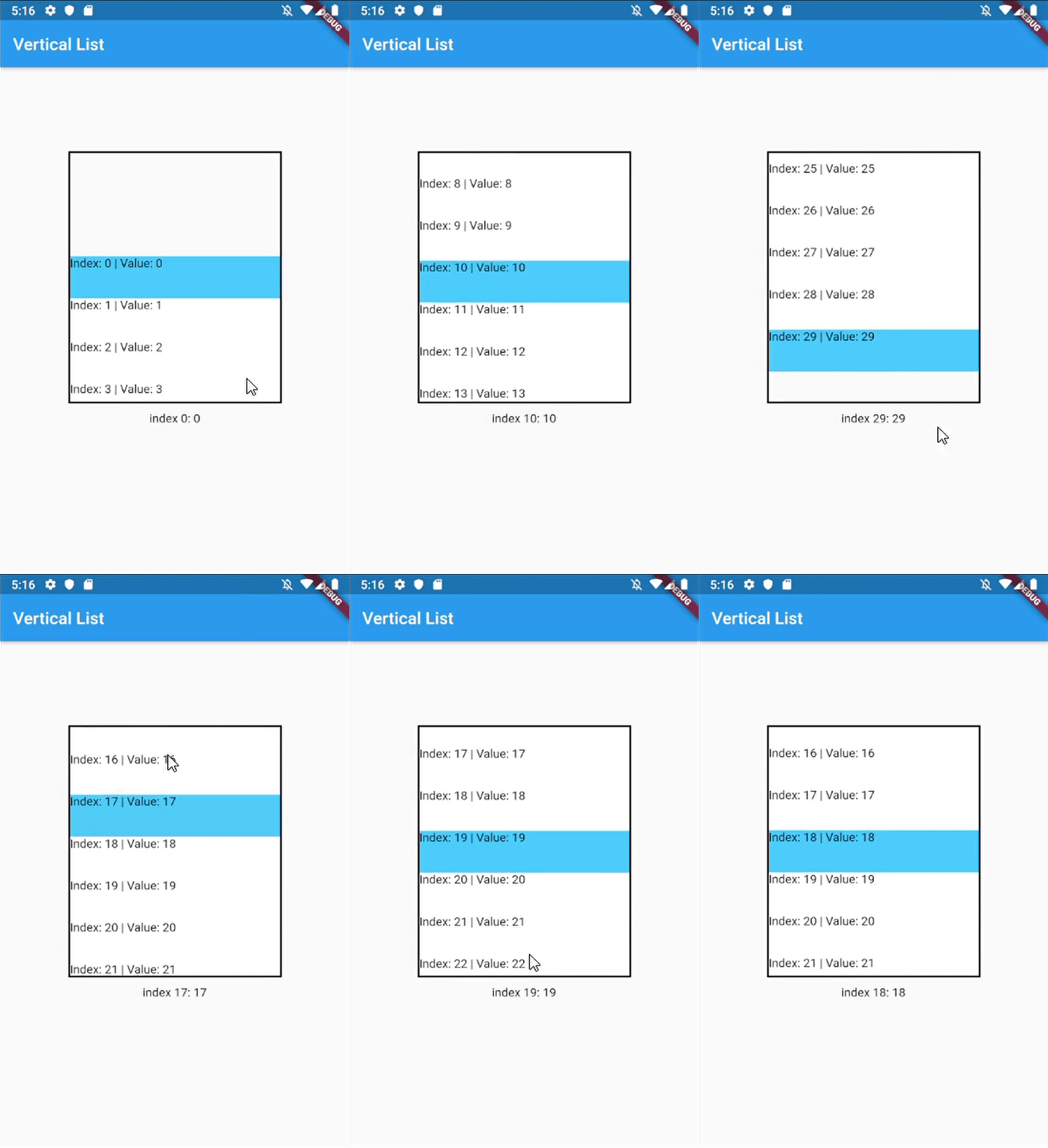
ListView.Builder, means no AnimationYou can use this widget to achieve:
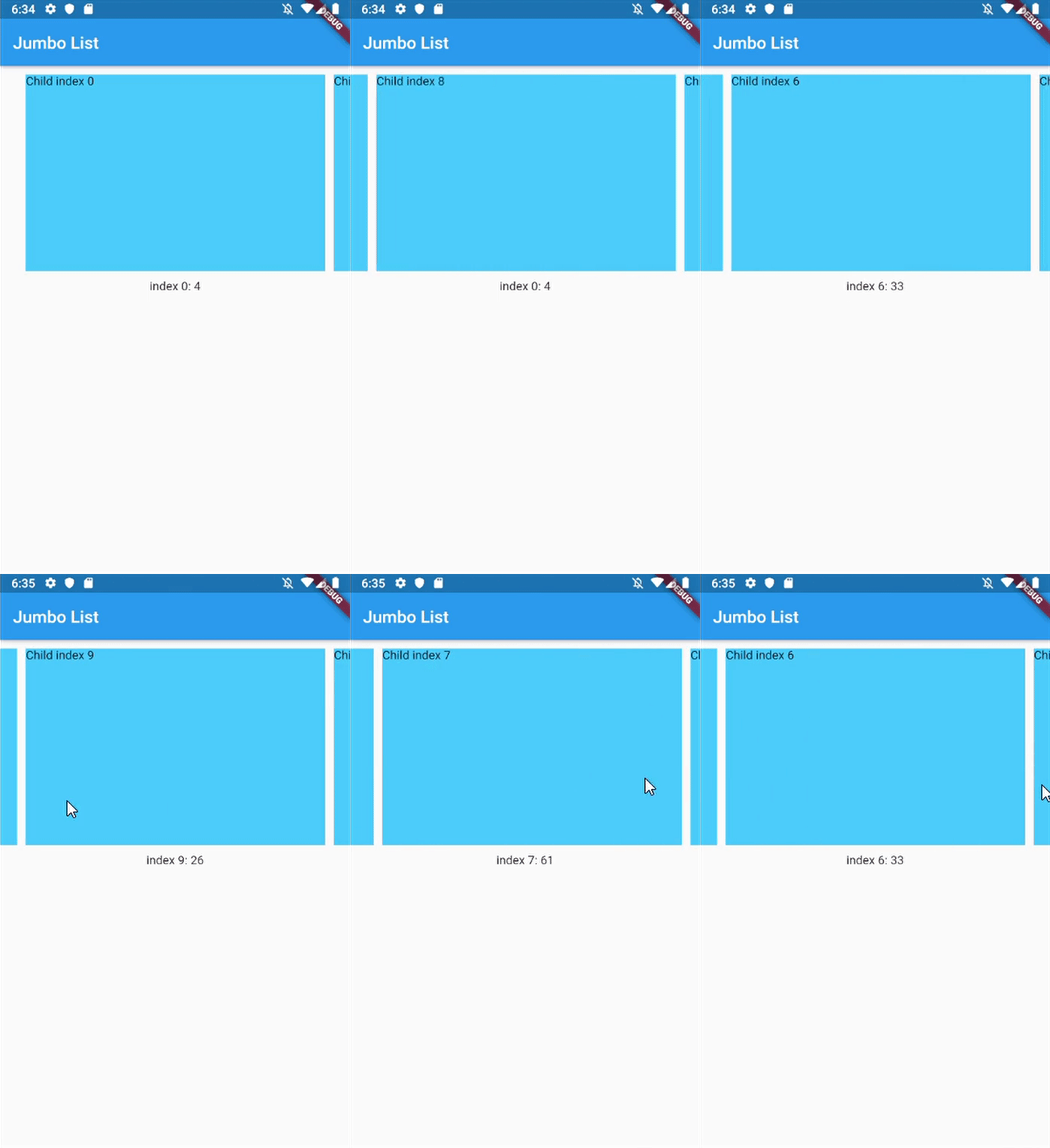 |
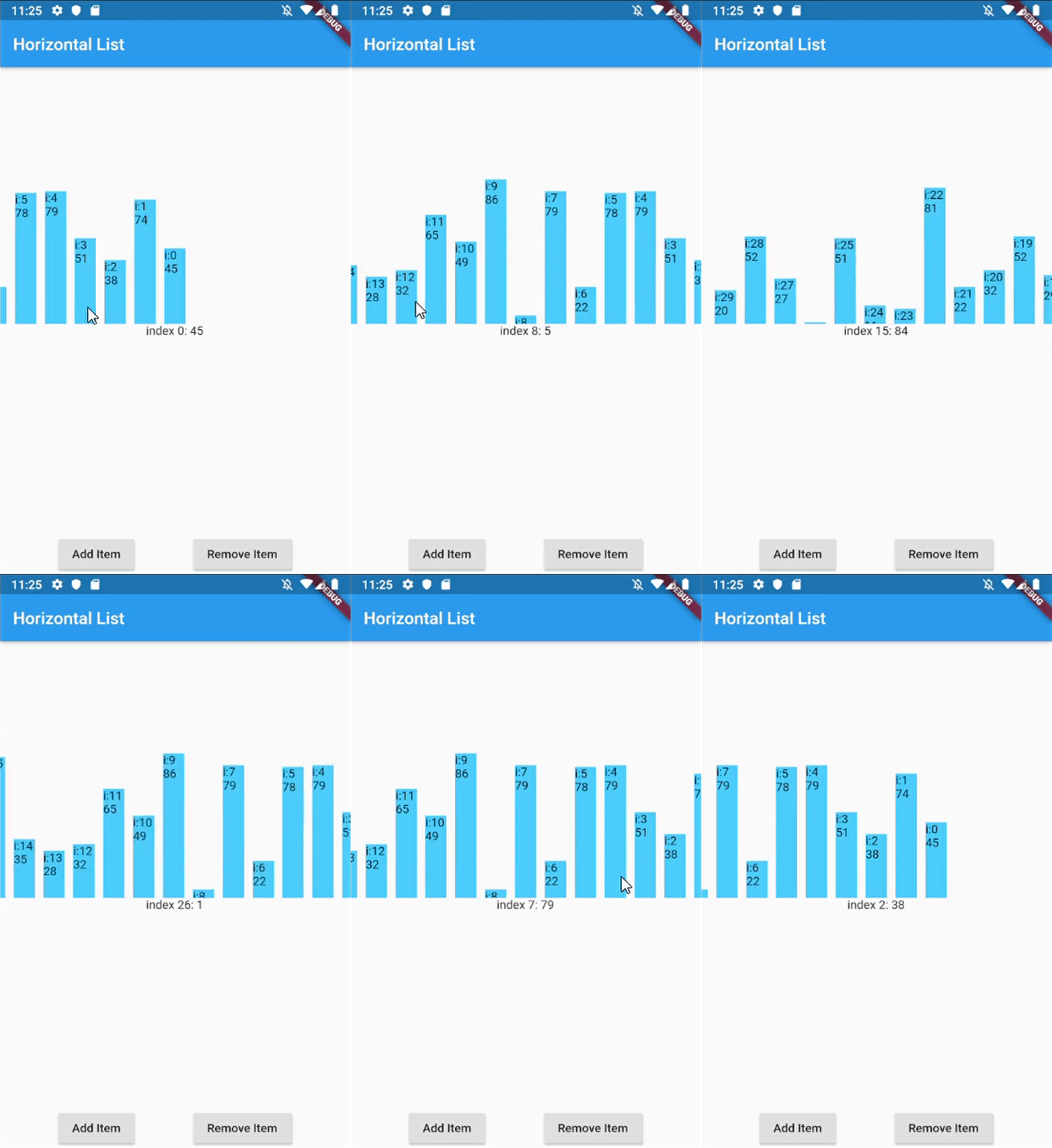 |
 |
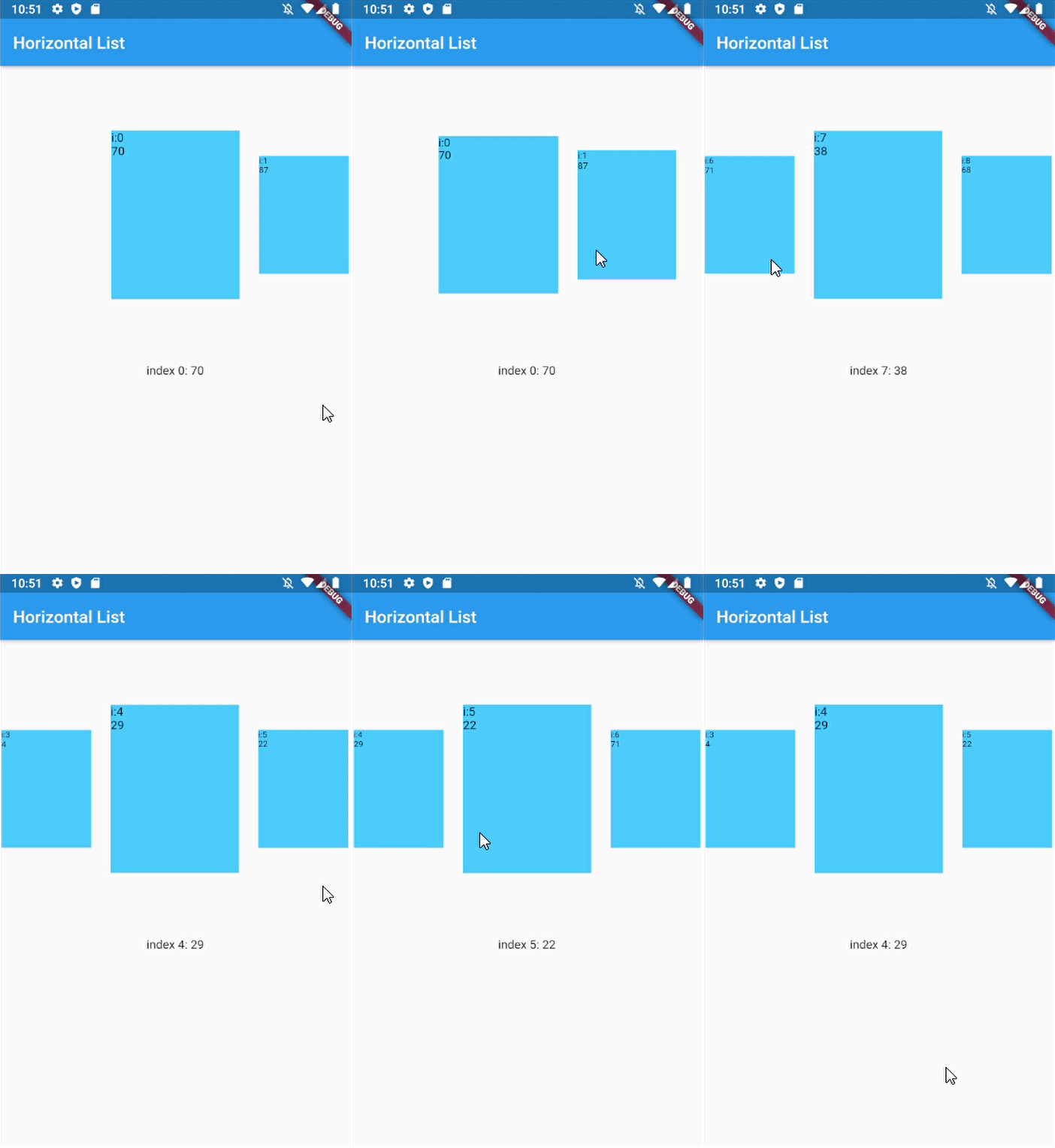 |
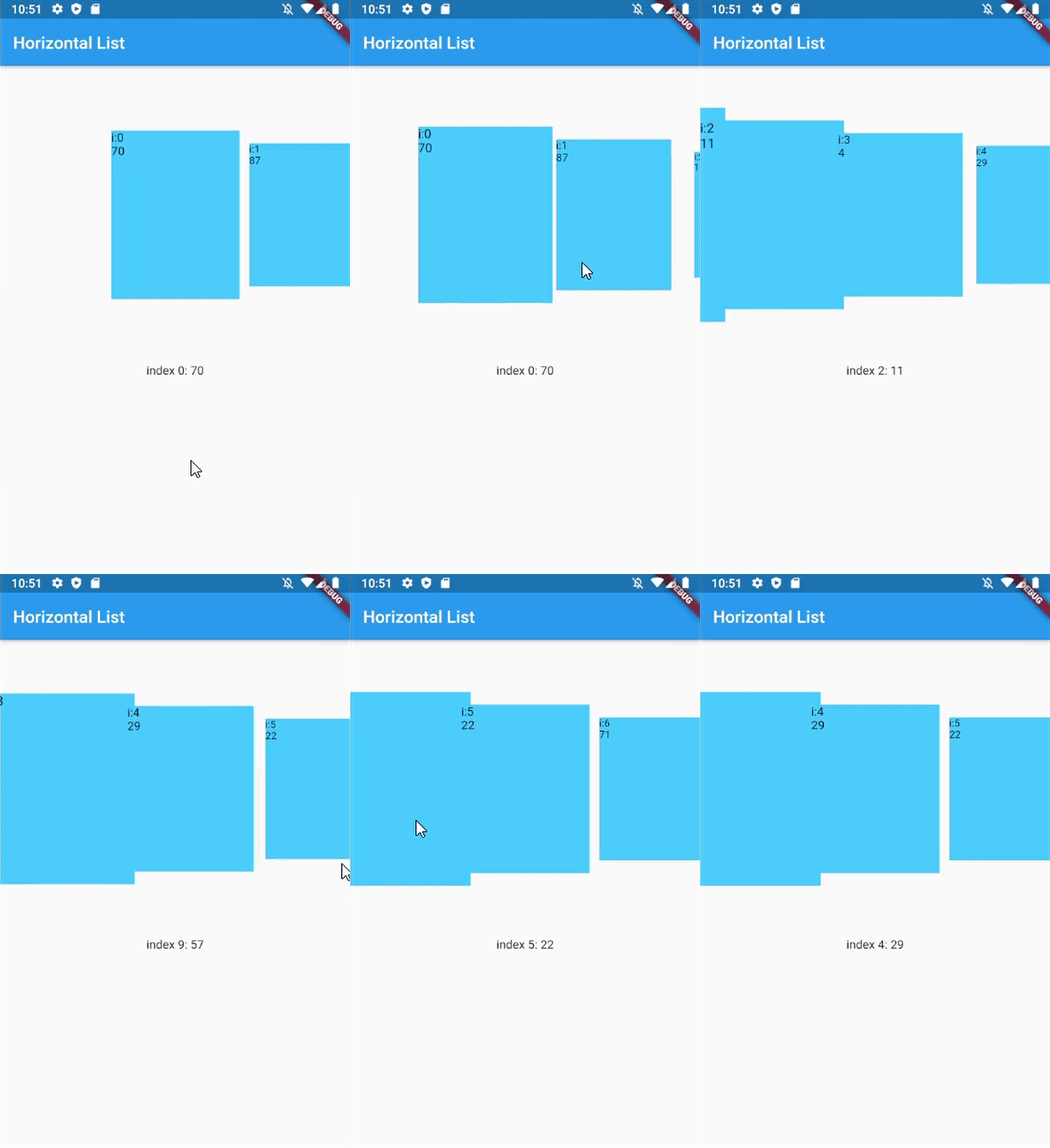 |
|---|---|---|---|---|
| Horizontal Jumbotron List | Horizontal List with infinite-loading | Vertical list with InkWell ListItems | Horizontal with dynamic item size | Horizontal with custom dynamic item size |
In your flutter project pubspec.yaml add the dependency:
dependencies:
  ...
  scroll_snap_list: ^[version]
This library doesn't use other library, so it should work out of the box.
Import scroll_snap_list.dart.
import 'package:scroll_snap_list/scroll_snap_list.dart';
Add ScrollSnapList in your build method. Make sure to enter correct itemSize (helps with "snapping" process).
Expanded(
  child: ScrollSnapList(
    onItemFocus: _onItemFocus,
    itemSize: 35,
    itemBuilder: _buildListItem,
    itemCount: data.length,
    reverse: true,
  ),
),
Full example:
import 'dart:math';

import 'package:flutter/material.dart';
import 'package:scroll_snap_list/scroll_snap_list.dart';

void main() => runApp(HorizontalListDemo());

class HorizontalListDemo extends StatefulWidget {
  @override
  _HorizontalListDemoState createState() => _HorizontalListDemoState();
}

class _HorizontalListDemoState extends State<HorizontalListDemo> {
  List<int> data = [];
  int _focusedIndex = 0;

  @override
  void initState() {
    super.initState();

    for (int i = 0; i < 30; i++) {
      data.add(Random().nextInt(100) + 1);
    }
  }

  void _onItemFocus(int index) {
    setState(() {
      _focusedIndex = index;
    });
  }

  Widget _buildItemDetail() {
    if (data.length > _focusedIndex)
      return Container(
        height: 150,
        child: Text("index $_focusedIndex: ${data[_focusedIndex]}"),
      );

    return Container(
      height: 150,
      child: Text("No Data"),
    );
  }

  Widget _buildListItem(BuildContext context, int index) {
    //horizontal
    return Container(
      width: 35,
      child: Column(
        mainAxisAlignment: MainAxisAlignment.end,
        children: <Widget>[
          Container(
            height: data[index].toDouble()*2,
            width: 25,
            color: Colors.lightBlueAccent,
            child: Text("i:$index\n${data[index]}"),
          )
        ],
      ),
    );
  }

  @override
  Widget build(BuildContext context) {
    return MaterialApp(
      title: 'Horizontal List Demo',
      home: Scaffold(
        appBar: AppBar(
          title: Text("Horizontal List"),
        ),
        body: Container(
          child: Column(
            children: <Widget>[
              Expanded(
                child: ScrollSnapList(
                  onItemFocus: _onItemFocus,
                  itemSize: 35,
                  itemBuilder: _buildListItem,
                  itemCount: data.length,
                  reverse: true,
                ),
              ),
              _buildItemDetail(),
              Row(
                mainAxisAlignment: MainAxisAlignment.spaceEvenly,
                children: <Widget>[
                  RaisedButton(
                    child: Text("Add Item"),
                    onPressed: () {
                      setState(() {
                        data.add(Random().nextInt(100) + 1);
                      });
                    },
                  ),
                  RaisedButton(
                    child: Text("Remove Item"),
                    onPressed: () {
                      int index = data.length > 1
                          ? Random().nextInt(data.length - 1)
                          : 0;
                      setState(() {
                        data.removeAt(index);
                      });
                    },
                  ),
                ],
              )
            ],
          ),
        ),
      ),
    );
  }
}
This feature is added since version 0.4.0.
We can customize item size with respect to distance between item and center of ScrollSnapList.
@override
Widget build(BuildContext context) {
  return MaterialApp(
    title: 'Horizontal List Demo',
    home: Scaffold(
      appBar: AppBar(
        title: Text("Horizontal List"),
      ),
      body: Container(
        child: Column(
          children: <Widget>[
            Expanded(
              child: ScrollSnapList(
                onItemFocus: _onItemFocus,
                itemSize: 150,
                itemBuilder: _buildListItem,
                itemCount: data.length,
                dynamicItemSize: true,
                // dynamicSizeEquation: customEquation, //optional
              ),
            ),
            _buildItemDetail(),
          ],
        ),
      ),
    ),
  );
}
| Parameter | Explanation |
|---|---|
| key | Key for ScrollSnapList, used to call ScrollSnapListState |
| listViewKey | Key for ListView inside ScrollSnapListState, often used to preserve scroll location |
| itemBuilder | Same as ListView's itemBuilder |
| curve | Animation curve when snapping |
| duration | Animation duration |
| endOfListTolerance | Pixel tolerance to trigger onReachEnd |
| focusOnItemTap | Focus to an item when user tap on it. Inactive if the list-item have its own onTap detector (use state-key to help focusing instead). |
| focusToItem | Method to manually trigger focus to an item. Call with help of GlobalKey<ScrollSnapListState> |
| margin | Container's margin |
| itemCount | Number of item in this list |
| itemSize | Size used is width if scrollDirection is Axis.horizontal, height if Axis.vertical. Composed of the size of each item + its margin/padding. |
| onItemFocus | Callback function when list snaps/focuses to an item |
| onReachEnd | Callback function when user reach end of list. E.g. load more data from db |
| reverse | Same as ListView's reverse to reverse scrollDirection |
| updateOnScroll | Calls onItemFocus (if it exists) when ScrollUpdateNotification fires |
| initialIndex | Optional initial position which will not snap until after the first drag |
| scrollDirection | ListView's scrollDirection |
| listController | External ScrollController |
| dynamicItemSize | Scale item's size depending on distance to center |
| dynamicSizeEquation | Custom equation to determine dynamic item scaling calculation |
| dynamicItemOpacity | Custom opacity for offset item (single value) |
| selectedItemAnchor | Anchor location for selected item in the list (Start, Middle, End) |
| shrinkWrap | ListView's shrinkWrap |
| scrollPhysics | ListView's scrollPhysics |
| clipBehavior | ListView's clipBehavior |
| keyboardDismissBehavior | ListView's keyboardDismissBehavior |
| allowAnotherDirection | Allow List items to be scrolled using other direction |
| dispatchScrollNotifications | Control if ScrollNotifications should be dispatched to further ancestors. Default: false |
By default, SnapScrollList set focusOnItemTap as true. Means any tap event on items will trigger snap/focus event to that item.
This behavior use GestureDetector, so if the list's items have their own detector (e.g. InkWell, Button), SnapScrollList unable to trigger snap event on its own. To handle this, we may use GlobalKey<ScrollSnapListState> to trigger the event manually.
Add GlobalKey<ScrollSnapListState> in your widget
GlobalKey<ScrollSnapListState> sslKey = GlobalKey();
Add key parameter to SnapScrollList.
ScrollSnapList(
  onItemFocus: _onItemFocus,
  itemSize: 50,
  itemBuilder: _buildListItem,
  itemCount: data.length,
  key: sslKey,
  scrollDirection: Axis.vertical,
)
In your buildItem method, call focusToItem method.
Widget _buildListItem(BuildContext context, int index) {
  //horizontal
  return Container(
    height: 50,
    child: Material(
      color: _focusedIndex == index ? Colors.lightBlueAccent : Colors.white,
      child: InkWell(
        child: Text("Index: $index | Value: ${data[index]}"),
        onTap: () {
          print("Do anything here");

          //trigger focus manually
          sslKey.currentState.focusToItem(index);
        },
      ),
    ),
  );
}
Full example for this part can be found in example/vertical_list.dart.
Created by Vincent (MSVCode) Email: msvcode@gmail.com
依賴清單 2 項
{"sdk":"flutter"}{"sdk":"flutter"}先依使用情境篩選,再比較專案活躍情況,最後到原始儲存庫確認使用要求。
“A repository is the most basic element of GitHub.”
GitHub Docs — About repositories ↗