

 v0.0.4
dashboard
動態儀表板元件,讓您的使用者可以建立自己的版面配置。支援調整大小、移動、間接調整大小/移動與自動重新佈局。
230喜歡 869近 30 天下載150Pub 分數
AndroidiOSWebmacOSWindowsLinux
動態儀表板元件,允許您的使用者建立自己的版面配置。支援調整大小、移動、間接調整大小/移動與自動重新佈局。

以下為英文專案原文快照,最新內容請造訪 GitHub。
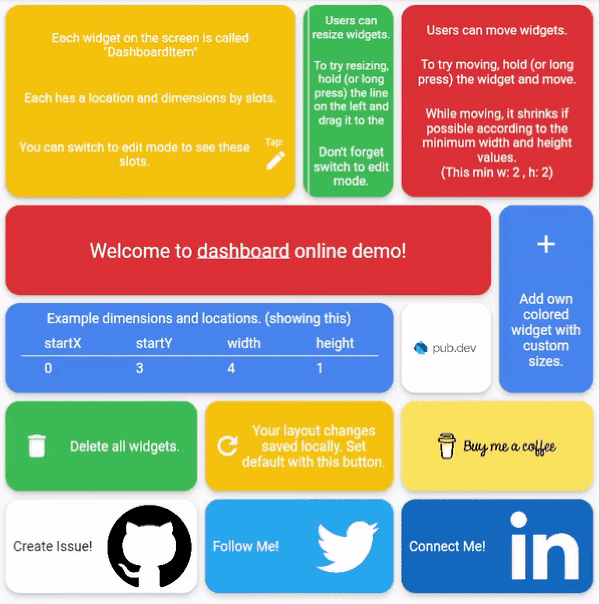
Dynamic dashboard widget that allows your users to create their own layouts. Rezise, move, indirect resize/move, auto re-layout are supported.
Dashboard can be thought of as a dynamic grid. Your users can create their own layouts, add new widgets or remove widgets.
Layout divides the screen into horizontal slots according to the entered value. The aspect ratio of the slots also determine their height. Widgets called DashboardItem are placed in these slots. This layout can be changed later.


Dashboard Items can be resized both by long pressing on mobile and by holding and moving on desktop/browser.

Dashboard Item locations can be changed by long pressing on mobile or by holding and pulling on desktop/browser.
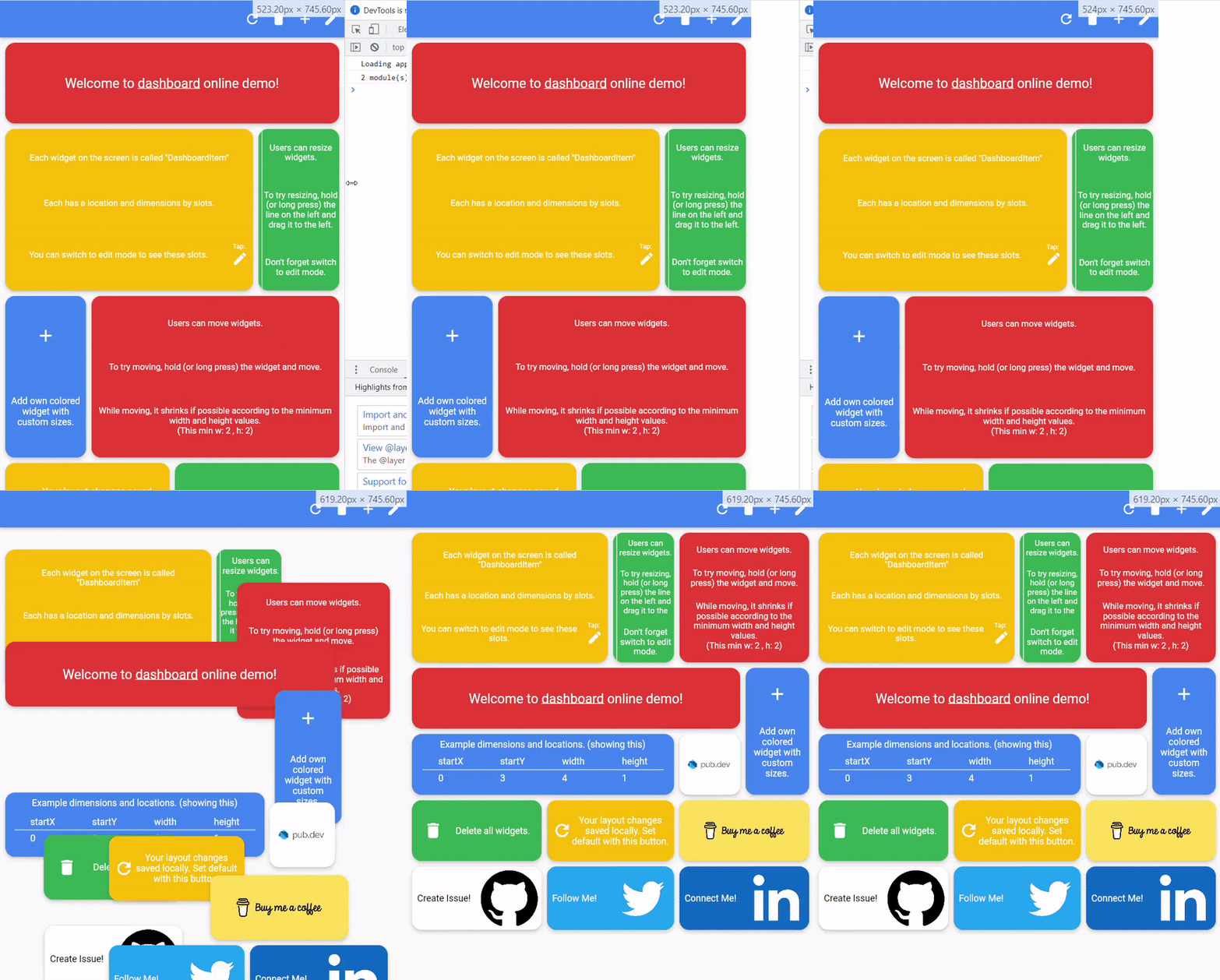
With dynamic slot count, you can re-layout window size changes.
 >
The layout information of the users can be stored in the database or on the local disk.
Define your storage delegate.
class MyItemStorage extends DashboardItemStorageDelegate {

  @override
  FutureOr<List<DashboardItem>> getAllItems(int slotCount) {
    // return items from db.
  }

  @override
  FutureOr<void> onItemsUpdated(
      List<DashboardItem> items, int slotCount) {
      // save new layouts to db.
  }
  //[...]
}
And use it.
DashboardItemController.withDelegate(
    itemStorageDelegate: MyItemsStorage())
Dashboard(
  dashboardItemController: itemController,
  itemBuilder: (item) {
	//return widget
  },
);
Items can come from the database, or can be defined as fixed.
Fixed:
DashboardItemController(items: [
  DashboardItem(width: 2, height: 3, identifier: "id_1"),
  DashboardItem(
      startX: 3, startY: 4, width: 3, height: 1, identifier: "id_2"),
]);
Or with delegate:
DashboardItemController<ADashboardItemImp>.withDelegate(
    itemStorageDelegate: MyItemStorage())
The Builder is invoked with a DashboardItem and returns a widget.
Dashboard(
  dashboardItemController: itemController,
  itemBuilder: (item) {
	return Text(item.identifier);
  },
);
Each item is wrapped with a Material widget. You can enter the parameters of the Material widget with item style.
All is optional.
ItemStyle(
  color: Colors.red,
  borderRadius: BorderRadius.circular(10),
  shape: const RoundedRectangleBorder(),
  shadowColor: Colors.black,
  animationDuration: const Duration(milliseconds: 200),
  borderOnForeground: false,
  clipBehavior: Clip.antiAliasWithSaveLayer,
  elevation: 10,
  textStyle: const TextStyle(color: Colors.black),
  type: MaterialType.card
);
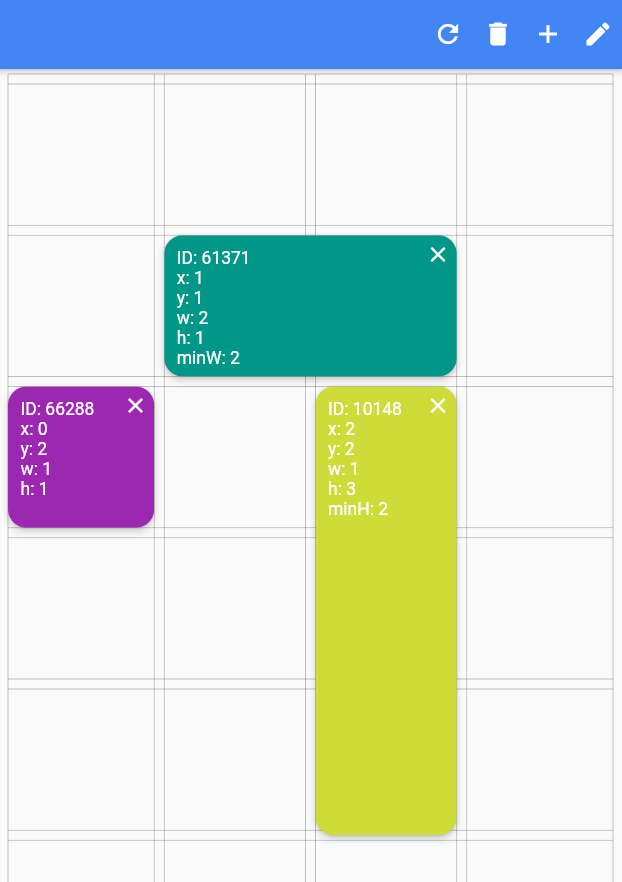
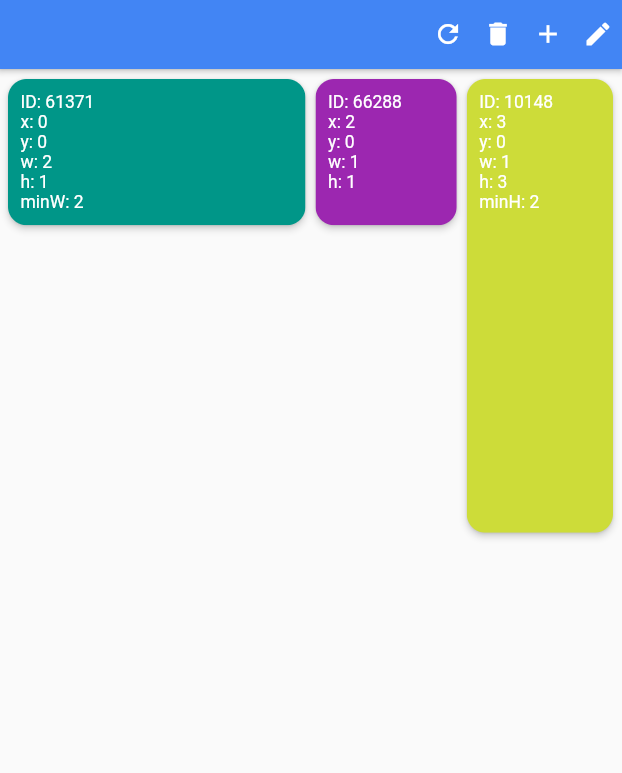
Slide to top items initially. Auto relayout places items to top as possible.
slideToTop: true
Before:
 >
After:
 >
Shrink items when re-layout or editing is possible.
See code comments for edit mode settings parameters.
All is optional.
    EditModeSettings(

        // animation settings
        curve: Curves.easeInOutCirc,
        duration: const Duration(milliseconds: 200),

        // fill editing item actual size
        fillEditingBackground: true,

        // space that can be held to resize
        resizeCursorSide: 20,

        // draw lines for slots
        paintBackgroundLines: true,

        // shrink items when editing if possible and necessary
        shrinkOnMove: true,

        // long press to edit
        longPressEnabled: true,

        // pan to edit
        panEnabled: true,

        backgroundStyle: const EditModeBackgroundStyle(
            fillColor: Colors.red,
            lineWidth: 1.5,
            lineColor: Colors.black,

            // line by vertical space
            dualLineHorizontal: true,

            // line by horizontal space
            dualLineVertical: true));

TODO
依賴清單 3 項
{"sdk":"flutter"}{"sdk":"flutter"}^3.0.1先依使用情境篩選,再比較專案活躍情況,最後到原始儲存庫確認使用要求。
“A repository is the most basic element of GitHub.”
GitHub Docs — About repositories ↗