

 v1.1.0
cupertino_setting_control
用於多種類型的 Cupertino 輸入元件(文字方塊、下拉式選單、滑桿)的包裝器
34喜歡 83近 30 天下載140Pub 分數
AndroidiOSWebmacOSWindowsLinux
使用 cupertino_setting_control,您可以輕鬆建立設定頁面或簡單的表單。

以下為英文專案原文快照,最新內容請造訪 GitHub。

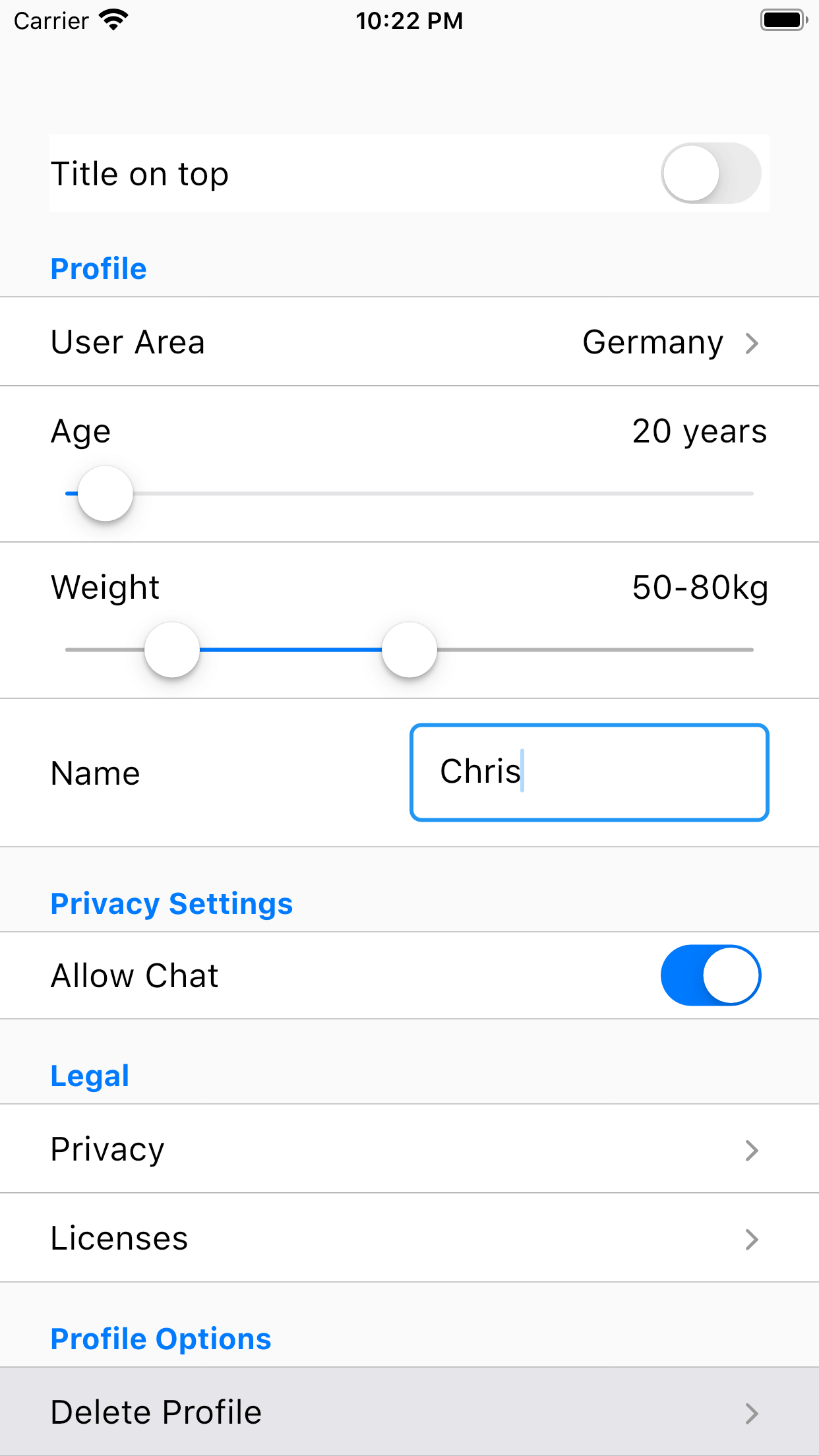
With cupertino_setting_control you can create a settings page or a simple form very easy. Therefore, cupertino_setting_control offers multiple Cupertino-Widgets which can be used very flexible and abstracted.
A few examples:
Example for a drop down widget displayed as text field:
new SettingRow(
    rowData: SettingsDropDownConfig(
        title: 'Search Area',
        initialKey: _searchAreaResult,
        choices: {
            'Germany': 'Germany',
            'Spain': 'Spain',
            'France': 'France'
        }),
    onSettingDataRowChange: onSearchAreaChange,
    config: const SettingsRowConfiguration(
        showAsTextField: true,
        showTitleLeft: false,
    showAsSingleSetting: false),
)
Example for a yes/no widget with a setting title on the left side:
new SettingRow(
    rowData: SettingsYesNoConfig(
        initialValue: _chatResult, title: 'Allow Chat'),
    onSettingDataRowChange: onChatSettingChange,
),
A complete tutorial how to use Cupertino Setting Control can be found here: Tutorial
Please refer to the example for more examples: Quick-Link
If you encounter any problems feel free to open an issue. If you feel the library is missing a feature, please raise a ticket on Github and I'll look into it. Pull Request are also welcome.
依賴清單 5 項
{"sdk":"flutter"}^2.0.1^6.1.7^1.0.5{"sdk":"flutter"}先依使用情境篩選,再比較專案活躍情況,最後到原始儲存庫確認使用要求。
“A repository is the most basic element of GitHub.”
GitHub Docs — About repositories ↗