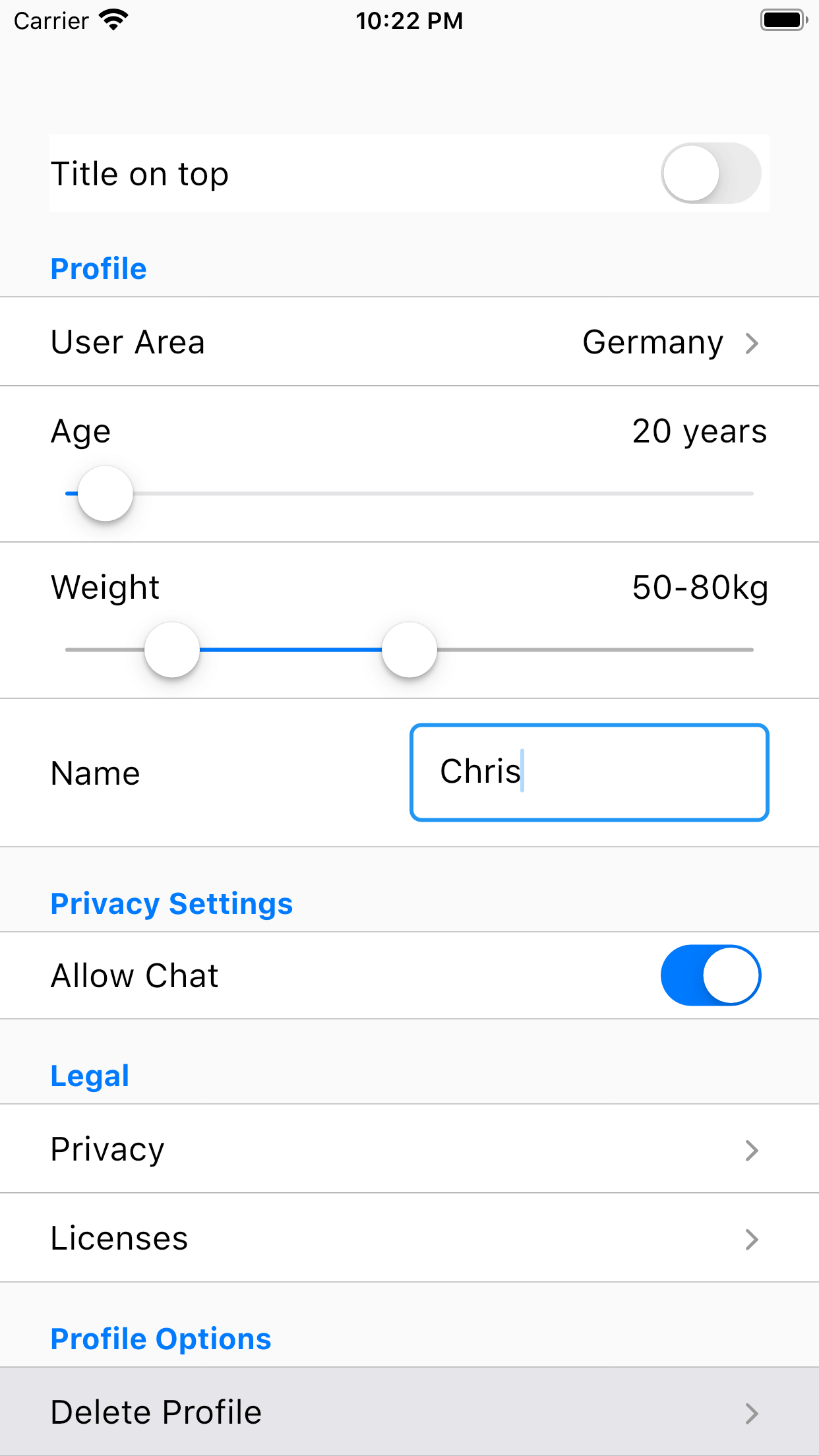
一個 Flutter 套件,提供各種 Cupterino 風格輸入元件的統一包裝,包含文字欄位、下拉選單與滑桿。設計用於簡化在 iOS 及其他平台建立一致且平台適應性設定介面的過程。透過將常見的輸入類型整合至一個連貫的 API 下,該套件簡化了 UI 開發,確保在 Android、iOS、Web、macOS、Windows 與 Linux 上皆能實現原生體驗。非常適合需要直覺且視覺和諧設定面板的應用程式。
適用情境
建構原生 iOS 風格的設定螢幕
建立跨平台設定面板
簡化設定介面中的表單輸入
透過一致的控制增強使用者體驗
使用最少樣板代碼開發應用偏好設定
主要特色
多種輸入類型的統一介面
Cupertino 設計語言合規性
跨平台支援
與現有表單的輕鬆整合
響應式版面處理
可自訂的輸入樣式
適合對象
專注於iOS的應用開發人員
跨平台UI設計工具
設定密集型應用
尋求一致輸入模式的開發人員
注重原生外觀和感覺的團隊
使用建議
僅限Cupertino風格組件
需要理解 Flutter 的 widget 樹
可能需要額外的樣式以適應非 Cupertino 主題
不適合複雜的動態表單
依賴外部儲存庫取得更新
原始 README
以下為關聯原始碼儲存庫的 README 原文快照,最新內容請造訪原始碼儲存庫。
Flutter Cupertino Setting Control
With cupertino_setting_control you can create a settings page or a simple form very easy. Therefore, cupertino_setting_control
offers multiple Cupertino-Widgets which can be used very flexible and abstracted.
Quick Usage
A few examples:
Example for a drop down widget displayed as text field:
A complete tutorial how to use Cupertino Setting Control can be found here: Tutorial
Please refer to the example for more examples: Quick-Link
Bugs/Requests
If you encounter any problems feel free to open an issue. If you feel the library is
missing a feature, please raise a ticket on Github and I'll look into it.
Pull Request are also welcome.