
 v1.1.0
image_blur
此 Flutter 套件可為影像加入閃爍與模糊效果。可將這些效果應用於圓形與矩形形狀,適用於本機與線上影像。
23喜歡 125近 30 天下載140Pub 分數
AndroidiOSWebmacOSWindowsLinux
SwanFlutter/image_blur open-source repository details.
以下為英文專案原文快照,最新內容請造訪 GitHub。
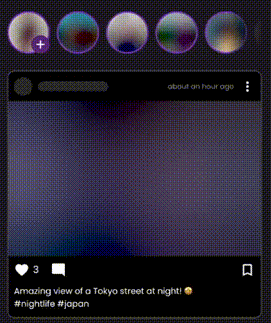
This Flutter package provides the ability to add shimmer and blur effects to your images. You can apply these effects in circular and rectangular shapes, and use them with both local and online images.
void main() async {
  await ImageBlur.init();
  runApp(const MyApp());
}
Display images with a progressive blur effect that smoothly transitions as the image loads.
ImageBlur(
  imageUrl: "https://picsum.photos/id/10/400/300",
  width: 300,
  height: 200,
  fit: BoxFit.cover,
  borderRadius: BorderRadius.circular(12),
)
Display a BlurHash preview while the actual image loads. Great for smooth loading experiences.
ImageBlur.imageHashPreview(
  imagePath: "https://picsum.photos/id/15/400/300",
  width: 300,
  height: 200,
  fit: BoxFit.cover,
  borderRadius: BorderRadius.circular(8),
  duration: const Duration(milliseconds: 1000),
)
Circular version of BlurHash preview, perfect for avatars and profile pictures.
ImageBlur.imageHashPreviewCircular(
  size: 120,
  imagePath: "https://picsum.photos/id/22/200/200",
  fit: BoxFit.cover,
)
Circular image with shimmer and blur effects.
ImageBlur.imageCircularBlur(
  size: 120,
  imageNetwork: "https://picsum.photos/id/1/200/200",
  isShimmer: true,
  isBlur: true,
)
Optimized version with caching support for better performance. NEW
ImageBlur.optimizedImageHashPreview(
  imagePath: "https://picsum.photos/id/20/400/300",
  width: 300,
  height: 200,
  fit: BoxFit.cover,
  borderRadius: BorderRadius.circular(8),
  duration: const Duration(milliseconds: 500),
  hashLoadDelay: const Duration(milliseconds: 100),
  imageShowDelay: const Duration(milliseconds: 300),
  onLoaded: () {
    debugPrint('Image loaded successfully');
  },
  errorBuilder: (context, error) {
    return const Center(child: Icon(Icons.error));
  },
)
Extract the dominant color palette from an image for dynamic theming.
ImageBlur.imageBlurGetPalletteColor(
  imageUrl: "https://picsum.photos/id/28/400/300",
  width: 300,
  height: 200,
  borderRadius: BorderRadius.circular(8),
  onPaletteReceived: (paletteFuture) async {
    final palette = await paletteFuture;
    if (palette != null && palette.dominantColor != null) {
      // Use the dominant color
      print('Dominant color: ${palette.dominantColor!.color}');
    }
    return null;
  },
)
Optimized for web platforms with placeholder and thumbnail support.
ImageBlur.blurIsWeb(
  placeholder: const AssetImage("assets/placeholder.jpg"),
  thumbnail: const NetworkImage("https://picsum.photos/id/5/50/50"),
  image: const NetworkImage("https://picsum.photos/id/5/400/300"),
  width: 300,
  height: 200,
  fit: BoxFit.cover,
  blur: 20.0,
)
Manage BlurHash caching for better performance:
// Clear all cached BlurHash values
ImageHashManager.clearCache();

// Set maximum cache size (default: 100)
ImageHashManager.setMaxCacheSize(200);

// Preload BlurHash for multiple images
await ImageHashManager.preloadHashes([
  "https://picsum.photos/id/1/200/300",
  "https://picsum.photos/id/2/200/300",
  "https://picsum.photos/id/3/200/300",
]);
dependencies:
  image_blur: ^1.1.0
import 'package:image_blur/image_blur.dart';
import 'package:flutter/material.dart';
import 'package:image_blur/image_blur.dart';

void main() async {
  await ImageBlur.init(removeCacheTime: 30);
  runApp(const MyApp());
}

class MyApp extends StatelessWidget {
  const MyApp({super.key});

  @override
  Widget build(BuildContext context) {
    return MaterialApp(
      debugShowCheckedModeBanner: false,
      title: 'Image Blur Demo',
      theme: ThemeData(
        colorScheme: ColorScheme.fromSeed(seedColor: Colors.deepPurple),
        useMaterial3: true,
      ),
      home: const ImageGallery(),
    );
  }
}

class ImageGallery extends StatelessWidget {
  const ImageGallery({super.key});

  // Sample image URLs
  static const List<String> imageUrls = [
    "https://picsum.photos/id/10/400/300",
    "https://picsum.photos/id/11/400/300",
    "https://picsum.photos/id/12/400/300",
    "https://picsum.photos/id/13/400/300",
    "https://picsum.photos/id/14/400/300",
    "https://picsum.photos/id/15/400/300",
    "https://picsum.photos/id/16/400/300",
    "https://picsum.photos/id/17/400/300",
    "https://picsum.photos/id/18/400/300",
  ];

  @override
  Widget build(BuildContext context) {
    return Scaffold(
      appBar: AppBar(
        title: const Text('Image Blur Gallery'),
        backgroundColor: Theme.of(context).colorScheme.inversePrimary,
      ),
      body: Padding(
        padding: const EdgeInsets.all(8.0),
        child: GridView.builder(
          itemCount: imageUrls.length,
          gridDelegate: const SliverGridDelegateWithFixedCrossAxisCount(
            crossAxisCount: 3,
            crossAxisSpacing: 8,
            mainAxisSpacing: 8,
          ),
          itemBuilder: (context, index) {
            return ImageBlur.imageHashPreview(
              imagePath: imageUrls[index],
              fit: BoxFit.cover,
              borderRadius: BorderRadius.circular(12),
            );
          },
        ),
      ),
    );
  }
}
If you have any issues, questions, or suggestions related to this package, please feel free to contact us at [swan.dev1993@gmail.com](mailto:zagros.development.group@gmail.com). We welcome your feedback and will do our best to address any problems or provide assistance.
For more information about this package, you can also visit our GitHub repository where you can find additional resources, contribute to the package's development, and file issues or bug reports. We appreciate your contributions and feedback, and we aim to make this package as useful as possible for our users.
Thank you for using our package, and we look forward to hearing from you!

依賴清單 11 項
{"sdk":"flutter"}^3.0.0^1.3.3+5^1.2.1^0.9.1^1.6.0^4.5.4^1.0.1^0.0.1{"sdk":"flutter"}^6.0.0先依使用情境篩選,再比較專案活躍情況,最後到原始儲存庫確認使用要求。
“A repository is the most basic element of GitHub.”
GitHub Docs — About repositories ↗