

v1.0.0
fulde_keyboard
一個現代化、美觀的虛擬鍵盤套件,支援富爾德語(Fulde)、拉丁語和英語等多種語言。具備現代UI設計、觸覺反饋、無障礙支援與流暢動畫。
7喜歡 42近 30 天下載140Pub 分數
AndroidiOSWebmacOSWindowsLinux
al-mohad/fulde-keyboard open-source repository details.

以下為英文專案原文快照,最新內容請造訪 GitHub。
A modern, beautiful virtual keyboard package for Fulde language with multi-language support (Fulde, Latin, English). Features modern UI design, haptic feedback, accessibility support, and smooth animations. Perfect for kiosks, ATMs, and mobile applications.
This project has evolved from a simple virtual keyboard to a comprehensive, production-ready keyboard solution with modern design principles and accessibility features.
ToDo) Adding Arabic and Hausa keyboards (Rabi'at font)ToDo) Adding input result viewer and event handlingToDo) Adding spell checkerToDo) Voice input integration
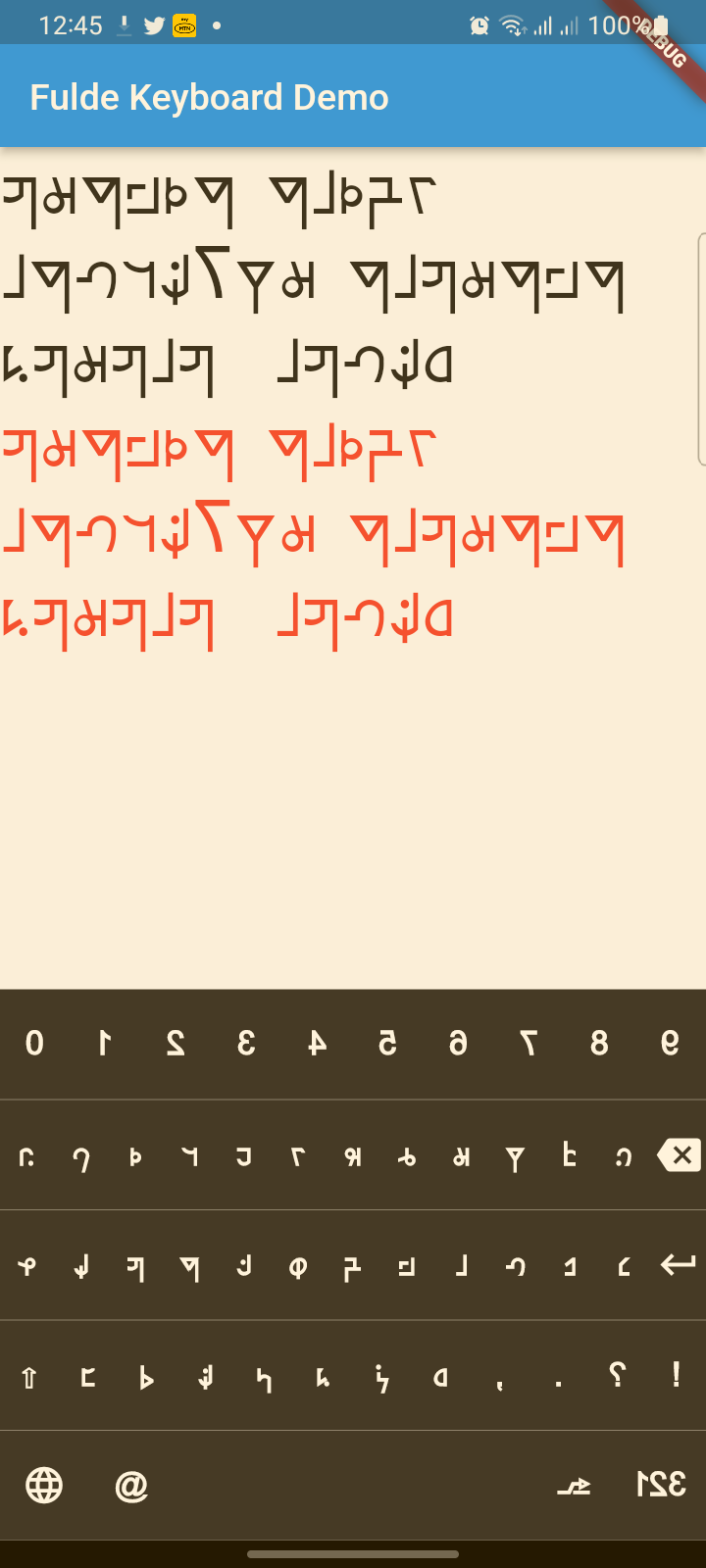
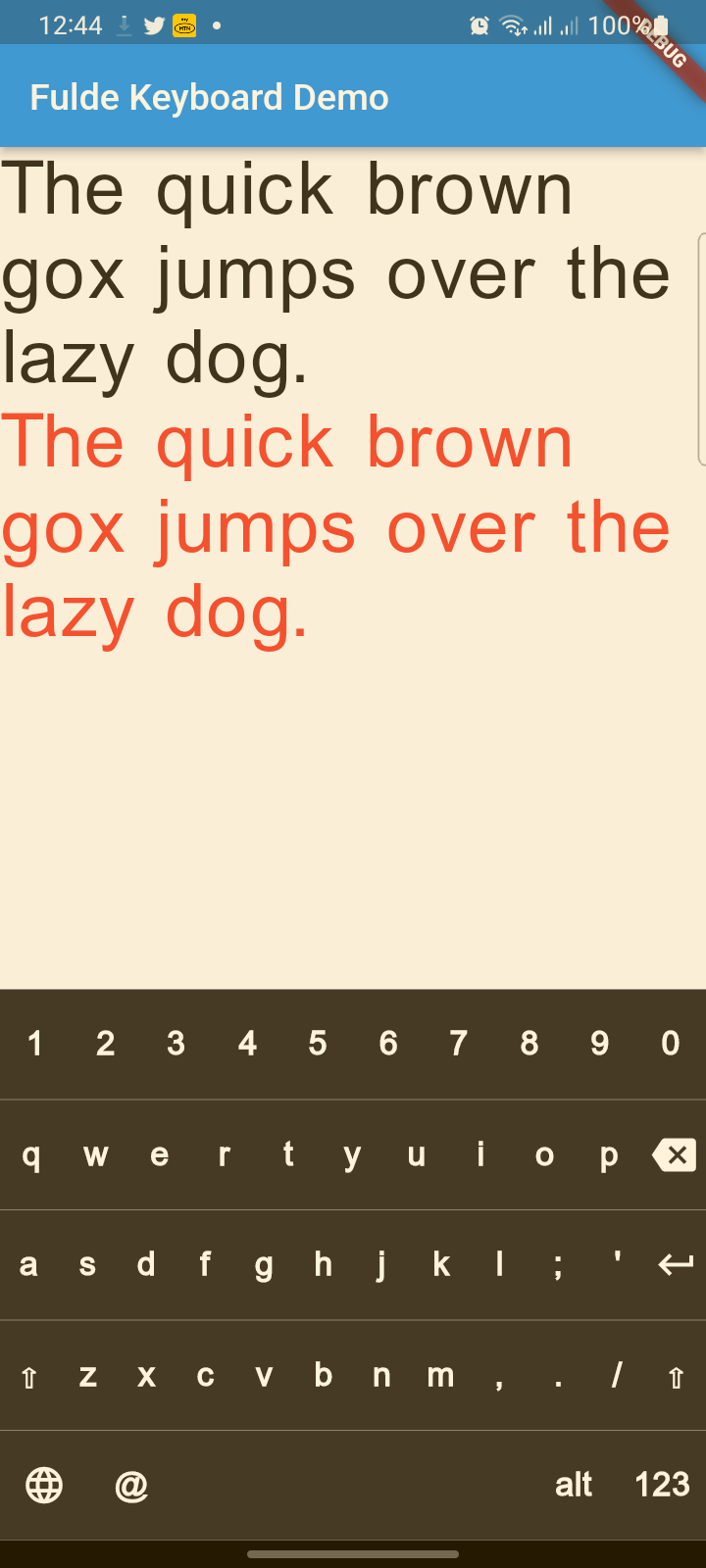
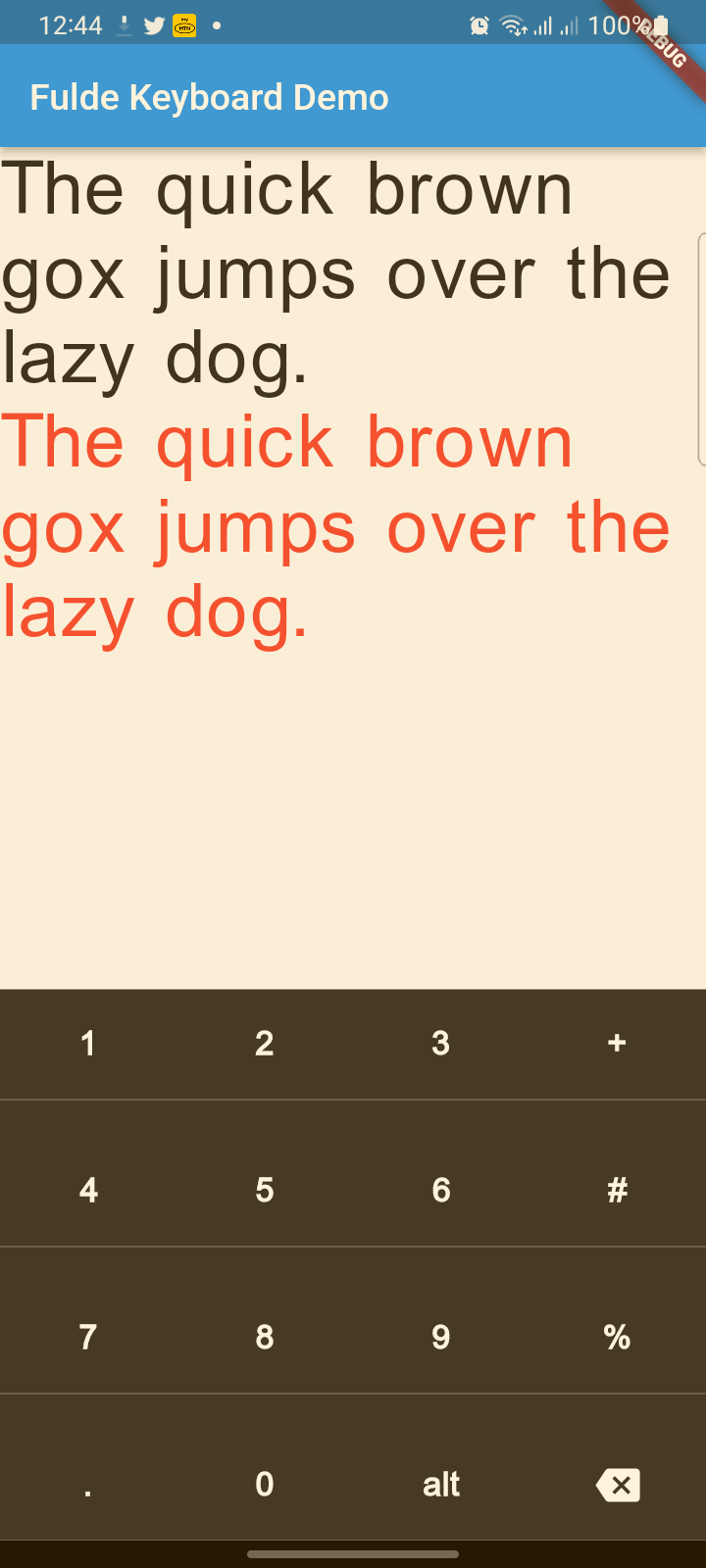
Flutter widget to show virtual keyboards.
// Keyboard Type: Can be Numeric or Alphanumeric.
FuldeKeyboardType type
// Callback for Key press event. Called with pressed `Key` object.
Function onKeyPress;
// Virtual keyboard height. Default is 300.
double height;
/// Virtual keyboard height. Default is full screen width
  double width;
// Color for key texts and icons.
Color textColor;
// Font size for keyboard keys.
double fontSize;;
// Only Caps letters enabled.
bool alwaysCaps;;
/// the custom layout for multi or single language
FuldeKeyboardLayoutKeys customLayoutKeys;
/// used for multi-languages with default layouts, the default is English only
/// will be ignored if customLayoutKeys is not null
List<FuldeKeyboardDefaultLayouts> defaultLayouts;
/// inverse the layout to fix the issues with right to left languages, default is false.
bool reverseLayout;
enum of Available Virtual Keyboard Types.
// Numeric only.
FuldeKeyboardType.Numeric
// Alphanumeric: letters`[A-Z]` + numbers`[0-9]` + `@` + `.`.
FuldeKeyboardType.Alphanumeric
Virtual Keyboard key.
// The text of the key.
String text
// The capitalized text of the key.
String capsText;
// Action or String
FuldeKeyboardKeyType keyType;
// Action of the key.
FuldeKeyboardKeyAction action;
Type for virtual keyboard key.
// Can be an action key - Return, Backspace, etc.
FuldeKeyboardKeyType.Action
// Keys that have text values - letters, numbers, comma ...
FuldeKeyboardKeyType.String
/// Virtual keyboard actions.
enum FuldeKeyboardKeyAction { Backspace, Return, Shift, Space }
// Wrap the keyboard with Container to set background color.
Container(
            // Keyboard is transparent
            color: Colors.deepPurple,
            child: FuldeKeyboard(
                // Default height is 300
                height: 350,
                // Default height is will screen width
                width: 600,
                // Default is black
                textColor: Colors.white,
                // Default 14
                fontSize: 20,
                // the layouts supported
                defaultLayouts = [FuldeKeyboardDefaultLayouts.English],
                // [A-Z, 0-9]
                type: FuldeKeyboardType.Alphanumeric,
                // Callback for key press event
                onKeyPress: _onKeyPress),
          )
Container(
            // Keyboard is transparent
            color: Colors.red,
            child: FuldeKeyboard(
                // [0-9] + .
                type: FuldeKeyboardType.Numeric,
                // Callback for key press event
                onKeyPress: (key) => print(key.text)),
          )
 Container(
            color: Colors.deepPurple,
            child: FuldeKeyboard(
                height: keyboardHeight,
                textColor: Colors.white,
                fontSize: 20,
                builder: _builder,
                type: FuldeKeyboardType.Numeric,
                onKeyPress: _onKeyPress),
          )

  /// Builder for keyboard keys.
  Widget _builder(BuildContext context, FuldeKeyboardKey key) {
    Widget keyWidget;

    switch (key.keyType) {
      case FuldeKeyboardKeyType.String:
        // Draw String key.
        keyWidget = _keyboardDefaultKey(key);
        break;
      case FuldeKeyboardKeyType.Action:
        // Draw action key.
        keyWidget = _keyboardDefaultActionKey(key);
        break;
    }

    return keyWidget;
  }
// Just local variable. Use Text widget or similar to show in UI.
String text;

  /// Fired when the virtual keyboard key is pressed.
_onKeyPress(FuldeKeyboardKey key) {
if (key.keyType == FuldeKeyboardKeyType.String) {
    text = text + (shiftEnabled ? key.capsText : key.text);
} else if (key.keyType == FuldeKeyboardKeyType.Action) {
    switch (key.action) {
    case FuldeKeyboardKeyAction.Backspace:
        if (text.length == 0) return;
        text = text.substring(0, text.length - 1);
        break;
    case FuldeKeyboardKeyAction.Return:
        text = text + '\n';
        break;
    case FuldeKeyboardKeyAction.Space:
        text = text + key.text;
        break;
    case FuldeKeyboardKeyAction.Shift:
        shiftEnabled = !shiftEnabled;
        break;
    default:
    }
}
// Update the screen
setState(() {});
}
依賴清單 3 項
{"sdk":"flutter"}{"sdk":"flutter"}^2.0.0先依使用情境篩選,再比較專案活躍情況,最後到原始儲存庫確認使用要求。
“A repository is the most basic element of GitHub.”
GitHub Docs — About repositories ↗