
v0.3.8
scrollable_positioned_list
一個帶有輔助方法的清單,可程式設計地捲動到項目。
1990喜歡 66.8萬近 30 天下載140Pub 分數
AndroidiOSWebmacOSWindowsLinux
一個簡單的健身計時器,使用 Flutter 建構!

一個帶有輔助方法的清單,可程式設計地捲動到項目。
一個用於文字轉語音的 Flutter 插件。此插件支援 iOS、macOS、Android、Web 與 Windows。
 v2.1.2
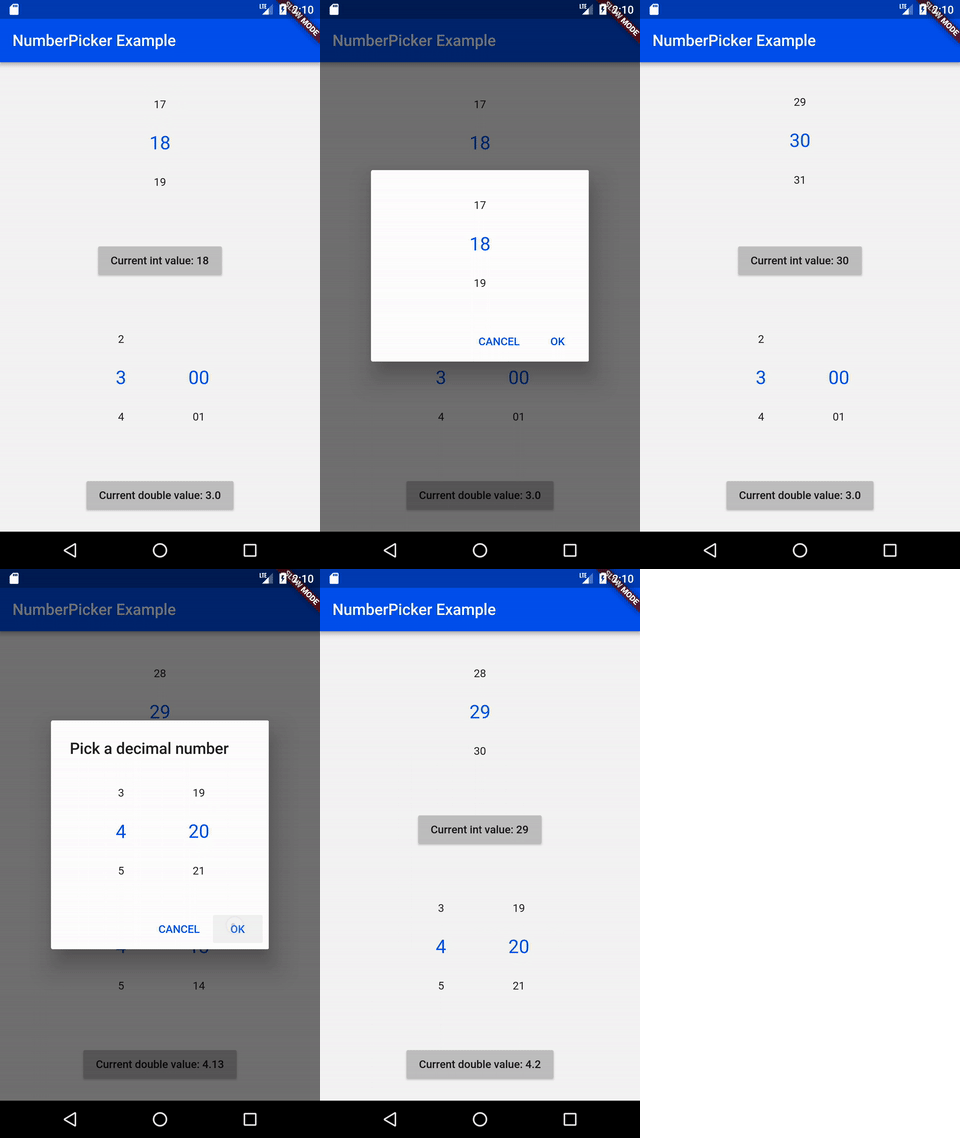
NumberPicker 是一個允許使用者透過滾動旋鈕來選擇數字的組件。
輕鬆從頭開始重新啟動您的應用程式,遺失任何先前的狀態
intl_utils 是一個 Dart 庫,可從 ARB 檔案產生 Dart 地區化程式碼。產生的程式碼依賴於 Intl 庫。
一個使用 pubspec.yaml/lock 檔案產生詳細且更好的開源許可證清單的工具。
用於在 Android 和 iOS 上選擇和儲存檔案的對話方塊。
幫助將 Flutter、Dart 的 pubspec.yaml 依賴項按字母順序排序。
 v3.0.0
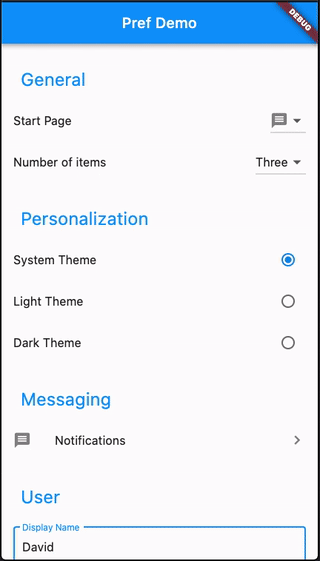
使用進階功能和子頁面輕鬆建立偏好設定畫面
一個使用 shared_preferences 插件來在 Android 與 iOS 平台上儲存與讀取應用程式偏好設定的程式庫套件。
^1.18.0^1.7.0{"sdk":"flutter"}^3.0.2{"sdk":"flutter"}^2.4.0^1.1.1^4.0.2^8.2.5^0.19.0^4.9.0^2.1.2^1.8.0^2.1.3^2.8.0^4.1.0+3^6.1.2^0.3.8^9.0.0^2.4.1^6.2.6^4.4.0^1.2.5^2.4.11^0.13.1^4.0.0^3.0.2^2.8.7^6.8.0^1.0.5以下為英文專案原文快照,最新內容請造訪 GitHub。
Contributors Forks Stargazers Issues MIT License Übersetzungsstatus ko-fi GitHub Workflow Status (branch) GitHub release (latest SemVer) F-Droid
A simple timer for your workouts, built with Flutter!
Get it on F-Droid
Get it on GitHub
NOTE: Due to the process of releasing updates on F-Droid, the version there can be outdated for a few days. The version on GitHub will always be the latest. Keep in mind, that the F-Droid and GitHub versions are not compatible with each other. If you switch, you will loose ALL your data. You need to backup your workouts to keep them.
You can export individual workouts or create an export of all your workouts and import them later. You can also transfer them to another device.
See the open issues for a list of proposed features (and known issues).
Contributions are what make the open source community such an amazing place to learn, inspire, and create. Any contributions you make are greatly appreciated.
git checkout -b feature/AmazingFeature)git commit -m 'Add some AmazingFeature')git push origin feature/AmazingFeature)flutter pub getflutter pub global activate script_runnerscr buildflutter build apk or run using your IDEDistributed under the MIT License. See LICENSE for more information.