
 v1.1.1
flutter_summernote
適用於 Android 和 iOS 的 Flutter 文字編輯器,基於 Summernote 0.8.18 JavaScript 包裝器,協助自由撰寫 WYSIWYG HTML 程式碼。
107喜歡 199近 30 天下載140Pub 分數
AndroidiOSmacOS
chandrabezzo/flutter_summernote open-source repository details.

{"sdk":"flutter"}^4.0.2^0.8.6+1^1.8.2^1.0.4^0.3.3+4^2.0.1{"sdk":"flutter"}以下為英文專案原文快照,最新內容請造訪 GitHub。
Text Editor in Flutter for Android and iOS to help free write WYSIWYG HTML code based on Summernote 0.8.18 javascript wrapper.
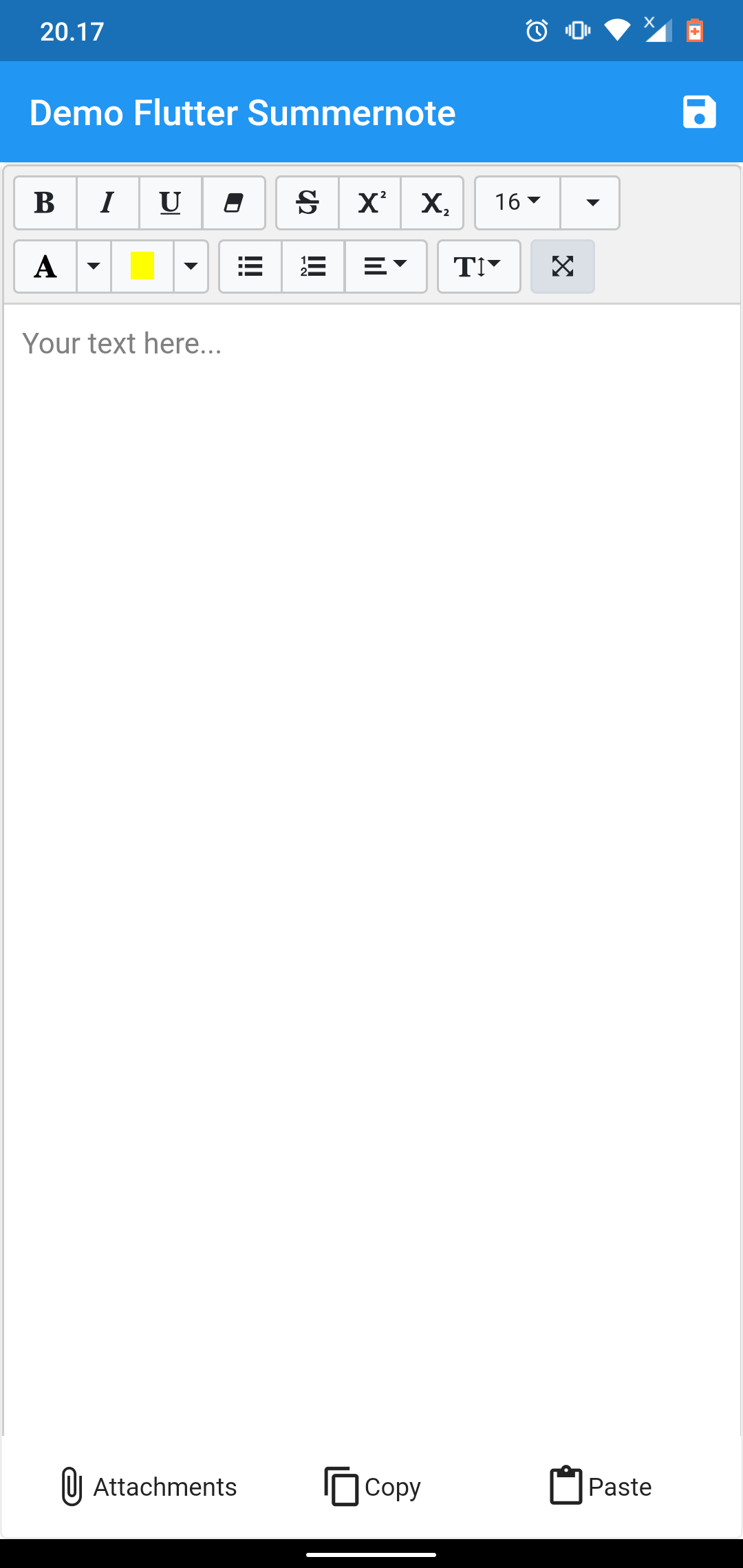
demo example demo example
This package dependent to the Official WebView Plugin. In this package can't add image, video, or another file using editor toolbar. To handle attach image this package give you another solution using image Image Picker at bottom of editor. This package can't use enableinteractiveSelection from TextField, to handle that this package give you another solution using copy paste at bottom of editor. Thank you for all your support.
add flutter_summernote: ^latest as deppendecy to pubspec.yaml
Add the following keys to your Info.plist file, located in /ios/Runner/Info.plist:
    <key>io.flutter.embedded_views_preview</key>
    <true/>

    <key>NSCameraUsageDescription</key>
    <string>Used to demonstrate image picker plugin</string>
    <key>NSMicrophoneUsageDescription</key>
    <string>Used to capture audio for image picker plugin</string>
    <key>NSPhotoLibraryUsageDescription</key>
    <string>Used to demonstrate image picker plugin</string>

    <key>NSAppTransportSecurity</key>
    <dict>
        <key>NSAllowsArbitraryLoads</key>
         <true/>
    </dict>
import 'package:flutter_summernote/flutter_summernote.dart';
GlobalKey<FlutterSummernoteState> _keyEditor = GlobalKey();
    FlutterSummernote(
        hint: "Your text here...",
        key: _keyEditor
    ),
    FlutterSummernote(
        hint: "Your text here...",
        key: _keyEditor,
        customToolbar: """
            [
                ['style', ['bold', 'italic', 'underline', 'clear']],
                ['font', ['strikethrough', 'superscript', 'subscript']]
            ]"""
    )
final _etEditor = await keyEditor.currentState.getText();
| Parameter | Type | Default | Description |
|---|---|---|---|
| key | GlobalKey | required | for get method & reset |
| value | String | empty | initiate text content for text editor |
| height | double | 380 | height of text editor |
| decoration | BoxDecoration | empty | Decoration editor |
| widthImage | String | 100% | width of image picker |
| hint | String | empty | Placeholder hint text |
| customToolbar | String | empty | Add all available Toolbar. Don't use insert (video & picture), please use hasAttachment option. |
| customPopover | String | empty | Add all available Popover (the same paragraph as for toolbar, but below) |
| hasAttachment | Boolean | false | Use this option if you want to show or hide attachment button |
| showBottomToolbar | Boolean | false | Use this option if you want to show or hide bottom toolbar |
| returnContent | Function | null | Use this callback to return text content on await keyEditor.currentState.getText() function call. |
This project is licensed under the MIT License - see the LICENSE file for details.
Thanks goes to these wonderful people (emoji key):
| Chandra Abdul Fattah Chandra Abdul Fattah 🚇 💻 |
yusuf afandi yusuf afandi 💻 |
Ivan Terekhin Ivan Terekhin 💻 |
This project follows the all-contributors specification. Contributions of any kind welcome!