搜尋套件、儲存庫與 APP 分類

flutter_summernote 封面
套件詳情v1.1.1

flutter_summernote

適用於 Android 和 iOS 的 Flutter 文字編輯器,基於 Summernote 0.8.18 JavaScript 包裝器,協助自由撰寫 WYSIWYG HTML 程式碼。

AndroidiOSmacOS
近 30 天下載
219
喜歡數
107
Pub 分數
140

安裝套件

flutter pub add flutter_summernote

套件介紹

根據套件公開資料產生的選型評估,僅供參考。

flutter_summernote 是一個 Flutter 套件,為 Android、iOS 和 macOS 提供 WYSIWYG HTML 文字編輯器,由 Summernote 0.8.18 JavaScript 庫驅動。它讓使用者能在 Flutter 應用中自由撰寫與格式化內容,支援豐富的文字功能。此編輯器支援 HTML 輸出,非常適合需要格式化文字輸入的應用程式,例如部落格、內容管理系統或即時通訊平台。只需簡單的 pub add 命令即可無縫整合至 Flutter 專案中。

適用情境

  • 行動應用程式中的內容創作
  • 部落格文章編輯器
  • 富文本訊息介面
  • 帶格式的表單輸入
  • 基於HTML的內容管理

主要特色

  • 所見即所得 HTML 編輯
  • 支援 Summernote 0.8.18
  • 跨平台(Android、iOS、macOS)
  • HTML 輸出產生
  • 透過 pub 的簡單整合
  • 可自訂工具列

適合對象

  • 開發富文本輸入表單的開發者
  • 需要富HTML內容輸入的應用程式
  • 移動內容編輯器
  • 在Flutter中使用Summernote功能的項目

使用建議

  • 需要 WebView 進行渲染
  • 有限的原生Flutter控件控制
  • 依賴外部JavaScript庫
  • 在低階設備上可能會產生效能開銷
  • 不適用於純原生文字編輯而無需HTML輸出

原始 README

以下為關聯原始碼儲存庫的 README 原文快照,最新內容請造訪原始碼儲存庫。

Flutter Summernote

All Contributors

Text Editor in Flutter for Android and iOS to help free write WYSIWYG HTML code based on Summernote 0.8.18 javascript wrapper.

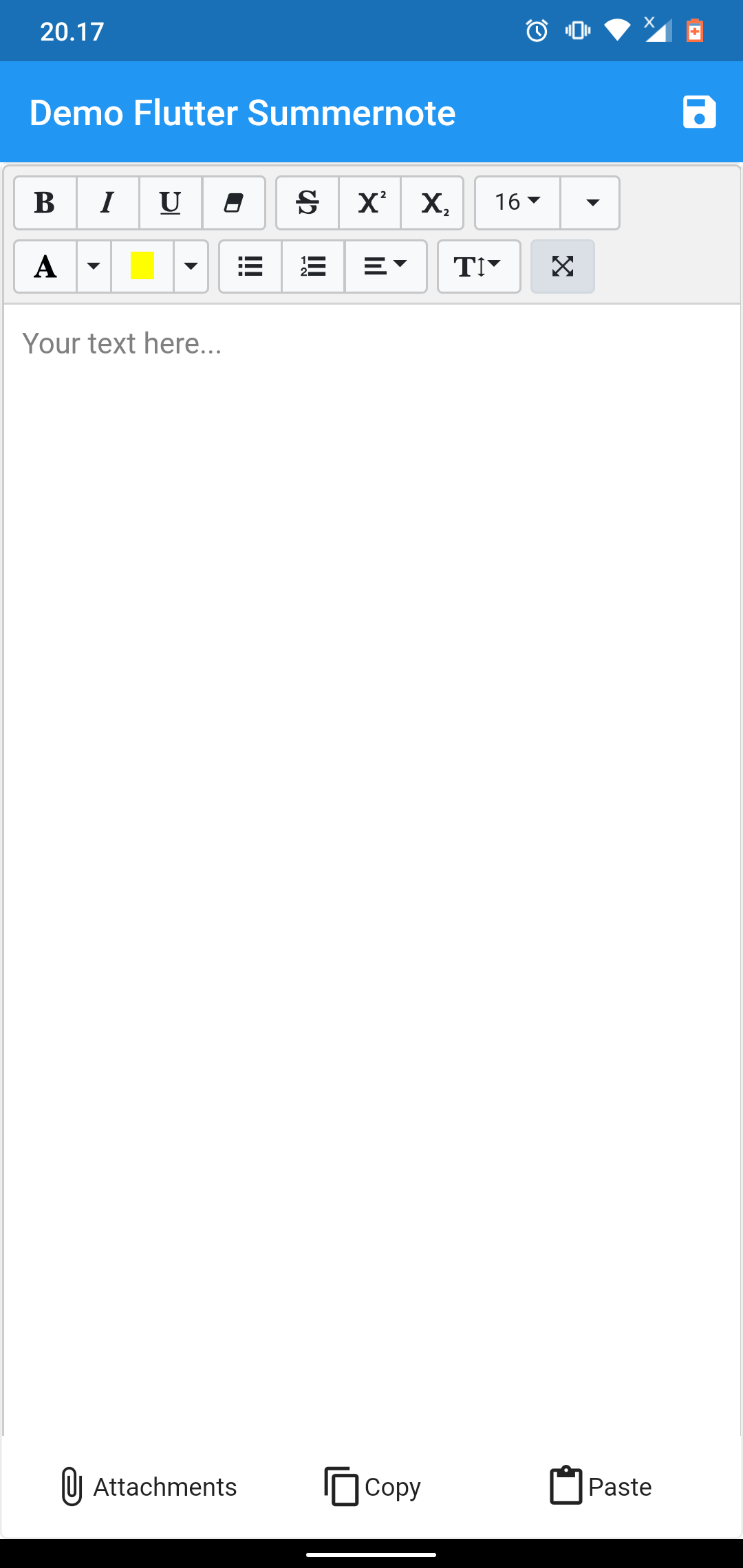
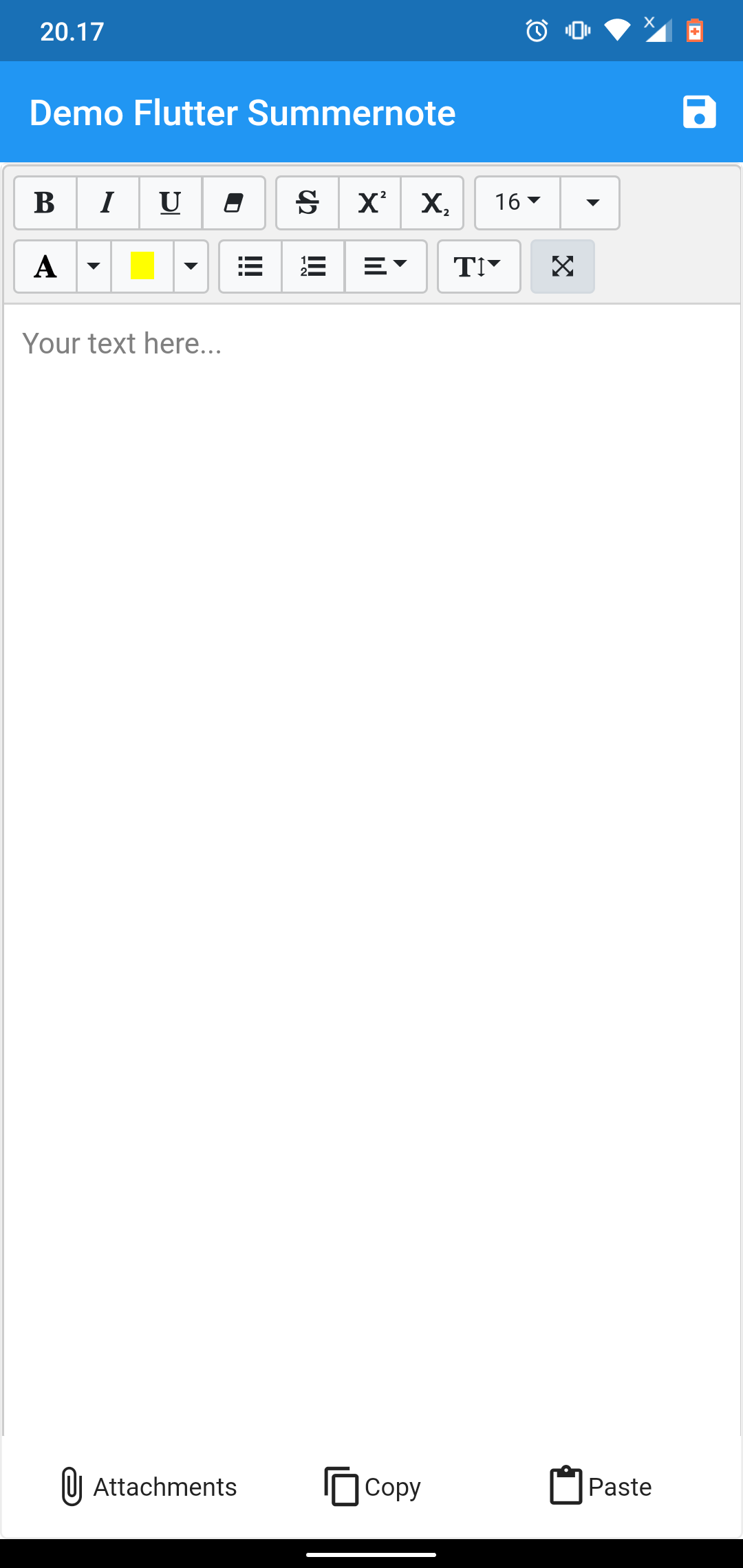
demo example demo example

NOTICE

This package dependent to the Official WebView Plugin. In this package can't add image, video, or another file using editor toolbar. To handle attach image this package give you another solution using image Image Picker at bottom of editor. This package can't use enableinteractiveSelection from TextField, to handle that this package give you another solution using copy paste at bottom of editor. Thank you for all your support.

Setup

add flutter_summernote: ^latest as deppendecy to pubspec.yaml

iOS

Add the following keys to your Info.plist file, located in /ios/Runner/Info.plist:

    <key>io.flutter.embedded_views_preview</key>
    <true/>

    <key>NSCameraUsageDescription</key>
    <string>Used to demonstrate image picker plugin</string>
    <key>NSMicrophoneUsageDescription</key>
    <string>Used to capture audio for image picker plugin</string>
    <key>NSPhotoLibraryUsageDescription</key>
    <string>Used to demonstrate image picker plugin</string>

    <key>NSAppTransportSecurity</key>
    <dict>
        <key>NSAllowsArbitraryLoads</key>
         <true/>
    </dict>
Usage
  1. import flutter html editor
    import 'package:flutter_summernote/flutter_summernote.dart';
  1. Create Global key from HTML Editor State
    GlobalKey<FlutterSummernoteState> _keyEditor = GlobalKey();
  1. Add HTML Editor to widget
    FlutterSummernote(
        hint: "Your text here...",
        key: _keyEditor
    ),
    FlutterSummernote(
        hint: "Your text here...",
        key: _keyEditor,
        customToolbar: """
            [
                ['style', ['bold', 'italic', 'underline', 'clear']],
                ['font', ['strikethrough', 'superscript', 'subscript']]
            ]"""
    )
  1. Get text from Html Editor
    final _etEditor = await keyEditor.currentState.getText();
Avalaible option parameters
Parameter Type Default Description
key GlobalKey required for get method & reset
value String empty initiate text content for text editor
height double 380 height of text editor
decoration BoxDecoration empty Decoration editor
widthImage String 100% width of image picker
hint String empty Placeholder hint text
customToolbar String empty Add all available Toolbar. Don't use insert (video & picture), please use hasAttachment option.
customPopover String empty Add all available Popover (the same paragraph as for toolbar, but below)
hasAttachment Boolean false Use this option if you want to show or hide attachment button
showBottomToolbar Boolean false Use this option if you want to show or hide bottom toolbar
returnContent Function null Use this callback to return text content on await keyEditor.currentState.getText() function call.

License

This project is licensed under the MIT License - see the LICENSE file for details.

Contributors ✨

Thanks goes to these wonderful people (emoji key):

Chandra Abdul Fattah

🚇 💻
yusuf afandi
yusuf afandi

💻
Ivan Terekhin
Ivan Terekhin

💻

This project follows the all-contributors specification. Contributions of any kind welcome!

所屬分類

依賴

依賴清單 5 項

原始碼儲存庫

使用此套件的專案

暫無相關資料。