

 v1.0.0
outline_material_icons
提供來自 Google 的 Material Design 圖標的新輪廓主題。
95喜歡 859近 30 天下載50Pub 分數
AndroidiOSWebmacOSWindowsLinux
為 Flutter 應用提供來自 Google 的 Material Design 圖標的新輪廓主題。

以下為英文專案原文快照,最新內容請造訪 GitHub。
This package provides the 'outline' theme of icons on the Material Design website, which is not available in Flutter or as a .ttf font file.

These icons were downloaded in September 2018, they may be updated in the future.
Add the package to pubspec.yaml and use the OMIcons class.
Widget build(BuildContext context) => Icon(OMIcons.sentimentSatisfied);
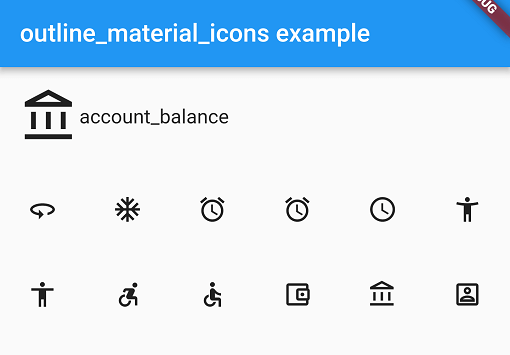
Browse available icons using the example app or the Material Design icons website above.
There is a Map<String, int> of snake_case icon names to codepoints if you want to list all the icons. See the example app code for how. Using the OMIcons class directly is preferable in most cases.
All 'partly filled' icons are removed due to single colour restriction for .ttf fonts. This includes partly-filled battery icons and not-full-strength wifi/reception icons.
Icons with an underline have had the line made solid: border_color, format_color_fill and format_color_text.
These icons were renamed to avoid Dart errors/clashes: 360 -> icon360, class -> classIcon, sync -> syncIcon
For help getting started with Flutter, view our online documentation.
For help on editing package code, view the documentation.
依賴清單 2 項
{"sdk":"flutter"}{"sdk":"flutter"}先依使用情境篩選,再比較專案活躍情況,最後到原始儲存庫確認使用要求。
“A repository is the most basic element of GitHub.”
GitHub Docs — About repositories ↗