
 v2.1.0
icon_picker
一個 Flutter 小工具,用於顯示包含圖示集合的對話框,可供選擇一個圖示並回傳 jason iconData。
18喜歡 30近 30 天下載60Pub 分數
平台暫無資料
一個 Flutter 小部件,用於顯示圖示集合以供選擇。此小部件擴展了 TextField,並具有與 TextFormField 相似的行为。

{"sdk":"flutter"}{"sdk":"flutter"}^1.0.0以下為英文專案原文快照,最新內容請造訪 GitHub。
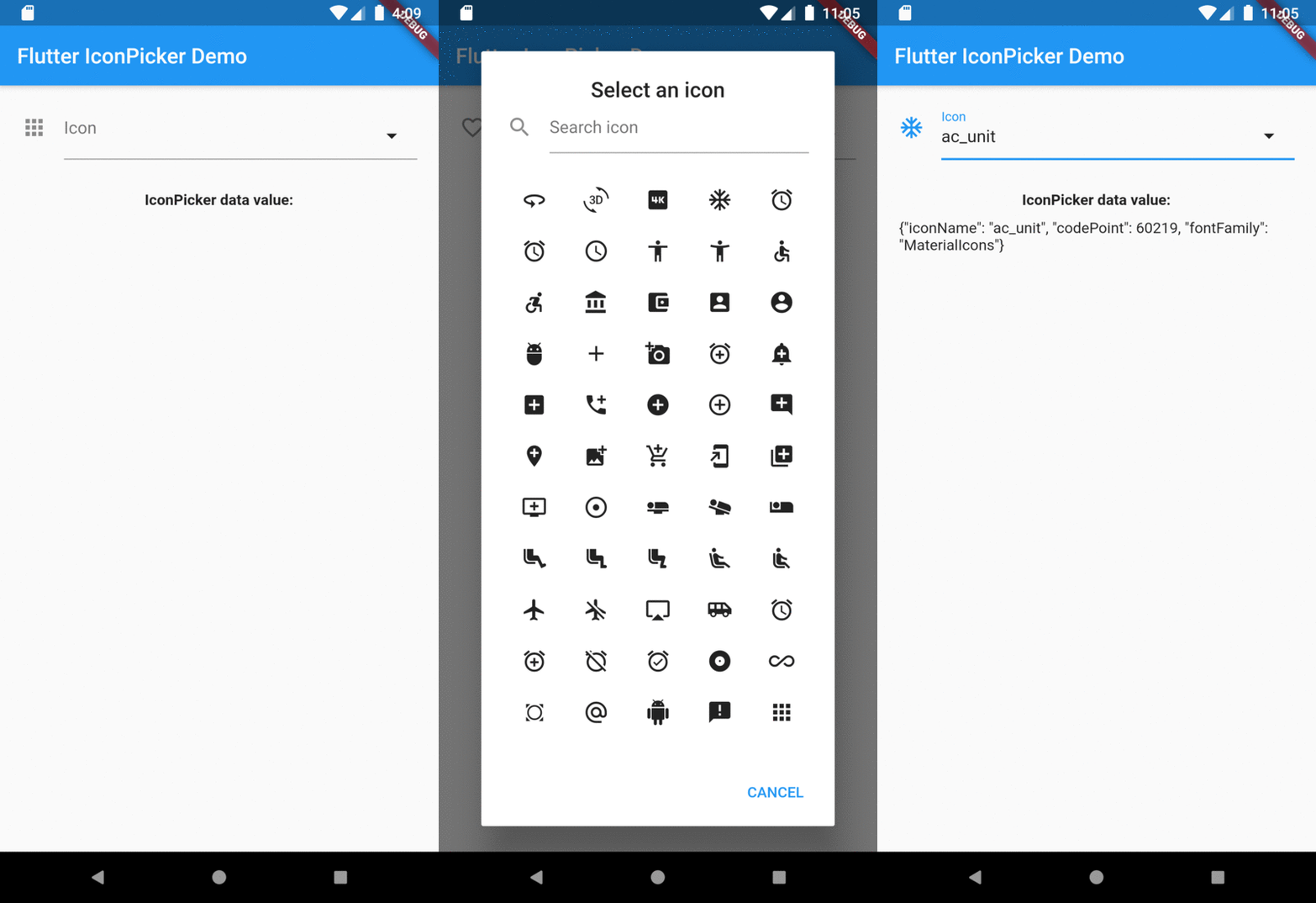
A Flutter widget to show an icon collection to pick.
This widget extend TextField and has a similar behavior as TextFormField
In the pubspec.yaml of your flutter project, add the following dependency:
dependencies:
  ...
  icon_picker: "^2.1.0"
In your library add the following import:
import 'package:icon_picker/icon_picker.dart';
For help getting started with Flutter, view the online documentation.
IconPicker use an internal MaterialIcon collection by default, but you can set your own icon collection.
You just need to pass in iconCollection param a Map<String, IconData>.
final Map<String, IconData> myIconCollection = {
  'favorite': Icons.favorite,
  'home': Icons.home,
  'android': Icons.android,
  'album': Icons.album,
  'ac_unit': Icons.ac_unit,
  ...
}
IconPicker(
  initialValue: 'favorite',
  icon: Icon(Icons.apps),
  labelText: "Icon",
  title: "Select an icon",
  cancelBtn: "CANCEL",
  enableSearch: true,
  searchHint: 'Search icon',
  iconCollection: myIconCollection,
  onChanged: (val) => print(val),
  onSaved: (val) => print(val),
);
The result of val in onChanged, validator and onSaved will be a json String.
So, if you tap the icon ac_unit in the dialog window, the result value will be:
'{"iconName": "ac_unit", "codePoint": 60219, "fontFamily": "MaterialIcons"}'
Transforming the String result of IconPicker in an IconData:
String value = '{"iconName": "ac_unit", "codePoint": 60219, "fontFamily": "MaterialIcons"}'
var iconDataJson = jsonDecode(value);
IconData icon = IconData(iconDataJson['codePoint'], fontFamily: iconDataJson['fontFamily']);
Icon(icon);
Overview