

 v1.1.3
calendar_timeline
一個水平的日期選擇器,佔用螢幕空間很少,因此我們可以始終將其顯示出來,並便於單手使用。
434喜歡 1040近 30 天下載130Pub 分數
AndroidiOSWebmacOSWindowsLinux
Flutter 小部件表單在水平時間軸上選擇日期。

以下為英文專案原文快照,最新內容請造訪 GitHub。
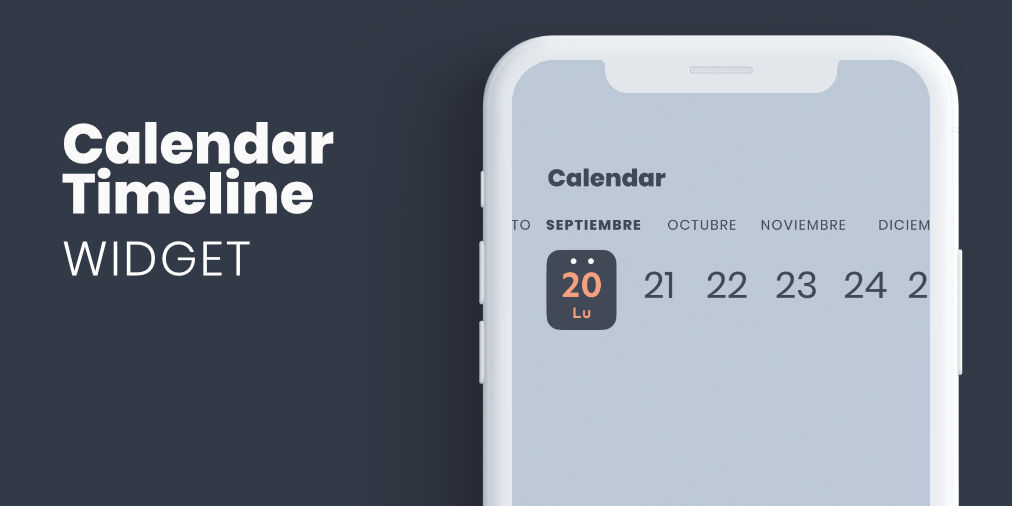
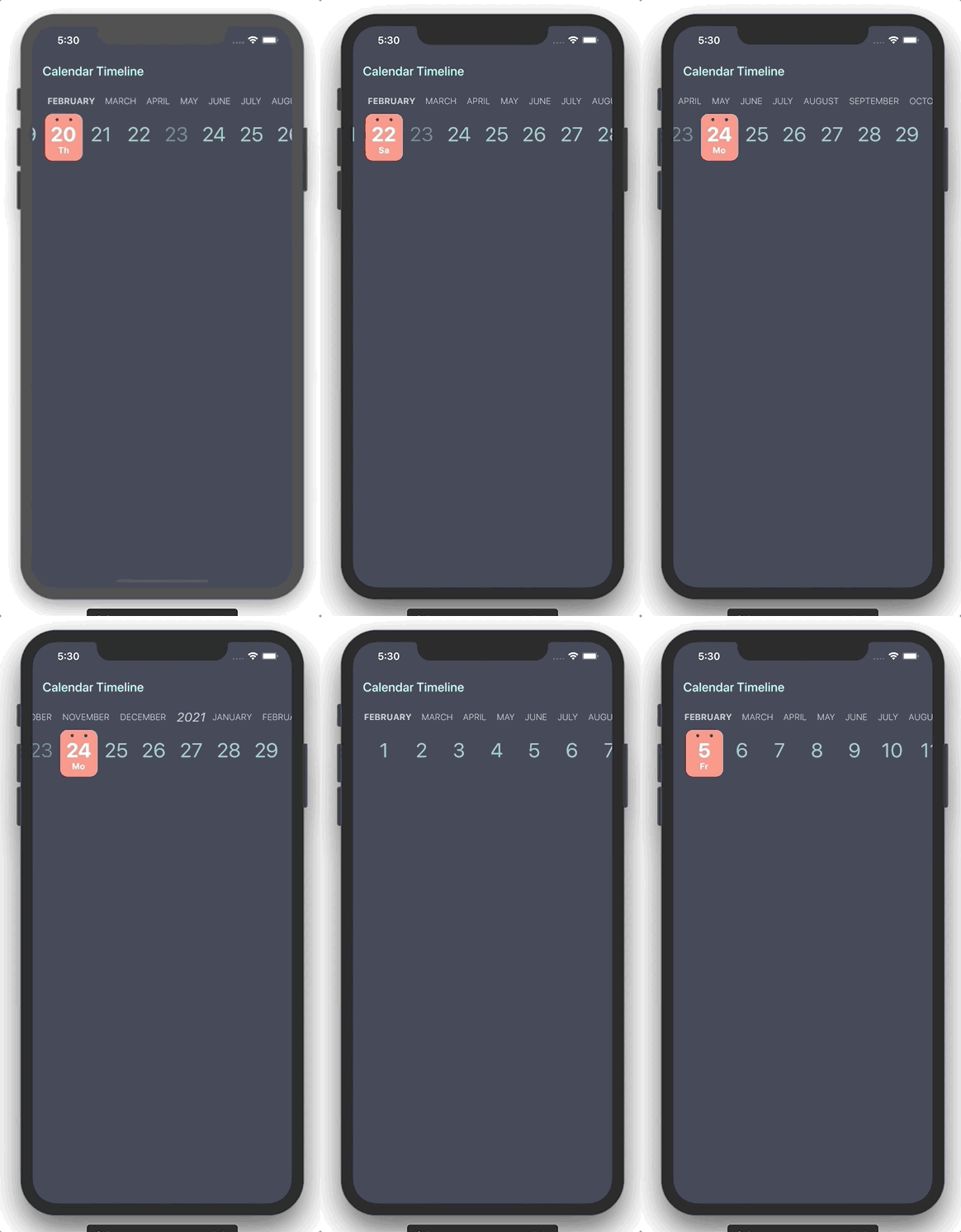
Flutter widget form select a date in horizontal timeline with customizable styles.
You can use this package when you need to add a date picker that takes up little screen space, so we can always have it visible, and that facilitates use with one hand.
| Property | Type | Description |
|---|---|---|
| initialDate | DateTime | Initial date selected |
| firstDate | DateTime | First date available in calendar |
| lastDate | DateTime | Last date available in calendar |
| selectableDayPredicate | SelectableDayPredicate | Signature for predicating dates for enabled date selections |
| onDateSelected | OnDateSelected | Callback to notify that a date has been selected |
| leftMargin | double | Left margin to month and day list |
| monthColor | Color | Color for month list elements |
| dayColor | Color | Color for day list elements |
| activeDayColor | Color | Color for selected day text |
| activeBackgroundDayColor | Color | Color for selected day background |
| dotColor | Color | Color for top dots in select day |
| locale | String | Locale string to get formatted date |
| showYears | bool | Indicates if it show year selector |
You can review the example folder for a complete example of using the widget.
CalendarTimeline(
  initialDate: DateTime(2020, 4, 20),
  firstDate: DateTime(2019, 1, 15),
  lastDate: DateTime(2020, 11, 20),
  onDateSelected: (date) => print(date),
  leftMargin: 20,
  monthColor: Colors.blueGrey,
  dayColor: Colors.teal[200],
  activeDayColor: Colors.white,
  activeBackgroundDayColor: Colors.redAccent[100],
  dotsColor: Color(0xFF333A47),
  selectableDayPredicate: (date) => date.day != 23,
  locale: 'en_ISO',
)
依賴清單 5 項
{"sdk":"flutter"}^0.19.0^0.3.5{"sdk":"flutter"}^6.0.0先依使用情境篩選,再比較專案活躍情況,最後到原始儲存庫確認使用要求。
“A repository is the most basic element of GitHub.”
GitHub Docs — About repositories ↗