

v1.0.4
international_phone_input
適用於 Flutter 的國際電話號碼輸入。此套件使用 libphonenumber 套件驗證電話號碼輸入值。
43喜歡 84近 30 天下載40Pub 分數
平台暫無資料
適用於 Flutter 的國際電話號碼輸入

以下為英文專案原文快照,最新內容請造訪 GitHub。
International Phone Number Input For Flutter
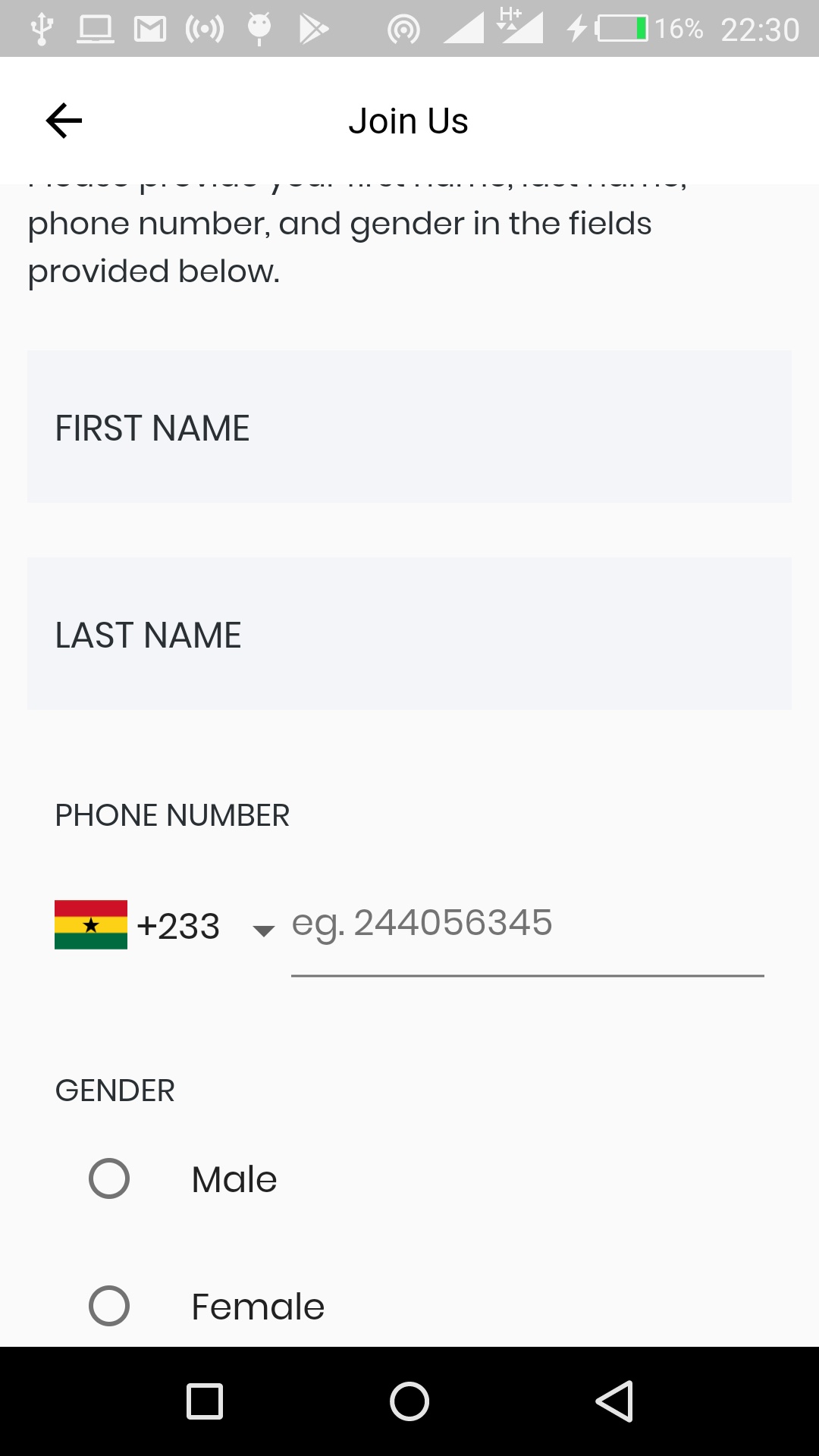
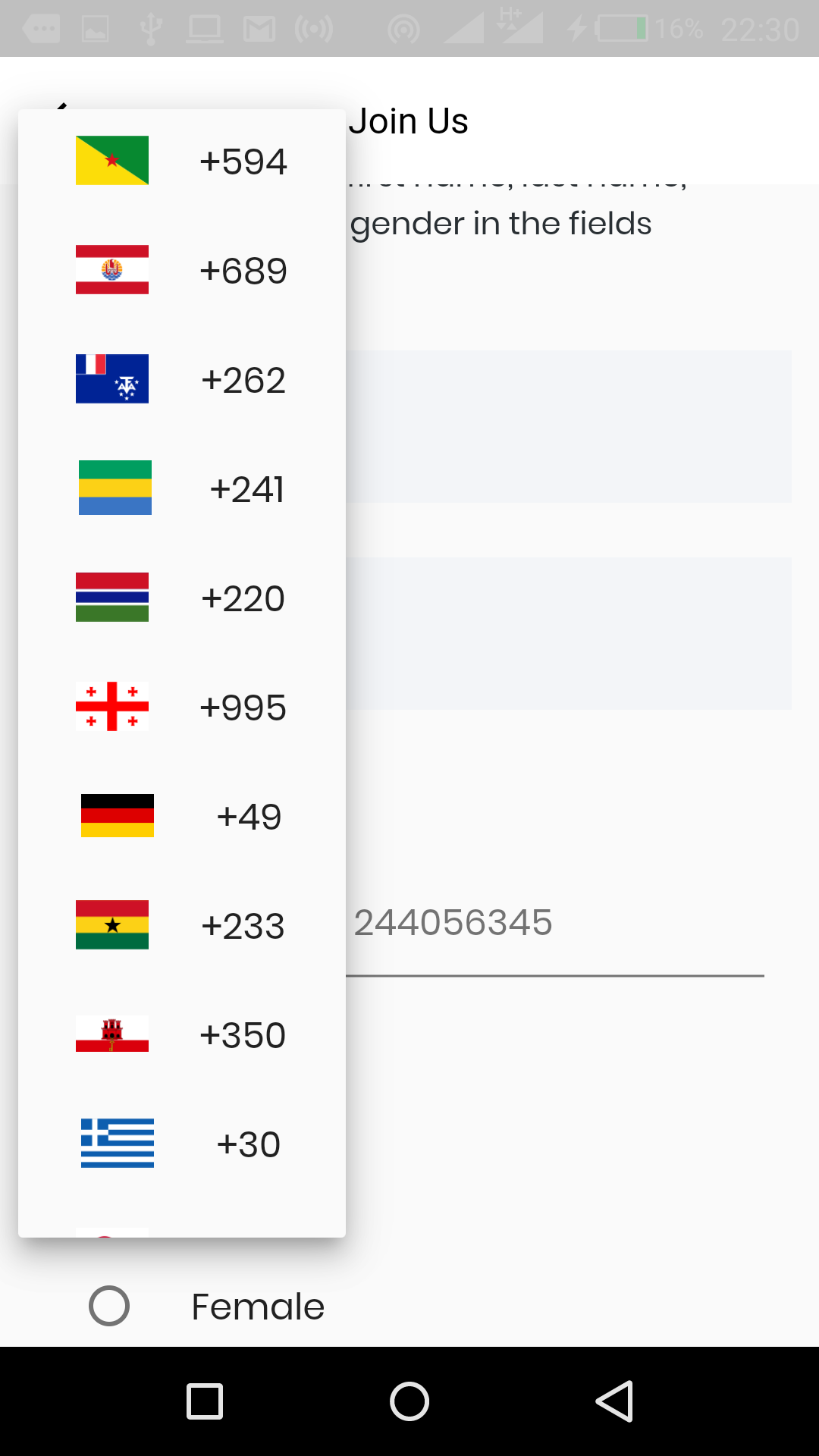
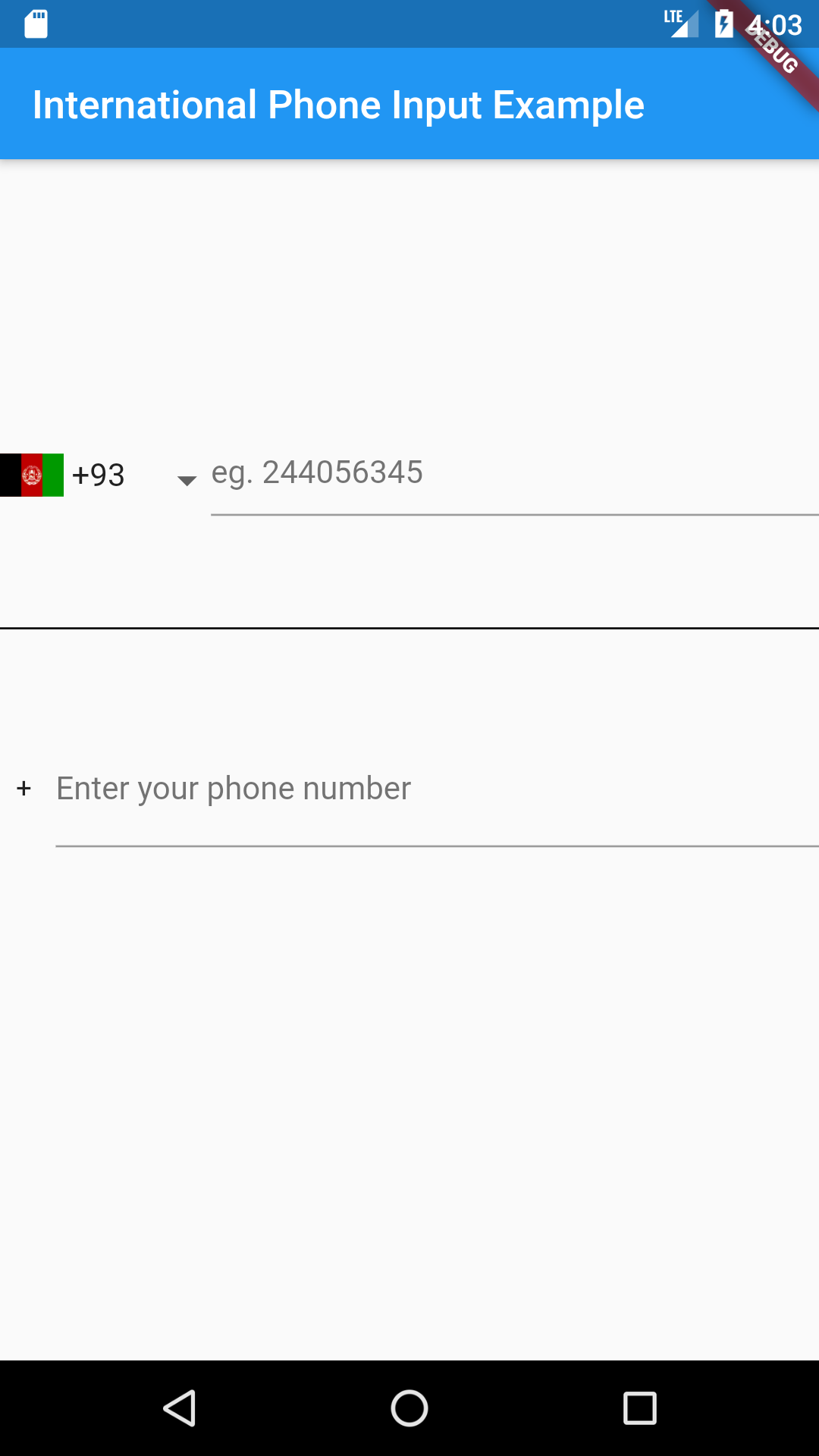
Just put the component in your application.
import 'package:international_phone_input/international_phone_input.dart';

String phoneNumber;
String phoneIsoCode;

void onPhoneNumberChange(String number, String internationalizedPhoneNumber, String isoCode) {
    setState(() {
       phoneNumber = number;
       phoneIsoCode = isoCode;
    });
}

// Default Widget with dropdown list
@override
 Widget build(BuildContext context) => Scaffold(
     body: Center(
       child: InternationalPhoneInput(
          onPhoneNumberChange: onPhoneNumberChange,
          initialPhoneNumber: phoneNumber,
          initialSelection: phoneIsoCode,
          enabledCountries: ['+233', '+1']
       ),
     ),
 );

// Widget with text input only

 onValidPhoneNumber(
      String number, String internationalizedPhoneNumber, String isoCode) {
    setState(() {
      confirmedNumber = internationalizedPhoneNumber;
    });
  }

@override
 Widget build(BuildContext context) => Scaffold(
     body: Center(
       child:  InternationalPhoneInputText(
         onValidPhoneNumber: onValidPhoneNumber,
        ),
     ),
 );

// Widget with decoration
// Using decoration overwrites other styles such as hintStyle, hintText, etc.

@override
 Widget build(BuildContext context) => Scaffold(
     body: Center(
       child: InternationalPhoneInput(
          decoration: InputDecoration.collapsed(hintText: '(416) 123-4567'),
          onPhoneNumberChange: onPhoneNumberChange,
          initialPhoneNumber: phoneNumber,
          initialSelection: phoneIsoCode,
          enabledCountries: ['+233', '+1'],
          showCountryCodes: false
       ),
     ),
 );
Here is a list of properties available to customize the widget:
| Name | Type | Description |
|---|---|---|
| initialPhoneNumber | String | used to set initial phone number |
| initialSelection | String | used to set initial country code |
| errorText | String | use this to set an error message |
| hintText | String | sets hint |
| labelText | String | sets label |
| errorStyle | TextStyle | style applied to error message |
| hintStyle | TextStyle | style applied to hint |
| labelStyle | TextStyle | style applied to label |
| errorMaxLines | int | the maximum number of lines user can type |
| enabledCountries | List | the list of enabled countries to display |
| decoration | InputDecoration | decoration applied to the TextField widget |
| showCountryCodes | bool | shows the country code (default true) |
| showCountryFlags | bool | shows. the country flags (default true) |
| dropdownIcon | Widget | use this to customize dropdown icon |
Contributions of any kind are more than welcome! Feel free to fork and improve international_phone_input in any way you want, make a pull request, or open an issue.
依賴清單 4 項
{"sdk":"flutter"}^1.0.0^1.6.0{"sdk":"flutter"}先依使用情境篩選,再比較專案活躍情況,最後到原始儲存庫確認使用要求。
“A repository is the most basic element of GitHub.”
GitHub Docs — About repositories ↗