


 v2.0.0
neon_widgets
完整的霓虹燈解決方案。此套件提供帶有與不帶閃爍效果的霓虹燈組件。
102喜歡 152近 30 天下載140Pub 分數
AndroidiOSmacOSWindowsLinux
🌟這是一個Flutter套件,提供最常見使用的組件及其正常版與霓虹燈版本。此套件內含多種不同類型的組件,可用來建立更具霓虹主題的組件。

以下為英文專案原文快照,最新內容請造訪 GitHub。



Animation disposal issues resolved. and every class' name have been changed, to comply with the standard dart syntax.
1 : 'oNeonContainer' is now changed to 'NeonContainer'.
2 : 'oNeonCustomVerticesProgressBar' is now changed to 'NeonCustomVerticesProgressBar'.
3 : 'oSearchBar' is now changed to 'SearchBar'.
Readme Changelog Installing Versions Scores Admin Activity log Use this package as a library Depend on it Run this command:
Run this command:
With Dart:
$ dart pub add neon_widgets
With Flutter:
$ flutter pub add neon_widgets
This will add a line like this to your package's pubspec.yaml (and run an implicit dart pub get):
dependencies:
  neon_widgets: ^2.0.0
Alternatively, your editor might support dart pub get or flutter pub get. Check the docs for your editor to learn more.
Import it Now in your Dart code, you can use:
import 'package:neon_widgets/neon_widgets.dart';
Neon Widgets :
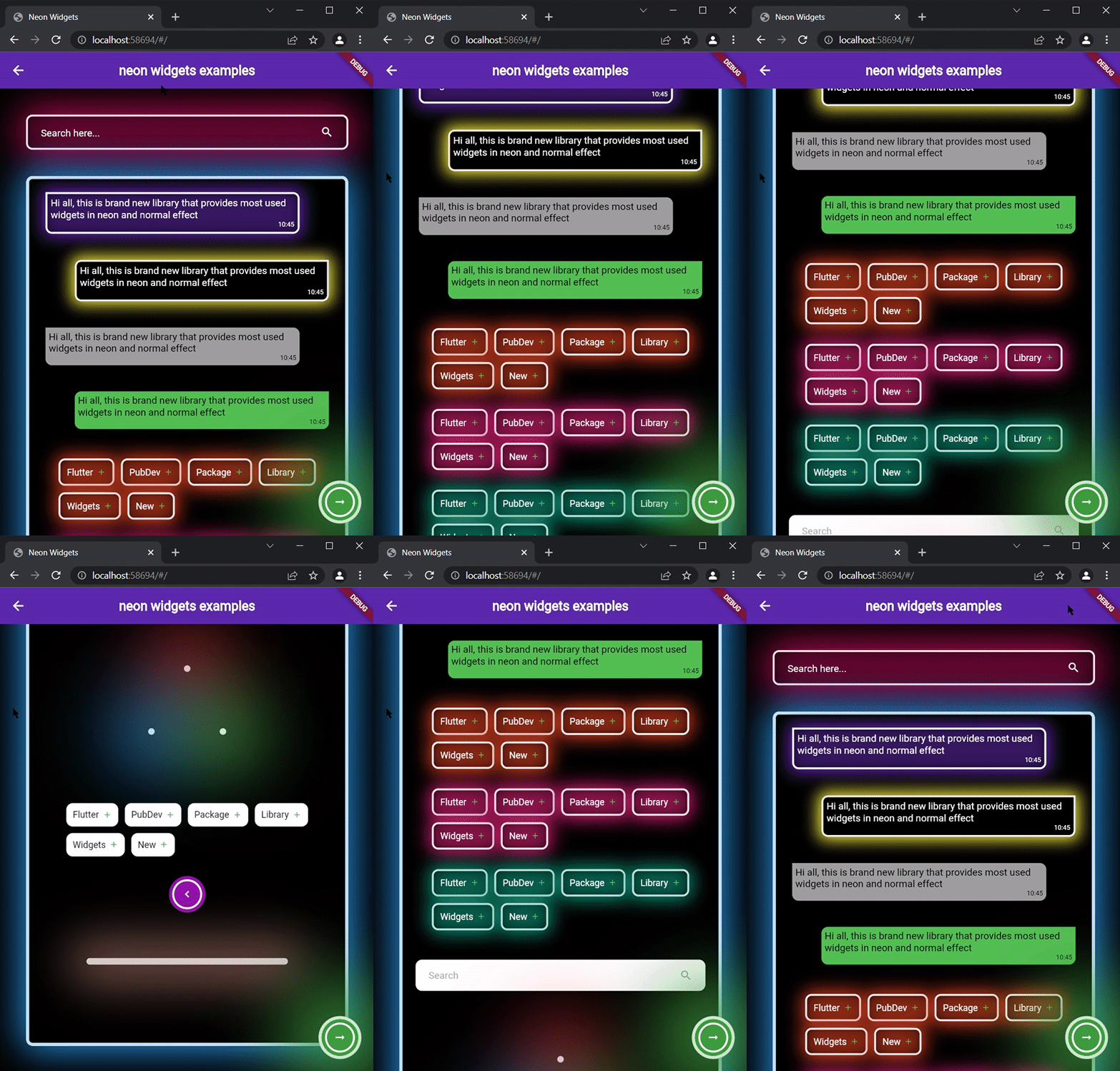
Flickering Neon Widgets (with random flicker rate) :
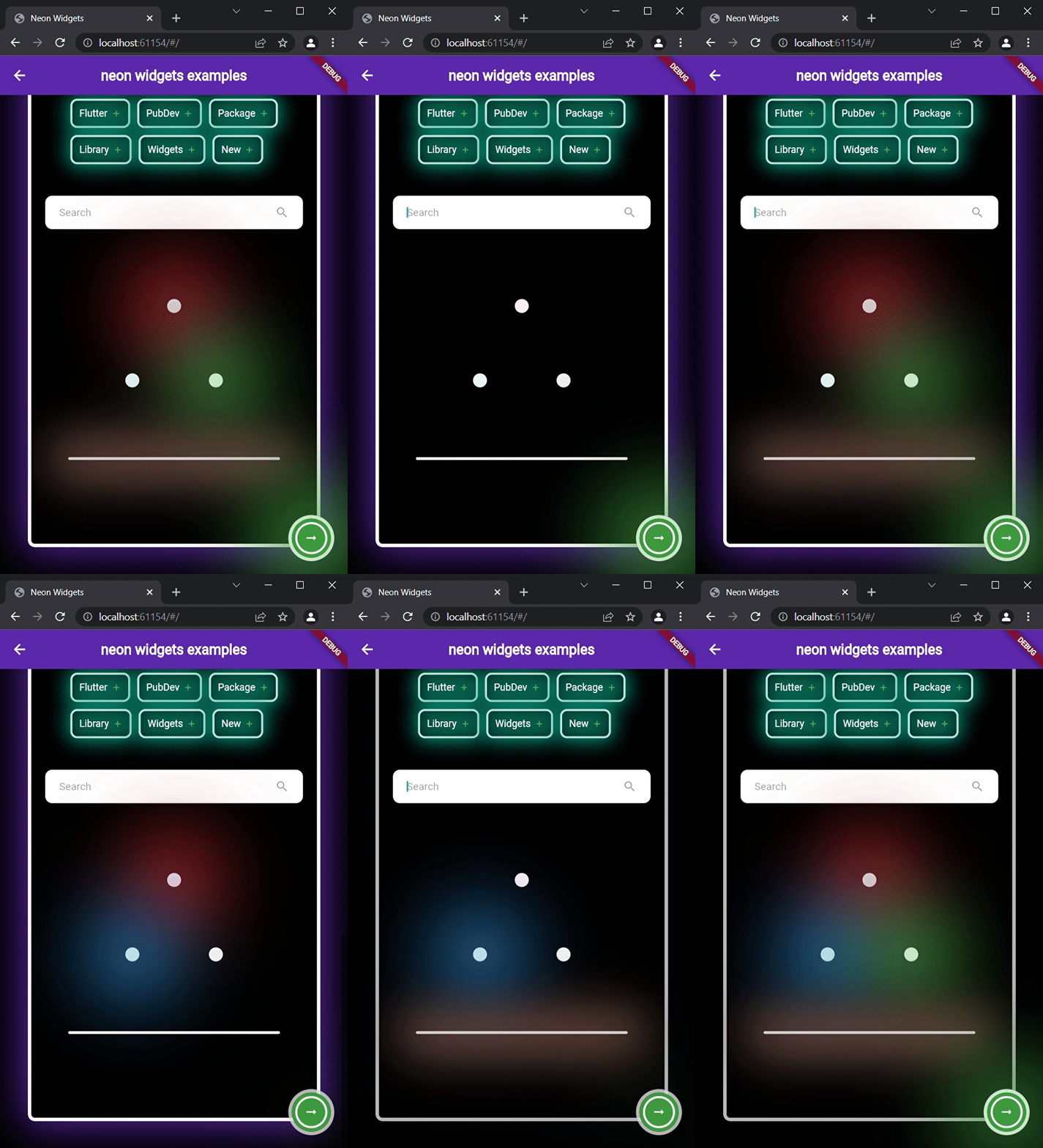
Loaders :
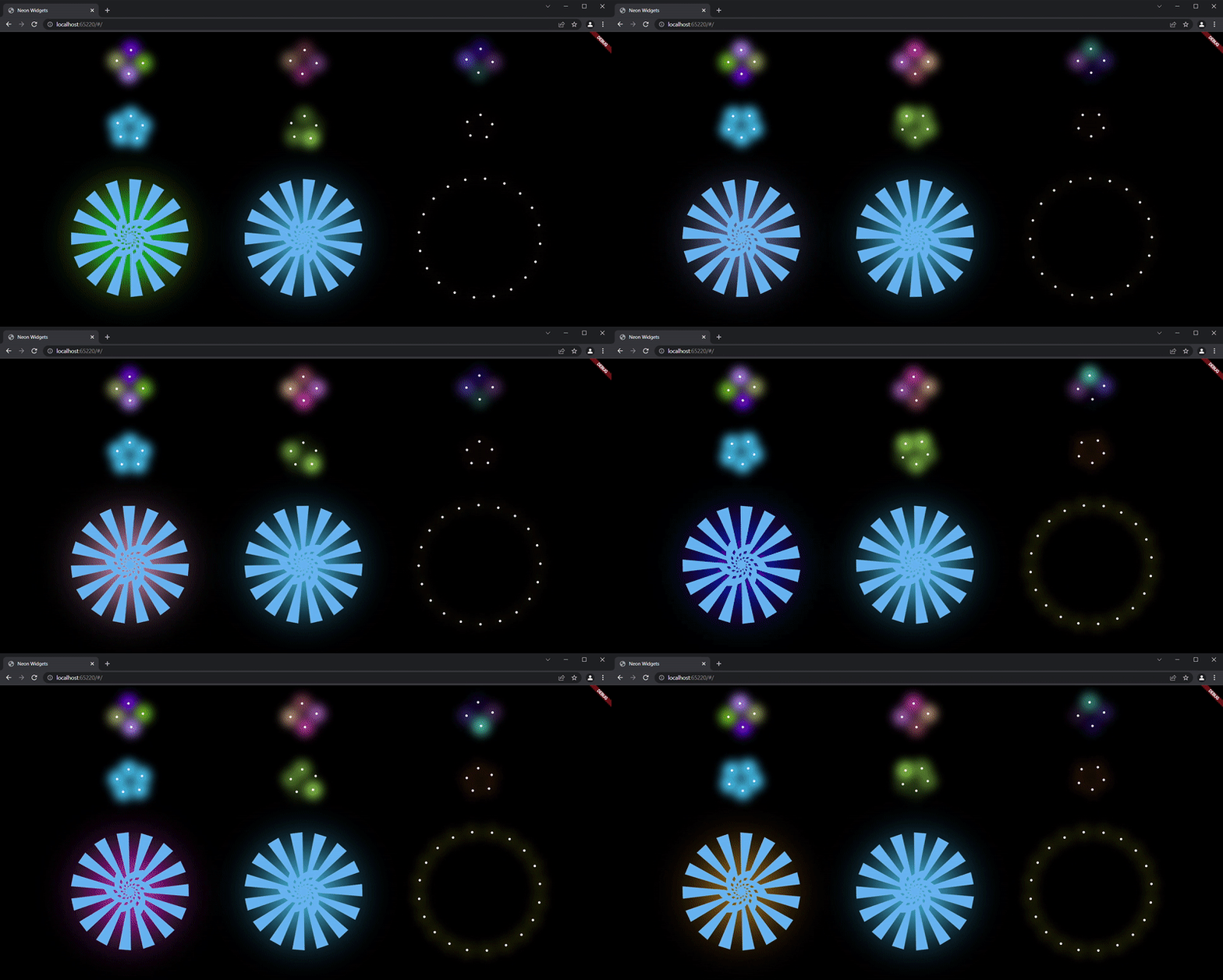
neonText :

// neon text

 NeonText(
   text: "Neon text",
   spreadColor: Colors.pink,
   blurRadius: 20,
   textSize: 74,
   textColor: Colors.white,
 ),

// flickering neon text

 FlickerNeonText(
   text: "Flicker neon text",
   flickerTimeInMilliSeconds: 600,
   spreadColor: Colors.blue,
   blurRadius: 20,
   textSize: 74,
 ),
neonSearchBar :
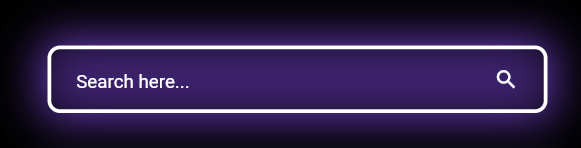
NeonSearchBar()
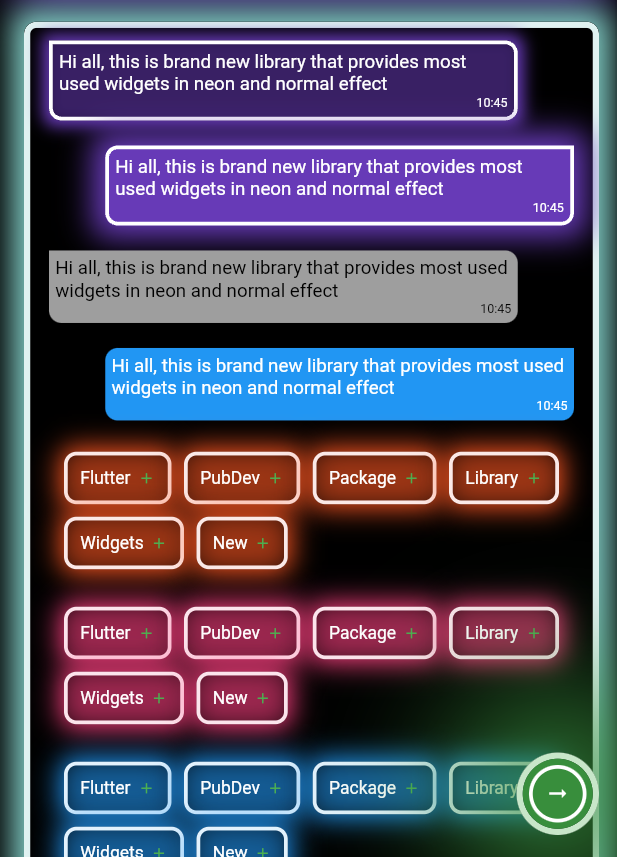
Chat widgets :
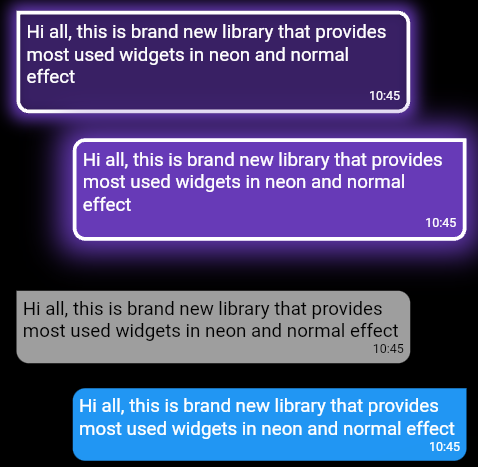
// Left message card in neon theme
NeonLeftMsgCard(
  lightBlurRadius: 20,
  lightSpreadRadius: 5,
  msg:
      "Hi all, this is brand new library that provides most used widgets in neon and normal effect",
  time: "10:45",
),

const SizedBox(
  height: 20,
),

// Right message card in neon theme
NeonRightMsgCard(
    lightBlurRadius: 20,
    lightSpreadRadius: 10,
    backgroundColor: Colors.deepPurple,
    msg:
    "Hi all, this is brand new library that provides most used widgets in neon and normal effect",
    time: "10:45",
 ),

const SizedBox(
  height: 20,
),

// Left massage card

LeftMsgCard(
    msg:
    "Hi all, this is brand new library that provides most used widgets in neon and normal effect",
    time: "10:45",
),

const SizedBox(
  height: 20,
),

// Right massage card

RightMsgCard(
    msg:
    "Hi all, this is brand new library that provides most used widgets in neon and normal effect",
    time: "10:45",
),

const SizedBox(
  height: 20,
),
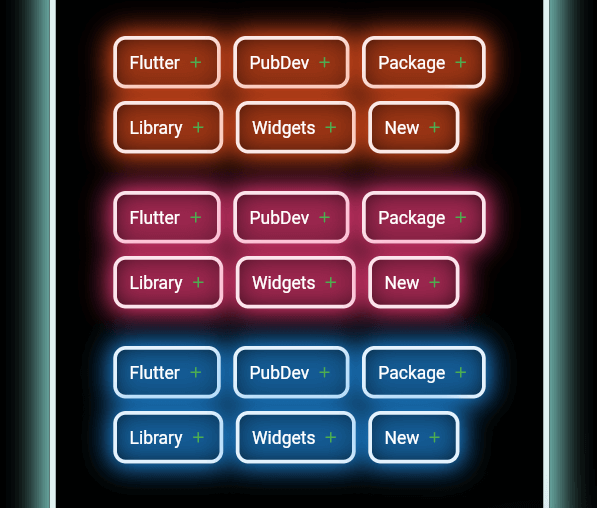
Add items widget :
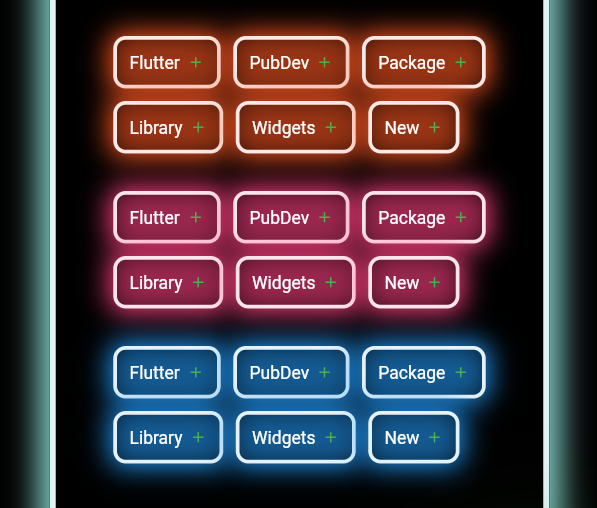
Wrap(
direction: Axis.horizontal,
children: <Widget>[
  ...(searchedResults.map((e) =>
      NeonAddItemButton(
          data: e,
          borderColor: Colors.deepOrange.shade50,
          spreadColor: Colors.deepOrange,
          lightSpreadRadius: 3,
          lightBlurRadius: 18))),
],
),
NeonPoint widget :
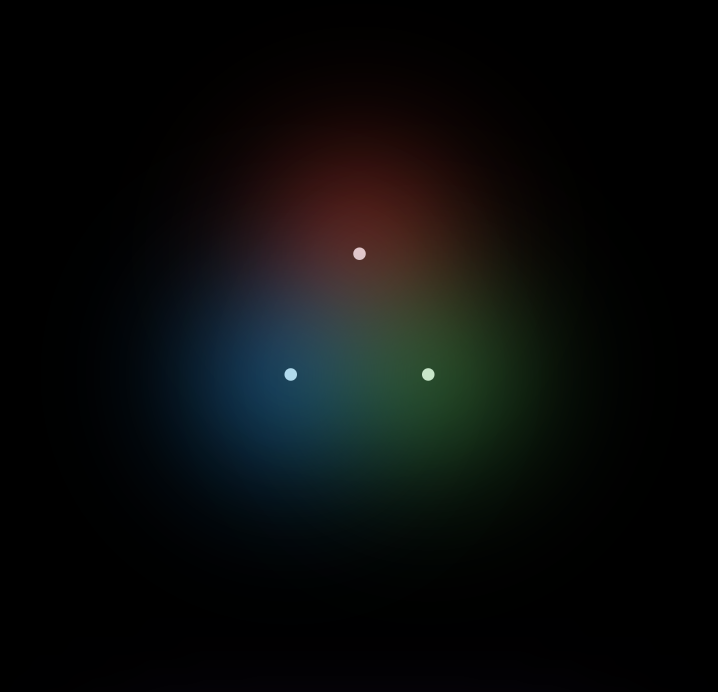
NeonPoint(
  pointSize: 00,
  pointColor: Colors.red.shade100,
  spreadColor: Colors.red,
),
NeonLine widget :
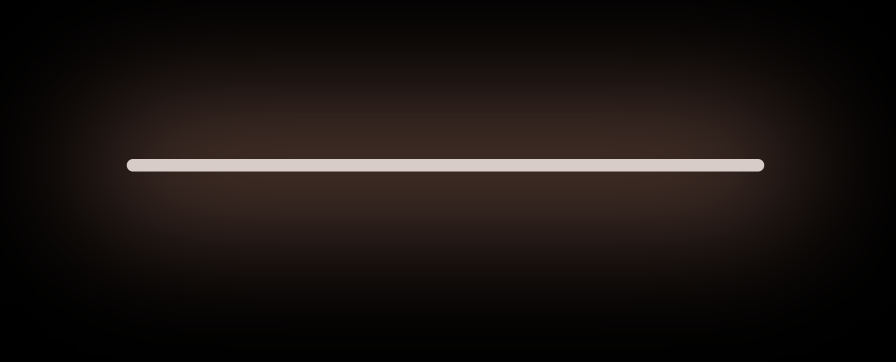
NeonLine(
  spreadColor: Colors.brown,
  lightSpreadRadius: 30,
  lightBlurRadius: 90,
  lineWidth: 400,
  lineHeight: 0.02,
  lineColor: Colors.brown.shade100,
),
Flickering Neon widgets :
// Flickering neon line
FlickerNeonLine(
  spreadColor: Colors.brown,
  lightSpreadRadius: 30,
  lightBlurRadius: 60,
  lineWidth: 300,
  lineHeight: 2,
  lineColor: Colors.brown.shade100,

  // flicker rate which is selects a random value by default
  randomFlicker: false,
  flickerTimeInMilliSeconds: 1000,
),
// Flickering neon point
FlickerNeonPoint(
  pointSize: 010,
  pointColor: Colors.blue.shade100,
  spreadColor: Colors.blue,
),
// Flickering neon container
FlickerNeonContainer(
    spreadColor: Colors.green.shade700,
    child: WIDGET
),
Loaders :
 //loader type 1 : loader made of polynomial of n number of side
 NeonShapeVerticesProgressBar(number: 4)

 //loader type 2 : triangle shape with all colors customizable
 NeonTriangleVerticesProgressBar()

 //loader type 3 : square shape with all colors customizable
 NeonSquareVerticesProgressBar()

 //loader type 4 : image
 ImageProgressBar(image : "assets/images/abc.png")
Non Neon widgets :
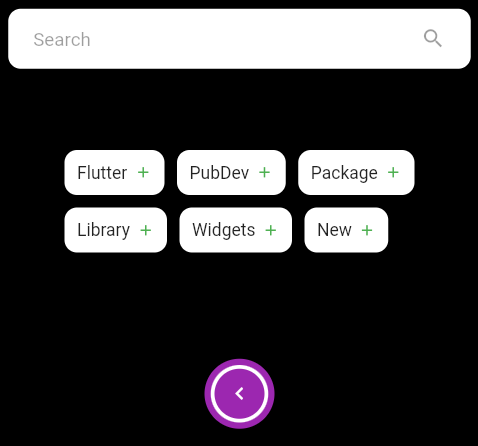
SearchBar(),
const SizedBox(
  height: 20,
),
Wrap(
  direction: Axis.horizontal,
  children: <Widget>[
    ...(searchedResults
        .map((e) => AddItemButton(data: e))),
  ],
),
const SizedBox(
  height: 20,
),
Container(
  padding: const EdgeInsets.all(20),
  child: CircumscribingIconButton(
      icon: Icons.keyboard_arrow_left_sharp,
      onTap: () {},
      backgroundColor: Colors.purple),
),
Example code provided
NeonContainer(
  spreadColor: Colors.green.shade700,
  child: CircumscribingIconButton(
        icon: Icons.arrow_right_alt_sharp,
        onTap: () {},
        backgroundColor: Colors.green.shade700),
    borderRadius: BorderRadius.circular(100),
    lightBlurRadius: 100,
    lightSpreadRadius: 50,
  borderColor: Colors.green.shade100
)
Wanna improve this package? Contribute to project on
github : https://github.com/ojasjain24/neon_widgets_flutter
create issue : https://github.com/ojasjain24/neon_widgets_flutter/issues
1 : create an issue describing the feature.
2 : comment on this issue that you are interested in resolving this issue.
依賴清單 3 項
{"sdk":"flutter"}{"sdk":"flutter"}^2.0.1先依使用情境篩選,再比較專案活躍情況,最後到原始儲存庫確認使用要求。
“A repository is the most basic element of GitHub.”
GitHub Docs — About repositories ↗