搜尋套件、儲存庫與 APP 分類

neon_widgets 封面
套件詳情v2.0.0

neon_widgets

完整的霓虹燈解決方案。此套件提供帶有與不帶閃爍效果的霓虹燈組件。

AndroidiOSmacOSWindowsLinux
近 30 天下載
79
喜歡數
102
Pub 分數
140

安裝套件

flutter pub add neon_widgets

套件介紹

根據套件公開資料產生的選型評估,僅供參考。

NeonWidgets 是一個 Flutter 套件,提供一整套霓虹主題的 UI 元件,設計用於為應用程式增添鮮豔、發光的效果。它包含帶有與不帶閃爍效果的元件,讓開發者能以最少的努力創造出引人注目的介面。適合現代、視覺動態的應用程式,此套件透過順暢的動畫和可自訂的霓虹風格提升美學體驗。專為跨平台使用而設計,支援 Android、iOS、macOS、Windows 和 Linux,確保在各類裝置上維持一致的視覺魅力。

適用情境

  • 建立未來感的應用程式介面
  • 添加發光文字和按鈕
  • 增強遊戲使用者介面
  • 設計儀表板視覺效果
  • 建構主題著陸頁

主要特色

  • 霓虹文字和容器小部件
  • 可選的閃爍動畫效果
  • 跨平台相容性
  • 可自訂的發光顏色
  • 與 Flutter 的輕鬆整合
  • 輕量且高效

適合對象

  • 尋求視覺魅力的UI設計師
  • 開發遊戲或娛樂應用的開發者
  • 需要現代、大膽美學的項目
  • 原型設計互動式儀表板
  • 面向年輕受眾的應用程式

使用建議

  • 可能影響低階裝置的效能
  • 閃爍效果可能不適合所有設計主題
  • 需要仔細的色彩對比以確保可讀性
  • 不太適合極簡或專業的使用者介面
  • 超出發光屬性之外的自訂功能有限

原始 README

以下為關聯原始碼儲存庫的 README 原文快照,最新內容請造訪原始碼儲存庫。

Neon Widgets💡

Most commonly used flutter widgets in neon version.

License Pub GitHub stars

Live Example : https://ojas-jain.web.app/#/

Neon Widgets 2.0 => Breaking Changes

Animation disposal issues resolved. and every class' name have been changed, to comply with the standard dart syntax.

All the class names have been changed, to comply with the standard dart syntax. Previously every class had the name convention such that non-neon class' name started with the letter 'o', and neon classes started with 'oNeon'. But in the update, the neon class names now starts with 'Neon', and the letter 'o' has been removed from the starting of non-neon classes.
For example :

1 : 'oNeonContainer' is now changed to 'NeonContainer'.

2 : 'oNeonCustomVerticesProgressBar' is now changed to 'NeonCustomVerticesProgressBar'.

3 : 'oSearchBar' is now changed to 'SearchBar'.

Getting started

Readme Changelog Installing Versions Scores Admin Activity log Use this package as a library Depend on it Run this command:

Run this command:

With Dart:

 $ dart pub add neon_widgets

With Flutter:

 $ flutter pub add neon_widgets

This will add a line like this to your package's pubspec.yaml (and run an implicit dart pub get):

dependencies:
  neon_widgets: ^2.0.0

Alternatively, your editor might support dart pub get or flutter pub get. Check the docs for your editor to learn more.

Import it Now in your Dart code, you can use:

import 'package:neon_widgets/neon_widgets.dart';

Features

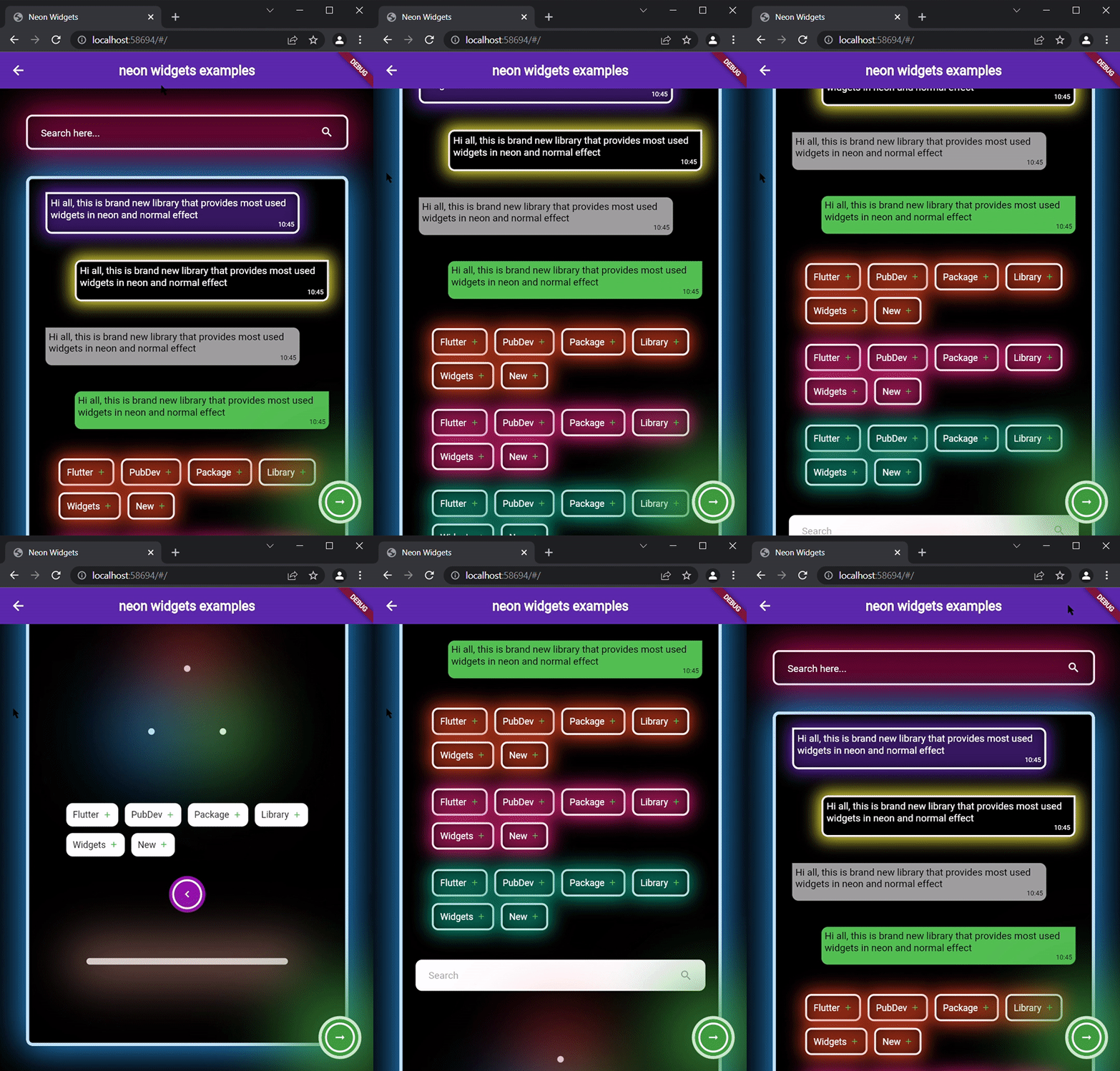
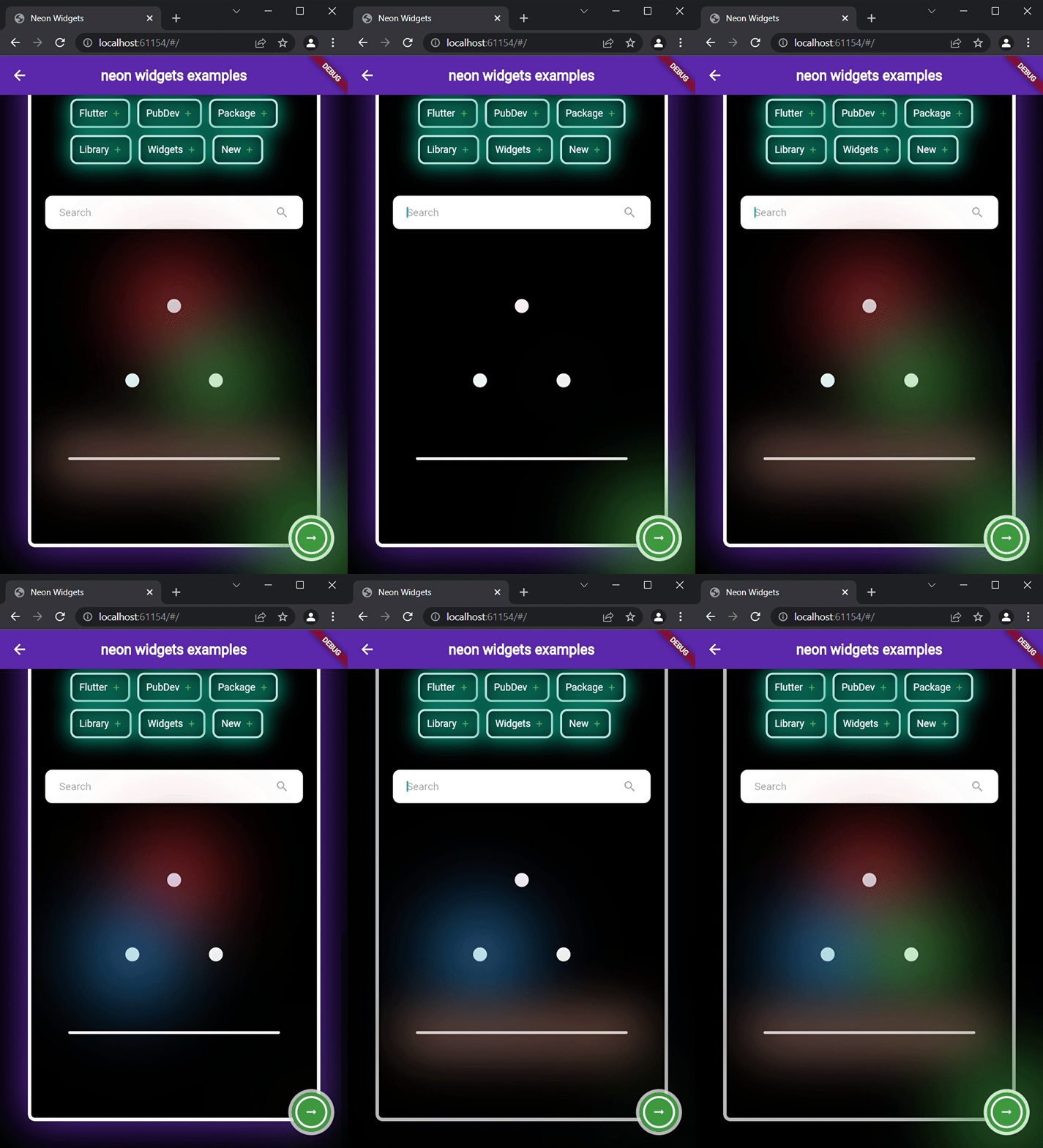
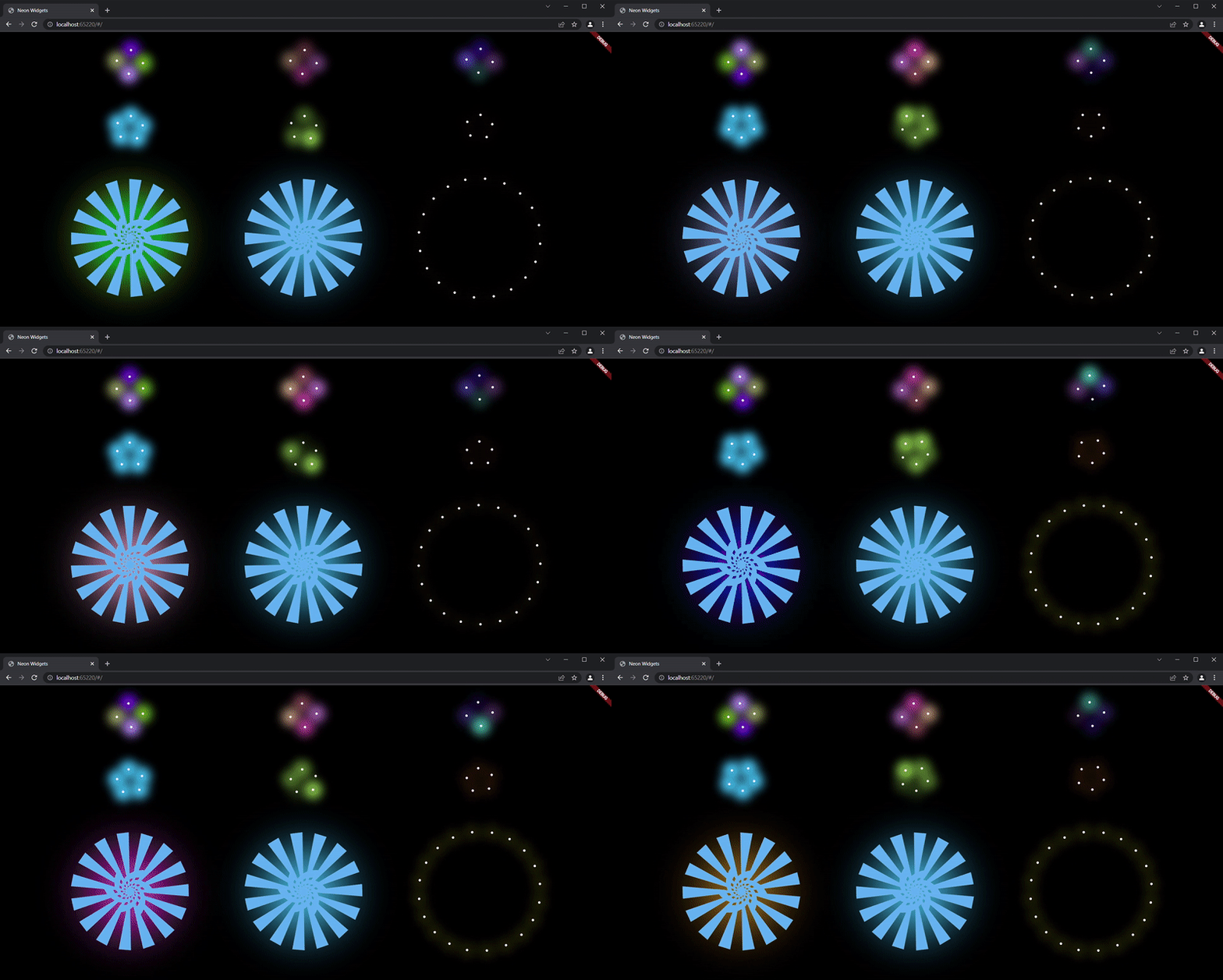
ExampleApp

Neon Widgets :

Flickering Neon Widgets (with random flicker rate) :

Loaders :

Widgets

neonText :

// neon text

 NeonText(
   text: "Neon text",
   spreadColor: Colors.pink,
   blurRadius: 20,
   textSize: 74,
   textColor: Colors.white,
 ),

// flickering neon text

 FlickerNeonText(
   text: "Flicker neon text",
   flickerTimeInMilliSeconds: 600,
   spreadColor: Colors.blue,
   blurRadius: 20,
   textSize: 74,
 ),

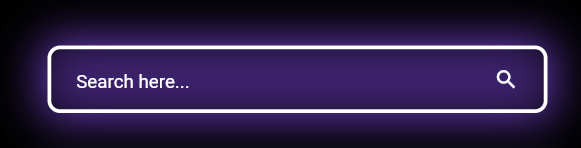
neonSearchBar :

NeonSearchBar()

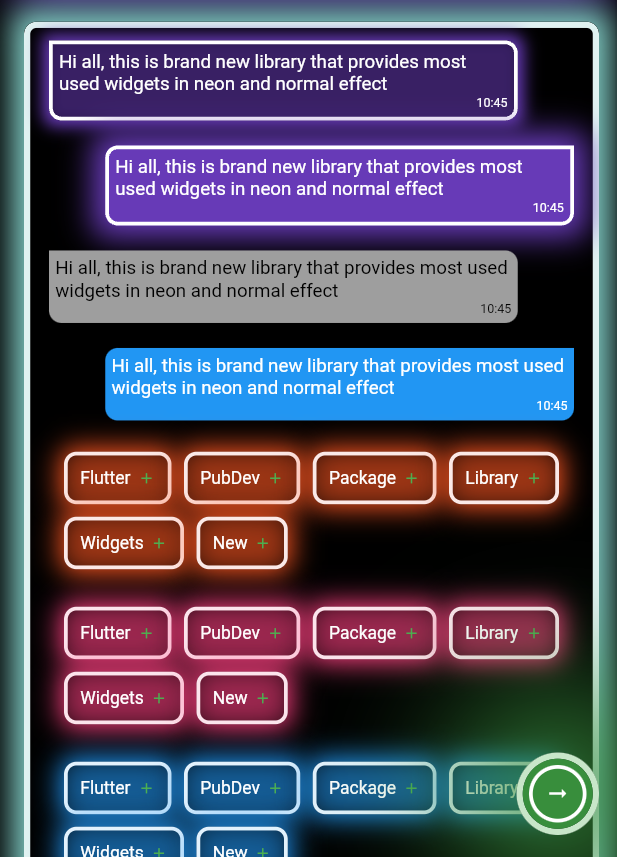
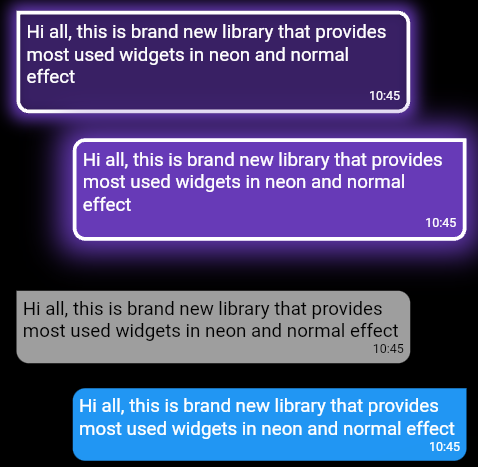
Chat widgets :

// Left message card in neon theme
NeonLeftMsgCard(
  lightBlurRadius: 20,
  lightSpreadRadius: 5,
  msg:
      "Hi all, this is brand new library that provides most used widgets in neon and normal effect",
  time: "10:45",
),

const SizedBox(
  height: 20,
),

// Right message card in neon theme
NeonRightMsgCard(
    lightBlurRadius: 20,
    lightSpreadRadius: 10,
    backgroundColor: Colors.deepPurple,
    msg:
    "Hi all, this is brand new library that provides most used widgets in neon and normal effect",
    time: "10:45",
 ),

const SizedBox(
  height: 20,
),

// Left massage card

LeftMsgCard(
    msg:
    "Hi all, this is brand new library that provides most used widgets in neon and normal effect",
    time: "10:45",
),

const SizedBox(
  height: 20,
),

// Right massage card

RightMsgCard(
    msg:
    "Hi all, this is brand new library that provides most used widgets in neon and normal effect",
    time: "10:45",
),

const SizedBox(
  height: 20,
),

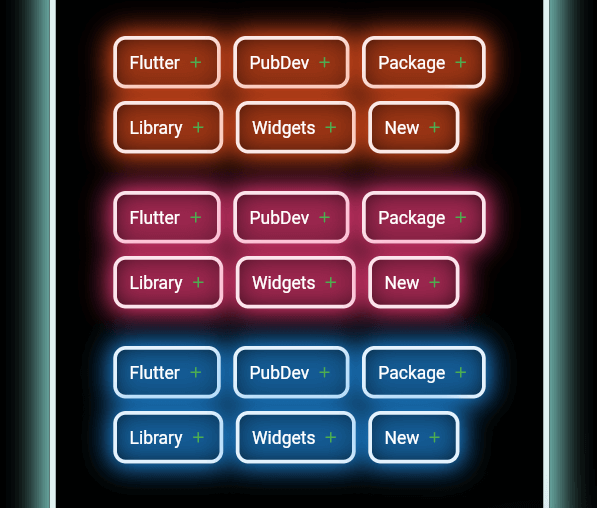
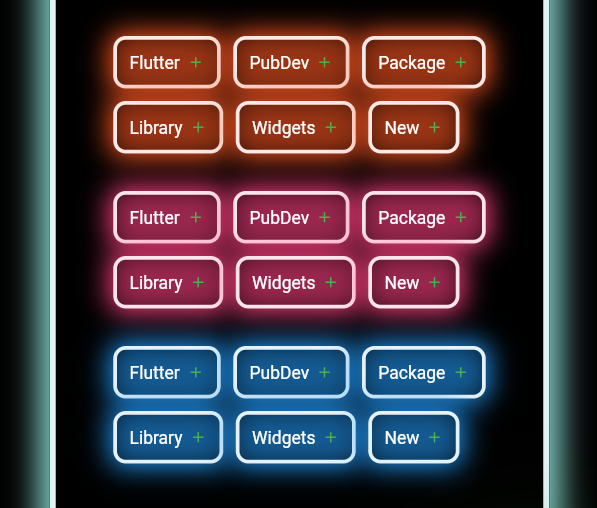
Add items widget :

Wrap(
direction: Axis.horizontal,
children: <Widget>[
  ...(searchedResults.map((e) =>
      NeonAddItemButton(
          data: e,
          borderColor: Colors.deepOrange.shade50,
          spreadColor: Colors.deepOrange,
          lightSpreadRadius: 3,
          lightBlurRadius: 18))),
],
),

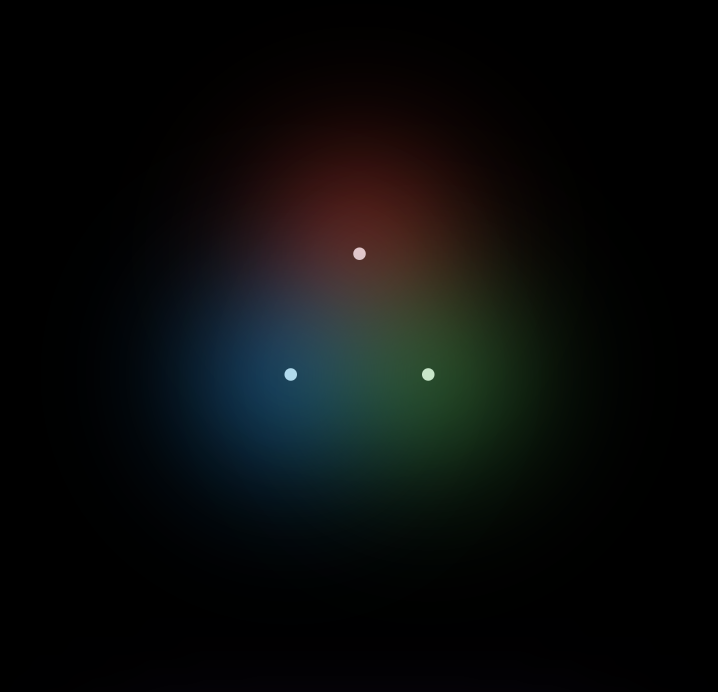
NeonPoint widget :

NeonPoint(
  pointSize: 00,
  pointColor: Colors.red.shade100,
  spreadColor: Colors.red,
),

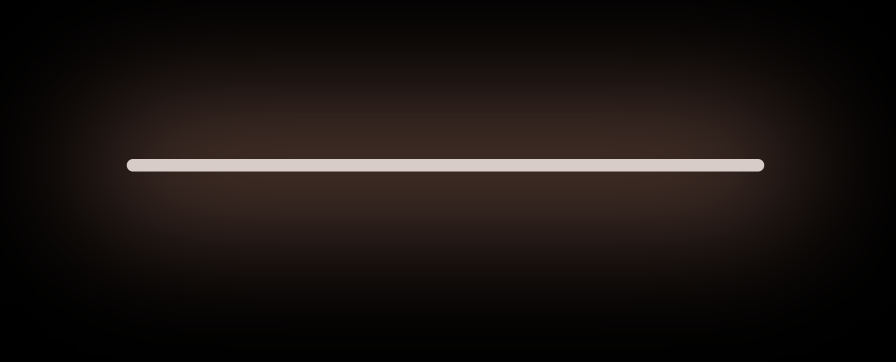
NeonLine widget :

NeonLine(
  spreadColor: Colors.brown,
  lightSpreadRadius: 30,
  lightBlurRadius: 90,
  lineWidth: 400,
  lineHeight: 0.02,
  lineColor: Colors.brown.shade100,
),

Flickering Neon widgets :

// Flickering neon line
FlickerNeonLine(
  spreadColor: Colors.brown,
  lightSpreadRadius: 30,
  lightBlurRadius: 60,
  lineWidth: 300,
  lineHeight: 2,
  lineColor: Colors.brown.shade100,

  // flicker rate which is selects a random value by default
  randomFlicker: false,
  flickerTimeInMilliSeconds: 1000,
),
// Flickering neon point
FlickerNeonPoint(
  pointSize: 010,
  pointColor: Colors.blue.shade100,
  spreadColor: Colors.blue,
),
// Flickering neon container
FlickerNeonContainer(
    spreadColor: Colors.green.shade700,
    child: WIDGET
),

Loaders :

 //loader type 1 : loader made of polynomial of n number of side
 NeonShapeVerticesProgressBar(number: 4)

 //loader type 2 : triangle shape with all colors customizable
 NeonTriangleVerticesProgressBar()

 //loader type 3 : square shape with all colors customizable
 NeonSquareVerticesProgressBar()

 //loader type 4 : image
 ImageProgressBar(image : "assets/images/abc.png")

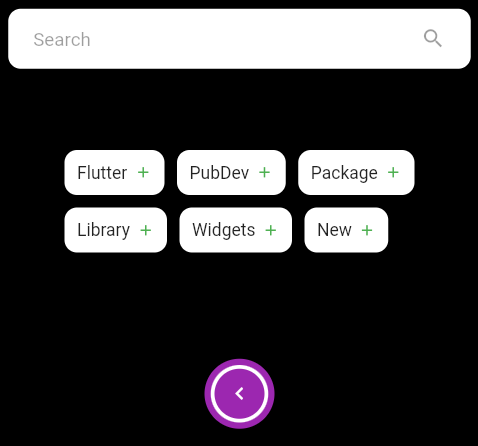
Non Neon widgets :

SearchBar(),
const SizedBox(
  height: 20,
),
Wrap(
  direction: Axis.horizontal,
  children: <Widget>[
    ...(searchedResults
        .map((e) => AddItemButton(data: e))),
  ],
),
const SizedBox(
  height: 20,
),
Container(
  padding: const EdgeInsets.all(20),
  child: CircumscribingIconButton(
      icon: Icons.keyboard_arrow_left_sharp,
      onTap: () {},
      backgroundColor: Colors.purple),
),

Usage

Example code provided

NeonContainer(
  spreadColor: Colors.green.shade700,
  child: CircumscribingIconButton(
        icon: Icons.arrow_right_alt_sharp,
        onTap: () {},
        backgroundColor: Colors.green.shade700),
    borderRadius: BorderRadius.circular(100),
    lightBlurRadius: 100,
    lightSpreadRadius: 50,
  borderColor: Colors.green.shade100
)

Additional information

Wanna improve this package? Contribute to project on

github : https://github.com/ojasjain24/neon_widgets_flutter

create issue : https://github.com/ojasjain24/neon_widgets_flutter/issues

Contributing rules :

1 : create an issue describing the feature.

2 : comment on this issue that you are interested in resolving this issue.

3 : Create a Pull request in dev branch.

所屬分類

原始碼儲存庫

使用此套件的專案

暫無相關資料。