

 v2.0.4
rating_dialog
一個美觀且可自訂的星評對話框 Flutter 套件
250喜歡 2110近 30 天下載150Pub 分數
AndroidiOSWebmacOSWindowsLinux
一個美觀且可自訂的星評對話框 Flutter 套件

以下為英文專案原文快照,最新內容請造訪 GitHub。
A beautiful and customizable Rating Dialog package for Flutter! Supports all platforms that flutter supports!
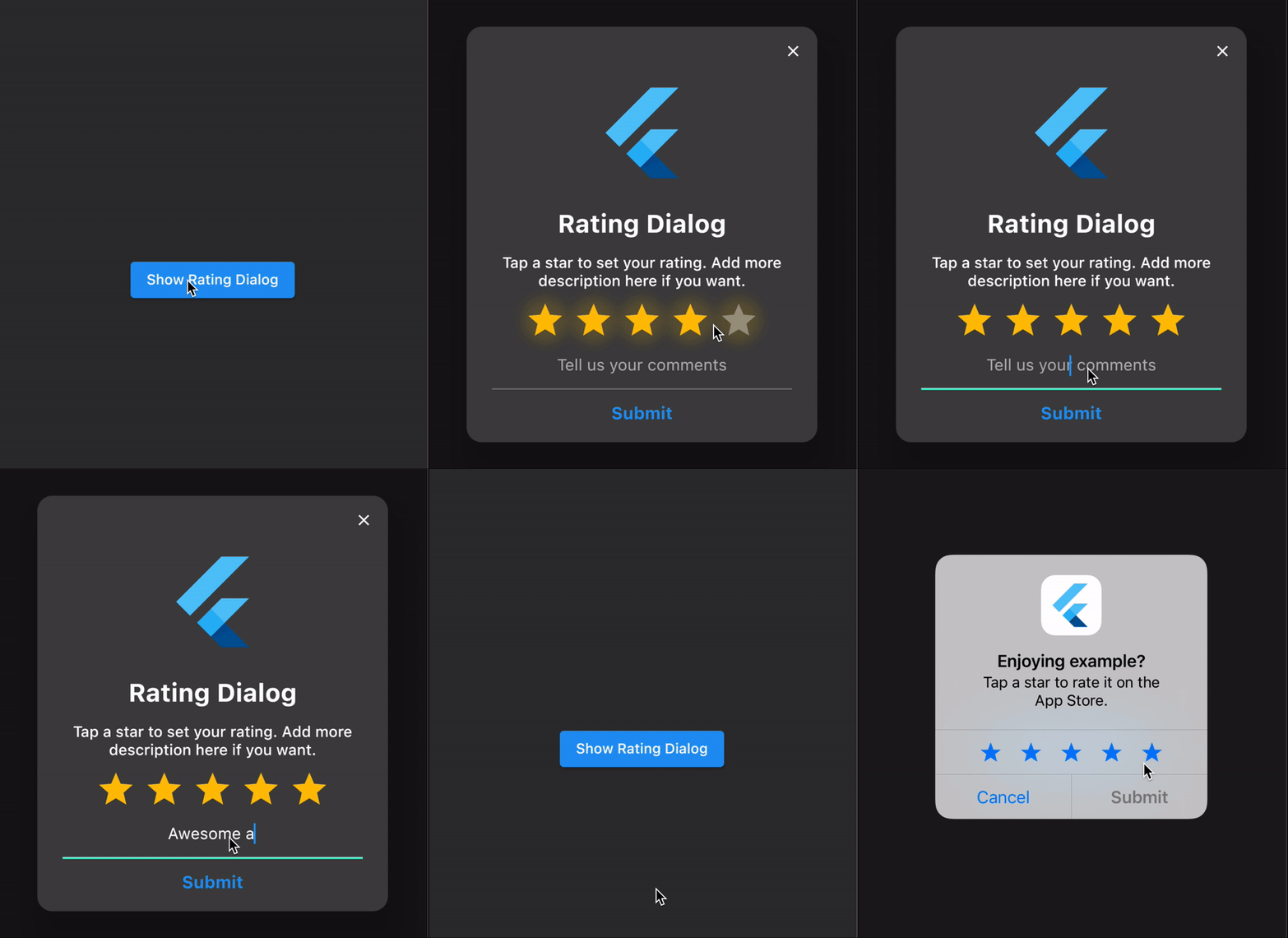
To use the rating_dialog plugin, follow the plugin installation instructions.
Add the following import to your Dart code:
import 'package:rating_dialog/rating_dialog.dart';
We use the flutter's showDialog function to show our Rating Dialog
    final _dialog = RatingDialog(
      initialRating: 1.0,
      // your app's name?
      title: Text(
        'Rating Dialog',
        textAlign: TextAlign.center,
        style: const TextStyle(
          fontSize: 25,
          fontWeight: FontWeight.bold,
        ),
      ),
      // encourage your user to leave a high rating?
      message: Text(
        'Tap a star to set your rating. Add more description here if you want.',
        textAlign: TextAlign.center,
        style: const TextStyle(fontSize: 15),
      ),
      // your app's logo?
      image: const FlutterLogo(size: 100),
      submitButtonText: 'Submit',
      commentHint: 'Set your custom comment hint',
      onCancelled: () => print('cancelled'),
      onSubmitted: (response) {
        print('rating: ${response.rating}, comment: ${response.comment}');

        // TODO: add your own logic
        if (response.rating < 3.0) {
          // send their comments to your email or anywhere you wish
          // ask the user to contact you instead of leaving a bad review
        } else {
          _rateAndReviewApp();
        }
      },
    );

    // show the dialog
    showDialog(
      context: context,
      barrierDismissible: true, // set to false if you want to force a rating
      builder: (context) => _dialog,
    );
See the example application source for a complete sample app using the rating_dialog package.
Please file issues to send feedback or report a bug. Thank you!
依賴清單 3 項
{"sdk":"flutter"}^4.0.0{"sdk":"flutter"}先依使用情境篩選,再比較專案活躍情況,最後到原始儲存庫確認使用要求。
“A repository is the most basic element of GitHub.”
GitHub Docs — About repositories ↗