

 v1.2.2
flutter_verification_code_field
Flutter 驗證碼輸入框。主要用於從授權郵件或訊息中輸入或貼上 OTP 碼。
27喜歡 96近 30 天下載160Pub 分數
AndroidiOS
otakoyi/flutter_verification_code_field open-source repository details.

以下為英文專案原文快照,最新內容請造訪 GitHub。
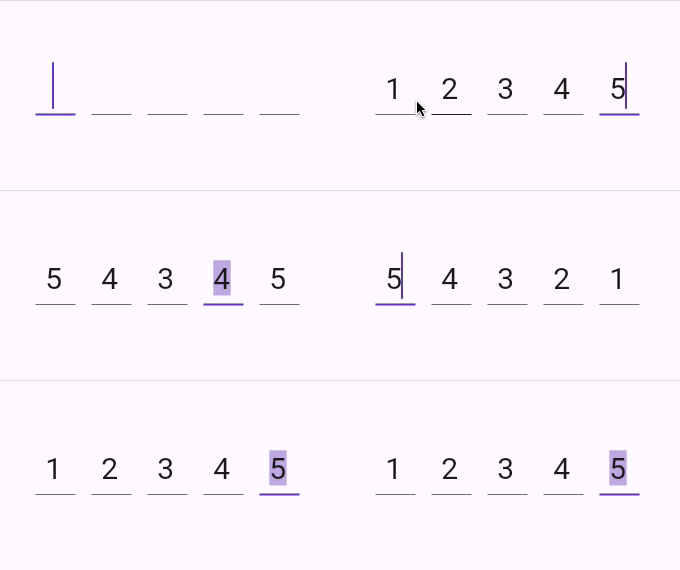
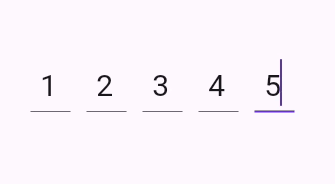
A flutter package which contains a verification code field with a number of advantages, namely with the ability to customize your own validation pattern, customize the number of OTP fields or their size, as well as the spacing between OTP fields, also supports text insertion or character replacement in any cell.

Add this to your package's pubspec.yaml file:
dependencies:
  flutter_verification_code_field: ^1.0.0
You can install packages from the command line:
with pub:
$ pub get
with Flutter:
$ flutter pub get
Now in your Dart code, you can use:
import 'package:flutter_verification_code_field/flutter_verification_code_field.dart';
VerificationCodeField is a Hook Widget that can be used for OTP verification.
Include it in your code like:
    VerificationCodeField(
      length: 5,
      onFilled: (value) => print(value),
      size: Size(30, 60),
      spaceBetween: 16,
      matchingPattern: RegExp(r'^\d+$'),
    );
It has many configurable properties, including:
length – Number of the OTP Fieldssize – Size of the single OTP FieldspaceBetween – Space between the OTP fieldsmatchingPattern – Pattern for validationThere are also custom callback:
onFilled – Callback function that is called when the verification code is filledIf you encounter any problems feel free to open an issue. If you feel the library is missing a feature, please raise a ticket on GitHub and I'll look into it. Pull request are also welcome.
依賴清單 5 項
{"sdk":"flutter"}^0.21.2^2.4.1{"sdk":"flutter"}^5.0.0先依使用情境篩選,再比較專案活躍情況,最後到原始儲存庫確認使用要求。
“A repository is the most basic element of GitHub.”
GitHub Docs — About repositories ↗