
v0.12.2
camera
一個用於控制相機的 Flutter 外掛程式。支援預覽相機畫面、拍攝照片和影片,並將影像緩衝區串流傳輸至 Dart。
2600喜歡 102萬近 30 天下載160Pub 分數
AndroidiOSWeb
一款旨在利用人工智慧與機器學習技術減少線上考試作弊的Flutter應用程式

一個用於控制相機的 Flutter 外掛程式。支援預覽相機畫面、拍攝照片和影片,並將影像緩衝區串流傳輸至 Dart。
MobX 的 Flutter 結合。它提供了一組 Observer 小部件,當追蹤的可觀察物件變更時會自動重新建構。
MobX 是一個用於反應式管理應用程式狀態的程式庫。利用可觀察物件、動作和反應的力量,為您的 Dart 和 Flutter 應用程式加速。
用於 MobX 的程式碼產生器,可支援以 @observable、@computed、@action 註解您的程式碼,並建立 Store 類別。
 v4.0.2
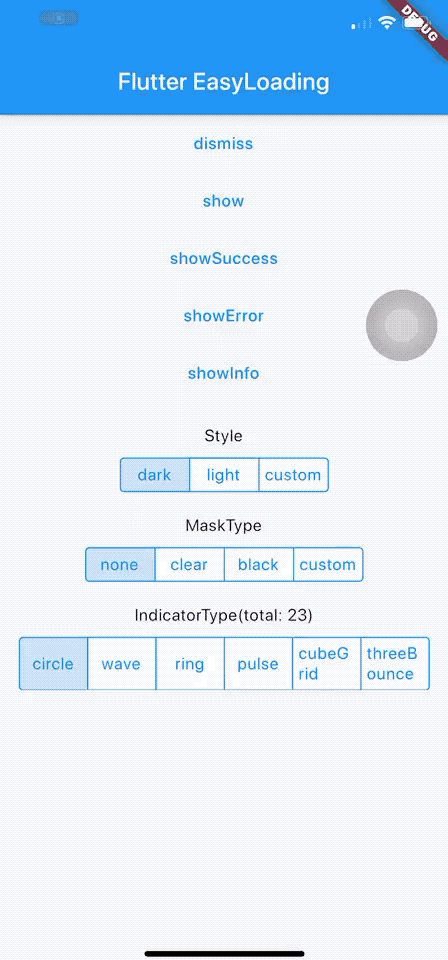
一個乾淨輕量的 Flutter 載入/提示組件,無需上下文即可輕鬆使用,支援 iOS、Android 和 Web
一個 Flutter 插件,用於使用 Google 的 ML Kit 人臉偵測功能在影像中偵測人臉、識別關鍵面部特徵並取得偵測到的人臉輪廓。
使用 .env 檔案輕鬆設定任何 Flutter 應用程式的全域變數。
一個簡單的 API 用於格式化日期。提供各種常數來建立日期格式字串。使用 `formatDate` 方法根據格式字串格式化日期。
簡單的倒數計時器。用於建立一個簡單計時器。純程式碼實現。
用於讓使用 'Duration' 更輕鬆的實用工具。將持續時間格式化為易讀的形式,並可將易讀的形式解析為 Dart 的 Duration。
確認對話方塊元件 JS-LIKE 用於 Flutter。為您的 Flutter 應用輕鬆簡單地使用確認對話方塊。
{"sdk":"flutter"}^1.0.2^2.0.7+4^2.0.6+1^6.0.3^4.0.6^0.9.8+1—^2.0.11^0.3.0^2.2.1^3.0.5^0.13.4^2.0.6^3.0.11^1.0.1^5.0.2^3.2.0{"sdk":"flutter"}^2.1.11^2.0.7以下為英文專案原文快照,最新內容請造訪 GitHub。
An App that aims to stop cheating in online exams with the power of AI and ML, co-created with Samyak Sukhdeve
We also have a web version of the app with more features and better features, check that project here
https://user-images.githubusercontent.com/28570857/178106216-25d91b1c-06cf-42fa-85fc-cf3540868b1f.png
Login Page
Home page
Exam Page
The user can answer MCQ-based questions
The user can also view their progress
image
AI-powered face motion detector
We've used Google's on-device ml-kit to track the motion of the user's face.
We can check if a user is trying to cheat by monitoring the position of their face
image
http://10.0.2.2/ instead of localhostlocalhostPORT numberBACKEND_URL is appended with /apihttps://github.com/prathamesh-mutkure/anti-cheat-exam-app.gitflutter pub getflutter packages pub run build_runner build.env file and set the following variables
BACKEND_URLflutter runProject Demo for Web version
Mobile App (Android & iOS)
Project Thesis (Submitted mobile app as final year project for my diploma)
Feel free to contact me on Twitter or LinkedIn, know more about me at prathamesh.co