
 v3.1.0
arrow_path
輕鬆使用 Path 物件繪製箭頭。路徑可以組合,以將箭頭添加到任何曲線並一次繪製所有內容。
50喜歡 3470近 30 天下載160Pub 分數
AndroidiOSWebmacOSWindowsLinux
一個用於輕鬆使用 Path 物件繪製箭頭的 Flutter 套件。路徑可以組合,以向任何曲線添加箭頭並一次繪製所有內容。

{"sdk":"flutter"}^2.0.1以下為英文專案原文快照,最新內容請造訪 GitHub。
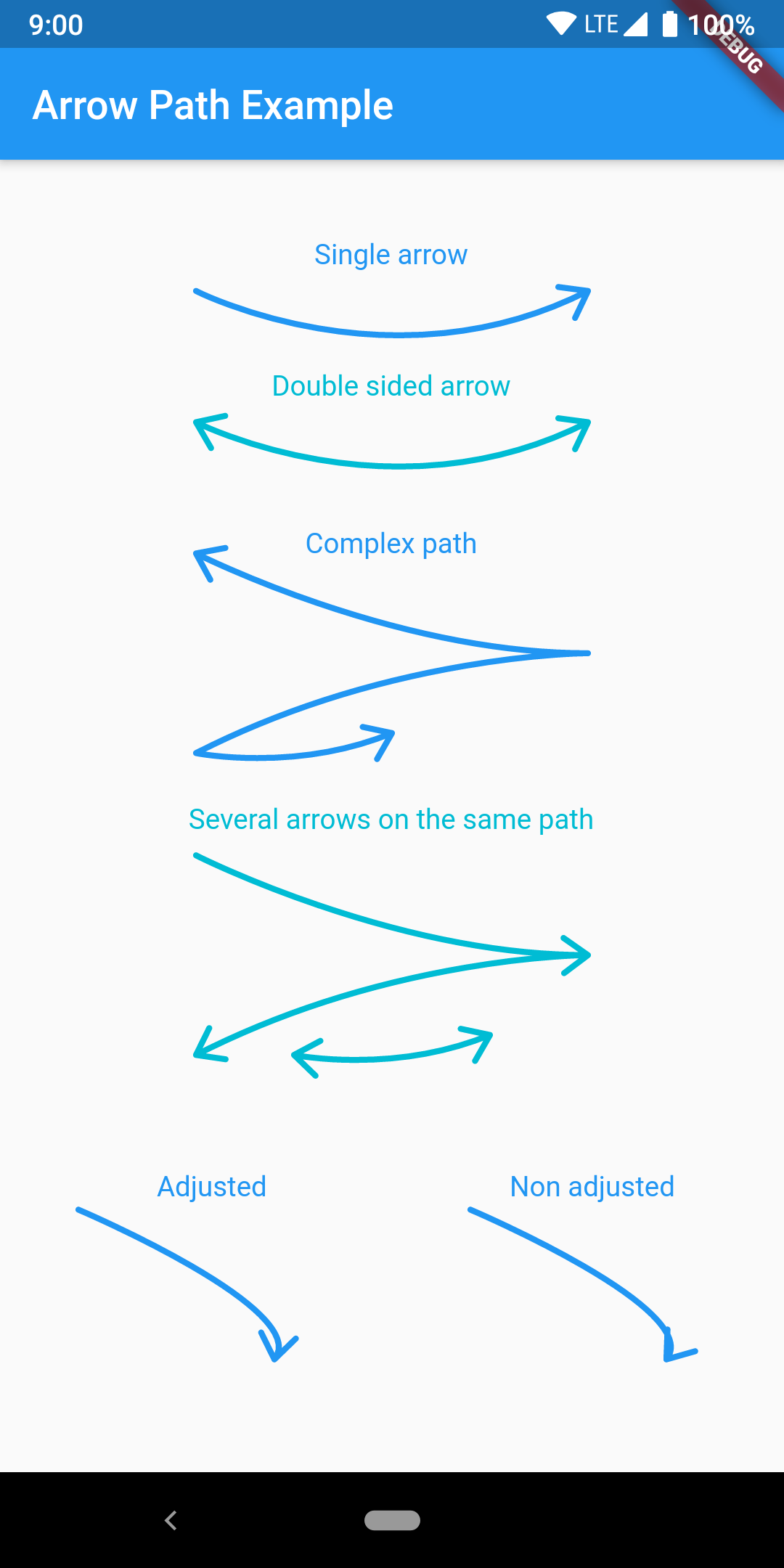
Draw arrows with Path objects easily. Paths can be composited to add arrows to any curve and draw all at once.
https://raw.githubusercontent.com/quentinleguennec/flutter-arrow-path/master/example/arrow_path_example.png
The arrow is drawn using the direction of the tangent to the curve at the end of the curve. It features an adjustment parameter to also look at the tangent just before the end of the segment and rotate the tip of the arrow based on the angle difference to improve the look of the arrow when the curvature at the end is high.
Have a look at the example app to get started.
ArrowPath.make() is now deprecated, use ArrowPath.addTip() instead.
If you are not using the isDoubleSided argument of ArrowPath.make() then you can safely replace it by ArrowPath.addTip() without any other change.
If you are using the isDoubleSided argument of ArrowPath.make() then change yor code like this:
Before:
  Path path = Path();
  path.relativeLineTo(100, 100);
  path = ArrowPath.make(path, isDoubleSided: true);
After:
  Path path = Path();
  path.relativeLineTo(100, 100);
  path = ArrowPath.addTip(path);
  path = ArrowPath.addTip(path, isBackward: true);