搜尋套件、儲存庫與 APP 分類

arrow_path 封面
套件詳情v3.1.0

arrow_path

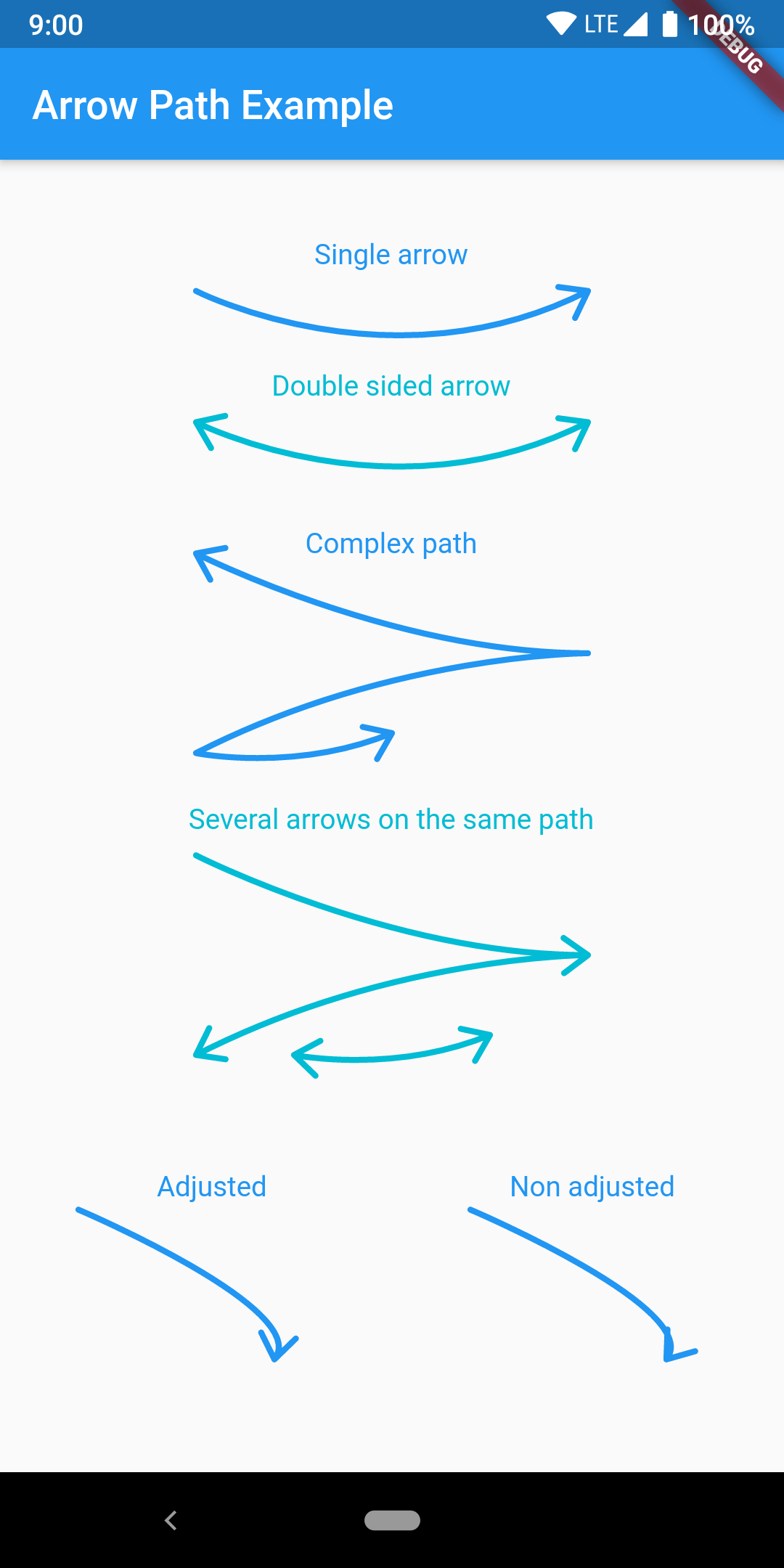
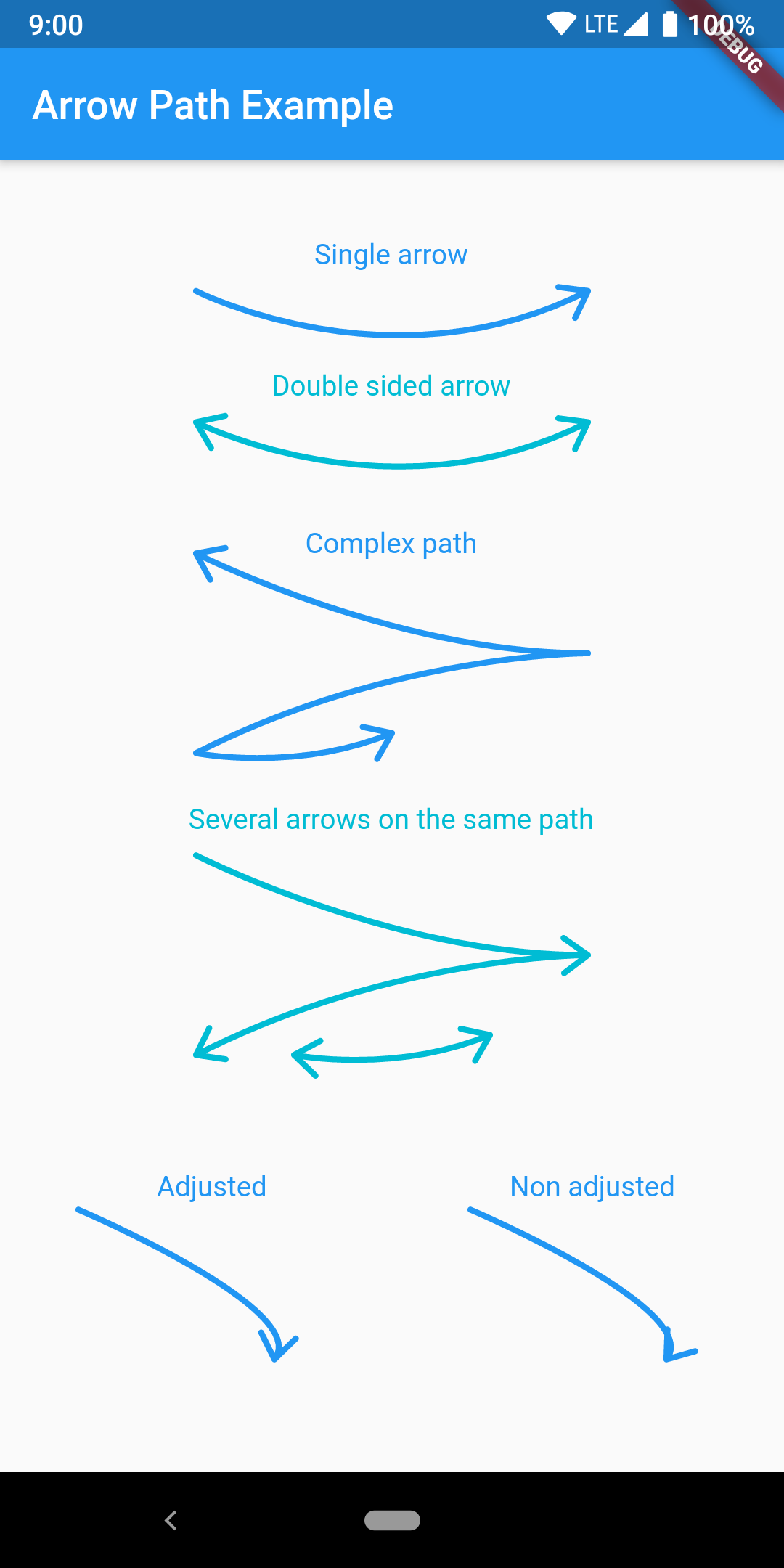
輕鬆使用 Path 物件繪製箭頭。路徑可以組合,以將箭頭添加到任何曲線並一次繪製所有內容。

AndroidiOSWebmacOSWindowsLinux
近 30 天下載
3440
喜歡數
50
Pub 分數
160

安裝套件

flutter pub add arrow_path

套件介紹

根據套件公開資料產生的選型評估,僅供參考。

ArrowPath 是一個 Flutter 套件,可簡化使用 Path 物件繪製箭頭。它讓開發者能輕鬆為任何曲線或路徑加上箭頭,支援組合多個箭頭以實現複雜設計。此套件非常適合用於視覺化方向流、圖表或互動式 UI 元素。支援所有主要平台——Android、iOS、Web、macOS、Windows 與 Linux,確保一致的呈現效果。ArrowPath 以效能與彈性為設計核心,可順暢整合至現有的繪圖工作流程中。

適用情境

  • 建立方向流圖
  • 可視化使用者介面中的資料路徑
  • 設計基於箭頭的互動式介面
  • 透過方向指示器增強圖表
  • 建構自訂繪圖工具

主要特色

  • 輕鬆為任何 Path 加上箭頭
  • 對複合箭頭路徑的支援
  • 跨平台相容性
  • 高效能渲染
  • 與 Canvas 的簡單整合
  • 靈活的自訂選項

適合對象

  • UI 設計師使用動態路徑
  • 開發繪圖工具的開發者
  • 帶有視覺引導的教育類應用程式
  • 數據可視化應用
  • 互動式繪圖功能

使用建議

  • 需要熟悉 Flutter 的 Path 和 Canvas
  • 可能需要額外的邏輯來動態定位箭頭
  • 未針對極高頻率的更新進行優化
  • 僅限靜態箭頭樣式,不支援動畫

原始 README

以下為關聯原始碼儲存庫的 README 原文快照,最新內容請造訪原始碼儲存庫。

pub package pub points

Flutter arrow_path package

Draw arrows with Path objects easily. Paths can be composited to add arrows to any curve and draw all at once.

The arrow is drawn using the direction of the tangent to the curve at the end of the curve. It features an adjustment parameter to also look at the tangent just before the end of the segment and rotate the tip of the arrow based on the angle difference to improve the look of the arrow when the curvature at the end is high.

Getting Started

Have a look at the example app to get started.

Migration from [3.0.0] to [3.1.0]

ArrowPath.make() is now deprecated, use ArrowPath.addTip() instead.

If you are not using the isDoubleSided argument of ArrowPath.make() then you can safely replace it by ArrowPath.addTip() without any other change.

If you are using the isDoubleSided argument of ArrowPath.make() then change yor code like this:

Before:

  Path path = Path();
  path.relativeLineTo(100, 100);
  path = ArrowPath.make(path, isDoubleSided: true);

After:

  Path path = Path();
  path.relativeLineTo(100, 100);
  path = ArrowPath.addTip(path);
  path = ArrowPath.addTip(path, isBackward: true);

所屬分類

原始碼儲存庫

使用此套件的專案