


 v2.3.0
day_picker
一個 Flutter 小部件庫,幫助我們選擇一週中的某一天。
42喜歡 705近 30 天下載160Pub 分數
AndroidiOSWebmacOSWindowsLinux
一個簡單的 Flutter 小部件庫,幫助我們選擇一週中的日期。

以下為英文專案原文快照,最新內容請造訪 GitHub。
A Flutter widget library which helps us to select days in a week.


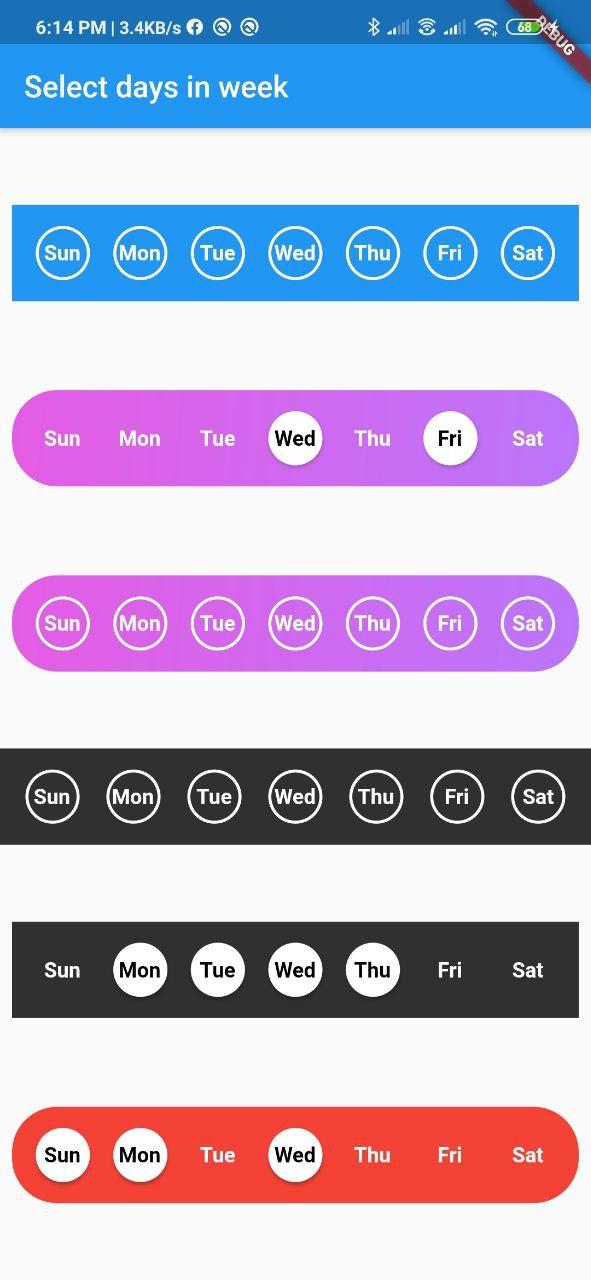
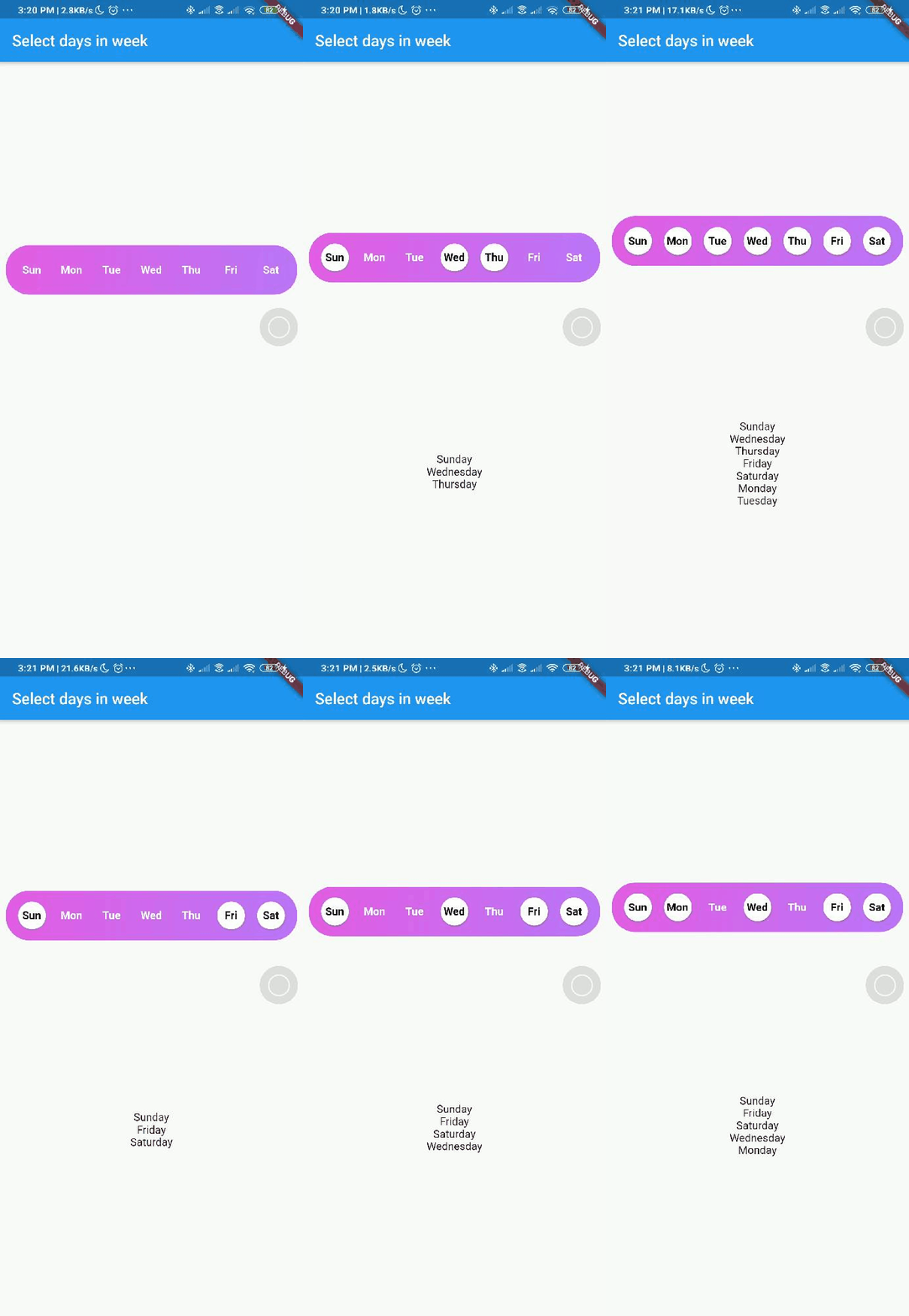
Add day_picker to your pubspec.yaml file.
    flutter:
      sdk: flutter
    day_picker: 2.3.0
import the package:
import 'package:day_picker/day_picker.dart';
Constructor for the day_picker is given below.
      const SelectWeekDays({
        required this.onSelect,
        required this.days,
        this.backgroundColor,
        this.fontWeight,
        this.fontSize,
        this.selectedDaysFillColor,
        this.unselectedDaysFillColor,
        this.selectedDaysBorderColor,
        this.unselectedDaysBorderColor,
        this.selectedDayTextColor,
        this.unSelectedDayTextColor,
        this.border = true,
        this.boxDecoration,
        this.padding = 8.0,
        this.width,
        this.borderWidth,
        this.elevation = 2.0,
        super.key,
      });
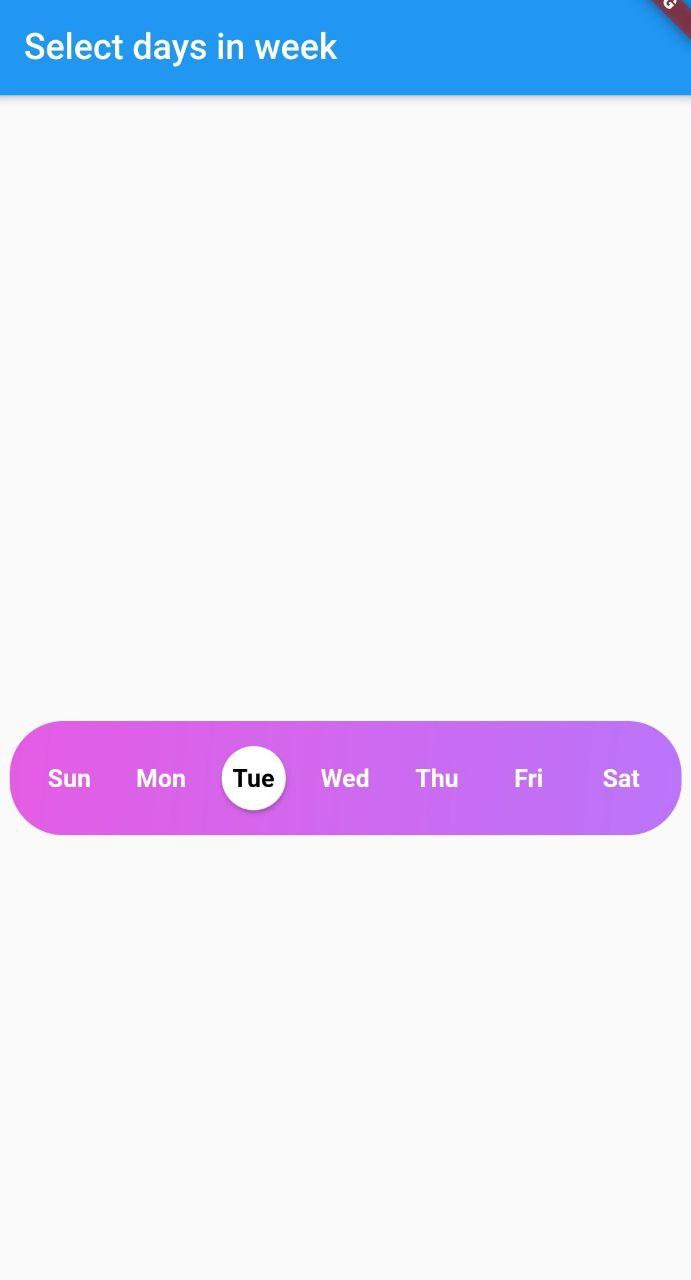
Example here creates a day_picker with below style [with Gradient and no borders].
  final List<DayInWeek> _days = [
    DayInWeek("Zo", dayKey: "monday"),
    DayInWeek("Ma", dayKey: "tuesday"),
    DayInWeek("Di", dayKey: "wednesday"),
    DayInWeek("Wo", dayKey: "thursday"),
    DayInWeek("Do", dayKey: "friday"),
    DayInWeek("Vr", dayKey: "saturday", isSelected: true),
    DayInWeek("Za", dayKey: "sunday", isSelected: true),
  ];

  @override
  Widget build(BuildContext context) {
    return Scaffold(
      appBar: AppBar(
        title: Text("Select days in week"),
      ),
      body: Center(
        child: Padding(
          padding: const EdgeInsets.all(8.0),
          child: SelectWeekDays(
            key: customWidgetKey,
            fontSize: 14,
            fontWeight: FontWeight.w500,
            days: _days,
            border: false,
            width: MediaQuery.of(context).size.width / 1.4,
            boxDecoration: BoxDecoration(
              color: Colors.red,
              borderRadius: BorderRadius.circular(30.0),
            ),
            onSelect: (values) {
              print(values);
            },
          ),
        ),
      ),
    );
  }
Pass a callback to the onSelect property with parameter of type List<String>.
Pass a list of days of type DayInWeek into days property
class DayInWeek {
  DayInWeek(
      this.dayName, {
        required this.dayKey,
        this.isSelected = false,
      });

  String dayName;
  String dayKey;
  bool isSelected = false;
}
DayInWeek consist of three Properties [dayName], [dayKey] and [isSelected].
By default [isSelected] value will be false
Example:
void handleOnSelect(List<String> days){
    //TODO: Manipulate the List of days selected
    print(days);
}
| Property | Type | Description |
|---|---|---|
| onSelect | List<String> |
Callback invoked when days are selected |
| days | List<DayInWeek> |
List of days that need to be passed |
| padding | double |
Padding between container and the buttons [by default it is 8.0] |
| boxdecoration | BoxDecoration |
provides variety of ways to style the background container[gradient, color, border radius] |
| backgroundColor | Color |
Property to change the color of the container |
| fontSize | double |
Property to change size of font |
| fontWeight | FontWeight |
Property to change the font weight of text |
| daysFillColor | Color |
Property to change the color of rounded buttons when the days are selected |
| daysBorderColor | Color |
Property to change the border color of rounded button |
| selectedDayTextColor | Color |
property to change the text color of the selected days |
| unSelectedDayTextColor | Color |
property to change the text color when the days are not selected |
| border | bool |
Set this property to false if border is not needed around the rounded buttons[by default this property will be true] |
With the implementation of the setDaysState method, developers can dynamically modify which days are selected within their application's code, even after the SelectWeekDays widget has already been constructed.
By utilizing the Global Key that is passed into the widget, one can easily update the selected dates as desired.
Contributions of any kind are more than welcome😊! Feel free to fork and improve day_picker or open an issue.
依賴清單 3 項
{"sdk":"flutter"}{"sdk":"flutter"}^6.0.0先依使用情境篩選,再比較專案活躍情況,最後到原始儲存庫確認使用要求。
“A repository is the most basic element of GitHub.”
GitHub Docs — About repositories ↗