
 v15.0.2
extended_text
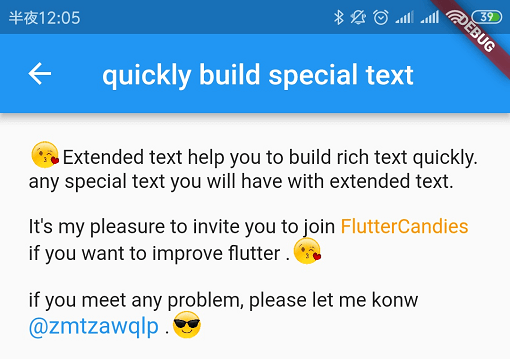
擴展的官方文字,可快速建立特殊文字,例如內嵌圖片或@某人。它也支援自訂背景、自訂溢出、漸層以及自訂選擇工具列和處理程式。
307喜歡 35.1萬近 30 天下載130Pub 分數
AndroidiOSWebmacOSWindowsLinux
Veil 移動錢包
 v15.0.2
擴展的官方文字,可快速建立特殊文字,例如內嵌圖片或@某人。它也支援自訂背景、自訂溢出、漸層以及自訂選擇工具列和處理程式。
Flutter 截圖套件(執行時)。將任何 Widget 當作影像擷取。
一個實作加密演算法與原語的 Dart 庫,設計上參考了 BouncyCastle 庫。
 v3.6.0
一個高度可自訂的 Flutter 小工具,可輕鬆呈現 QR 碼。
可嵌入 Flutter 的二維碼掃描器。Android 使用 zxing,iOS 使用 MTBBarcode 掃描器。
{"sdk":"flutter"}{"sdk":"flutter"}any{"path":"./submodules/veil_light_plugin"}{"git":{"url":"https://github.com/google/flutter-desktop-embedding","path":"plugins/window_size"}}^15.0.2^10.3.2^9.2.2^2.3.0^6.3.1^6.1.2^3.3.0^3.0.0^11.1.0{"git":{"url":"https://github.com/juliuscanute/qr_code_scanner.git"}}^1.2.2^3.1.2^3.9.1^2.1.4^8.1.0^2.3.2^2.0.11{"sdk":"flutter"}^6.0.0^0.14.1以下為英文專案原文快照,最新內容請造訪 GitHub。
https://raw.githubusercontent.com/steel97/veil_wallet/HEAD/docs/images/template/ghpicture.png
A crossplatform veil light wallet written with dart/flutter.
Image by aleksandr_samochernyi on Freepik
Get Veil Wallet on Google Play https://fdroid.gitlab.io/artwork/badge/get-it-on.png
Releases for other platforms can be found here
Development versions can be downloaded from github actions
* Private keys stored with flutter_secure_storage, next encryption methods used to secure data:
%APPDATA%/org.veilproject/veil-wallet/flutter_secure_storage.dat)sudo apt update
sudo apt install libsecret-1-dev clang pkg-config ninja-build libgtk-3-dev cmake
zsh terminal recommendedbrew install cocoapods
xcode-select --install
Project developed with VS Code
Before building it's important to download submodules
git submodule update --init --recursive
Also see requirements for veil_light_plugin
You may find solutions for common problems here: flutter-notes.md
# release
flutter build windows --release
# release
flutter build macos --release
# after that you may open project in Xcode (./macos/Runner.xcworkspace)
# release
flutter build linux --release
# release
flutter build ios --release --no-codesign
# after that you may open project in Xcode (./ios/Runner.xcworkspace)
# debug on device
flutter run -d <device_id>

# release build in aab format
flutter build appbundle --release

# release build in apk format
flutter build apk --release

# release build in apk format (split ABIs)
flutter build apk --release --split-per-abi
Updating veil_light_plugin dependency
git submodule update --remote --merge ./submodules/veil_light_plugin
Viewing logs:
flutter logs
To generate icons for platforms use:
dart run flutter_launcher_icons
You may also look at generator config flutter_launcher_icons.yaml
App uses arb format for localization. User locale detected automatically on app start.
To add new locale you should create file:
./lib/l10n/app_<lang_code>.arb
You can use ./lib/l10n/app_en.arb or ./lib/l10n/app_ru.arb as a template
* app_en.arb contain some metadata which is not required for other languages, you may safely remove it (see app_ru.arb for example)
My veil address: sv1qqp3twtj249e226mvg55jm0ec36y99xsh5ytnm6hcgvetthuptj2kugpqwcnw6tpnvwrrvutsltnghkg46ayqpw40g6p3knppy3kwgvhr34mkqqqeedkfp