
v12.6.0
firebase_database
Firebase Database 的 Flutter 插件,一個託管於雲端的 NoSQL 資料庫,可在 Android 和 iOS 客戶端之間實時同步資料,並支援離線存取。
650喜歡 18.1萬近 30 天下載140Pub 分數
AndroidiOSWebmacOSWindows
Budgeto 是一款資金管理原型應用程式,允許使用者將收入拆分為可自訂的「必要」、「支出」與「儲蓄」類別。透過帳單自動付款、緊急基金與購車的手動與規劃工具,Budgeto 協助使用者掌握財務狀況並達成財務目標。

Firebase Database 的 Flutter 插件,一個託管於雲端的 NoSQL 資料庫,可在 Android 和 iOS 客戶端之間實時同步資料,並支援離線存取。
適用於 Firebase Cloud Storage 的 Flutter 插件,這是一項功能強大、簡單且具成本效益的物件儲存服務,適用於 Android 與 iOS。
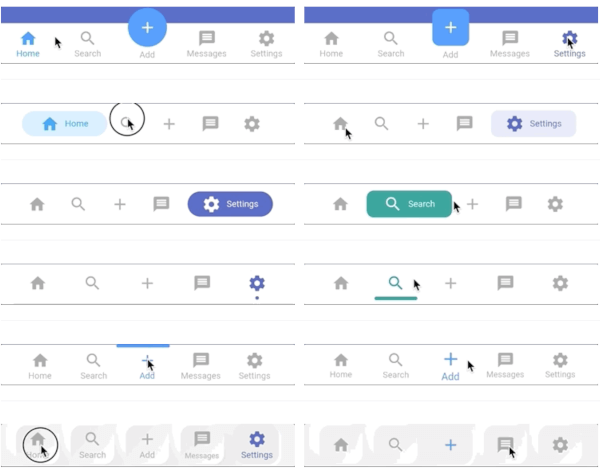 v6.2.1
一個高度可自訂的持久/靜態底部導航列,適用於 flutter。包含最多 20 種樣式。
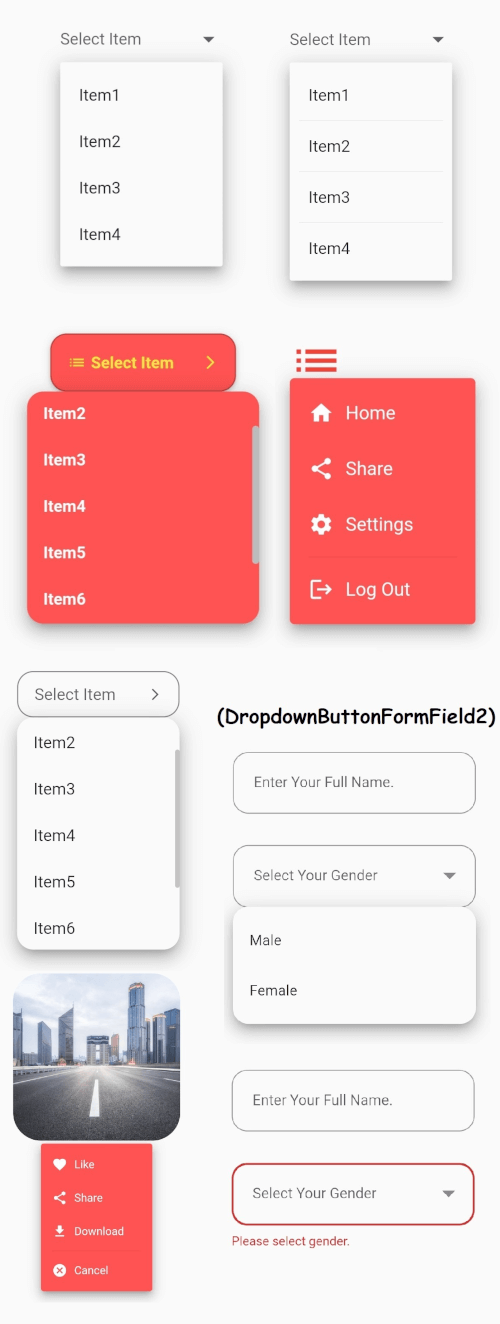 v3.1.0
Flutter 的核心下拉按鈕小部件,帶有穩定的下拉選單,以及許多其他可自訂選項以滿足您的需求。
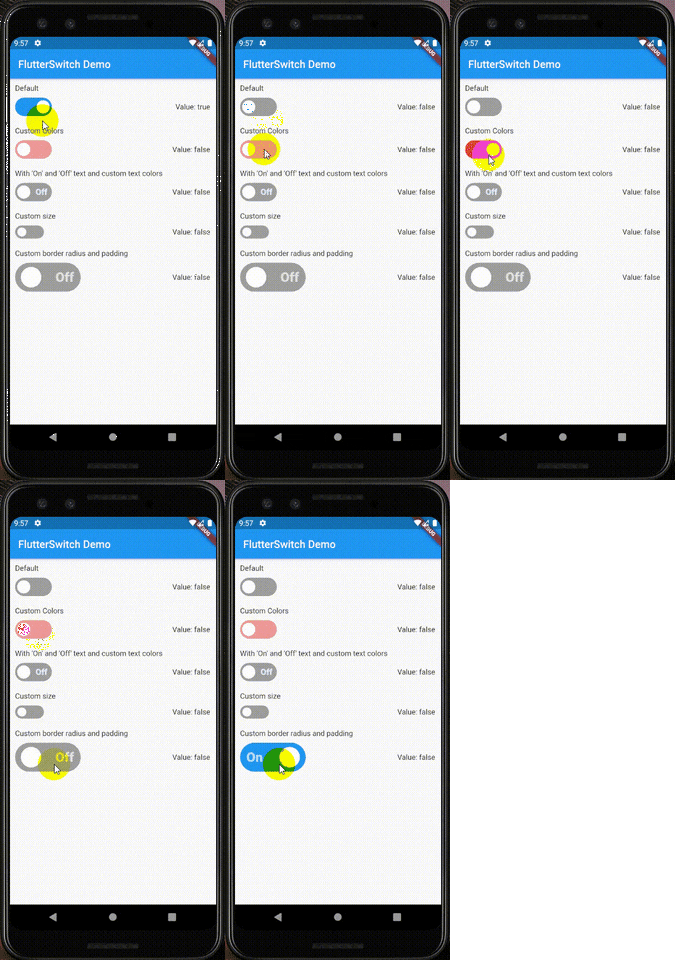 v0.3.2
一個可自訂的開關小部件,可具有自訂的高度和寬度、邊框、邊框圓角、顏色、切換大小、切換內部的自訂文字和圖示。
^4.4.4^1.0.2^2.0.0^4.2.10^2.7.1^10.0.16^11.0.15{"sdk":"flutter"}^0.13.1^0.3.2^8.2.1^0.8.7^5.0.2^6.0.5^0.19.0^2.0.0{"sdk":"flutter"}以下為英文專案原文快照,最新內容請造訪 GitHub。
Logo
Budgeto is a money management prototype app that allows users to split their income into customizable categories of "need," "expenses," and "savings." With features like autopay for bills, manual and planning tools for emergency funds and car purchases, Budgeto helps users stay on top of their finances and reach their financial goals.
Budgeto is a comprehensive money management app designed to help users take control of their finances. With Budgeto, users can easily split their income into customizable categories, including "need," "expenses," and "savings." The app's default settings allocate 50% to needs, 30% to expenses, and 20% to savings, but users can adjust these percentages as needed to suit their individual financial goals.
The "need" category includes an autopay feature that allows users to set a date and time for bills to be paid automatically, as well as the ability to add payees with their account numbers for easy direct bill payments. The "expenses" category includes a direct pay feature.
The "savings" category offers both manual and automatic investment options. The manual investment section provides users with a selection of demo stocks based on their risk tolerance, allowing them to invest in the stock market with confidence. The automatic investment feature is a static form, where users can set up automatic investments and send it to the organization.
At the start of every month, the remaining amounts from the "need" and "expenses" categories are automatically transferred to the "savings" category, encouraging users to save and reach their financial goals. The app also offers transaction lists for each category and an all-transactions list on the home screen, providing users with an easy way to keep track of their spending.
Budgeto also includes planning tools for emergency funds and car purchases. The emergency fund planning tool calculates the recommended amount to save, which is six times the "expenses" category by default and if the user adds money more than once then its the six times average of the amount added in "expenses" category, this also allows users to adjust the amount and the monthly deduction from the "need" category. The car plan tool allows users to input the cost of the car, enter the split percentage, and set a monthly deduction amount. Both the emergency funds and car plan amounts are deducted on the first of every month automatically, ensuring that users are consistently making progress toward their financial goals.
Budgeto features user email authentication, which adds an extra layer of security to the app, as well as multi-theme mode, which allows users to switch between light and dark mode to suit their personal preferences.
https://github.com/tejasbadone/budgeto/blob/main/assets/images/screenshots/gif/add%20funds.gif?raw=true
https://github.com/tejasbadone/budgeto/blob/main/assets/images/screenshots/gif/need%20autopay.gif?raw=true
https://github.com/tejasbadone/budgeto/blob/main/assets/images/screenshots/gif/need%20pay.gif?raw=true
https://github.com/tejasbadone/budgeto/blob/main/assets/images/screenshots/gif/expenses%20pay.gif?raw=true
https://github.com/tejasbadone/budgeto/blob/main/assets/images/screenshots/gif/savings%20-%20manual%20investment.gif?raw=true
https://github.com/tejasbadone/budgeto/blob/main/assets/images/screenshots/gif/planning%20-%20emergency%20funds.gif?raw=true
https://github.com/tejasbadone/budgeto/blob/main/assets/images/screenshots/gif/planning%20-%20car%20plan.gif?raw=true
https://github.com/tejasbadone/budgeto/blob/main/assets/images/screenshots/gif/light%20theme.gif?raw=true
https://github.com/tejasbadone/budgeto/blob/main/assets/images/screenshots/gif/dark%20theme.gif?raw=true
Download apk - https://drive.google.com/file/d/1ND6bVOeYheTLN19f6EMqhVEY8JlVIEhq/view?usp=share_link
Run the following commands from your terminal:
https://github.com/tejasbadone/budgeto.git to clone this repository
flutter pub get in the project root directory to install all the required dependencies.
Client: Flutter
Server: Firebase
Email: admin@email.com
Password: admin123
Since this is a prototype users cannot send or receive actual money