
 v0.10.0+1
scribble
Scribble 是一個輕量級的 Flutter 繪圖庫,支援自由手繪、壓力感應、可變線條寬度等特性!
225喜歡 295近 30 天下載140Pub 分數
AndroidiOSWebmacOSWindowsLinux
Scribble 是一個輕量級的 Flutter 繪圖庫,支援自由手繪、壓力感應、可變線條寬度等特性!

依賴清單 12 項
{"sdk":"flutter"}>=2.4.1 <3.0.0^2.3.2^0.1.1^0.1.2^2.4.9{"sdk":"flutter"}^2.4.7^6.9.5^0.3.1^6.3.3^1.0.3以下為英文專案原文快照,最新內容請造訪 GitHub。
Powered by Mason melos coverage
Scribble is a lightweight library for freehand drawing in Flutter supporting pressure, variable line width and more!
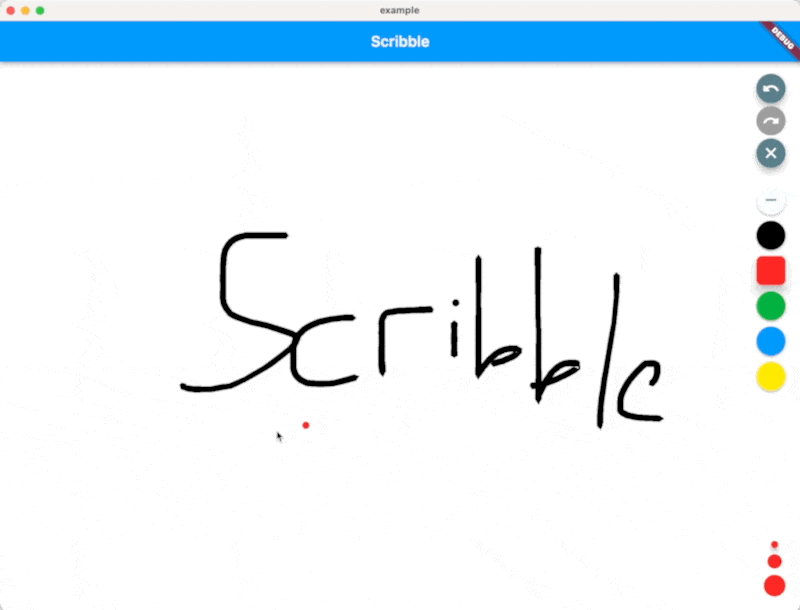
Scribble Demo
❗ In order to start using Scribble you must have the Dart SDK installed on your machine.
Install via dart pub add:
dart pub add scribble
You can find a full working example in the example directory
You can create a drawing surface by adding the Scribble widget to your widget tree and passing in
a ScribbleNotifier.
import 'package:flutter/material.dart';
import 'package:flutter_riverpod/flutter_riverpod.dart';

class App extends StatelessWidget {
  @override
  Widget build(BuildContext context) {
    return Scaffold(
      body: Scribble(
        notifier: notifier,
      ),
    );
  }
}
Use the public methods on ScribbleNotifier to control the behavior (for example from a button in the UI):
notifier = ScribbleNotifier();


// Set color
notifier.setColor(Colors.black);

// Clear
notifier.clear();

// Undo
notifier.undo();

// Export to Image
notifier.renderImage(pixelRatio: 2.0);

// Line details will be simplified to save space from now on
notifier.setSimplificationFactor(2);

// Simplify the entire existing sketch
notifier.simplify();

// And more ...
As mentioned above, the package is still under development, but we already use it in the app we are currently developing.
Feel free to contribute, or open issues in our GitHub repo.