搜尋套件、儲存庫與 APP 分類

scribble 封面
套件詳情v0.10.0+1

scribble

Scribble 是一個輕量級的 Flutter 繪圖庫,支援自由手繪、壓力感應、可變線條寬度等特性!

AndroidiOSWebmacOSWindowsLinux
近 30 天下載
350
喜歡數
227
Pub 分數
140

安裝套件

flutter pub add scribble

套件介紹

根據套件公開資料產生的選型評估,僅供參考。

Scribble 是一個輕量級的 Flutter 庫,支援壓力感應、變動線條寬度以及跨多個平台的平滑筆畫渲染,實現自由手繪。專為開發繪畫、塗鴉或簽名捕捉功能的開發者設計,提供簡單易用的 API,輕鬆整合直覺的觸控輸入。該庫可在 Android、iOS、Web、macOS、Windows 和 Linux 上無縫運行,非常適合跨平台創意應用。透過 `flutter pub add scribble` 即可快速設定,無需複雜步驟,即可為互動式繪圖體驗提供堅實基礎。

適用情境

  • 數位素描應用
  • 簽名捕獲介面
  • 互動式白板
  • 藝術與設計工具
  • 教育繪圖應用

主要特色

  • 壓力敏感筆畫
  • 可變線寬
  • 跨平台相容性
  • 平滑渲染
  • 簡單整合
  • 多點觸控支援

適合對象

  • 尋求繪圖功能的應用開發者
  • 創意工具建構者
  • 教育軟體創作者
  • 跨平台應用團隊
  • 需要互動元件的UI設計師

使用建議

  • 有限的高級編輯工具
  • 無內建匯出格式
  • 需要手動處理畫布狀態
  • 未針對高性能量化動畫進行優化
  • 僅基本手勢識別

原始 README

以下為關聯原始碼儲存庫的 README 原文快照,最新內容請造訪原始碼儲存庫。

Scribble

Powered by Mason melos coverage

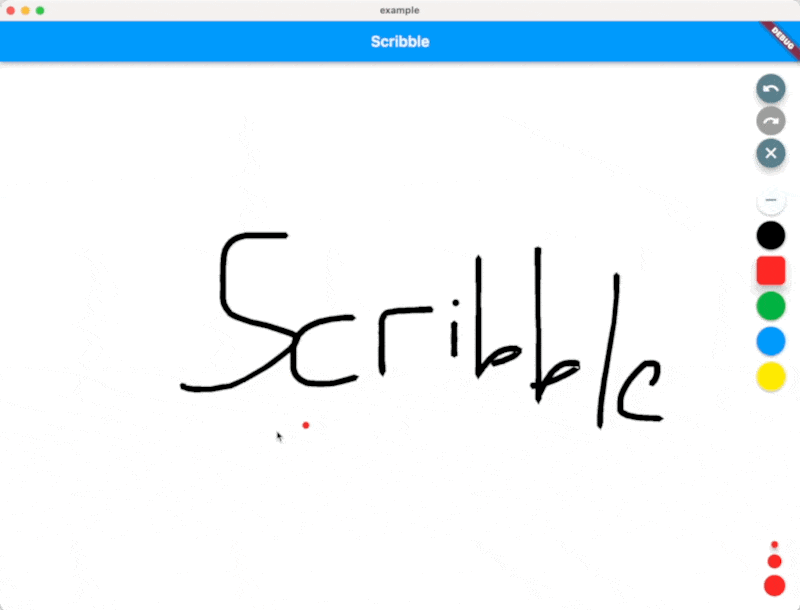
Scribble is a lightweight library for freehand drawing in Flutter supporting pressure, variable line width and more!

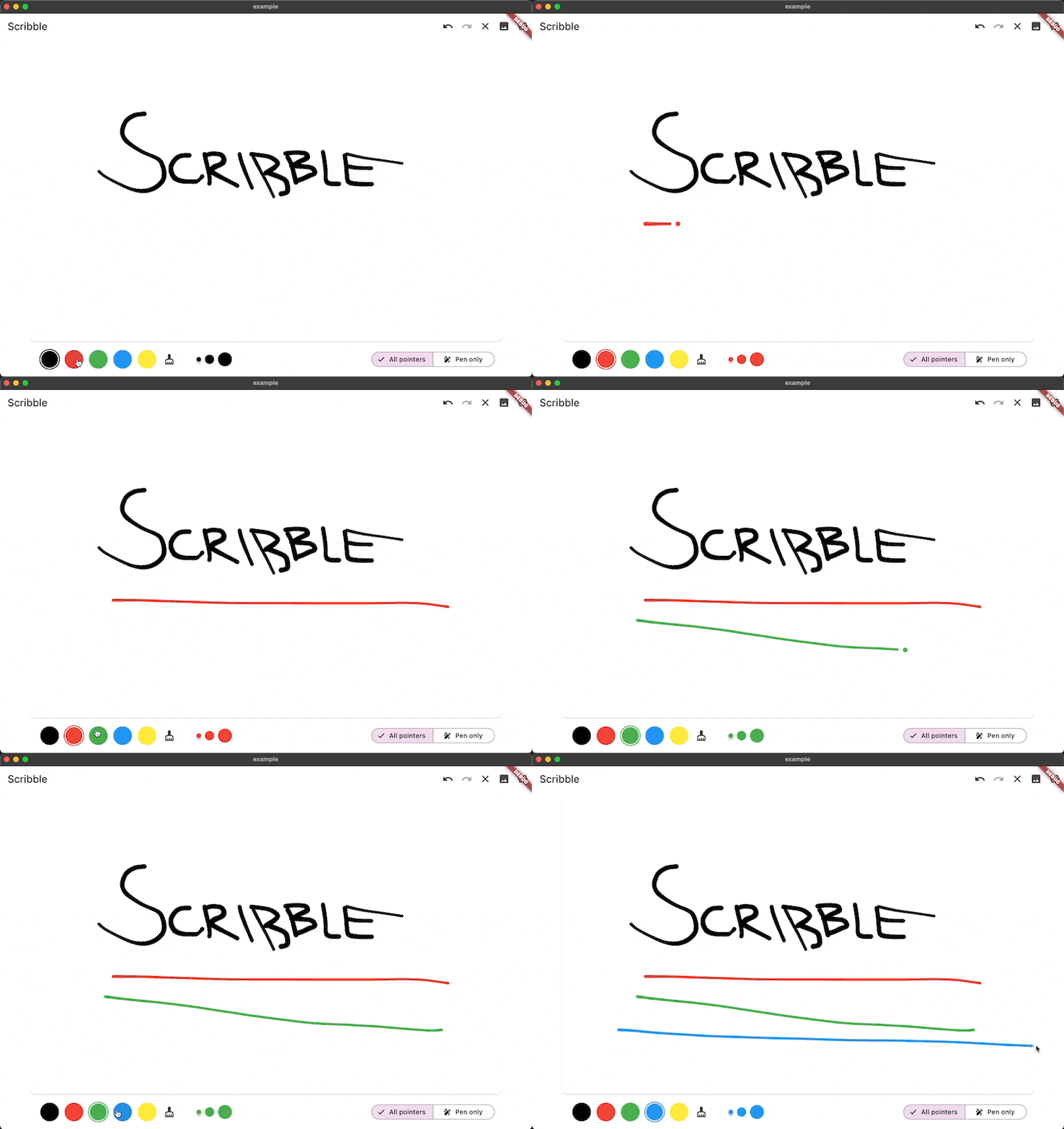
Scribble Demo

Installation 💻

❗ In order to start using Scribble you must have the Dart SDK installed on your machine.

Install via dart pub add:

dart pub add scribble

Features

  • Variable line width
  • Image Export
  • Pen and touch pressure support
  • Line simplification for making sketch files smaller
  • Choose which pointers can draw (touch, pen, mouse, etc.)
  • Lines get slimmer when the pen is moved more quickly
  • Line eraser support
  • Full undo/redo support using value_notifier_tools
  • Sketches are fully serializable to JSON
  • Export Sketches to PNG

Usage

You can find a full working example in the example directory

You can create a drawing surface by adding the Scribble widget to your widget tree and passing in a ScribbleNotifier.

import 'package:flutter/material.dart';
import 'package:flutter_riverpod/flutter_riverpod.dart';

class App extends StatelessWidget {
  @override
  Widget build(BuildContext context) {
    return Scaffold(
      body: Scribble(
        notifier: notifier,
      ),
    );
  }
}

Use the public methods on ScribbleNotifier to control the behavior (for example from a button in the UI):

notifier = ScribbleNotifier();


// Set color
notifier.setColor(Colors.black);

// Clear
notifier.clear();

// Undo
notifier.undo();

// Export to Image
notifier.renderImage(pixelRatio: 2.0);

// Line details will be simplified to save space from now on
notifier.setSimplificationFactor(2);

// Simplify the entire existing sketch
notifier.simplify();

// And more ... 

Additional information

As mentioned above, the package is still under development, but we already use it in the app we are currently developing.

Feel free to contribute, or open issues in our GitHub repo.

所屬分類

依賴

依賴清單 3 項

原始碼儲存庫

使用此套件的專案

暫無相關資料。