
 v0.0.4
smooth_video_progress
用於 video_player 控制器的插值進度建構器
39喜歡 1790近 30 天下載140Pub 分數
AndroidiOSWebmacOS
用於 video_player 控制器的插值進度建構器

{"sdk":"flutter"}^0.18.4^2.4.2{"sdk":"flutter"}^2.0.0以下為英文專案原文快照,最新內容請造訪 GitHub。
Have you been here before: you created a video player using video_player, but the progress bar updates way to infrequently and makes your UX look choppy?
Look no further than this package. It will make your video progress bars look smooooth ✨
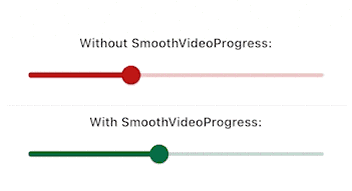
Demo GIF
Since this is a GIF, the framerate is reduced, but rest assured that the bottom slider animates at the same framerate as your app.
VideoPlayerController instances.Install the package. This package depends on flutter_hooks, because I use it for everything anyway, check out the package if you don't know it, it makes life so much easier.
Here is how you would build a simple slider for example:
Widget build(BuildContext context) {
  SmoothVideoProgress(
    controller: controller,
    builder: (context, position, duration, child) => Slider(
      onChangeStart: (_) => controller.pause(),
      onChangeEnd: (_) => controller.play(),
      onChanged: (value) =>
          controller.seekTo(Duration(milliseconds: value.toInt())),
      value: position.inMilliseconds.toDouble(),
      min: 0,
      max: duration.inMilliseconds.toDouble(),
    ),
  );
}
To take a look at the example (seen on the GIF above)
example folderflutter create .flutter run on the iOS, android or webvideo_player to work, check their documentation for details