

 v1.2.5
loop_page_view
一個簡單的 Flutter PageView 建構函數包裝器,允許雙向無限滾動。
80喜歡 1.6萬近 30 天下載150Pub 分數
AndroidiOSWebmacOSWindowsLinux
一個簡單的 Flutter PageView 建構函數包裝器,允許雙向無限滾動。

以下為英文專案原文快照,最新內容請造訪 GitHub。
LoopPageView is an enhanced PageView builder for Flutter, enabling infinite scrolling in both directions. It utilizes a customLoopPageController that supports direct animated jumps between pages and configurable scrolling and looping behavior. You can set the scrolling direction and control the start of infinite looping for precise customization
Import the package into your code:
import 'package:loop_page_view/loop_page_view.dart';
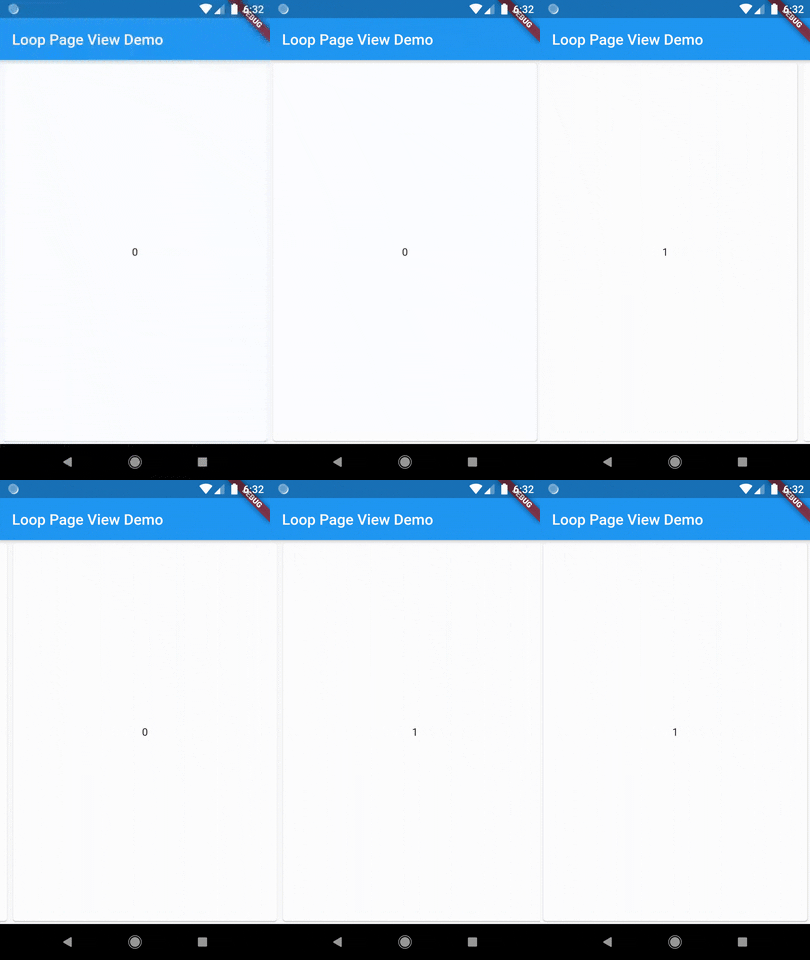
LoopPageView operates exactly like a PageView builder constructor, but it always requires an item count, as well as a LoopPageController as its controller. The LoopPageController functions similarly to a PageController, but it correctly handles the endless scrolling of LoopPageView.
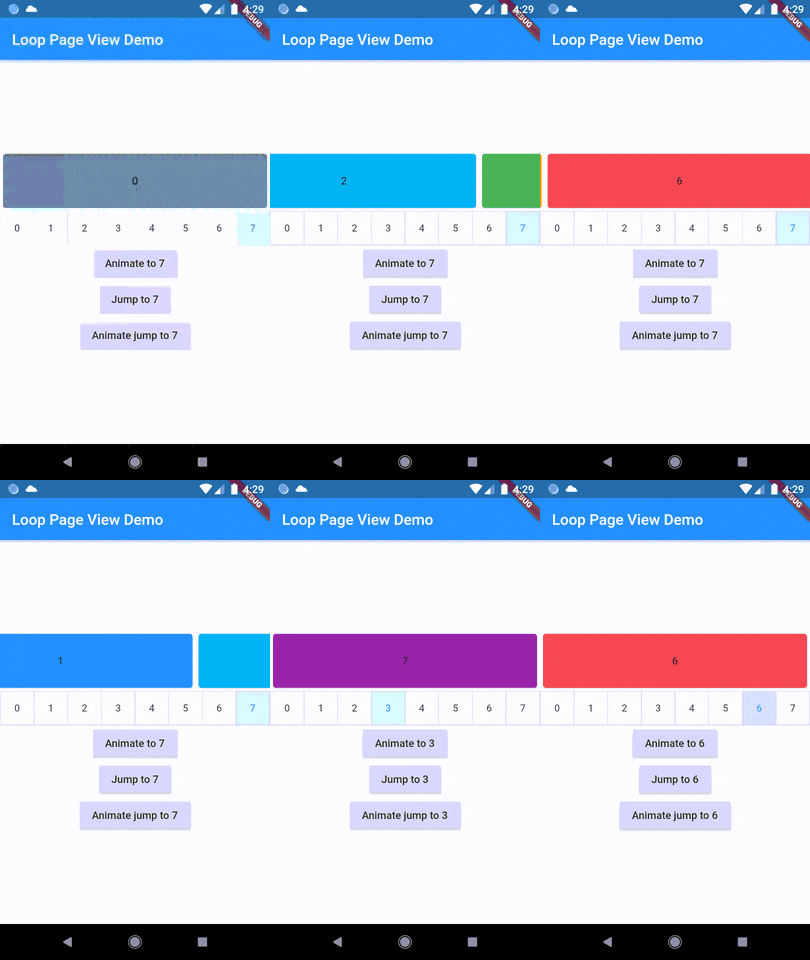
A new method, animateJumpToPage, has been added to LoopPageController. This allows it to animate a jump to any page without having to build the intervening pages, provided that viewportFraction is set to 1.0.
The direction to which the LoopPageViewController animates can be set by updating LoopPageViewController.scrollMode. LoopScrollMode.shortest animates in the direction that requires the least amount of steps. On the other hand, LoopScrollMode.forwards always animates forwards, and LoopScrollMode.backwards always animates backwards.
You can set when the infinite looping starts setting LoopPageViewContoller' LoopActivationMode with the following modes:
LoopActivationMode.immediate: This mode triggers infinite looping right from the first page, immediately after the LoopPageView is launched.LoopActivationMode.afterFirstLoop: In this mode, infinite looping is only triggered after the first complete forward loop is performed.LoopActivationMode.forwardOnly: This mode enables only forward infinite scrolling, preventing backward looping.dependencies:
loop_page_view: ^1.2.5
import 'package:flutter/material.dart';
import 'package:loop_page_view/loop_page_view.dart';

void main() {
  runApp(MyApp());
}

class MyApp extends StatelessWidget {
  @override
  Widget build(BuildContext context) {
    return MaterialApp(
      home: Scaffold(
        appBar: AppBar(
          title: Text('Loop Page View Demo'),
        ),
        body: Center(
          child: LoopPageView.builder(
            itemCount: 2,
            itemBuilder: (_, index) {
              return Card(
                child: Center(
                  child: Text('$index'),
                ),
              );
            },
          ),
        ),
      ),
    );
  }
}
LoopPageView widget is designed to be used similarly to Flutter's built-in PageView.
To extend its functionality and allow mouse drag gestures in a web context, you can use it together with a ScrollConfiguration widget.
Here's how you could do it:
import 'package:flutter/material.dart';
import 'package:flutter/gestures.dart';
import 'package:loop_page_view/loop_page_view.dart';

void main() {
  runApp(MyApp());
}

class MyApp extends StatelessWidget {
  @override
  Widget build(BuildContext context) {
    return MaterialApp(
      title: 'ScrollConfiguration Demo',
      home: MyHomePage(),
    );
  }
}

class MyHomePage extends StatelessWidget {
  @override
  Widget build(BuildContext context) {
    return Scaffold(
      body: ScrollConfiguration(
        behavior: ScrollConfiguration.of(context).copyWith(
          dragDevices: {PointerDeviceKind.touch, PointerDeviceKind.mouse},
        ),
        child: LoopPageView.builder(
          itemCount: 5,
          itemBuilder: (context, index) {
            return Center(
              child: Text('Page $index'),
            );
          },
        ),
      ),
    );
  }
}
依賴清單 2 項
{"sdk":"flutter"}{"sdk":"flutter"}先依使用情境篩選,再比較專案活躍情況,最後到原始儲存庫確認使用要求。
“A repository is the most basic element of GitHub.”
GitHub Docs — About repositories ↗