搜尋套件、儲存庫與 APP 分類

loop_page_view 封面
套件詳情v1.2.5

loop_page_view

一個簡單的 Flutter PageView 建構函數包裝器,允許雙向無限滾動。

AndroidiOSWebmacOSWindowsLinux
近 30 天下載
1.6萬
喜歡數
80
Pub 分數
150

安裝套件

flutter pub add loop_page_view

套件介紹

根據套件公開資料產生的選型評估,僅供參考。

LoopPageView 是一個 Flutter 套件,擴展了 PageView 功能,以在兩個方向上實現無縫、無限滾動。它封裝了標準的 PageView 建構函數,讓使用者可以建立無限滾動清單,而無需手動管理索引。非常適合用於輪播圖、圖片畫廊或任何需要連續導航的 UI。此套件支援所有主要平台,並透過最少的設定簡化實作。

適用情境

  • 無限圖像滑塊
  • 連續式產品轉盤
  • 無盡的內容推送
  • 互動式入門螢幕
  • 動態數據展示

主要特色

  • 雙向無限滾動
  • 簡單建構者模式整合
  • 跨平台支援
  • 最小化樣板程式碼
  • 自動索引處理

適合對象

  • 開發無限滾動介面的開發者
  • 需要流暢過渡的UI設計師
  • 重複內容佈局的應用程式
  • 需要流暢導航的移動和網頁應用

使用建議

  • 可能影響使用大量小工具時的效能
  • 需要仔細的記憶體管理
  • 對於未優化的大數據集來說並不理想
  • 超出基本循環之外的自定義功能有限

原始 README

以下為關聯原始碼儲存庫的 README 原文快照,最新內容請造訪原始碼儲存庫。

loop_page_view

LoopPageView is an enhanced PageView builder for Flutter, enabling infinite scrolling in both directions. It utilizes a customLoopPageController that supports direct animated jumps between pages and configurable scrolling and looping behavior. You can set the scrolling direction and control the start of infinite looping for precise customization

Usage

Import the package into your code:

import 'package:loop_page_view/loop_page_view.dart';

LoopPageView operates exactly like a PageView builder constructor, but it always requires an item count, as well as a LoopPageController as its controller. The LoopPageController functions similarly to a PageController, but it correctly handles the endless scrolling of LoopPageView.

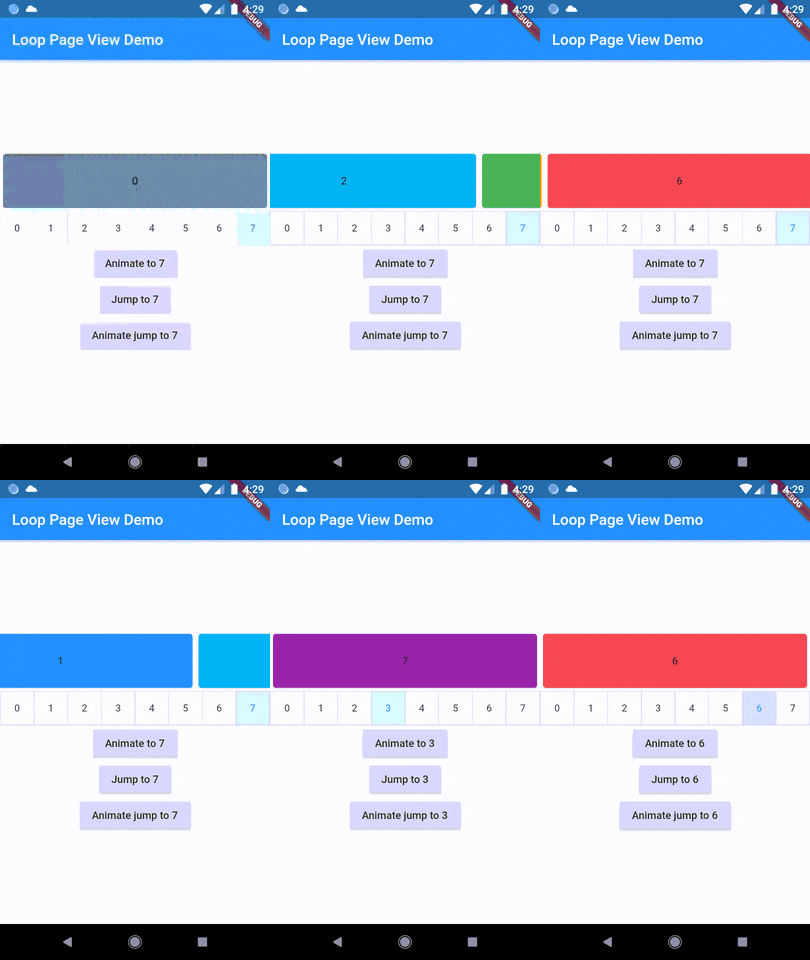
A new method, animateJumpToPage, has been added to LoopPageController. This allows it to animate a jump to any page without having to build the intervening pages, provided that viewportFraction is set to 1.0.

The direction to which the LoopPageViewController animates can be set by updating LoopPageViewController.scrollMode. LoopScrollMode.shortest animates in the direction that requires the least amount of steps. On the other hand, LoopScrollMode.forwards always animates forwards, and LoopScrollMode.backwards always animates backwards.

You can set when the infinite looping starts setting LoopPageViewContoller' LoopActivationMode with the following modes:

  • LoopActivationMode.immediate: This mode triggers infinite looping right from the first page, immediately after the LoopPageView is launched.
  • LoopActivationMode.afterFirstLoop: In this mode, infinite looping is only triggered after the first complete forward loop is performed.
  • LoopActivationMode.forwardOnly: This mode enables only forward infinite scrolling, preventing backward looping.

Installation

dependencies:
  loop_page_view: ^1.2.5

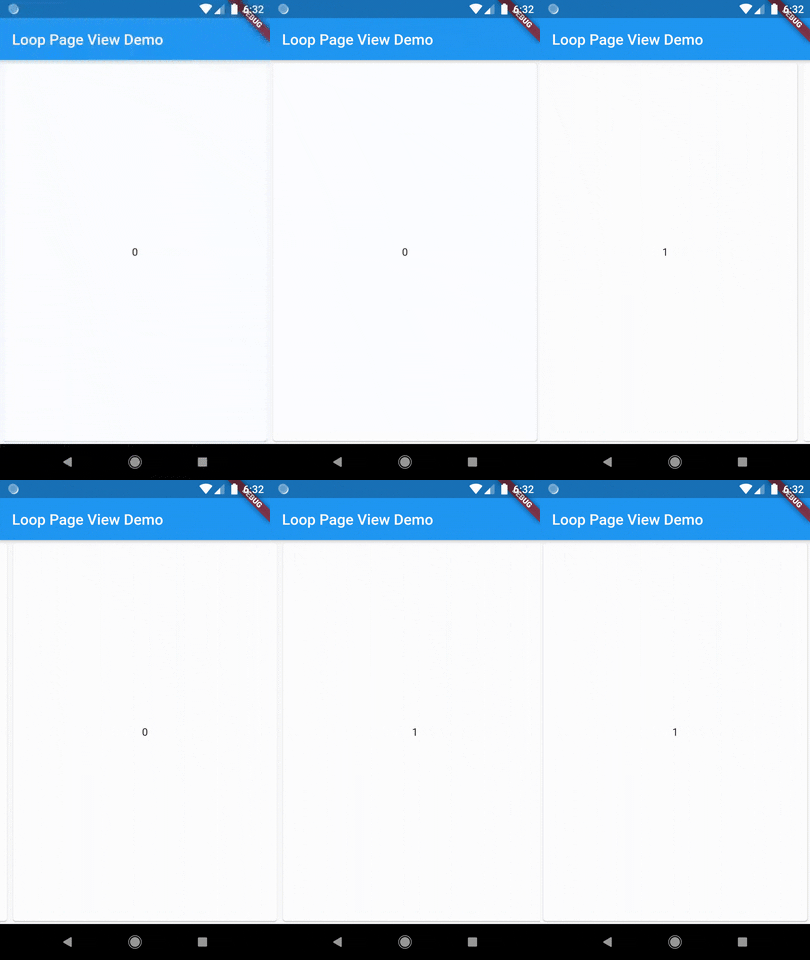
Example

import 'package:flutter/material.dart';
import 'package:loop_page_view/loop_page_view.dart';

void main() {
  runApp(MyApp());
}

class MyApp extends StatelessWidget {
  @override
  Widget build(BuildContext context) {
    return MaterialApp(
      home: Scaffold(
        appBar: AppBar(
          title: Text('Loop Page View Demo'),
        ),
        body: Center(
          child: LoopPageView.builder(
            itemCount: 2,
            itemBuilder: (_, index) {
              return Card(
                child: Center(
                  child: Text('$index'),
                ),
              );
            },
          ),
        ),
      ),
    );
  }
}

LoopPageView widget is designed to be used similarly to Flutter's built-in PageView.

To extend its functionality and allow mouse drag gestures in a web context, you can use it together with a ScrollConfiguration widget.

Here's how you could do it:

import 'package:flutter/material.dart';
import 'package:flutter/gestures.dart';
import 'package:loop_page_view/loop_page_view.dart';

void main() {
  runApp(MyApp());
}

class MyApp extends StatelessWidget {
  @override
  Widget build(BuildContext context) {
    return MaterialApp(
      title: 'ScrollConfiguration Demo',
      home: MyHomePage(),
    );
  }
}

class MyHomePage extends StatelessWidget {
  @override
  Widget build(BuildContext context) {
    return Scaffold(
      body: ScrollConfiguration(
        behavior: ScrollConfiguration.of(context).copyWith(
          dragDevices: {PointerDeviceKind.touch, PointerDeviceKind.mouse},
        ),
        child: LoopPageView.builder(
          itemCount: 5,
          itemBuilder: (context, index) {
            return Center(
              child: Text('Page $index'),
            );
          },
        ),
      ),
    );
  }
}

Demo

Author

Wellington Soares Junior

License

BSD

所屬分類

原始碼儲存庫

使用此套件的專案

暫無相關資料。