

 v2.3.1
flutter_grid_button
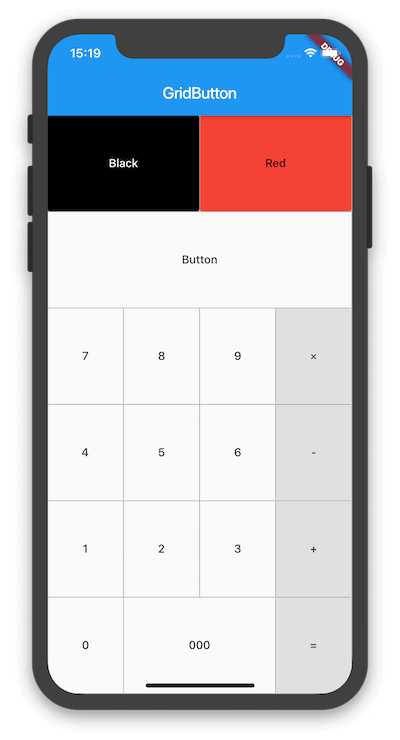
一個將按鈕排列成網格的 Flutter 小部件。它適用於製作數字鍵盤、計算器等。
30喜歡 3870近 30 天下載160Pub 分數
AndroidiOSWebmacOSWindowsLinux
將按鈕排列成網格的 Flutter 小部件。

以下為英文專案原文快照,最新內容請造訪 GitHub。
Flutter widget that arrange buttons in a grid. It is useful for making a number pad, calculator, and so on.


To use this plugin, add flutter_grid_button as a dependency in your pubspec.yaml file.
dependencies:
 flutter_grid_button:
Import the library in your file.
import 'package:flutter_grid_button/flutter_grid_button.dart';
See the example directory for a complete sample app using GridButton.
Or use the GridButton like below.
GridButton(
  onPressed: (String value) {
    /*...*/
  },
  items: [
    [
      GridButtonItem(title: "1"),
      GridButtonItem(child: Text("2")),
      GridButtonItem(title: "3", flex: 2),
    ],
    [
      GridButtonItem(title: "a", value: "100", longPressValue: "long"),
      GridButtonItem(title: "b", color: Colors.lightBlue)
    ],
  ],
)
依賴清單 3 項
{"sdk":"flutter"}{"sdk":"flutter"}^1.0.0先依使用情境篩選,再比較專案活躍情況,最後到原始儲存庫確認使用要求。
“A repository is the most basic element of GitHub.”
GitHub Docs — About repositories ↗