
 v1.0.1
screenshot_modes
einfache automatische Möglichkeit, Screenshots für Ihre App zu erstellen, der Screenshot-Modus funktioniert als Plugin für das device_preview-Paket
30Likes 2830-Tage-Downloads60Pub-Punkte
Keine Plattformdaten
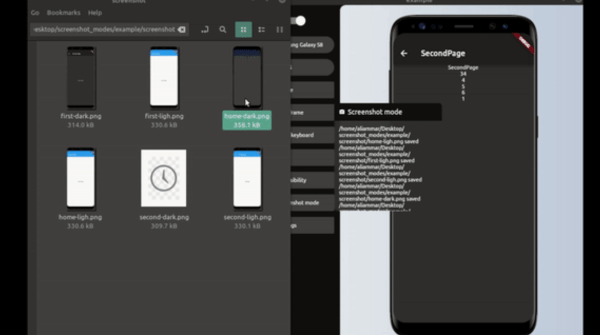
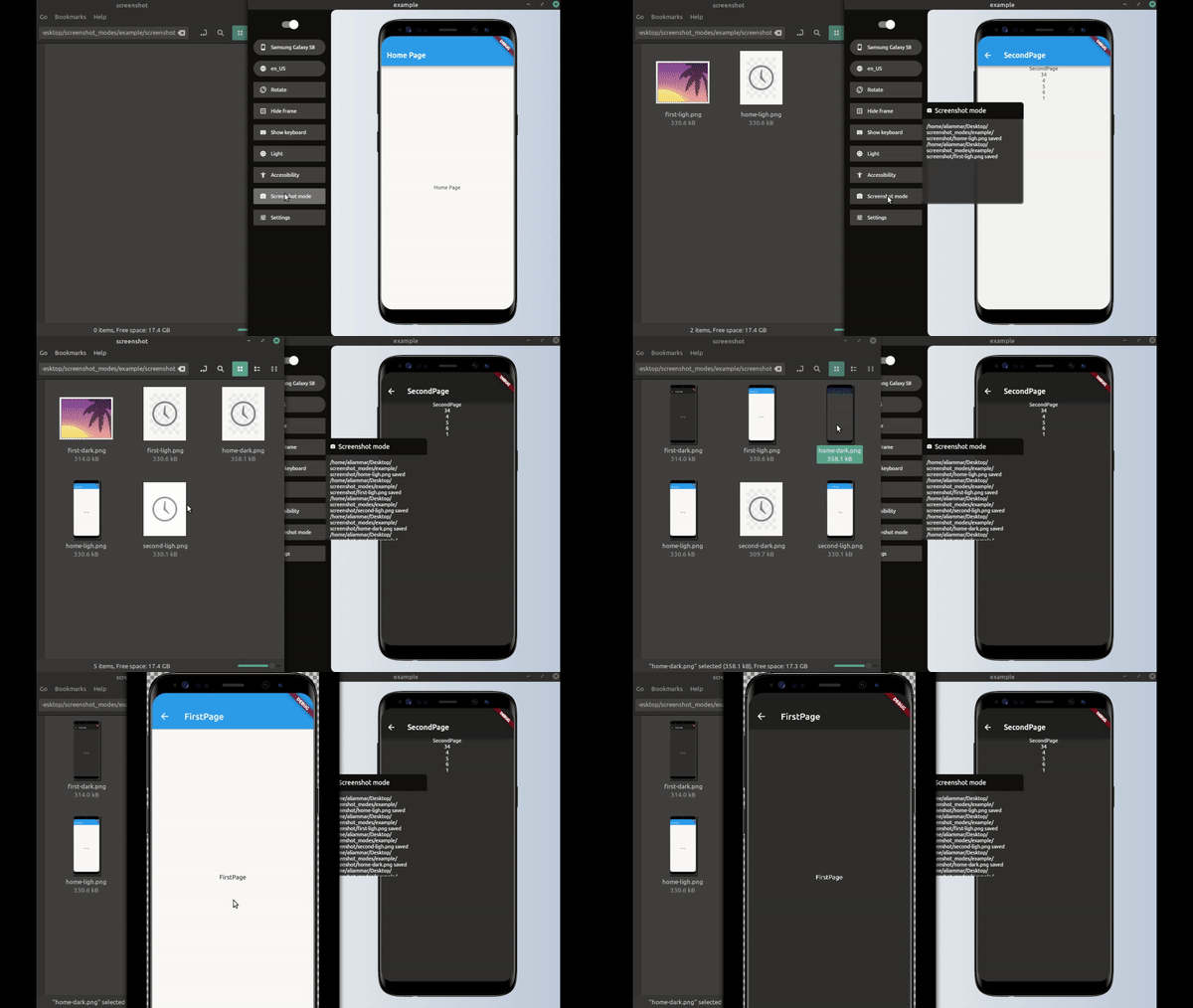
screenshot_modes ist ein Flutter-Paket, das als Plugin für das Device Preview-Paket funktioniert und automatisch Screenshots für App-Seiten erstellt
Englischer Projektschnappschuss. Aktuelle Inhalte auf GitHub.
final simpleScreenShotModesPlugin = SimpleScreenShot(
  processor: saveScreenShot,
  pages: listPush,
  devices: [
    Devices.android.samsungGalaxyNote20.identifier,
    Devices.ios.iPhone13ProMax.identifier,
    Devices.ios.iPadAir4.identifier,
  ],
  lang: [Locale('ar') , Locale('en') ] ,
  useToggleDarkMode: true,
);

final listPush = [
  ItemScreenMode(function: pushHome, label: 'home'),
  ItemScreenMode(function: pushFirst, label: 'first'),
  ItemScreenMode(function: pushSecond, label: 'second'),
];
  runApp(DevicePreview(
    builder: (_) => MyApp(),
    tools: [
      ...DevicePreview.defaultTools,
      simpleScreenShotModesPlugin
    ],
  ));
Future pushHome(BuildContext context) async {
  Navigator.of(navigatorKey.currentContext)
      .push(DirectPageRouteBuilder(builder: (_) => HomePage()));
}

Future pushFirst(BuildContext context) async {
  Navigator.of(navigatorKey.currentContext)
      .push(DirectPageRouteBuilder(builder: (_) => FirstPage()));
}

Future pushSecond(BuildContext context) async {
  // we could get data from server;
  final data = await ApiService.getData();
  Navigator.of(navigatorKey.currentContext).push(DirectPageRouteBuilder(
      builder: (_) => SecondPage(
            nums: data,
          )));
}
it could be just Navigator or maybe call some api get data before Navigate like in pushSecond
this response for saving the image or upload it to some server or that ever you want to do with the image example to save the image in desktop folder
Future<String> saveScreenShot(DeviceScreenshotWithLabel screen) async {
  String name = screen.label.join('/');
  final path = join(Directory.current.path, 'screenshot', '$name.png');
  final imageFile = File(path);
  await imageFile.create(recursive: true);
  await imageFile.writeAsBytes(screen.deviceScreenshot.bytes);
  return '$path saved'; // message printed to device preview plugins windows;
}
______
final screenShotModesPlugin = ScreenShotModesPlugin(processor: saveScreenShot, modes: _modes );
void main() {
  runApp(DevicePreview(
    builder: (_) => MyApp(),
    tools: [
      ...DevicePreview.defaultTools,
      screenShotModesPlugin,
    ],
  ));
}
Future<String> saveScreenShot(DeviceScreenshotWithLabel screen) async {
  String name = screen.label.join('/');
  final path = join(Directory.current.path, 'screenshot', '$name.png');
  final imageFile = File(path);
  await imageFile.create(recursive: true);
  await imageFile.writeAsBytes(screen.deviceScreenshot.bytes);
  return '$path saved'; // message printed to device preview plugins windows;
}
final _modes_ = [
 ItemScreenMode(function: pushHome, label: 'home'),
 ItemScreenMode(function: pushFirst, label: 'first'),
 ItemScreenMode(function: pushSecond, label: 'second'),
];
final listPush = [
  ItemScreenMode(function: pushHome, label: 'home'),
  ItemScreenMode(function: pushFirst, label: 'first'),
  ItemScreenMode(function: pushSecond, label: 'second'),
];

final _modes = [
  ItemScreenMode(
      function: (context) async {
        await setModeTo(context, ThemeMode.light);
      },
      label: "light",
      modes: listPush),
  ItemScreenMode(
      function: (context) async {
        await setModeTo(context, ThemeMode.dark);
      },
      label: "dark",
      modes: listPush),
];
final _mode = [
  ItemScreenMode(
    function: setDeviceToIphone,
    label: "iphone",
    modes: listLightDark,
  ),
  ItemScreenMode(
      function: setDeviceToNote, label: "note", modes: listLightDark),
];
final listLightDark = [
  ItemScreenMode(
      function: (context) async {
        await setModeTo(context, ThemeMode.light);
      },
      label: "light",
      modes: listPush),
  ItemScreenMode(
      function: (context) async {
        await setModeTo(context, ThemeMode.dark);
      },
      label: "dark",
      modes: listPush),
];
final listPush = [
  ItemScreenMode(function: pushHome, label: 'home'),
  ItemScreenMode(function: pushFirst, label: 'first'),
  ItemScreenMode(function: pushSecond, label: 'second'),
];

Future<void> setDeviceToNote(BuildContext context) async {
  DevicePreviewHelper.changeDevice(
      context, Devices.android.samsungGalaxyNote20Ultra.identifier);
}

Future<void> setDeviceToIphone(BuildContext context) async {
  DevicePreviewHelper.changeDevice(context, Devices.ios.iPhone13.identifier)
}
you could benefid from DevicePreviewHelper class to change device , theme and other helper function
_______
yes when you don't need to do any things before first shot taken maybe when you already inside home page (defalut page) and in right themes mode
tips : don't do that if you have multi nested page
you must use DirectPageRouteBuilder for navigation like this
Future pushFirst() async {
  Navigator.of(navigatorKey.currentContext)
      .push(DirectPageRouteBuilder(builder: (_) => FirstPage()));

}
because the MaterialPageRoute have 500ms Duration for animations
this will cause as a problem with screenshot
so we must either use DirectPageRouteBuilder or await 500ms Duration after Navigation inside ItemScreenMode function

Abhängigkeiten 5 Einträge
{"sdk":"flutter"}^1.2.0^6.1.2^3.1.5{"sdk":"flutter"}Nach Anwendungsfall filtern, Aktivität vergleichen und vor der Nutzung das Originalprojekt prüfen.
“A repository is the most basic element of GitHub.”
GitHub Docs — About repositories ↗