
Alcademy
Alcademy ist eine produktionsreife akademische Plattform für IGIT-Studierende, die Notizen, Aktualisierungen und Ressourcen in einer einzigen App zentralisiert.

- Sterne
- 2
- Forks
- 3
- Letzter Push (UTC)
- 16.08.2026
- Projektstatus
- Aktiv
Original-README
Englischer Projektschnappschuss. Aktuelle Inhalte auf GitHub.
 Alcademy – Academic Platform for IGIT


Notes, notices, and student records for more than 2,000 students at IGIT Sarang.
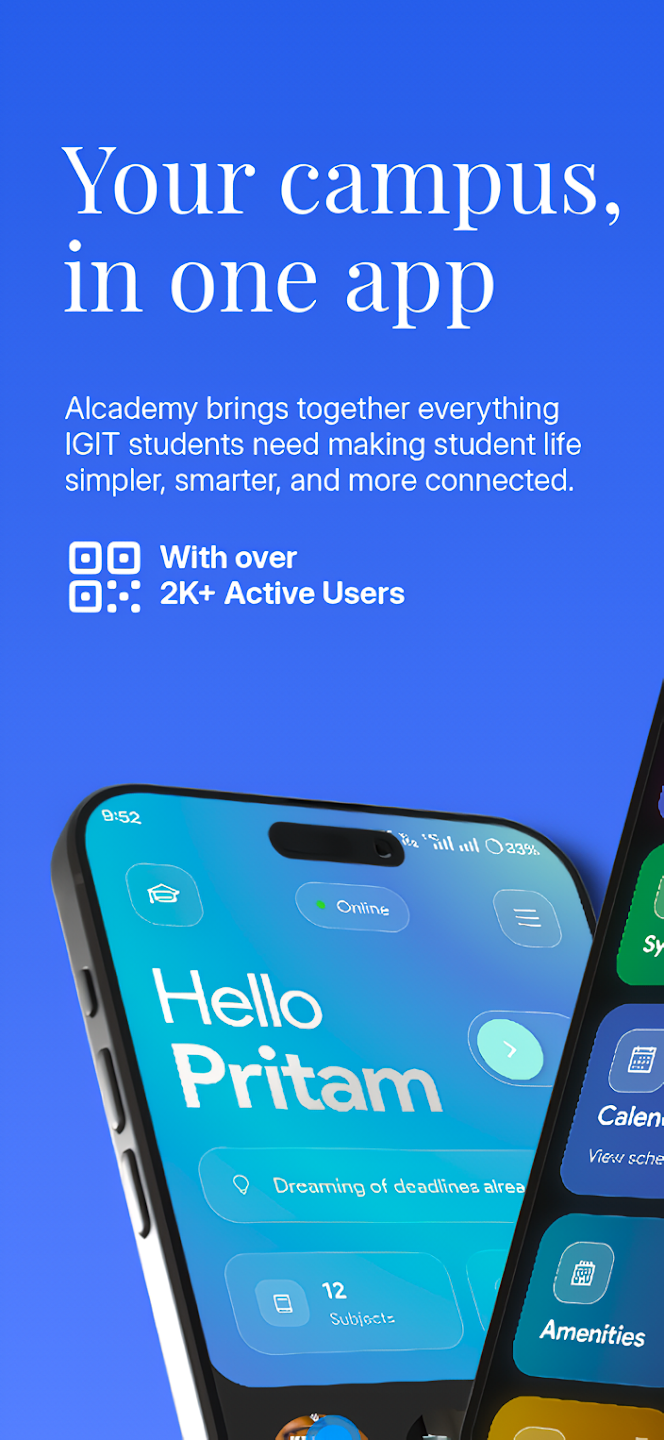
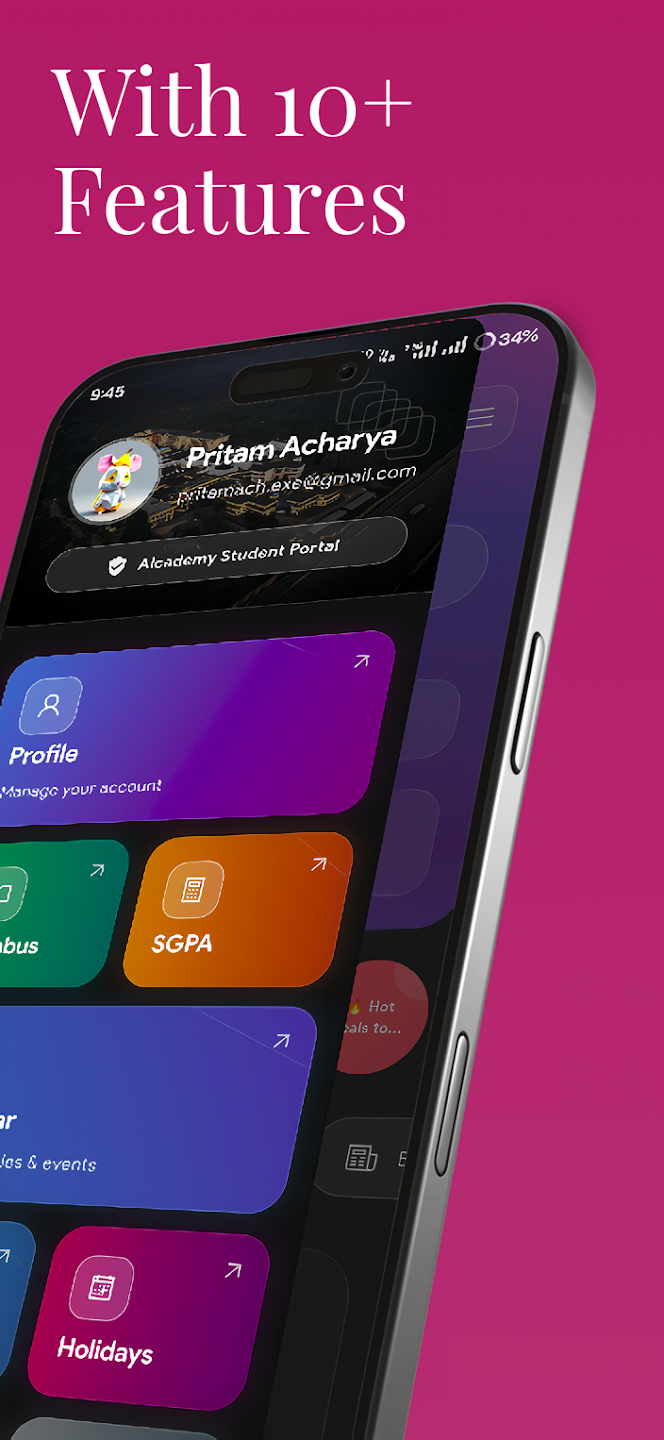
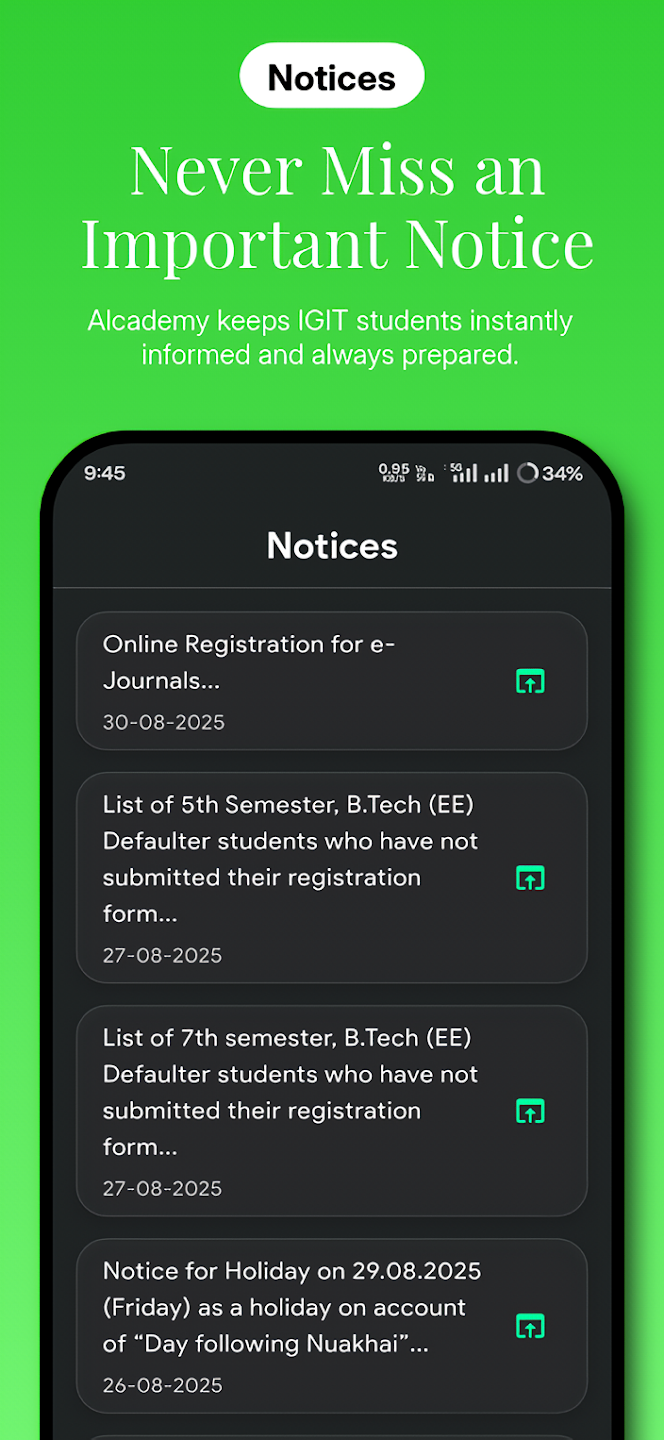
Inside the app
Built with Flutter and used by more than 2,000 students, Alcademy brings college resources and everyday tools into a single dark interface.
| Area | Features |
|---|---|
| Academics | Branch and semester notes, syllabus, SGPA calculator, and a shared PDF viewer |
| Student records | ERP-backed results, timetable, attendance, fees, and holidays |
| Campus | College notices, amenities, academic documents, and notification history |
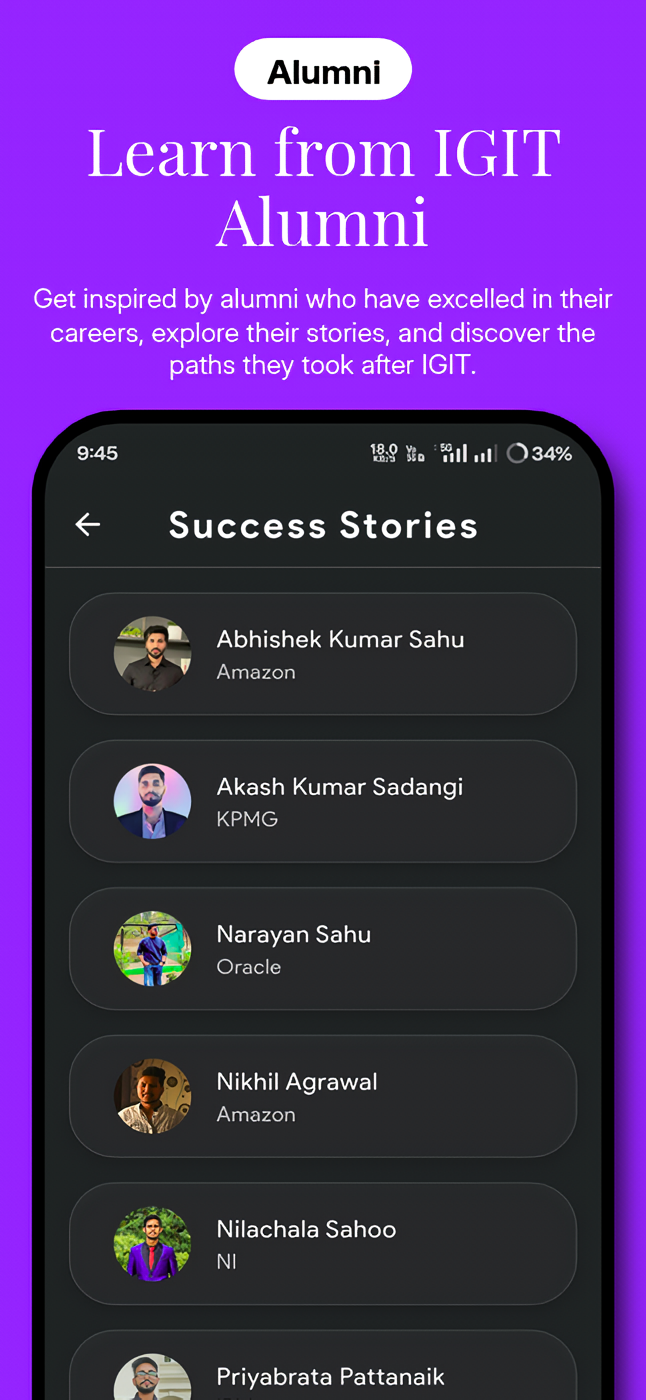
| Reading | Blogs, alumni success stories, and Beyond campus stories with daily news |
| Personal tools | Expense tracking and a local Private Space for notes and media |
| Profile | Saved ERP credentials and separate notice/general notification preferences |

System architecture
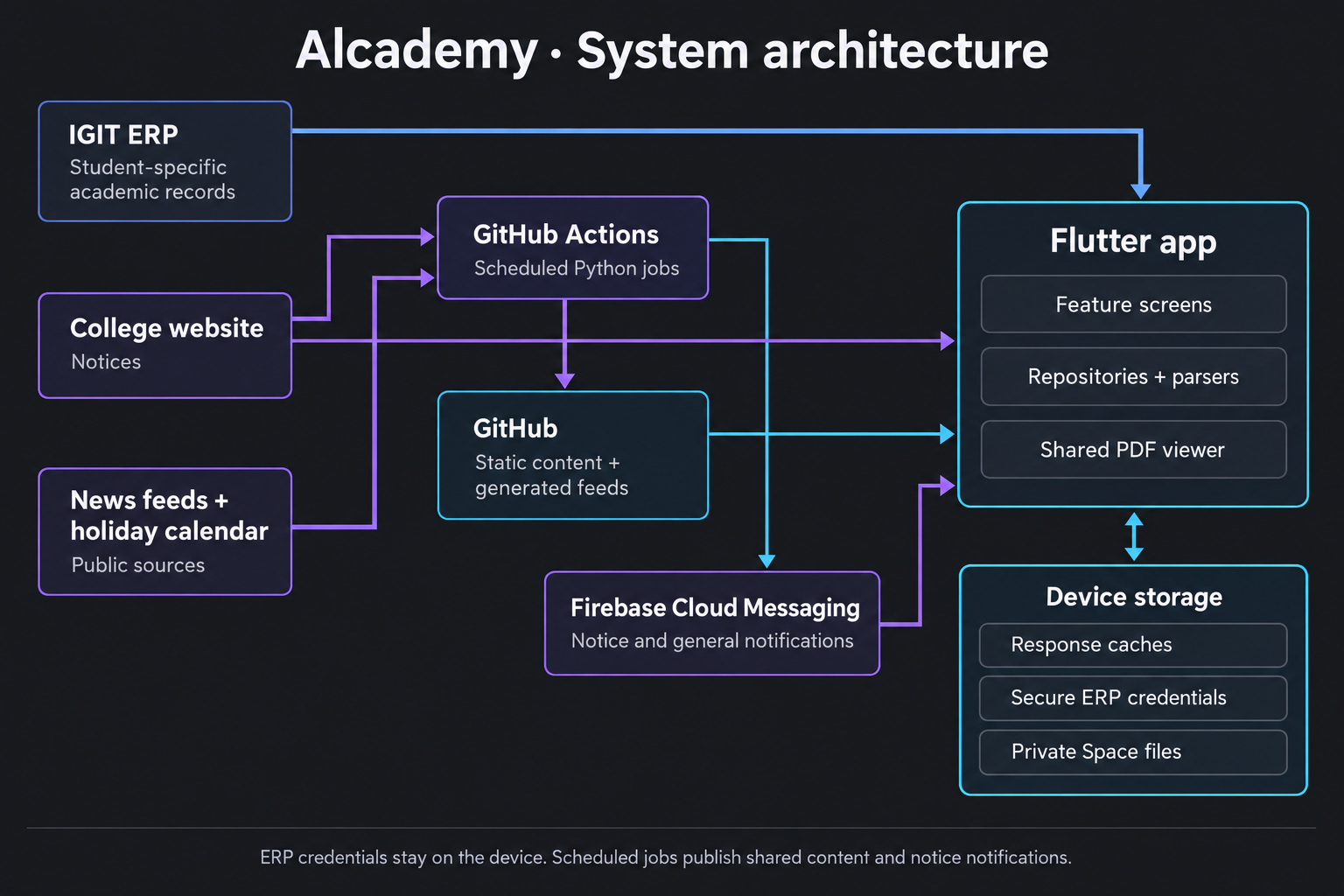
The app uses three distinct data paths:
- Student records: a WebView shares the ERP cookie session, signs in with locally saved credentials when needed, and extracts records for native Flutter screens. Scheduled jobs do not access student credentials.
- Shared content: repositories read notes and JSON feeds from GitHub. Source locations are centralized in
GitHubSources, while each feature handles its own parsing and cache policy. - Notifications and generated feeds: Python jobs run through GitHub Actions. They monitor notices, publish daily news and festival data, and use Firebase Cloud Messaging for notice delivery.
Feature code lives in lib/features/, with presentation, data, and model layers where needed. Shared networking, configuration, and storage live in lib/core/; reusable UI, theme, and PDF components live in lib/shared/.
Refresh and storage
Caches reduce repeated requests; they are not a replacement for the underlying college services. An uncached ERP record still requires a working connection and valid credentials.
| Data | Refresh policy |
|---|---|
| ERP attendance | Expires at the next 9:00 AM boundary in device local time |
| ERP timetable, results, fees, and holidays | Calendar-month cache; pull to refresh requests an update |
| Blogs and success stories | Calendar-month cache with a valid stale snapshot available offline |
| Daily news | Expires at the next 10:00 AM IST boundary |
| Festival calendar | Calendar-month cache; today's greeting is evaluated separately |
| PDF documents | Disk cache configured for 20 documents and a seven-day stale period |
ERP credentials use secure platform storage. Private Space files stay on the device and can be protected by biometric access; they are not an encrypted vault. Network images use the app's image caching components rather than being embedded in the news feed JSON.
Scheduled jobs
| Workflow | Schedule | Purpose |
|---|---|---|
notice-checker.yml |
Every ten minutes, offset from the hour | Detect new college notices and send a grouped notification |
daily-stories.yml |
Daily at 7:43 AM IST | Publish the daily news feed to the daily-stories branch |
festivals.yml |
First day of each month at 5:47 AM IST | Publish current- and next-year festival records to the festivals branch |
GitHub may delay scheduled runs. The notice checker keeps its state on the notification-state branch, has separate test and production audiences, and requires explicit repository configuration before scheduled production delivery. Firebase service-account credentials belong in repository secrets, never in app assets.
Setup and operational details: notice checker, daily stories, and festival calendar.
Repository layout
lib/
  app/          App setup and routing
  core/         Configuration, networking, and cache infrastructure
  features/     Screens, repositories, parsers, and models
  shared/       Theme, reusable widgets, and PDF viewer
content/        Notes, article feeds, settings, and content images
backend/        Scheduled Python jobs and their tests
assets/         Bundled images, fonts, and fallback data
test/          Dart unit, widget, and golden tests
third_party/    Vendored plugin compatibility patches
Blogs and success stories are single JSON feeds whose bodies retain Markdown formatting. To change content sources, edit lib/core/network/github_sources.dart. The content/Notes/ directory retains its existing branch and semester files.
Development
The project requires Flutter 3.47 or newer and Dart 3.12 or newer, as declared in pubspec.yaml. Android development also requires the Android SDK and a compatible JDK. iOS development requires macOS, Xcode, and CocoaPods.
git clone https://github.com/IamPritamAcharya/Alcademy.git
cd Alcademy
flutter pub get
flutter run
For a device subscribed to the test notice audience:
flutter run --dart-define=NOTICE_PUSH_TEST=true
Run static analysis and tests:
flutter analyze
flutter test
Release builds
Android APK:
flutter build apk --release --dart-define=NOTICE_PUSH_PRODUCTION=true
Google Play bundle:
flutter build appbundle --release --dart-define=NOTICE_PUSH_PRODUCTION=true
For iOS, install pods and open the Xcode workspace:
cd ios
pod install --repo-update
cd ..
open ios/Runner.xcworkspace
Select your Apple Developer team in Runner's signing settings. The Firebase iOS configuration must match com.alcademy.app; push delivery also requires an APNs key configured in Firebase. After signing and testing on an iPhone:
flutter build ipa --release --dart-define=NOTICE_PUSH_PRODUCTION=true
The production flag selects the notice topic subscription. It does not send notifications. Android is the established release target; the iOS configuration is prepared but still needs native build and device verification.
Contributions
Only resource contributions are currently open, including notes and study materials. Code contributions are not open. Notes contributor credits are maintained in the app's content settings.

Pritam ↗
Kategorien
Verwendete Abhängigkeiten
Abhängigkeiten 41 Einträge
- flutter
{"sdk":"flutter"} - cupertino_icons
^1.0.8 - flutter_markdown
^0.7.4+3 - url_launcher
^6.3.1 - html
^0.15.5 - pdfrx
^2.6.5 - flutter_cache_manager
^3.4.1 - crystal_navigation_bar
^1.0.2 - shared_preferences
^2.5.6 - shared_preferences_android
^2.4.24 - device_info_plus
^13.2.0 - sqflite_android
^2.4.4 - firebase_messaging
^16.7.0 - flutter_local_notifications
^18.0.1 - webview_flutter
^4.14.1 - webview_flutter_android
^4.12.1 - shimmer
^3.0.0 - fl_chart
^0.70.0 - flutter_slidable
^3.1.2 - firebase_analytics
^12.6.0 - dropdown_button2
^2.3.9 - auto_size_text
^3.0.0 - image_picker
^1.1.2 - path_provider
^2.0.11 - file_picker
^13.1.0 - youtube_player_flutter
^9.1.1 - share_plus
^13.3.1 - go_router
^14.8.1 - line_icons
^2.0.3 - connectivity_plus
^6.1.3 - flutter_spinkit
^5.2.1 - firebase_core
^4.15.0 - local_auth
^2.3.0 - flutter_secure_storage
^10.3.1 - http
^1.5.0 - video_player
any - cached_network_image
any - intl
any - path
any - flutter_testEntwicklung
{"sdk":"flutter"} - flutter_lintsEntwicklung
^5.0.0
Wie wähle ich ein passendes Repository?
Nach Anwendungsfall filtern, Aktivität vergleichen und vor der Nutzung das Originalprojekt prüfen.
- Nach Name, Autor oder Beschreibung suchen und nach Thema eingrenzen.
- Sterne, Forks und letzte Pushes vergleichen. Sterne zeigen Interesse, garantieren aber keine Qualität.
- Vor der Nutzung README, Lizenz und Issues auf GitHub prüfen.
Quellen und Pflege
“A repository is the most basic element of GitHub.”
GitHub Docs — About repositories ↗
- IamPritamAcharya/Alcademy · GitHub ↗
- GitHub Docs — Saving repositories with stars ↗
- Verzeichnis gepflegt von Ducafecat ↗