
flutter_getx_boilerplate
Ein Flutter-Boilerplate-Projekt mit GetX-State-Management.

- Sterne
- 347
- Forks
- 127
- Letzter Push (UTC)
- 27.09.2024
- Projektstatus
- Aktiv
Original-README
Englischer Projektschnappschuss. Aktuelle Inhalte auf GitHub.
flutter_getx_boilerplate
master branch: Fluter 3.24 version
Fluter-3.0.5 branch: Fluter 3.0.5 version
Flutter-2.x branch: Flutter 2.x version
Languages: English (this file), 中文. , KR
Introduction
During my study of Flutter, I have been using the flutter_bloc state management framework. I accidentally saw the GetX state management framework. Through ReadMe, I found that the GetX framework is very easy to get started. So I want to write a GetX Starter project while learning, which can not only help myself Learning can also help others quickly build a boilerplate. Before building this boilerplate, I searched many similar projects, and found that they were relatively simple, and none of them covered the common things that the project should have, so I sprouted the idea of writing one by myself. Let me introduce them one by one below.
Technology & Project Introduction
Use Flutter 2.x to build a set of features containing predefined folder structure, style themes, API access, state management, routing & dependencies, etc. The project structure is clear and can be easily used as a Flutter template project. Technologies used include but are not limited to Flutter, Dart, GetX, etc.

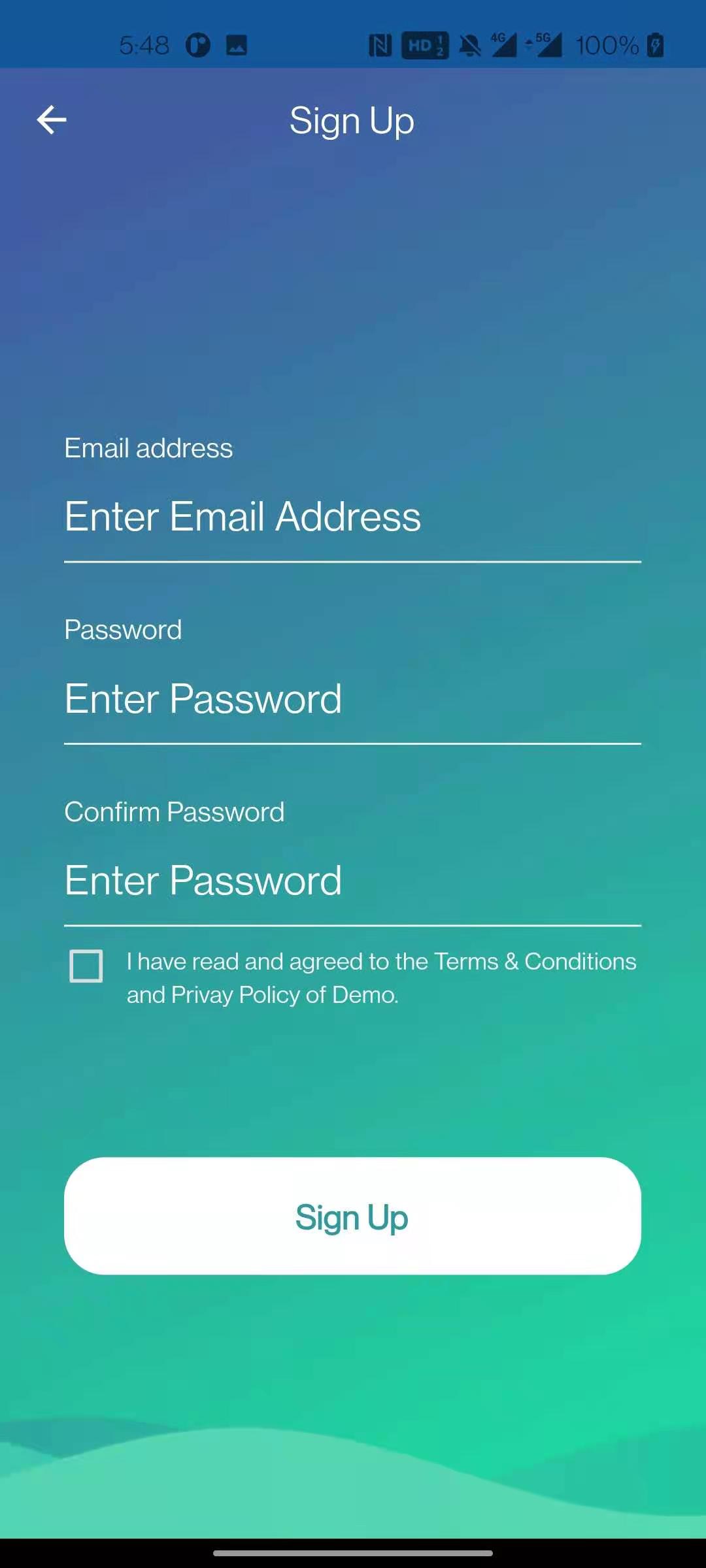


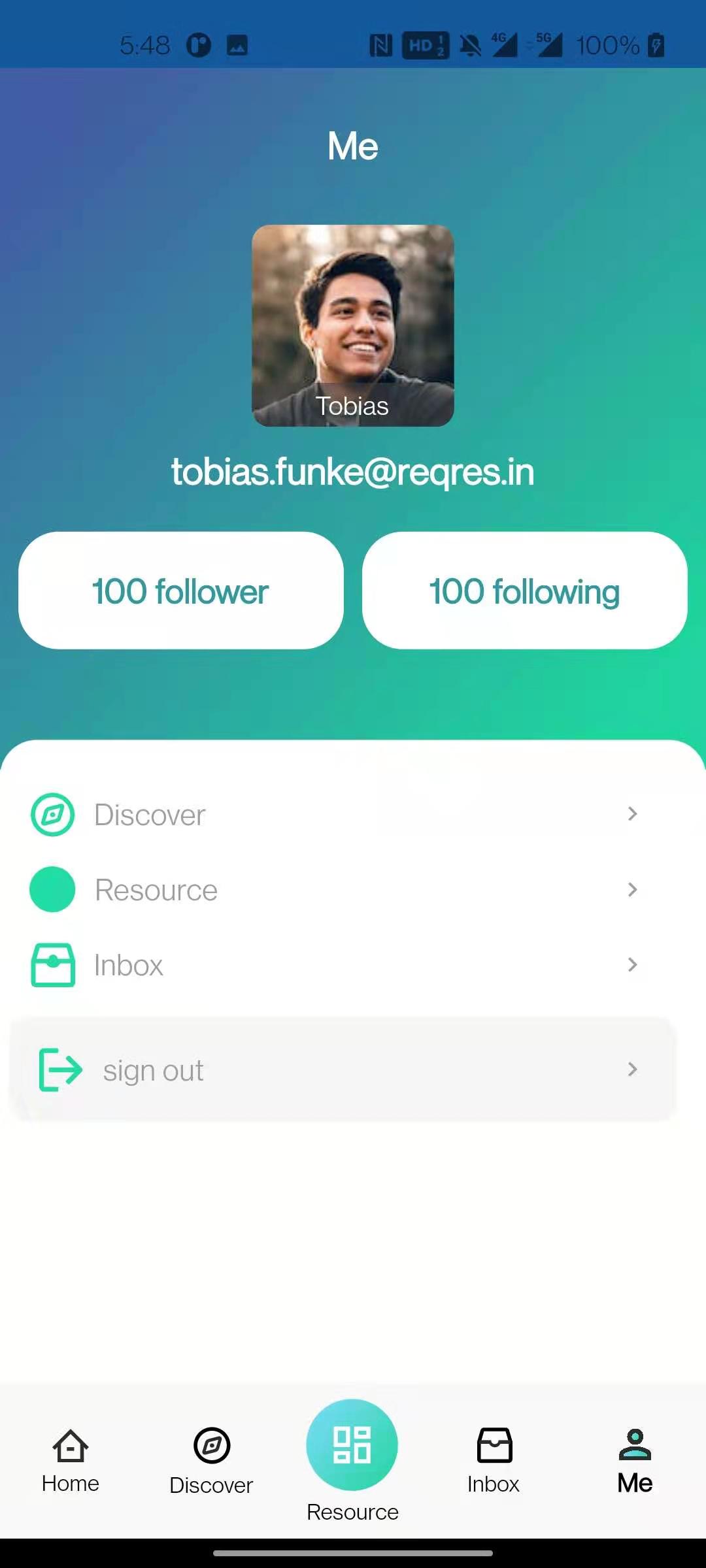




Installation & Use
Step 1:
Fork this project to your own warehouse:
git clone https://github.com/KevinZhang19870314/flutter_getx_boilerplate.git
Step 2:
Open the project folder with VS Code and execute the following command to install the dependency package:
flutter pub get
Step 3:
Open the main.dart file in the lib folder, F5 or Ctrl + F5 to run the project, and then you can start developing and debugging.
Folder structure
The following is the project folder structure (only the folders under lib are introduced)
lib/
|- api - Global Restful api requests, including interceptors, etc.
   |- interceptors - Interceptors, including auth, request, and response interceptors.
   |- api.dart - Restful api export file.
|- lang - Internationalization, including translation files, translation service files, etc.
   |- lang.dart - Language export file.
|- models - Various structured entity classes, divided into request and response entities.
   |- models.dart - Entity class export file.
|- modules - Business module folder.
   |- auth - Login & Registration Module.
   |- home - Home module.
   |- splash - Splash module.
   |- modules.dart - Module export file.
|- routes - Routing module.
   |- app_pages.dart - Routing page configuration.
   |- app_routes.dart - Route names.
   |- routes.dart - Route export file.
|- Shared - Global shared folders, including static variables, global services, utils, global Widgets, etc.
   |- shared.dart - Global shared export file.
|- theme - Theme folder.
|- app_bindings.dart - Services started before the app runs, such as Restful api.
|- di.dart - Global dependency injection objects, such as SharedPreferences, etc.
|- main.dart - Main entry.
Other
In the writing process, because it involves the call of Restful api, here I used the free test api provided by REQ|RES.
Test User as below:
email: "eve.holt@reqres.in",
password: "pistol"

Kevin Zhang ↗
Kategorien
Verwendete Abhängigkeiten
Abhängigkeiten 12 Einträge
- flutter
{"sdk":"flutter"} - cupertino_icons
1.0.8 - get
4.6.6 - shared_preferences
2.3.2 - wave
0.2.2 - fluttertoast
8.2.8 - flutter_easyloading
3.0.5 - flutter_svg
2.0.10+1 - flutter_staggered_grid_view
0.7.0 - cached_network_image
3.4.1 - flutter_testEntwicklung
{"sdk":"flutter"} - flutter_lintsEntwicklung
^4.0.0
Ranglisten
Wie wähle ich ein passendes Repository?
Nach Anwendungsfall filtern, Aktivität vergleichen und vor der Nutzung das Originalprojekt prüfen.
- Nach Name, Autor oder Beschreibung suchen und nach Thema eingrenzen.
- Sterne, Forks und letzte Pushes vergleichen. Sterne zeigen Interesse, garantieren aber keine Qualität.
- Vor der Nutzung README, Lizenz und Issues auf GitHub prüfen.
Quellen und Pflege
“A repository is the most basic element of GitHub.”
GitHub Docs — About repositories ↗