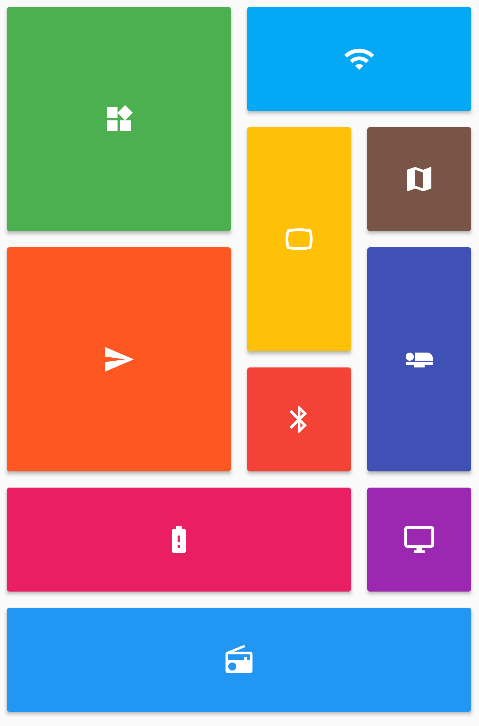
Aus öffentlichen Paketdaten erstellte Orientierung.
Ein Flutter-Paket, das eine Vielzahl an anpassbaren Gitterlayouts bietet, darunter gestaffelte, Mauerwerk-, Quilt- und gewebte Designs. Es erweitert die Standard-GridView-Funktionalität, um unregelmäßige Elementgrößen und dynamische Anordnungen zu unterstützen, ideal für ansprechende Inhaltsdarstellungen wie Fotogalerien oder Produktlisten. Das Paket ist leichtgewichtig, gut dokumentiert und kompatibel mit allen wichtigen Plattformen.
Anwendungsfälle
Foto-Galerie-Oberflächen
Produktlistenlayouts
Dynamische Inhaltsgitter
Kreative UI-Designs
Soziale-Medien-Feed-Layouts
Hauptmerkmale
Unterstützt gestaffelte und Mauerwerk-Layouts
Anpassbare Elementabmessungen
Glatte Scrollleistung
Plattformübergreifende Kompatibilität
Flexible Rasterkonfiguration
Eingebaute Animationsunterstützung
Geeignet für
Entwickler, die visuell anspruchsvolle Apps erstellen
Designer, die einzigartige Rastermuster suchen
Apps, die responsive Inhaltslayouts erfordern
Projekte mit variabel großen Elementen
Teams, die UI-Aufbereitung priorisieren
Hinweise
Kann sorgfältige Layout-Tests auf kleinen Bildschirmen erfordern
Die Leistung kann bei sehr großen Datensätzen abnehmen
Eingeschränkte integrierte Steuerung der Elementabstände
Nicht ideal für einfache gleichmäßige Gitter
Erfordert Verständnis von benutzerdefinierten Layout-Prinzipien
Original-README
Originaler README-Schnappschuss aus dem verknüpften Quell-Repository. Aktuelle Inhalte finden Sie im Repository.
flutter_staggered_grid_view
Provides a collection of Flutter grids layouts.
Getting started
In the pubspec.yaml of your flutter project, add the following dependency:
For help getting started with Flutter, view the online documentation.
Layouts
This package contains various grid layouts. In the following section, you'll discover each one of them.
The explanation of the layout will always considered a top-to-bottom and left-to-right directions to simplify the description. However it is possible to change these directions in the code.
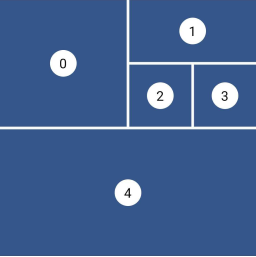
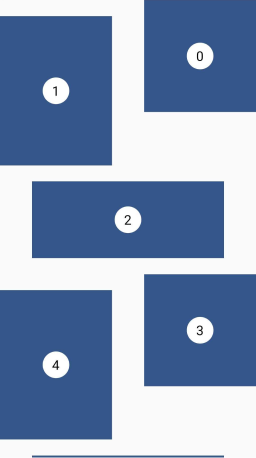
Staggered
This layout is intended for a small number of items.
I didn't find, for the moment, a performant algorithm which would work in a Sliver context, that's why this is not a GridView and therefore there are no SliverStaggeredGrid.
Grid properties
Evenly divided in n columns
Small number of items
Not scrollable
Tile properties
Must occupy 1 to n columns
Placement algorithm
Top-most and then left-most
Example
Below you'll find the code to create this grid layout:
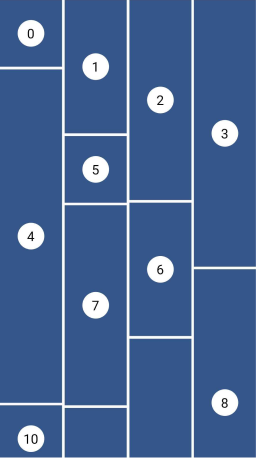
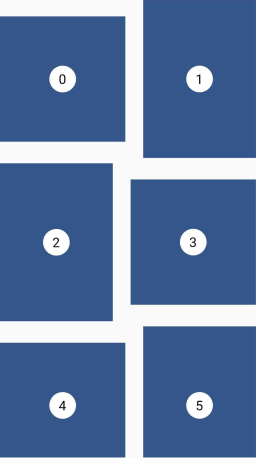
This layout facilitates the browsing of uncropped peer content. Container heights are sized based on the widget size.
This is a complete separate grid and not a SliverGridDelegate for performance reasons. The SliverGrid is great but it needs to have a layout which does not depends on the size of its children. Otherwise we have to compute the size to all children before the end of the cache, which is really not performant for a masonry layout.
Grid properties
Evenly divided in n columns
Tile properties
Must occupy 1 column only
Placement algorithm
Top-most and then left-most
Example
Below you'll find the code to create this grid layout:
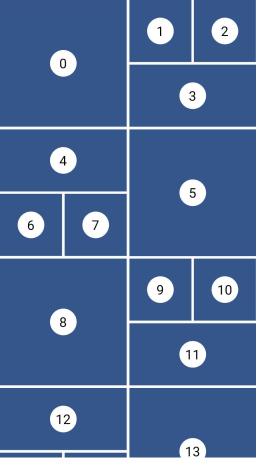
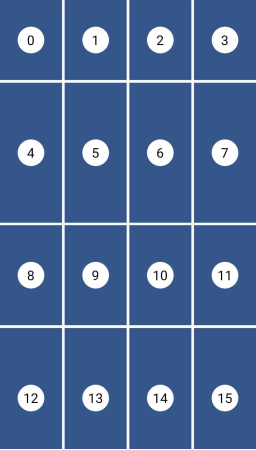
This layout is also called CSS Grid. This is a common grid layout on the web, where each item within a track has the maximum cross axis extent of its siblings.
Grid properties
Evenly divided in n columns
The rows can have differents heights
Tile properties
Must occupy 1 column only
Each tile has the same height as the tallest one of the row.
Placement algorithm
Top-most and then left-most
Example
Below you'll find the code to create this grid layout:
I'm working on my packages on my free-time, but I don't have as much time as I would. If this package or any other package I created is helping you, please consider to sponsor me so that I can take time to read the issues, fix bugs, merge pull requests and add features to these packages.
Sponsors
I want to thank Tommy for sponsoring this package. Thanks to him, I took the time to investigate in the previous performance issues and refactor this library to make it how is it today.
If you find a bug or want a feature, but don't know how to fix/implement it, please fill an issue.
If you fixed a bug or implemented a feature, please send a pull request.