
v4.7.3
get
Öffnen Sie Bildschirme, Snackbars und Dialoge ohne Kontext, verwalten Sie Zustände und injizieren Sie Abhängigkeiten einfach mit GetX.
15.600Likes 764.00030-Tage-Downloads140Pub-Punkte
AndroidiOSWebmacOSWindowsLinux
Eine Multi-Plattform-(Flutter)-Anwendung zum Lesen Ihrer E-Mails mit Ihren Lieblingsgeräten unter Verwendung des JMAP-Protokolls!

Öffnen Sie Bildschirme, Snackbars und Dialoge ohne Kontext, verwalten Sie Zustände und injizieren Sie Abhängigkeiten einfach mit GetX.
Flutter-Plugin für Firebase Core, das die Verbindung mit mehreren Firebase-Apps ermöglicht.
Flutter-Plugin für Firebase Cloud Messaging, eine plattformübergreifende Messaging-Lösung, mit der Sie Nachrichten zuverlässig auf Android und iOS übermitteln können.
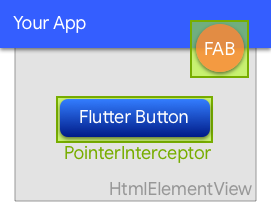 v0.10.1+3
Ein Widget, das verhindert, dass Klicks von unterliegenden HtmlElementViews im Web verschluckt werden.
Erweiterung für Hive. Generiert automatisch TypeAdapters, um jede Klasse zu speichern.
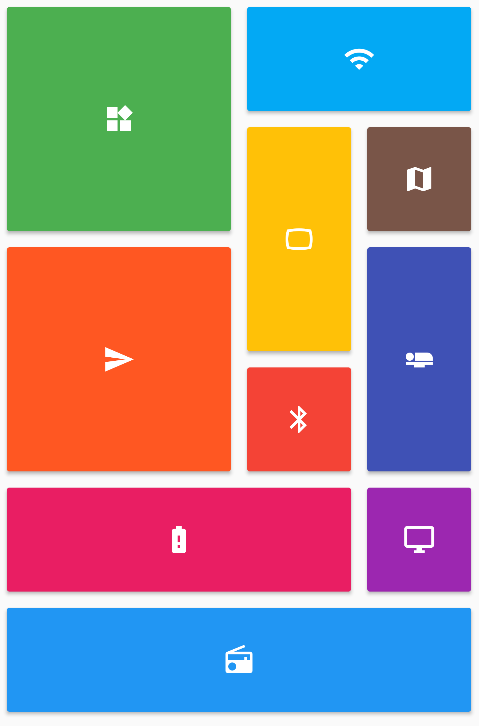 v0.7.0
Bietet eine Sammlung von Flutter-Gitterlayouts (gestaffelt, Mauerwerk, Quilt, gewebt usw.).
Ein leistungsstarker, mehrplattformfähiger E2E-UI-Testframework für Flutter-Anwendungen, der die Einschränkungen von integration_test überwindet, indem er Native-Interaktionen handhabt.
Einfache, hochwertige API auf Basis von flutter_test.
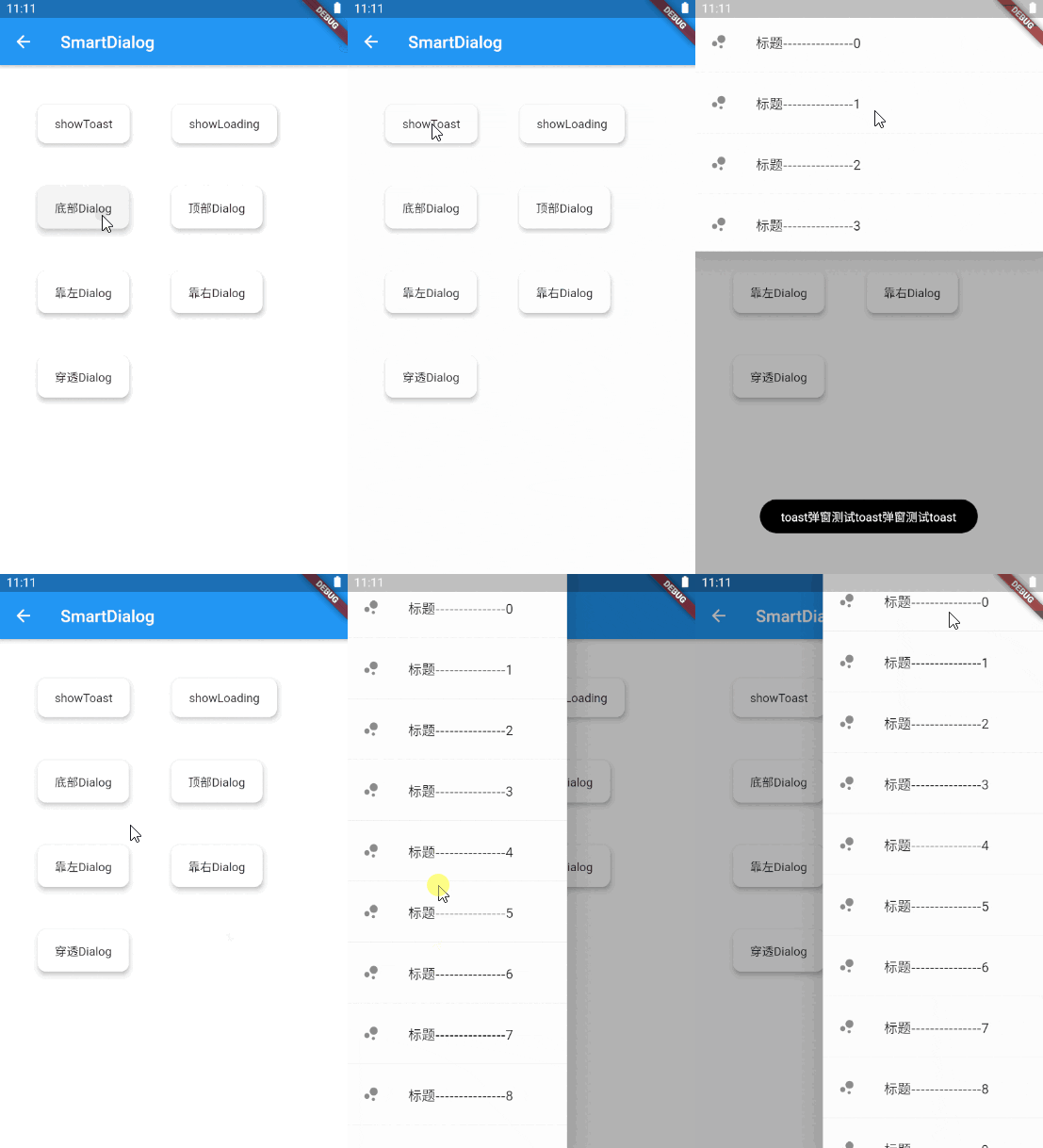 v5.3.0
Eine elegante Flutter-Dialoßlösung, einfach Toast, Laden und benutzerdefinierte Dialoge implementieren, die Verwendung des Dialogs erleichtern!
Ein plattformunabhängiges Paket zum Parsen und Serialisieren von HTTP-Formaten.
StreamChannel-Wrappers für WebSockets. Bietet eine plattformübergreifende WebSocketChannel-API und eine plattformübergreifende Implementierung dieser API, die über einen zugrundeliegenden StreamChannel kommuniziert.
Eine Integration, die Unterstützung für Leistungstracing für das Dio-Paket hinzufügt.
Abhängigkeiten 120 Einträge
{"sdk":"flutter"}{"sdk":"flutter"}{"path":"core"}{"path":"model"}{"path":"contact"}{"path":"rule_filter"}{"path":"forward"}{"path":"fcm"}{"path":"email_recovery"}{"path":"server_settings"}{"path":"cozy"}{"path":"scribe"}{"path":"labels"}{"path":"workplace"}{"git":{"url":"https://github.com/linagora/rich-text-composer.git","ref":"main"}}{"git":{"url":"https://github.com/linagora/html-editor-enhanced.git","ref":"main"}}—{"git":{"url":"https://github.com/linagora/flutter_contacts.git","ref":"master"}}{"git":{"url":"https://github.com/linagora/receive_sharing_intent.git","ref":"main"}}{"git":{"url":"https://github.com/linagora/flutter_appauth_web.git","ref":"upgrade-flutter-appauth"}}{"git":{"url":"https://github.com/linagora/flutter-date-range-picker.git","ref":"main"}}——1.1.00.3.84.0.31.0.64.6.62.1.05.2.02.0.52.5.30.10.15.0.25.1.12.0.24.0.21.19.12.0.13.0.72.2.02.1.59.0.112.0.17.2.12.16.00.10.1+20.27.74.0.02.0.00.6.21.1.33.7.13.5.119.0.14.2.27.2.92.13.00.15.31.2.41.3.0^4.9.06.3.14.8.016.2.117.2.24.1.11.2.03.1.0+12.2.42.0.09.0.00.20.25.0.26.0.02.0.76.0.03.1.20.2.02.1.01.0.0+12.1.07.0.08.0.01.0.40.4.40.3.010.2.05.1.13.0.34.1.06.3.24.0.34.9.8+51.0.03.0.2{"git":{"url":"https://github.com/linagora/twake-previewer-flutter.git","ref":"main"}}0.1.21.2.19.8.09.8.0^3.3.1^4.0.2{"sdk":"flutter"}^2.15.04.0.4-dev.3^3.1.35.6.41.11.22.0.12.2.180.12.06.3.0^6.11.30.4.24.5.00.8.03.2.02.1.8^3.2.1Englischer Projektschnappschuss. Aktuelle Inhalte auf GitHub.
Contributors Issues Documentation Android application Ios application Web Mail Gitter
This project aims at providing a multi-platform mobile email application, running the JMAP protocol and will also deliver additional features to the Twake Mail back-end.
Twake Mail is developed with love by Linagora.
Here is how Twake Mail looks like on a phone:
Screenshots Mobile
Here is how Twake Mail looks like on a tablet:
Screenshot Tablet
Screenshot_Web
scripts/prebuild.sh script/bin/bash scripts/prebuild.sh
flutter build ios
flutter build apk
change SERVER_URL in env.file with your JMAP server
SERVER_URL=http://your-jmap-server.domain
then run:
flutter build web
or you can find our images in: https://hub.docker.com/r/linagora/tmail-web
Yet IMAP had been designed in another age, which resulted in a chatty patchwork of extensions. IMAP lacks decent synchronization primitives to address real-time challenges modern mobile fleet requires, it consumes a lot of bandwidth, requires a lot of round trips which means high latency.
We are not alone to say this! Big players of the field started their own proprietary protocols to address IMAP flaws, and inter-operable standard was yet to be found...
This, is where JMAP comes to play! JMAP builds on decades of experience, and beautifully addresses these challenges using HTTP and JSON standards. Not only does it make applications easier to develop, we also strongly believes it results in an improved experience for the end user.
Yes, you can use the Twake Mail application with any JMAP server and benefits from Twake Mail's ease of use.
We plan on writing a user documentation, helping you navigating around the application, and detailing the few configurations you have to perform.
If what you are looking for is not in the user guide then ask us directly in the issues first, we would be glad to help. But also glad to improve our documentation and maybe tweak slightly our UI (user interface).
Then, we plan on introducing a desktop application.
This versatility is enabled by the use of the Flutter framework.
We are also planning active work on drag and drops and other user experience / productivity enhancements.
We do not currently plan working on desktop applications, on websockets for push on top of TeamMail web but such contributions would be appreciated. We also welcome feedback and pull requests regarding Team-Mail portability (running TeamMail on top of third party mail servers).
First, we plan to write a simple, multi-platform JMAP email client. This includes reading your mails and mailboxes, managing them, sending emails, searching your emails. This will likely keep us busy by the end of 2021.
Then, we have plan for multiple features including:
No we do not plan to support such extensions, that are currently not standardized as RFCs, nor implemented on the Twake Mail backend.
The web-app needs to include an environment file though (here you can see the dummy env.file at the root of the project),
with a SERVER_URL parameter, so it knows to which backend it needs to connect to.
For this to run it locally for example, 2 ways:
Edit the env.file by replacing the default value of SERVER_URL to the one pointing to your JMAP backend server.
Then build your docker image:
docker build -t tmail-web:latest .
Then you can just simply run your web-app like this:
docker run -d -ti -p 8080:80 --name web tmail-web:latest
Then go to http://localhost:8080 and you should be able to login against your JMAP backend using the Twake Mail web-app.
You can use our official image linagora/tmail-web or just build the docker image locally without any prior changes:
docker build -t tmail-web:latest .
From then, create at the root of the project an environment file (like env.dev.file) where you put the SERVER_URL
you want to connect to. Then, to mount it and override the default one while running the container:
docker run -d -ti -p 8080:80 --mount type=bind,source="$(pwd)"/env.dev.file,target=/usr/share/nginx/html/assets/env.file --name web tmail-web:latest
Then go to http://localhost:8080 and you should be able to login against your JMAP backend using the TMail web-app.
We also include a docker-compose.yaml file so you can get a testing environment up quickly. This use our tmail-backend image for the JMAP server.
Here are the steps to setup:
tmail-backend:openssl genpkey -algorithm rsa -pkeyopt rsa_keygen_bits:4096 -out jwt_privatekey
openssl rsa -in jwt_privatekey -pubout -out jwt_publickey
env.file and set SERVER_URL to http://localhost/ (with the trailing slash)docker compose up -d to bring up both the frontend and the backend.docker compose exec tmail-backend /root/provisioning/provisioning.sh to provision some demo accounts (you don't have to let it run all the way).http://localhost:8080. The credentials for demo accounts are:User: alice@localhost
Password: aliceSecret
User: bob@localhost
Password: bobSecret
User: empty@localhost
Password: emptrySecret
- [Enable and customize the Application grid](docs/configuration/app_grid_configuration.md)
- [Change logos](docs/configuration/tmail-web-logo.md)
There are many ways to help us, and amongst them:
You would be pleased to know we contributes a JMAP Dart client that you can reuse to write your own applications. Feels free to open pull requests and enrich it!
Everyone can contribute at their own level, even if they only give a few minutes of their time. Whatever you do, your help is very valuable.