
 v0.1.6
flutter_emoji_gif_picker
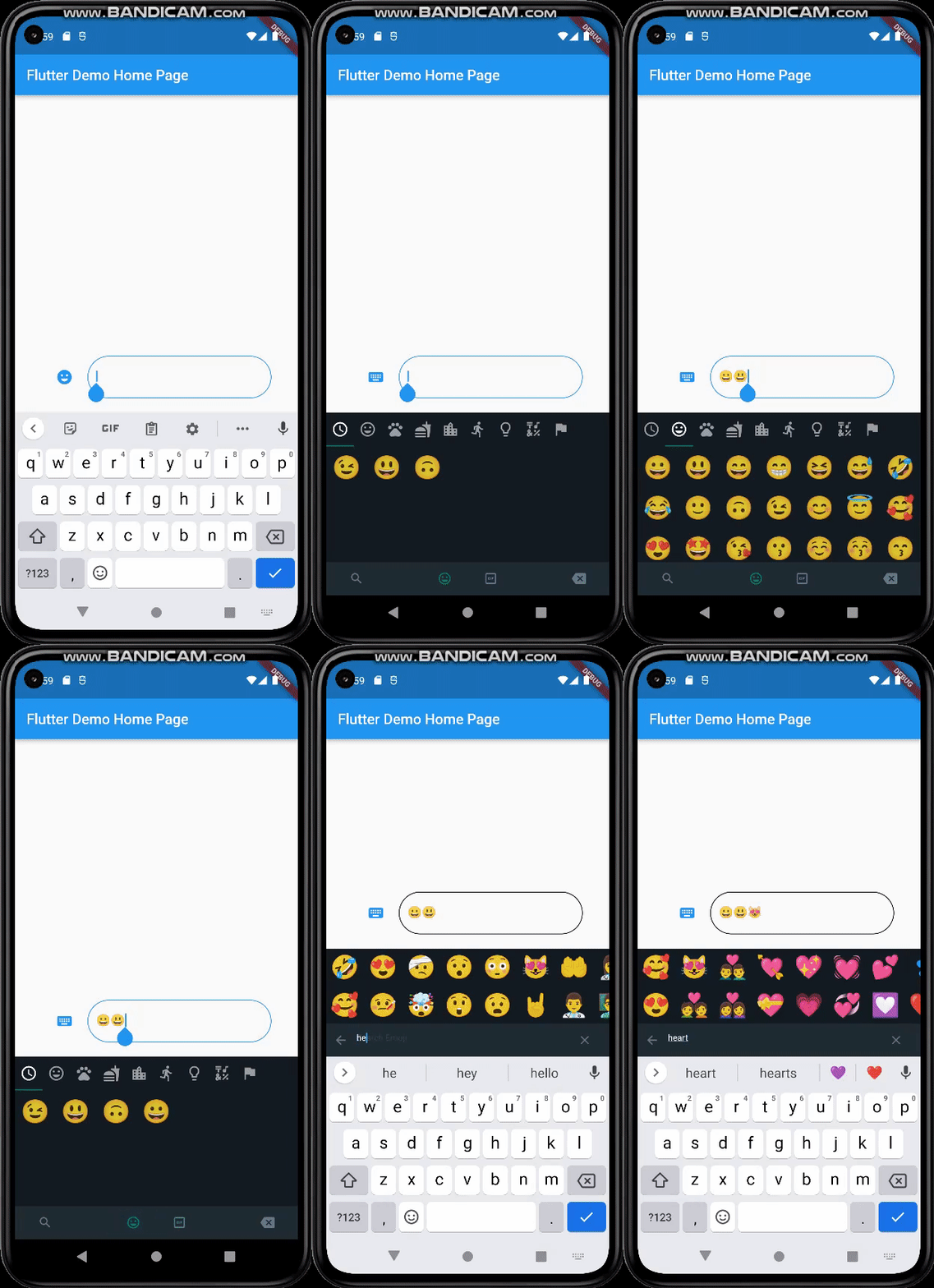
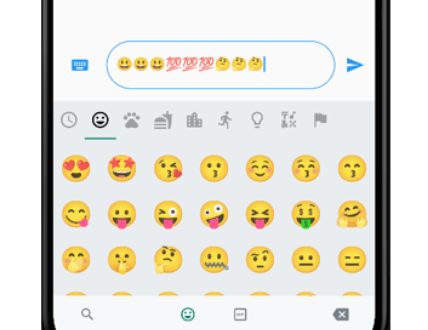
The same emoji-gif picker as whatsapp. Takes the same size as your keyboard(Mobile).
47Likes 10530-day downloads120Pub points
AndroidiOSWebmacOSWindowsLinux
FlutterWay/flutter_emoji_gif_picker open-source repository details.
English project snapshot. Visit GitHub for the latest content.
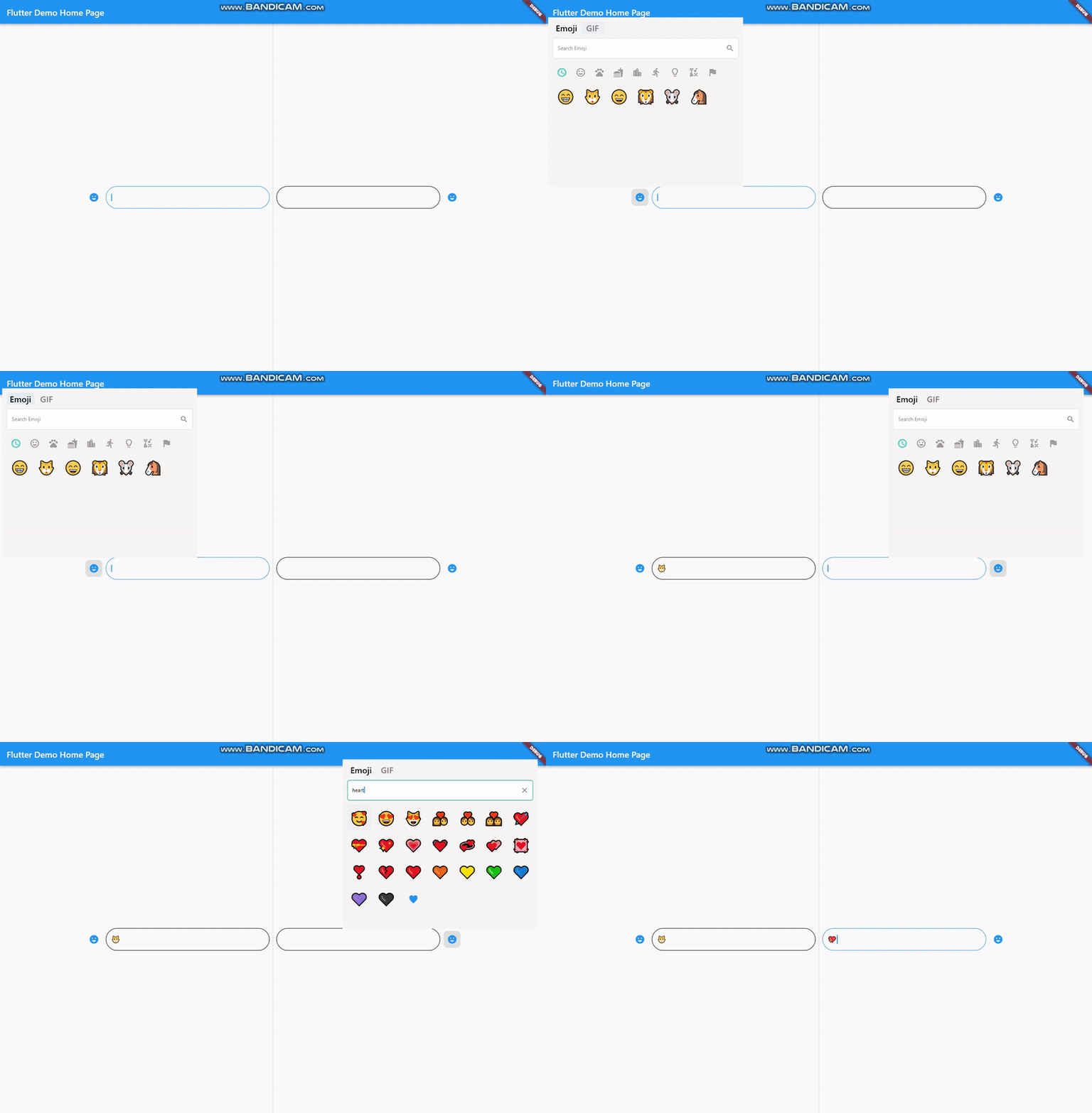
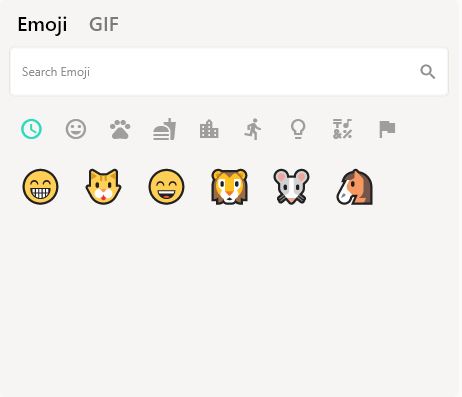
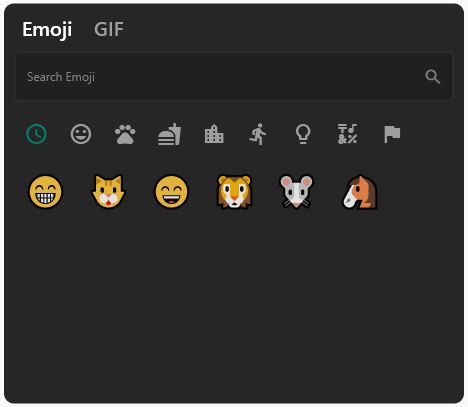
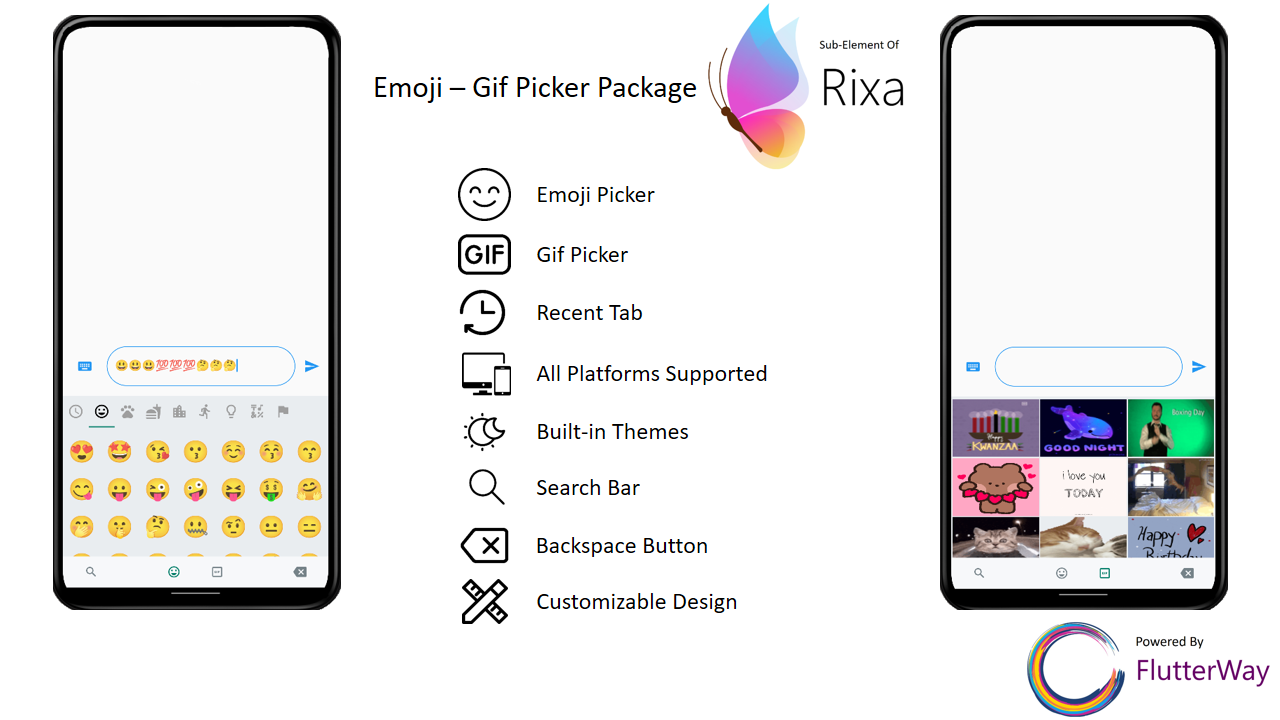
An emoji picker that was designed based on WhatsApp's picker model. Provides same functionalities with an easy usage.
|
|
|
It's simple and ready to use. Pick either dark / light mode and set your giphyApiKey. GiphyApiKey is required for gif menu to function / show.
EmojiGifPickerPanel.setup(
    giphyApiKey: "yourgiphyapikey", mode: Mode.light);
  EmojiGifPickerPanel.setup(
      sizes: MenuSizes(width: 2000, height: 500),
      texts: MenuTexts(
          searchEmojiHintText: "Search Emoji?",
          searchGifHintText: "Search with Giphy"),
      colors: MenuColors(
        backgroundColor: const Color(0xFFf6f5f3),
        searchBarBackgroundColor: Colors.white,
        searchBarBorderColor: const Color(0xFFe6e5e2),
        searchBarEnabledColor: Colors.white,
        searchBarFocusedColor: const Color(0xFF00a884),
        menuSelectedIconColor: const Color(0xFF1d6e5f),
        buttonColor: const Color(0xFF909090),
        iconBackgroundColor: null,
        iconHoveredBackgroundColor: const Color.fromARGB(255, 224, 224, 224),
        indicatorColor: Colors.transparent,
      ),
      styles: MenuStyles(
          menuSelectedTextStyle:
              const TextStyle(fontSize: 20, color: Colors.black),
          menuUnSelectedTextStyle:
              const TextStyle(fontSize: 20, color: Color(0xFF7a7a7a)),
          searchBarHintStyle:
              const TextStyle(fontSize: 12, color: Color(0xFF8d8d8d)),
          searchBarTextStyle:
              const TextStyle(fontSize: 12, color: Colors.black)),
      giphyApiKey: "yourgiphyapikey",
      mode: Mode.light);
return MaterialApp(
  theme: ThemeData(
    primarySwatch: Colors.blue,
  ),
  builder: (context, child) {
    return Stack(
      children: [
        child!,
        EmojiGifMenuStack(),
      ],
    );
  },
  home: const MyHomePage(),
);
If you want your emoji-gif picker to resize your page when opened, your page needs to be wrapped with EmojiGifMenuLayout and set fromStack:false in your picker icon widget. Otherwise emoji-gif picker will cover its own space on your page
EmojiGifMenuLayout(
  child: YourDesign(),
  )
EmojiGifPickerIcon(
  id: "1",
  onGifSelected: (gif) {},
  fromStack: false,
  controller: controller,
  icon: Icon(Icons.emoji_emotions),
),
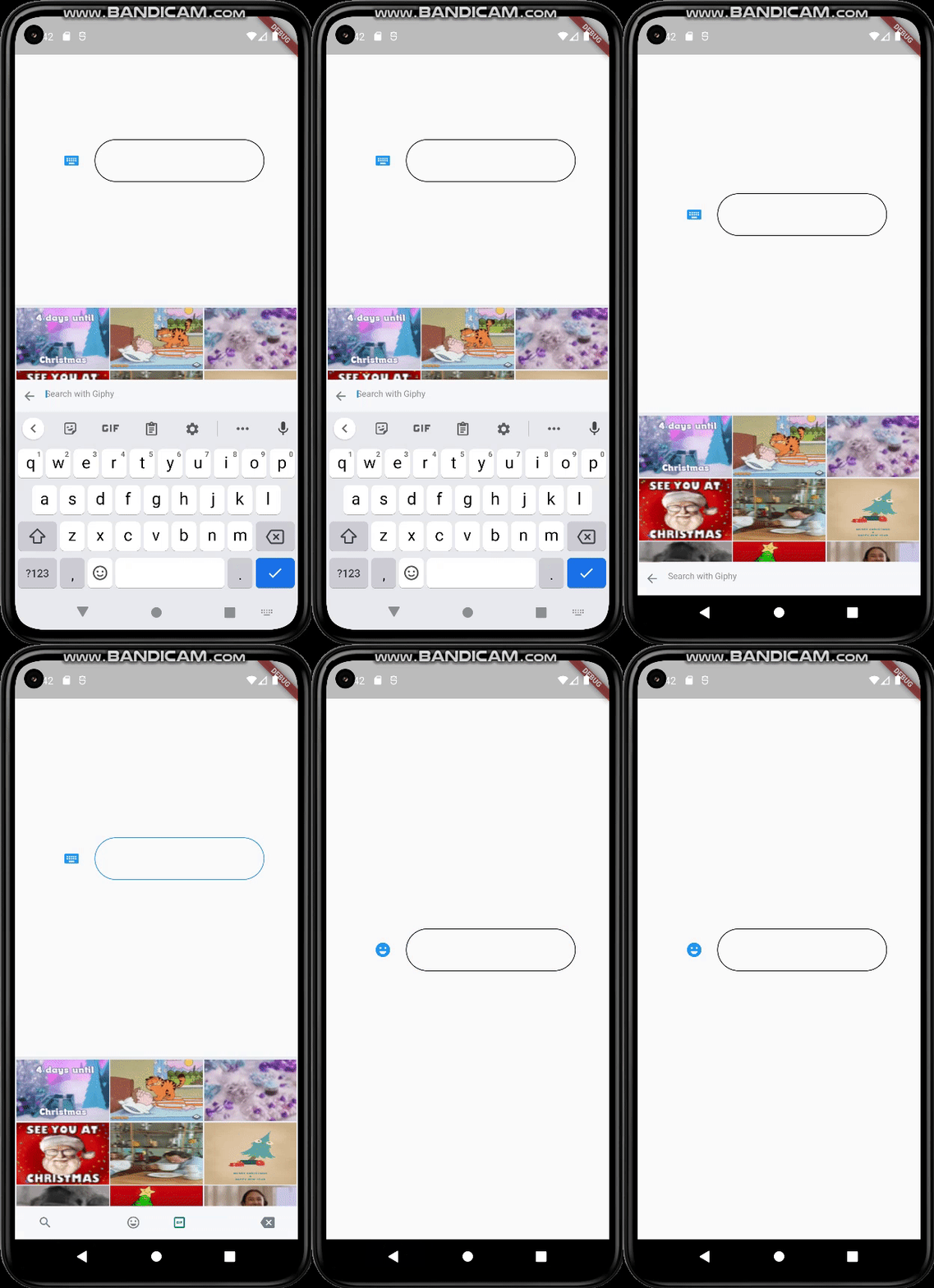
When the back button is pressed, if you want your emoji-gif picker menu to close instead of switching to another page, you must wrap your scaffold with WillPopScope to achieve this functionality
return WillPopScope(
        onWillPop: (() async {
          return EmojiGifPickerPanel.onWillPop();
        }),
        child: Scaffold(
These widgets are required in order to show picker menu. Give an id to your picker widget this way you can use these widgets in multiple places on the same page. Don't forget to give your TextEditingController in EmojiGifPickerIcon. With viewEmoji, viewGif parameters, you can control which menu opens or not.
EmojiGifPickerIcon(
    id: "1",
    onGifSelected: (gif) {},
    controller: controller,
    viewEmoji: true,
    viewGif: true,
    icon: Icon(Icons.emoji_emotions),
  )
EmojiGifTextField(
     id: "1",
   )
Row(
  mainAxisAlignment: MainAxisAlignment.center,
  children: [
    EmojiGifPickerIcon(
      id: "2",
      onGifSelected: (gif) {},
      controller: controller2,
      icon: Icon(Icons.emoji_emotions),
    ),
    SizedBox(
        width: MediaQuery.of(context).size.width * 0.6,
        child: EmojiGifTextField(
          id: "2",
          decoration: InputDecoration(
            enabledBorder: OutlineInputBorder(
                borderSide: BorderSide(color: Colors.black),
                borderRadius: BorderRadius.circular(30)),
            focusedBorder: OutlineInputBorder(
                borderSide: BorderSide(color: Colors.blue),
                borderRadius: BorderRadius.circular(30)),
          ),
        )),
  ],
import 'package:flutter/material.dart';
import 'package:emoji_gif_picker_menu/emoji_gif_picker_menu.dart';

void main() {
  EmojiGifPickerPanel.setup(
      giphyApiKey: "yourgiphyapikey", mode: Mode.light);
  runApp(const MyApp());
}

class MyApp extends StatelessWidget {
  const MyApp({super.key});

  @override
  Widget build(BuildContext context) {
    return MaterialApp(
      theme: ThemeData(
        primarySwatch: Colors.blue,
      ),
      builder: (context, child) {
        return Stack(
          children: [
            child!,
            EmojiGifMenuStack(),
          ],
        );
      },
      home: const MyHomePage(),
    );
  }
}

class MyHomePage extends StatefulWidget {
  const MyHomePage({super.key});

  @override
  State<MyHomePage> createState() => _MyHomePageState();
}

class _MyHomePageState extends State<MyHomePage> {
  TextEditingController controller = TextEditingController();
  @override
  Widget build(BuildContext context) {
    return WillPopScope(
        onWillPop: (() async {
          return EmojiGifPickerPanel.onWillPop();
        }),
        child: Scaffold(
            resizeToAvoidBottomInset: true,
            body: EmojiGifMenuLayout(
              child:
                  Row(mainAxisAlignment: MainAxisAlignment.center, children: [
                EmojiGifPickerIcon(
                  id: "1",
                  onGifSelected: (gif) {},
                  controller: controller,
                  icon: Icon(Icons.emoji_emotions),
                ),
                SizedBox(
                    width: MediaQuery.of(context).size.width * 0.3,
                    child: EmojiGifTextField(
                      id: "1",
                      decoration: InputDecoration(
                        enabledBorder: OutlineInputBorder(
                            borderSide: BorderSide(color: Colors.black),
                            borderRadius: BorderRadius.circular(30)),
                        focusedBorder: OutlineInputBorder(
                            borderSide: BorderSide(color: Colors.blue),
                            borderRadius: BorderRadius.circular(30)),
                      ),
                    )),
              ]),
            )));
  }
}
|
|
|
EmojiGifPickerPanel is a panel that allows you to edit the design to your liking. You can customize the features as shown below :
EmojiGifPickerPanel.setPosition(MenuPosition(bottom: 0));
EmojiGifPickerPanel.setSizes(MenuSizes(width: 2000, height: 500));
EmojiGifPickerPanel.setTexts(MenuTexts(
      searchEmojiHintText: "Search Emoji?",
      searchGifHintText: "Search with Giphy"),
      noRecents: Text("No Recent"),
      );
  EmojiGifPickerPanel.setColors(MenuColors(
    backgroundColor: const Color(0xFFf6f5f3),
    searchBarBackgroundColor: Colors.white,
    searchBarBorderColor: const Color(0xFFe6e5e2),
    searchBarEnabledColor: Colors.white,
    searchBarFocusedColor: const Color(0xFF00a884),
    menuSelectedIconColor: const Color(0xFF1d6e5f),
    buttonColor: const Color(0xFF909090),
    iconBackgroundColor: null,
    iconHoveredBackgroundColor: const Color.fromARGB(255, 224, 224, 224),
    indicatorColor: Colors.transparent,
  ));
  EmojiGifPickerPanel.setStyles(MenuStyles(
      menuSelectedTextStyle: const TextStyle(fontSize: 20, color: Colors.black),
      menuUnSelectedTextStyle:
          const TextStyle(fontSize: 20, color: Color(0xFF7a7a7a)),
      searchBarHintStyle:
          const TextStyle(fontSize: 12, color: Color(0xFF8d8d8d)),
      searchBarTextStyle: const TextStyle(fontSize: 12, color: Colors.black)));

Dependency list 12 items
{"sdk":"flutter"}^4.6.6^1.2.1^1.11.0^4.0.2^1.6.4^1.0.1^1.25.2^5.4.4^1.7.2^2.4.8^2.0.0Start with your use case, compare repository activity, and check the original project before adopting it.
“A repository is the most basic element of GitHub.”
GitHub Docs — About repositories ↗