

 v2.3.0
credit_card_input_form
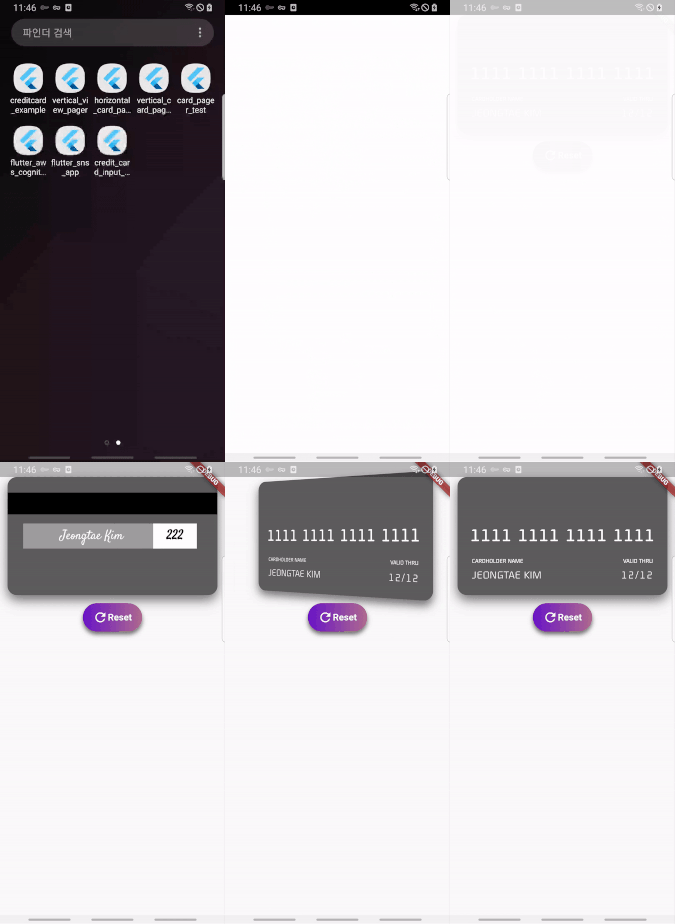
This package provides visually beautiful UX through animation of credit card information input form.
62Likes 8430-day downloads110Pub points
AndroidiOS
Flutter Credit Card Input form

English project snapshot. Visit GitHub for the latest content.



This package provides visually beautiful UX through animation of credit card information input form.

Add dependency to pubspec.yaml
Get the latest version in the 'Installing' tab on pub.dartlang.org
dependencies:
    credit_card_input_form: ^2.3.0
import 'package:credit_card_input_form/credit_card_input_form.dart';
CreditCardInputFormWith optional parameters
 CreditCardInputForm(
   cardHeight: 170,
   showResetButton : true,
   onStateChange: (currentState, cardInfo) {
     print(currentState);
     print(cardInfo);
   },
   customCaptions: {...},
   frontCardDecoration: cardDecoration,
   backCardDecoration: cardDecoration,
   prevButtonDecoration: buttonStyle,
   nextButtonDecoration: buttonStyle,
   resetButtonDecoration : buttonStyle,
   prevButtonTextStyle: buttonTextStyle,
   nextButtonTextStyle: buttonTextStyle,
   resetButtonTextStyle: buttonTextStyle,
   initialAutoFocus: true, // optional

),
Check out the example app in the example directory or the 'Example' tab on pub.dartlang.org for a more complete example.
added custom button style feature
| Default | Custom |
|---|---|
 |
 |
final buttonDecoration = BoxDecoration(
    borderRadius: BorderRadius.circular(30.0),
    gradient: LinearGradient(
        colors: [
          const Color(0xfffcdf8a),
          const Color(0xfff38381),
        ],
        begin: const FractionalOffset(0.0, 0.0),
        end: const FractionalOffset(1.0, 0.0),
        stops: [0.0, 1.0],
        tileMode: TileMode.clamp),
  );

  final buttonTextStyle =
      TextStyle(color: Colors.white, fontWeight: FontWeight.bold, fontSize: 18);

  CreditCardInputForm(
    prevButtonDecoration: buttonDecoration,
    nextButtonDecoration: buttonDecoration,
    prevButtonTextStyle: buttonTextStyle,
    nextButtonTextStyle: buttonTextStyle,
    resetButtonTextStyle: buttonTextStyle,
  ),
It provides more options using boxdecoration that can only change the color of the card.
| Default | Custom |
|---|---|
 |
 |
  final cardDecoration = BoxDecoration(
    boxShadow: <BoxShadow>[
      BoxShadow(color: Colors.black54, blurRadius: 15.0, offset: Offset(0, 8))
    ],
    gradient: LinearGradient(
        colors: [
          Colors.red,
          Colors.blue,
        ],
        begin: const FractionalOffset(0.0, 0.0),
        end: const FractionalOffset(1.0, 0.0),
        stops: [0.0, 1.0],
        tileMode: TileMode.clamp),
    borderRadius: BorderRadius.all(Radius.circular(15)));


    CreditCardInputForm(
      frontCardDecoration: cardDecoration,
      backCardDecoration: cardDecoration,
    ),
  ]),
implement a new feature to add an initial value when creating a widget
| Code | Preview |
|
|
Add initialAutoFocus parameter
https://pub.dev/packages/flip_card
For use card flip animation
https://pub.dev/packages/provider
For use state management
This package's animation is inspired from from this Dribbble art
RESET buttonStart with your use case, compare repository activity, and check the original project before adopting it.
“A repository is the most basic element of GitHub.”
GitHub Docs — About repositories ↗