

 v2.3.3
omni_datetime_picker
A datetime picker package with option to use a single datetime picker or a datetime range picker.
265Likes 44.7K30-day downloads160Pub points
AndroidiOSWebmacOSWindowsLinux
A Flutter DateTime picker package.

English project snapshot. Visit GitHub for the latest content.

A DateTime picker that lets user select a date and the time, with start & end as a range.

| Light | Dark |
|---|---|
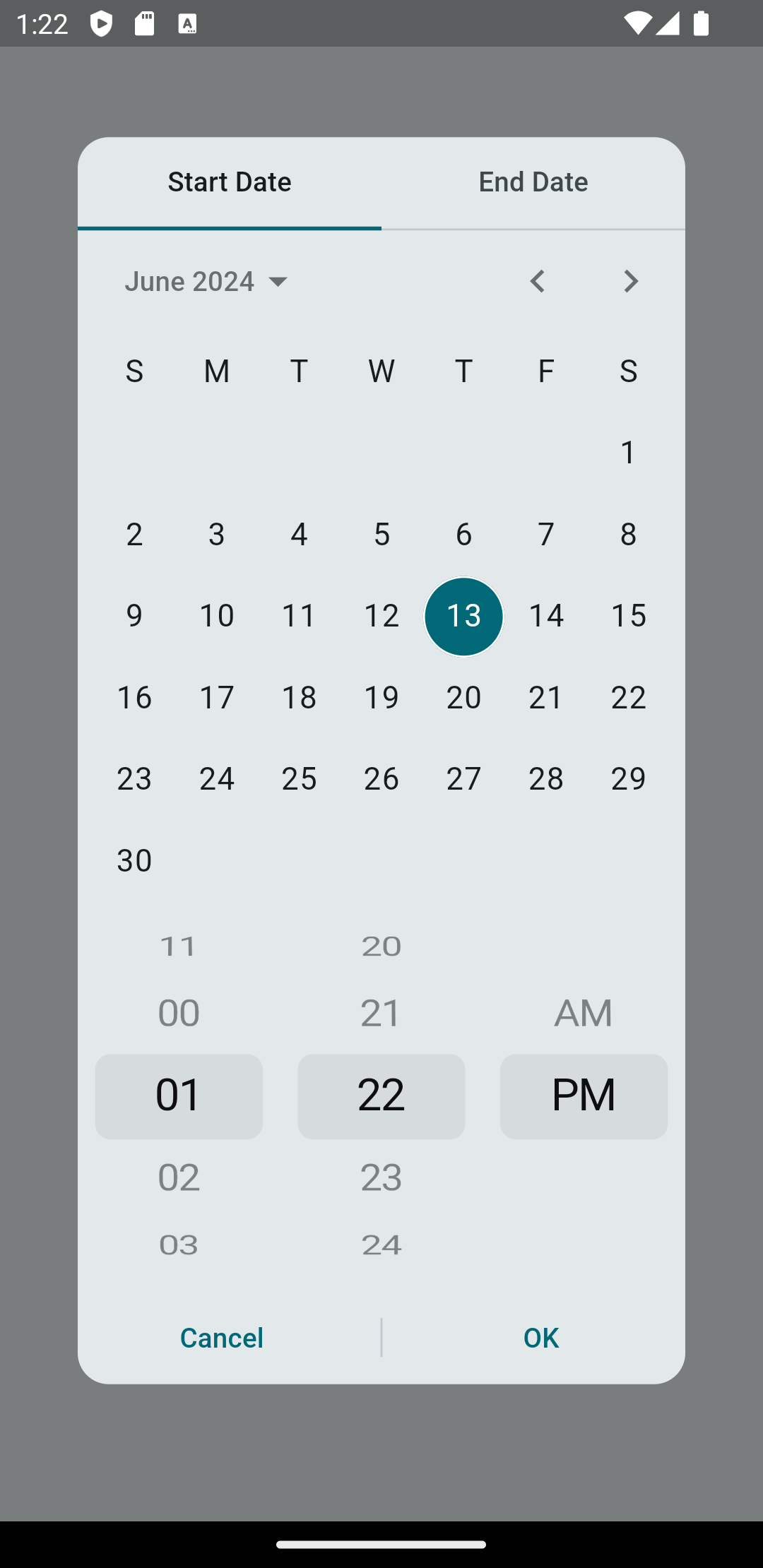 |
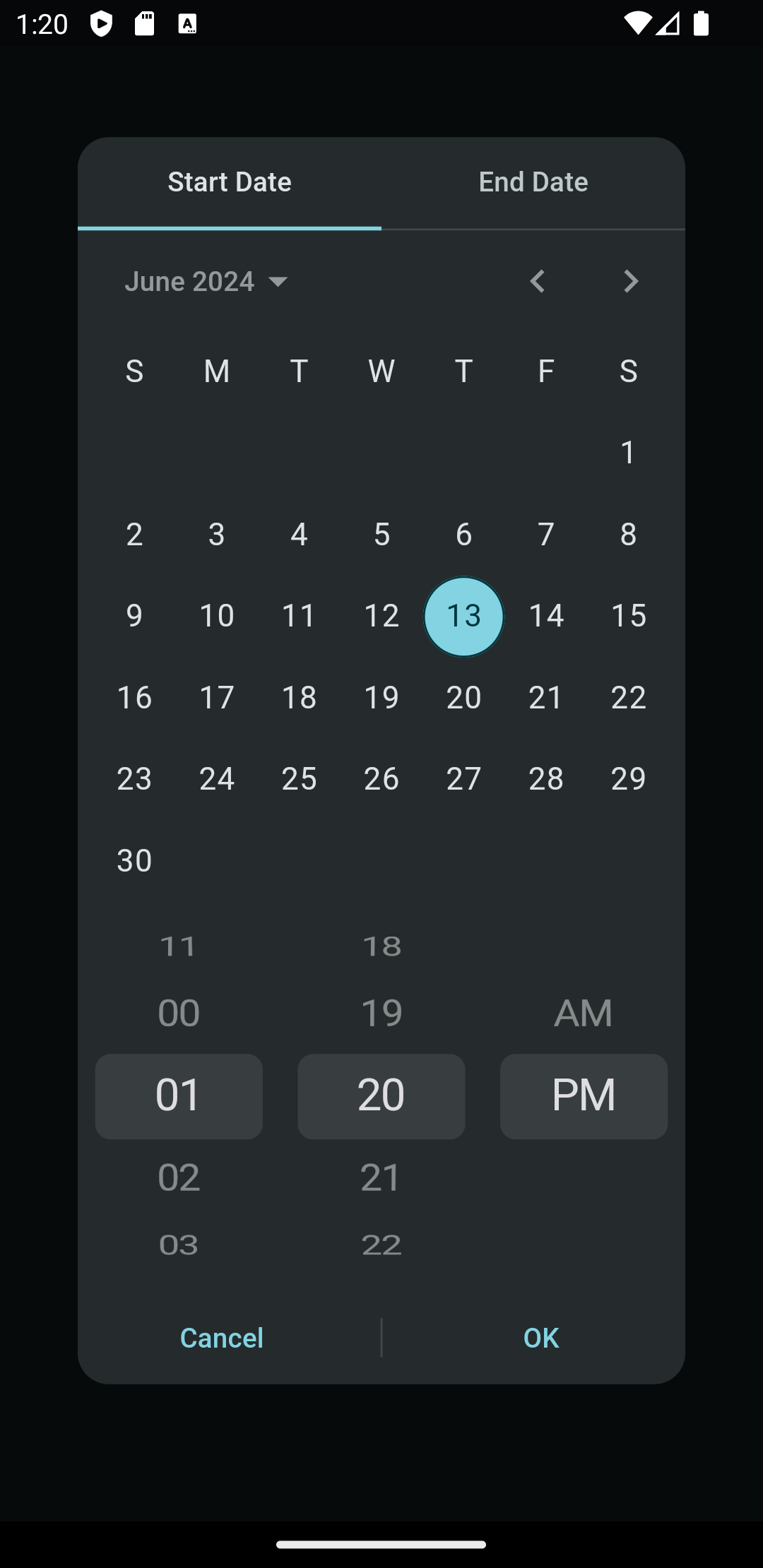 |
Add this to your package's pubspec.yaml file and run flutter pub get:
dependencies:
  omni_datetime_picker: ^2.3.2
Now in your Dart code, you can use:
import 'package:omni_datetime_picker/omni_datetime_picker.dart';
Simple usage:
OmniDateTimePicker
DateTime? dateTime = await showOmniDateTimePicker(context: context);
OmniDateTimeRangePicker
List<DateTime>? dateTimeList = await showOmniDateTimeRangePicker(context: context);
Custom properties:
OmniDateTimePicker
DateTime? dateTime = await showOmniDateTimePicker(
                    context: context,
                    initialDate: DateTime.now(),
                    firstDate:
                        DateTime(1600).subtract(const Duration(days: 3652)),
                    lastDate: DateTime.now().add(
                      const Duration(days: 3652),
                    ),
                    is24HourMode: false,
                    isShowSeconds: false,
                    minutesInterval: 1,
                    secondsInterval: 1,
                    isForce2Digits: false,
                    borderRadius: const BorderRadius.all(Radius.circular(16)),
                    constraints: const BoxConstraints(
                      maxWidth: 350,
                      maxHeight: 650,
                    ),
                    transitionBuilder: (context, anim1, anim2, child) {
                      return FadeTransition(
                        opacity: anim1.drive(
                          Tween(
                            begin: 0,
                            end: 1,
                          ),
                        ),
                        child: child,
                      );
                    },
                    transitionDuration: const Duration(milliseconds: 200),
                    barrierDismissible: true,
                    barrierColor: const Color(0x80000000),
                    selectableDayPredicate: (dateTime) {
                      // Disable 25th Feb 2023
                      if (dateTime == DateTime(2023, 2, 25)) {
                        return false;
                      } else {
                        return true;
                      }
                    },
                    type: OmniDateTimePickerType.dateAndTime,
                    title: Text('Select Date & Time'),
                    titleSeparator: Divider(),
                    separator: SizedBox(height: 16),
                    padding: EdgeInsets.all(16),
                    insetPadding: EdgeInsets.symmetric(horizontal: 40, vertical: 24),
                    theme: ThemeData.light(),
                    actionsBuilder: (context, confirmCallback, cancelCallback) {
                      return Row(
                        mainAxisAlignment: MainAxisAlignment.spaceEvenly,
                        children: [
                          TextButton(
                            onPressed: cancelCallback,
                            child: Text('Cancel'),
                          ),
                          ElevatedButton(
                            onPressed: confirmCallback,
                            child: Text('Confirm'),
                          ),
                        ],
                      );
                    },
                  );
OmniDateTimeRangePicker
List<DateTime>? dateTimeList =
                      await showOmniDateTimeRangePicker(
                    context: context,
                    startInitialDate: DateTime.now(),
                    startFirstDate:
                        DateTime(1600).subtract(const Duration(days: 3652)),
                    startLastDate: DateTime.now().add(
                      const Duration(days: 3652),
                    ),
                    endInitialDate: DateTime.now(),
                    endFirstDate:
                        DateTime(1600).subtract(const Duration(days: 3652)),
                    endLastDate: DateTime.now().add(
                      const Duration(days: 3652),
                    ),
                    is24HourMode: false,
                    isShowSeconds: false,
                    minutesInterval: 1,
                    secondsInterval: 1,
                    isForce2Digits: false,
                    isForceEndDateAfterStartDate: true,
                    onStartDateAfterEndDateError: () {
                      // Handle error when start date is after end date
                      print('Start date cannot be after end date!');
                    },
                    borderRadius: const BorderRadius.all(Radius.circular(16)),
                    constraints: const BoxConstraints(
                      maxWidth: 350,
                      maxHeight: 650,
                    ),
                    transitionBuilder: (context, anim1, anim2, child) {
                      return FadeTransition(
                        opacity: anim1.drive(
                          Tween(
                            begin: 0,
                            end: 1,
                          ),
                        ),
                        child: child,
                      );
                    },
                    transitionDuration: const Duration(milliseconds: 200),
                    barrierDismissible: true,
                    barrierColor: Colors.black54,
                    startSelectableDayPredicate: (dateTime) {
                      // Disable 25th Feb 2023 for start date
                      if (dateTime == DateTime(2023, 2, 25)) {
                        return false;
                      } else {
                        return true;
                      }
                    },
                    endSelectableDayPredicate: (dateTime) {
                      // Disable 26th Feb 2023 for end date
                      if (dateTime == DateTime(2023, 2, 26)) {
                        return false;
                      } else {
                        return true;
                      }
                    },
                    type: OmniDateTimePickerType.dateAndTime,
                    title: Text('Select Date & Time Range'),
                    titleSeparator: Divider(),
                    startWidget: Text('Start'),
                    endWidget: Text('End'),
                    separator: SizedBox(height: 16),
                    defaultTab: DefaultTab.start,
                    padding: EdgeInsets.all(16),
                    insetPadding: EdgeInsets.symmetric(horizontal: 40, vertical: 24),
                    theme: ThemeData.light(),
                    actionsBuilder: (context, confirmCallback, cancelCallback) {
                      return Row(
                        mainAxisAlignment: MainAxisAlignment.spaceEvenly,
                        children: [
                          TextButton(
                            onPressed: cancelCallback,
                            child: Text('Cancel'),
                          ),
                          ElevatedButton(
                            onPressed: confirmCallback,
                            child: Text('Confirm'),
                          ),
                        ],
                      );
                    },
                  );
The returned value of showOmniDateTimeRangePicker() will be a List with two DateTime:
[startDateTime, endDateTime].
OmniDateTimePicker is now available for use directly as a widget instead of the prebuilt dialogs.
Dependency list 7 items
{"sdk":"flutter"}^9.1.1^2.0.8^0.28.0{"sdk":"flutter"}^6.0.0^10.0.0Start with your use case, compare repository activity, and check the original project before adopting it.
“A repository is the most basic element of GitHub.”
GitHub Docs — About repositories ↗