Search packages, repositories and app categories

omni_datetime_picker cover
Package detailsv2.3.3

omni_datetime_picker

A datetime picker package with option to use a single datetime picker or a datetime range picker.

AndroidiOSWebmacOSWindowsLinux
30-day downloads
39.9K
Likes
265
Pub points
160

Install package

flutter pub add omni_datetime_picker

Package Overview

Package selection guidance compiled from public package information, community data, and project usage.

OmniDateTimePicker is a Flutter package offering flexible date and time selection with support for both single datetime pickers and range pickers. It provides a consistent, customizable interface across Android, iOS, Web, macOS, Windows, and Linux. The package simplifies date and time input in forms, calendars, and scheduling apps by allowing users to select one or multiple dates/times with intuitive UI components. Built with Dart, it integrates seamlessly into Flutter projects and supports localization and theme customization.

Use cases

  • Scheduling appointments
  • Booking systems
  • Event planning tools
  • Form inputs requiring date/time
  • Calendar applications
  • Task management interfaces

Key features

  • Single datetime picker
  • Range datetime picker
  • Cross-platform compatibility
  • Customizable themes
  • Localization support
  • Smooth animations

Suitable for

  • Developers building forms with date/time inputs
  • Apps needing flexible date selection
  • Projects targeting multiple platforms
  • UI-focused scheduling features
  • Teams prioritizing developer experience

Considerations

  • Requires Flutter SDK 2.5 or higher
  • Limited to basic date/time selection (no advanced calendar logic)
  • May need additional styling for complex UIs
  • No built-in validation beyond selection
  • Depends on platform-specific native components for some features

Original README

Original README snapshot from the linked source repository. Visit the repository for the latest content.

Omni DateTime Picker

pub package

A DateTime picker that lets user select a date and the time, with start & end as a range.

ko-fi

Screenshots

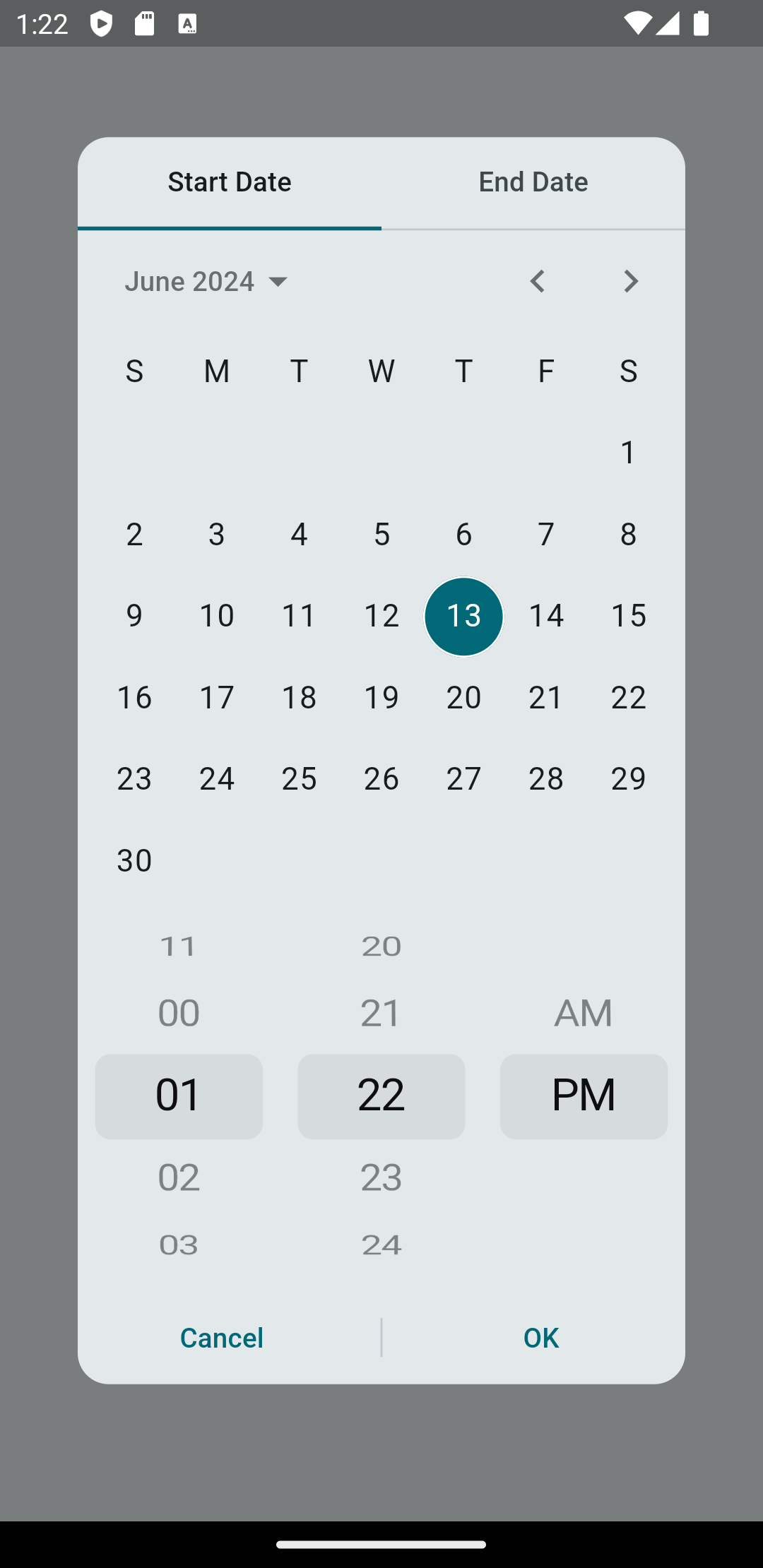
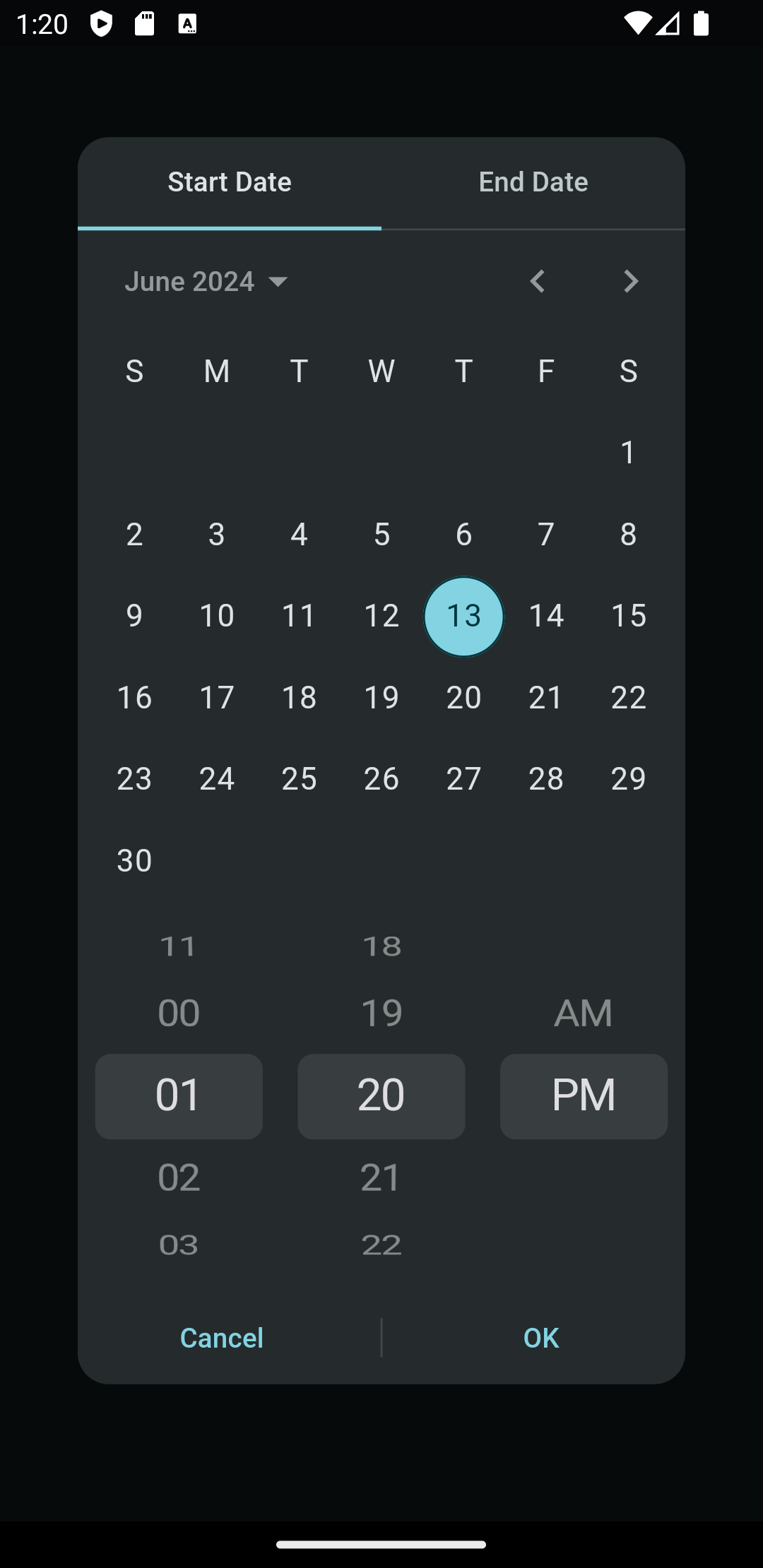
Light Dark
Omni DateTime Range Picker - Light Omni DateTime Range Picker - Dark

Getting started

Add this to your package's pubspec.yaml file and run flutter pub get:

dependencies:
  omni_datetime_picker: ^2.3.2

Now in your Dart code, you can use:

import 'package:omni_datetime_picker/omni_datetime_picker.dart';

Usage

Simple usage:

OmniDateTimePicker

DateTime? dateTime = await showOmniDateTimePicker(context: context);

OmniDateTimeRangePicker

List<DateTime>? dateTimeList = await showOmniDateTimeRangePicker(context: context);

Custom properties:

OmniDateTimePicker

DateTime? dateTime = await showOmniDateTimePicker(
                    context: context,
                    initialDate: DateTime.now(),
                    firstDate:
                        DateTime(1600).subtract(const Duration(days: 3652)),
                    lastDate: DateTime.now().add(
                      const Duration(days: 3652),
                    ),
                    is24HourMode: false,
                    isShowSeconds: false,
                    minutesInterval: 1,
                    secondsInterval: 1,
                    isForce2Digits: false,
                    borderRadius: const BorderRadius.all(Radius.circular(16)),
                    constraints: const BoxConstraints(
                      maxWidth: 350,
                      maxHeight: 650,
                    ),
                    transitionBuilder: (context, anim1, anim2, child) {
                      return FadeTransition(
                        opacity: anim1.drive(
                          Tween(
                            begin: 0,
                            end: 1,
                          ),
                        ),
                        child: child,
                      );
                    },
                    transitionDuration: const Duration(milliseconds: 200),
                    barrierDismissible: true,
                    barrierColor: const Color(0x80000000),
                    selectableDayPredicate: (dateTime) {
                      // Disable 25th Feb 2023
                      if (dateTime == DateTime(2023, 2, 25)) {
                        return false;
                      } else {
                        return true;
                      }
                    },
                    type: OmniDateTimePickerType.dateAndTime,
                    title: Text('Select Date & Time'),
                    titleSeparator: Divider(),
                    separator: SizedBox(height: 16),
                    padding: EdgeInsets.all(16),
                    insetPadding: EdgeInsets.symmetric(horizontal: 40, vertical: 24),
                    theme: ThemeData.light(),
                    actionsBuilder: (context, confirmCallback, cancelCallback) {
                      return Row(
                        mainAxisAlignment: MainAxisAlignment.spaceEvenly,
                        children: [
                          TextButton(
                            onPressed: cancelCallback,
                            child: Text('Cancel'),
                          ),
                          ElevatedButton(
                            onPressed: confirmCallback,
                            child: Text('Confirm'),
                          ),
                        ],
                      );
                    },
                  );

OmniDateTimeRangePicker

List<DateTime>? dateTimeList =
                      await showOmniDateTimeRangePicker(
                    context: context,
                    startInitialDate: DateTime.now(),
                    startFirstDate:
                        DateTime(1600).subtract(const Duration(days: 3652)),
                    startLastDate: DateTime.now().add(
                      const Duration(days: 3652),
                    ),
                    endInitialDate: DateTime.now(),
                    endFirstDate:
                        DateTime(1600).subtract(const Duration(days: 3652)),
                    endLastDate: DateTime.now().add(
                      const Duration(days: 3652),
                    ),
                    is24HourMode: false,
                    isShowSeconds: false,
                    minutesInterval: 1,
                    secondsInterval: 1,
                    isForce2Digits: false,
                    isForceEndDateAfterStartDate: true,
                    onStartDateAfterEndDateError: () {
                      // Handle error when start date is after end date
                      print('Start date cannot be after end date!');
                    },
                    borderRadius: const BorderRadius.all(Radius.circular(16)),
                    constraints: const BoxConstraints(
                      maxWidth: 350,
                      maxHeight: 650,
                    ),
                    transitionBuilder: (context, anim1, anim2, child) {
                      return FadeTransition(
                        opacity: anim1.drive(
                          Tween(
                            begin: 0,
                            end: 1,
                          ),
                        ),
                        child: child,
                      );
                    },
                    transitionDuration: const Duration(milliseconds: 200),
                    barrierDismissible: true,
                    barrierColor: Colors.black54,
                    startSelectableDayPredicate: (dateTime) {
                      // Disable 25th Feb 2023 for start date
                      if (dateTime == DateTime(2023, 2, 25)) {
                        return false;
                      } else {
                        return true;
                      }
                    },
                    endSelectableDayPredicate: (dateTime) {
                      // Disable 26th Feb 2023 for end date
                      if (dateTime == DateTime(2023, 2, 26)) {
                        return false;
                      } else {
                        return true;
                      }
                    },
                    type: OmniDateTimePickerType.dateAndTime,
                    title: Text('Select Date & Time Range'),
                    titleSeparator: Divider(),
                    startWidget: Text('Start'),
                    endWidget: Text('End'),
                    separator: SizedBox(height: 16),
                    defaultTab: DefaultTab.start,
                    padding: EdgeInsets.all(16),
                    insetPadding: EdgeInsets.symmetric(horizontal: 40, vertical: 24),
                    theme: ThemeData.light(),
                    actionsBuilder: (context, confirmCallback, cancelCallback) {
                      return Row(
                        mainAxisAlignment: MainAxisAlignment.spaceEvenly,
                        children: [
                          TextButton(
                            onPressed: cancelCallback,
                            child: Text('Cancel'),
                          ),
                          ElevatedButton(
                            onPressed: confirmCallback,
                            child: Text('Confirm'),
                          ),
                        ],
                      );
                    },
                  );

The returned value of showOmniDateTimeRangePicker() will be a List with two DateTime:

[startDateTime, endDateTime].

Usage with more flexibility

OmniDateTimePicker is now available for use directly as a widget instead of the prebuilt dialogs.

Categories

Dependencies

Dependency list 5 items

Source repository

Projects using this package