

 v2.1.5
full_picker
A Flutter package that helps you select files in different modes.
36Likes 15030-day downloads130Pub points
AndroidiOS
A Flutter package that helps you select files in different modes

English project snapshot. Visit GitHub for the latest content.

A Flutter package that helps you select files in different modes
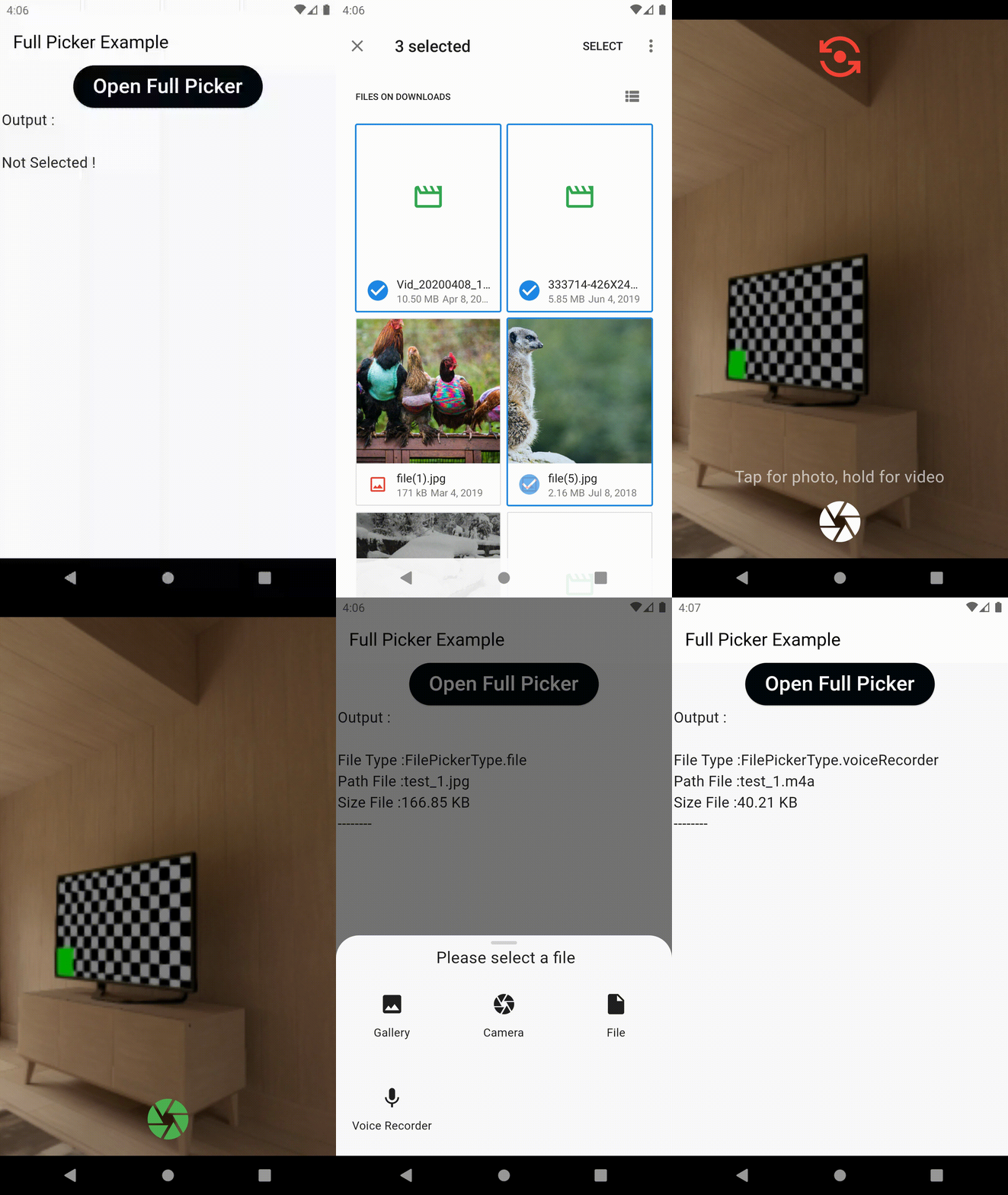
Quick simple usage example:
FullPicker(
  context: context,
  prefixName: "test",
  file: true,
  image: true,
  video: true,
  videoCamera: true,
  imageCamera: true,
  voiceRecorder: true,
  videoCompressor: false,
  imageCropper: false,
  multiFile: true,
  url: true,
  onError: (int value) {
    print(" ----  onError ----=$value");
  },
  onSelected: (value) {
    print(" ----  onSelected ----");
  },
);
and use minSdkVersion 21 in your Module-level build.gradle file
If you need to compress the video (only support Android And IOS), add the following
Add the following to your Info.plist file, located in <project root>/ios/Runner/Info.plist:
<key>NSPhotoLibraryUsageDescription</key>
<string>${PRODUCT_NAME} library Usage</string>
Add the following permissions in AndroidManifest.xml:
API < 29
<uses-permission android:name="android.permission.READ_EXTERNAL_STORAGE"/>
<uses-permission android:name="android.permission.WRITE_EXTERNAL_STORAGE"
android:maxSdkVersion="28"/>
API >= 29
<uses-permission android:name="android.permission.READ_EXTERNAL_STORAGE"/>
Include this in your Project-level build.gradle file:
allprojects {
    repositories {
        .
        .
        .
        maven { url 'https://jitpack.io' }
    }
}
Include this in your Module-level build.gradle file:
implementation 'com.github.AbedElazizShe:LightCompressor:1.0.0
If you need to crop the image (only support Android And IOS), add the following
<activity
    android:name="com.yalantis.ucrop.UCropActivity"
    android:screenOrientation="portrait"
    android:theme="@style/Ucrop.CropTheme"/>
If you need to voice recorder, add the following
<uses-permission android:name="android.permission.RECORD_AUDIO" />
<!-- Optional, you'll have to check this permission by yourself. -->
<uses-permission android:name="android.permission.WRITE_EXTERNAL_STORAGE" />
min SDK: 19 (maybe higher => encoder dependent)
<key>NSMicrophoneUsageDescription</key>
<string>We need to access to the microphone to record audio file</string>
min SDK: 11.0
<key>NSMicrophoneUsageDescription</key>
<string>We need to access to the microphone to record audio file</string>
There is a possibility of customization for different languages in this package
FullPickerLanguage language = FullPickerLanguage.copy(
    camera: S.current.camera,
    selectFile: S.current.selectFile,
    file: S.current.file,
    voiceRecorder: S.current.voiceRecorder,
    url: S.current.url,
    enterURL: S.current.enterURL,
    cancel: S.current.cancel,
    ok: S.current.ok,
    gallery: S.current.gallery,
    cropper: S.current.cropper,
    onCompressing: S.current.onCompressing,
    tapForPhotoHoldForVideo: S.current.tapForPhotoHoldForVideo,
    cameraNotFound: S.current.cameraNotFound,
    noVoiceRecorded: S.current.noVoiceRecorded,
    denyAccessPermission: S.current.denyAccessPermission);

FullPicker(
  ...
  language: language,
  ...
);
S For intl Package
For help getting started with Flutter, view our online documentation.
For help on editing plugin code, view the documentation.
Dependency list 18 items
{"sdk":"flutter"}^0.11.1^2.1.3^8.2.5^8.1.0^10.2.1^2.2.0^6.0.0^3.1.1^1.2.1^4.4.0^0.3.4+1^1.0.5^5.5.5^1.9.0^1.0.0^4.5.4{"sdk":"flutter"}Start with your use case, compare repository activity, and check the original project before adopting it.
“A repository is the most basic element of GitHub.”
GitHub Docs — About repositories ↗